I tried Helium, but it gave me a squeaky voice…
Updated
@anon26608633, Brave Origin is based on the Chromium web engine

The results can be different for others since settings as well as the number of extensions, specific extensions you have, and whether Javascript is enabled or not, and window size, pl;us others, can affect the fingerprint. This also means that if you enable JavaScript for an individual website then the fingerprint is likely exposed to that site as more unique.
I am only mentioning this just to explain a possible reason why different people get different results with the same browsers in this chart.
Randomised fingerprints can, in some ways, make you more unique, such as logging in to website accounts because those companies know your account details and know you use a randomised fingerprint which not many users have, or when a randomised fingerprint is combined with other static data like cookies and public IP, or the account is logged on via mobile phone app, etc tracking can still be linked. So best to use randomised with a VPN in terms of the public IP linking.
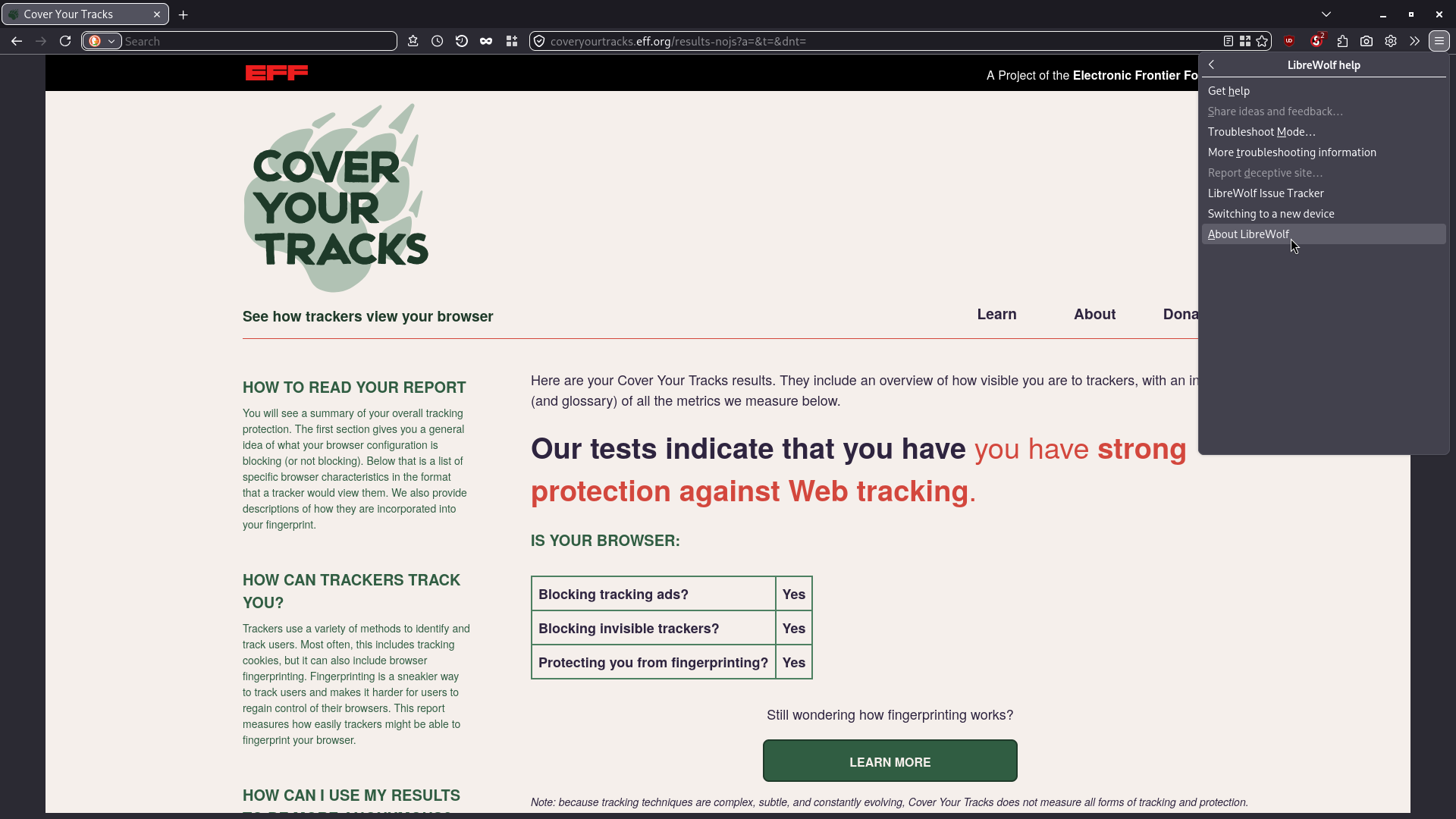
Here is What I tested for Librewolf.

My Mullvad browser with ublock origin disabling JavaScript by default, it stays protected regardless of window size changes. If Javascript is not disabled then resizing the Mullvad window will change to a status of unique fingerprint.

This is the Tor browser. This one stays protected regardless of window size (and if no extensions are added) but I have it’s protection set to safest and everything is set to default other than using a snowflake proxy.

I don’t use Chromium based browsers (Other than Freetube technically being a chromium browser) so I don’t have any comment on them in terms of tracking protections or anything like that.
The point is what happens later on. Both Brave & Vivaldi (I don’t care about the chinese spyware) have only stated that they will be supporting Manifest V2 for as long as this will be viable. And, unfortunately, it’s up to Google WHEN.
Personally, I’ve given up on anything Blink-related, loooong ago (talking ONLY about MY OWN use case.
btw package forge developers maintain the unofficial AppImage.
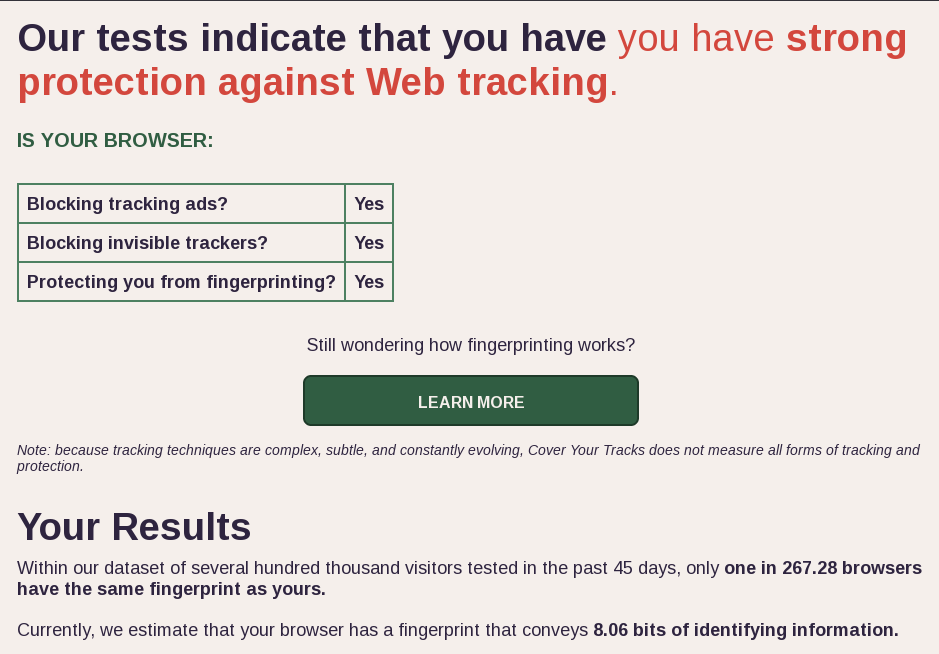
In the EFF CoverYourTracks webpage, post the testing there is a statement that is shown
Currently, we estimate that your browser has a fingerprint that conveys XX.XX bits of identifying information.
Please refer to the post by @Six for more details. What is the value of “XX.XX” that is shown for you?
@cactux, @UncleSpellbinder, @thefrog, @anon26608633 would it be possible for you to please share?
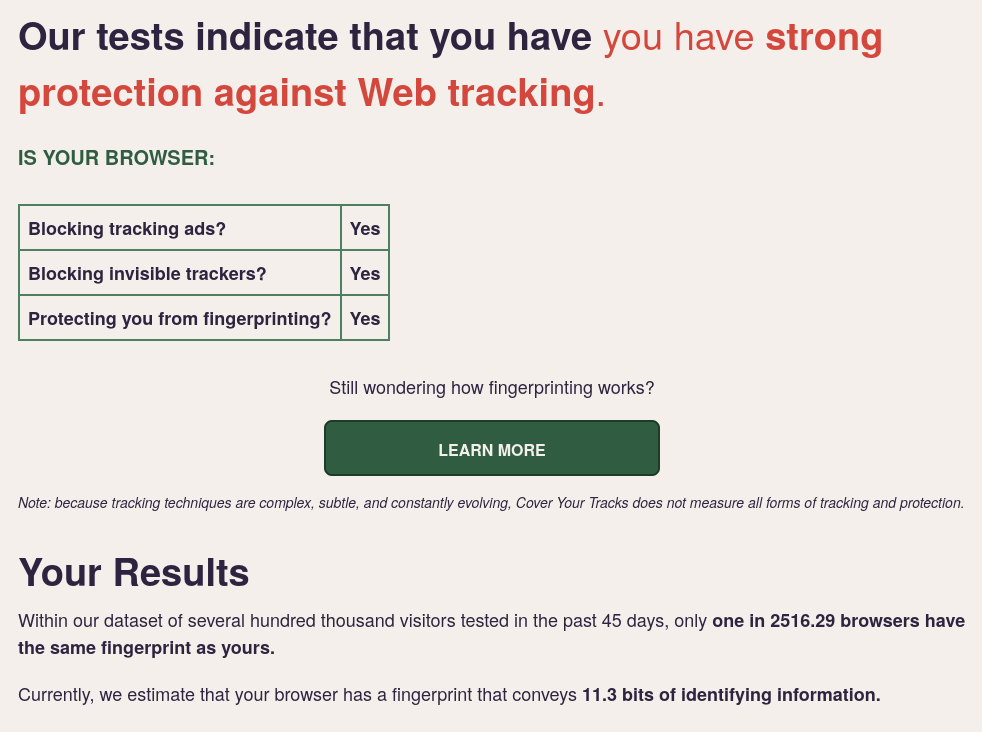
In the EFF CoverYourTracks webpage, post the testing there is a statement that is shown
Currently, we estimate that your browser has a fingerprint that conveys XX.XX bits of identifying information.
Please refer to the post by @Six for more details. What is the value of “XX.XX” that is shown for you?
@cactux, @UncleSpellbinder, @thefrog, @anon26608633 would it be possible for you to please share?
I no longer have Helium installed. Sorry.
I’m really liking it but I’m too ruined by Zen to use anything else atm.
I really like it as well. But as @mbod said…


HOW TO ENABLE WIDEVINE CDM (DRM) FOR HELIUM BROWSER @UncleSpellbinder @mbod
- Install
chromium-widevinefrom the AUR or Chaotic-AUR.yay chromium-widevine - Create
latest-component-updated-widevine-cdmfile in
.config/net.imput.helium/WidevineCdm/directory (if any of the directories don’t exist, just create it). - Open the
latest-component-updated-widevine-cdmfile with your favorite text editor and add{"Path":"/usr/lib/chromium/WidevineCdm"} - Open Helium and go to https://bitmovin.com/demos/drm to test if Widevine works, if it works, it should say
Detected Chromium, using widevine
And that’s all, you should now have a working widevine implementation in Helium. For me it didn’t magically disapear or anything like that, so it should work well. If it doesn’t work reply me and I will change the guide accordingly. If it was helpful put a like.
EDIT: put line break in 2nd step and changed title.
That does not work. The bitmovin page says “NO DRM”
EDIT:
It works. I had the path wrong. It should be .config/net.imput.helium/WidevineCdm
But because of the line break I only saw .config/net.imput.helium/.
With the correct path netflix works. Thanks

