OpenGL using llvmpipe as renderer, ignoring RX 6750 XT?

I’ve been bashing my head into this for the past three days now, so I figured I’d throw it up here and see if anybody else has any insight.

About two or three days back, I ran a system upgrade using yay (I don’t update as frequently as I should, but at least once in a given month), and as far as I’m aware, I then found I couldn’t play 7 Days to Die, as I wouldn’t get above 1FPS in the main menu or game, with my CPU maxing out, but my GPU just sitting idle. It wasn’t until I tried booting Palia and it refused to boot completely saying it required a GPU that was D3D11 compliant (EDIT: that specific error is “A D3D11-compatible GPU (Feature Level 11.0, Shader Model 5.0) is required to run the engine.”) that I put two and two together, and had a look at my system information in system settings, and found my graphics processor listed only as llvmpipe, with no mention of my discreet card, an RX 6750 XT, anywhere. My CPU is a little Ryzen 3 3100, so there’s no onboard graphics, just my AMD Card.

I’ve since looked into it and my system definitely sees the AMD card, and is using AMDGPU, and seems to have the driver loaded, but for whatever reason, I just cannot get OpenGL to select it as a renderer instead of llvmpipe! I’ve tried throwing blobs into my boot string in grub to force it, I’ve tried downgrading the usual suspects (xorg & mesa mostly), but nothing has seem to have made a difference or changed this behavior! I’ve been undoing things after trying them, so I’m not holding a bag of broken glass.

If anyone has ideas or insight, I’m very grateful, cause I’m sick and tired of trying to trace this down, I am not new to linux, or arch, or even endeavouros, and have never found myself stumped like this before.

Here’s some output commands, because I know this would be a decent starting point, and don’t see any point in waiting for somebody to ask me to paste these outputs first.

╭───╮ ╭────────────┬──────────╮ ╭────────────────╮ ╭╌╌╌
╭─┤ $ ├──┤ Thu Nov 13 │ 05:11:00 ├──┤ mesmerus@chell ├──┤ ~
│ ╰───╯ ╰────────────┴──────────╯ ╰────────────────╯ ╰╌╌╌
╰──► inxi -G
Graphics:
Device-1:Advanced Micro Devices [AMD/ATI] Navi 22 [Radeon RX 6700/6700
XT/6750 XT / 6800M/6850M XT]driver:amdgpuv:kernel
Display:waylandserver:``X.org``v:1.21.1.20with:Xwaylandv:24.1.9
compositor:kwin_waylanddriver: X: loaded:amdgpu
unloaded:modesetting,radeondri:radeonsigpu:amdgpuresolution:
1:2560x1440~144Hz2:1920x1080~60Hz3:1920x1080~60Hz
API:EGLv:1.5drivers:kms_swrast,swrast
platforms:gbm,wayland,x11,surfaceless,device
API:OpenGLv:4.5vendor:mesav:25.2.7-arch1.1renderer:llvmpipe
(LLVM 21.1.5 256 bits)
API:VulkanMessage:No Vulkan data available.
Info: Tools: api:clinfo, eglinfo, glxinfo, vulkaninfo
de:kscreen-console,kscreen-doctorgpu:lactwl:wayland-info
x11:xdpyinfo, xprop, xrandr

╭───╮ ╭────────────┬──────────╮ ╭────────────────╮ ╭╌╌╌
╭─┤ $ ├──┤ Thu Nov 13 │ 05:24:43 ├──┤ mesmerus@chell ├──┤ ~
│ ╰───╯ ╰────────────┴──────────╯ ╰────────────────╯ ╰╌╌╌
╰──► glxinfo -B
name of display: :1
failed to get driver name for fd 4
failed to get driver name for fd 5
glx: failed to create dri3 screen
failed to load driver: radeonsi
display: :1 screen: 0
direct rendering: Yes
Extended renderer info (GLX_MESA_query_renderer):
Vendor: Mesa (0xffffffff)
Device: llvmpipe (LLVM 21.1.5, 256 bits) (0xffffffff)
Version: 25.2.7
Accelerated: no
Video memory: 32010MB
Unified memory: yes
Preferred profile: core (0x1)
Max core profile version: 4.5
Max compat profile version: 4.5
Max GLES1 profile version: 1.1
Max GLES[23] profile version: 3.2
Memory info (GL_ATI_meminfo):
VBO free memory - total: 0 MB, largest block: 0 MB
VBO free aux. memory - total: 25294 MB, largest block: 25294 MB
Texture free memory - total: 0 MB, largest block: 0 MB
Texture free aux. memory - total: 25294 MB, largest block: 25294 MB
Renderbuffer free memory - total: 0 MB, largest block: 0 MB
Renderbuffer free aux. memory - total: 25294 MB, largest block: 25294 MB
Memory info (GL_NVX_gpu_memory_info):
Dedicated video memory: 0 MB
Total available memory: 32010 MB
Currently available dedicated video memory: 0 MB
OpenGL vendor string: Mesa
OpenGL renderer string: llvmpipe (LLVM 21.1.5, 256 bits)
OpenGL core profile version string: 4.5 (Core Profile) Mesa 25.2.7-arch1.1
OpenGL core profile shading language version string: 4.50
OpenGL core profile context flags: (none)
OpenGL core profile profile mask: core profile

OpenGL version string: 4.5 (Compatibility Profile) Mesa 25.2.7-arch1.1
OpenGL shading language version string: 4.50
OpenGL context flags: (none)
OpenGL profile mask: compatibility profile

OpenGL ES profile version string: OpenGL ES 3.2 Mesa 25.2.7-arch1.1
OpenGL ES profile shading language version string: OpenGL ES GLSL ES 3.20

╭───╮ ╭────────────┬──────────╮ ╭────────────────╮ ╭╌╌╌
╭─┤ $ ├──┤ Thu Nov 13 │ 05:27:48 ├──┤ mesmerus@chell ├──┤ ~
│ ╰───╯ ╰────────────┴──────────╯ ╰────────────────╯ ╰╌╌╌
╰──► lspci | grep VGA
0b:00.0 VGA compatible controller: Advanced Micro Devices, Inc. [AMD/ATI] Navi 22 [Radeon RX 6700/6700 XT/6750 XT / 6800M/6850M XT] (re
v c0)

╭───╮ ╭────────────┬──────────╮ ╭────────────────╮ ╭╌╌╌
╭─┤ $ ├──┤ Thu Nov 13 │ 05:28:49 ├──┤ mesmerus@chell ├──┤ ~
│ ╰───╯ ╰────────────┴──────────╯ ╰────────────────╯ ╰╌╌╌
╰──► sudo cat /etc/default/grub
# GRUB boot loader configuration

GRUB_DEFAULT='0'
GRUB_TIMEOUT='10'
GRUB_DISTRIBUTOR='EndeavourOS'
GRUB_CMDLINE_LINUX_DEFAULT='nowatchdog nvme_load=YES rd.luks.uuid=606187c2-c3af-4e82-ad80-7b6ca07526ea loglevel=3'
GRUB_CMDLINE_LINUX=""

# Preload both GPT and MBR modules so that they are not missed
GRUB_PRELOAD_MODULES="part_gpt part_msdos"

# Uncomment to enable booting from LUKS encrypted devices
GRUB_ENABLE_CRYPTODISK=y

# Set to 'countdown' or 'hidden' to change timeout behavior,
# press ESC key to display menu.
GRUB_TIMEOUT_STYLE=menu

# Uncomment to use basic console
GRUB_TERMINAL_INPUT=console

# Uncomment to disable graphical terminal
#GRUB_TERMINAL_OUTPUT=console

# The resolution used on graphical terminal
# note that you can use only modes which your graphic card supports via VBE
# you can see them in real GRUB with the command `videoinfo'
GRUB_GFXMODE=auto

# Uncomment to allow the kernel use the same resolution used by grub
GRUB_GFXPAYLOAD_LINUX=keep

# Uncomment if you want GRUB to pass to the Linux kernel the old parameter
# format "root=/dev/xxx" instead of "root=/dev/disk/by-uuid/xxx"
#GRUB_DISABLE_LINUX_UUID=true

# Uncomment to disable generation of recovery mode menu entries
GRUB_DISABLE_RECOVERY='true'

# Uncomment and set to the desired menu colors. Used by normal and wallpaper
# modes only. Entries specified as foreground/background.
#GRUB_COLOR_NORMAL="light-blue/black"
#GRUB_COLOR_HIGHLIGHT="light-cyan/blue"

# Uncomment one of them for the gfx desired, a image background or a gfxtheme
GRUB_BACKGROUND='/usr/share/endeavouros/splash.png'
#GRUB_THEME="/path/to/gfxtheme"

# Uncomment to get a beep at GRUB start
#GRUB_INIT_TUNE="480 440 1"

# Uncomment to make GRUB remember the last selection. This requires
# setting 'GRUB_DEFAULT=saved' above.
#GRUB_SAVEDEFAULT=true

# Uncomment to disable submenus in boot menu
GRUB_DISABLE_SUBMENU='false'

# Probing for other operating systems is disabled for security reasons. Read
# documentation on GRUB_DISABLE_OS_PROBER, if still want to enable this
# functionality install os-prober and uncomment to detect and include other
# operating systems.
#GRUB_DISABLE_OS_PROBER=false
GRUB_EARLY_INITRD_LINUX_STOCK=''

just watch any update mesa / steam / and so on

next release

I have no clue what you mean by that/with those links, or how those articles are meant to help - my card isn’t old enough to be GCN 1, its an RX 6750 XT, that’s RDNA 2!

I presume that is meant to be helpful, I just ain’t sure why or how! :sweat_smile:

i see this

Yes, I saw the same, and that’s where I knew I had a problem & why I included that already!

Those links don’t help at all, those are all articles talking about mesa benefits coming soon for GCN architecture cards, while mine is RDNA 2, but as I also originally stated, mesa and xorg are up to date, and I’ve tried downgrading the both of them, and had no difference.

I also have steam up to date (my entire system is, save for librewolf today); are you suggesting I try to downgrade steam and see if that changes anything?

That won’t solve your issue.

Vulkan isn’t even detected on your system. But as it is a dependency of Steam and you’ll need the [multilib] repos.

In short, the radeonsi driver doesn’t even load and therefore OpenGL is only accessible via llvmpipe, which is the software rasterizer of the mesa drivers.

I see that you’ve got lact installed. And I guess the card isn’t accessible there as well ?

Are you blacklisting one of the drivers ?

Other than that, check this, nomodeset would interfere with the kernel module.

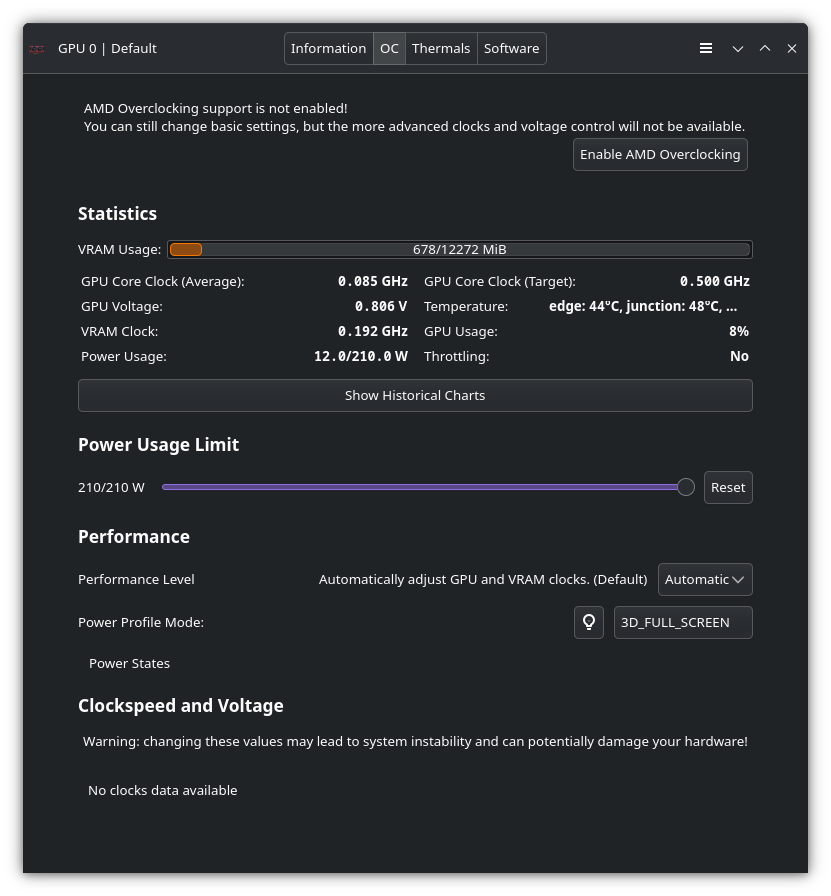
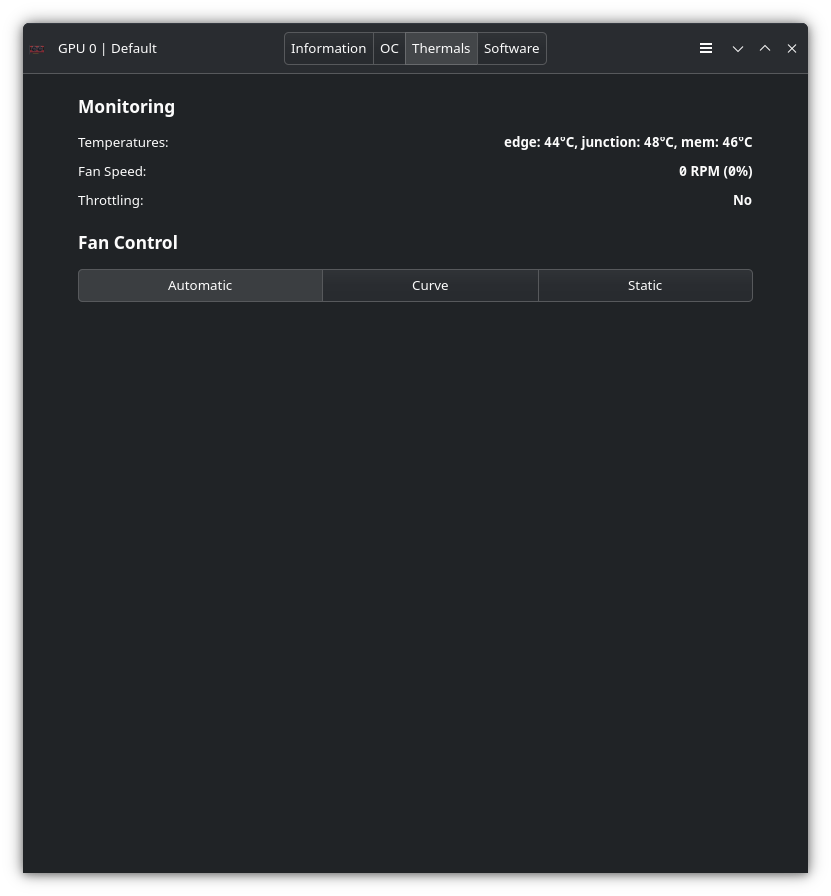
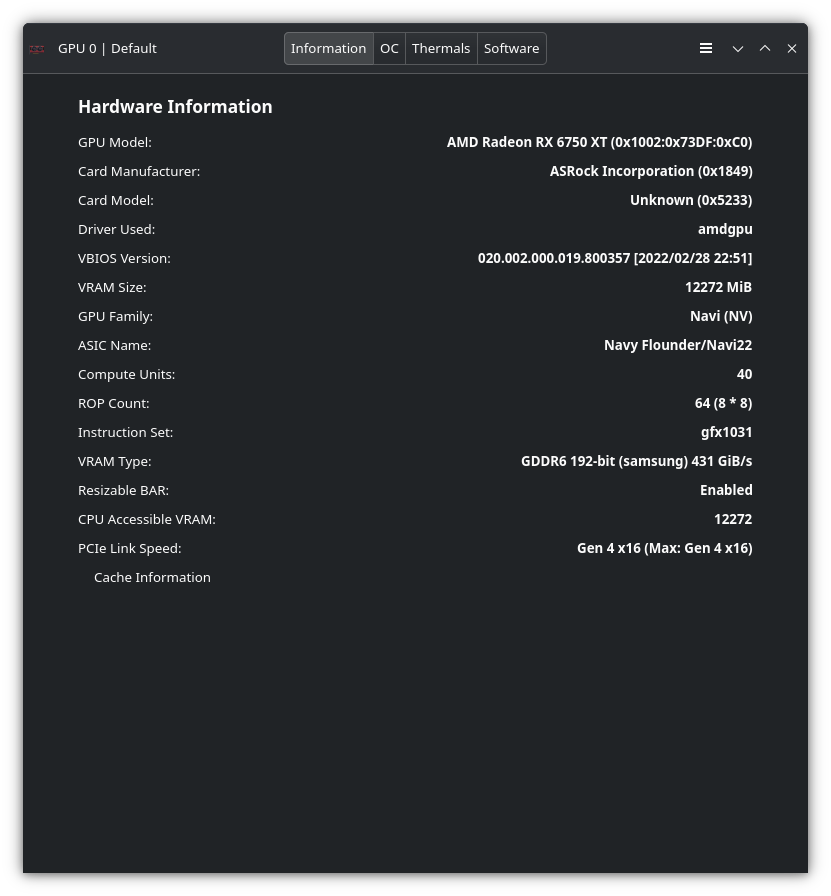
That’s odd, I didn’t remove vulkan, at least not intentionally? lact is installed, and it is still showing the card, apparently. Here’s screenshots from the four sections.

I hadn’t even considered vulkan was missing, because I ran into this as part of my looking into it before I started asking for assistance - in hindsight, I probably should have included this as well in my op

╭───╮ ╭────────────┬──────────╮ ╭────────────────╮ ╭╌╌╌
╭─┤ $ ├──┤ Thu Nov 13 │ 18:21:10 ├──┤ mesmerus@chell ├──┤ ~
│ ╰───╯ ╰────────────┴──────────╯ ╰────────────────╯ ╰╌╌╌
╰──► vulkaninfo
WARNING: [../mesa-25.2.7/src/amd/vulkan/radv_physical_device.c:2160] Code 0 : Could not get the kernel driver version for device /dev/dri/renderD128: Invalid argument (VK_ERROR_INC
OMPATIBLE_DRIVER)
ERROR: [Loader Message] Code 0 : setup_loader_term_phys_devs: Failed to detect any valid GPUs in the current config
ERROR at /usr/src/debug/vulkan-tools/Vulkan-Tools/vulkaninfo/./vulkaninfo.h:247:vkEnumeratePhysicalDevices failed with ERROR_INITIALIZATION_FAILED

So I thought it just wasn’t loading the driver for some reason, as I had checked that vulkan was installed still as part of this too

╭───╮ ╭────────────┬──────────╮ ╭────────────────╮ ╭╌╌╌
╭─┤ $ ├──┤ Thu Nov 13 │ 18:28:24 ├──┤ mesmerus@chell ├──┤ ~
│ ╰───╯ ╰────────────┴──────────╯ ╰────────────────╯ ╰╌╌╌
╰──► pacman -Qs vulkan
local/lib32-vulkan-icd-loader 1.4.328.1-1
Vulkan Installable Client Driver (ICD) Loader (32-bit)
local/lib32-vulkan-mesa-device-select 1:25.2.7-1
Mesa's Vulkan Device Select layer - 32-bit
local/lib32-vulkan-radeon 1:25.2.7-1
Open-source Vulkan driver for AMD GPUs - 32-bit
local/qt6-shadertools 6.10.0-1 (qt6)
Provides functionality for the shader pipeline that allows Qt Quick to operate on Vulkan, Metal, and Direct3D, in addition to OpenGL
local/spirv-tools 1:1.4.328.1-1 (vulkan-devel)
API and commands for processing SPIR-V modules
local/vulkan-headers 1:1.4.328.1-1 (vulkan-devel)
Vulkan header files and API registry
local/vulkan-icd-loader 1.4.328.1-1 (vulkan-devel)
Vulkan Installable Client Driver (ICD) Loader
local/vulkan-mesa-device-select 1:25.2.7-1
Mesa's Vulkan Device Select layer
local/vulkan-radeon 1:25.2.7-1
Open-source Vulkan driver for AMD GPUs
local/vulkan-tools 1.4.328.1-1 (vulkan-devel)
Vulkan tools and utilities

(edit) As far as I know, I shouldn’t be blacklisting any drivers, but also shouldn’t be running nomodeset, as I know that would tell it not to load them; it isn’t present in my GRUB_CMDLINE_LINUX_DEFAULT string, up in the OP

I’m having a look at the link you provided now as well

Following that link, I shouldn’t need SI or CIK support; as far as I’m aware, that pertains to GCN 1 and GCN 2 era cards, mine is much newer, being RDNA 2, and the only thing I’ve ever altered in /etc/default/grub was GRUB_TIMEOUT as I wanted the timeout to be 10 seconds instead of 5, just to give me a bit more of a moment as I was trying to put those exact parameters into my GRUB_CMDLINE_LINUX_DEFAULT line, to make sure I didn’t actually need them.

I do have linux-firmware-amdgpu installed too
╭───╮ ╭────────────┬──────────╮ ╭────────────────╮ ╭╌╌╌
╭─┤ $ ├──┤ Thu Nov 13 │ 18:36:21 ├──┤ mesmerus@chell ├──┤ ~
│ ╰───╯ ╰────────────┴──────────╯ ╰────────────────╯ ╰╌╌╌
╰──► pacman -Qs linux-firmware-amdgpu
local/linux-firmware-amdgpu 20251021-1
Firmware files for Linux - Firmware for AMD Radeon GPUs

I don’t have nomodeset or vga in my kernel parameters as far as I’m aware
╭───╮ ╭────────────┬──────────╮ ╭────────────────╮ ╭╌╌╌
╭─┤ $ ├──┤ Thu Nov 13 │ 18:43:06 ├──┤ mesmerus@chell ├──┤ ~
│ ╰───╯ ╰────────────┴──────────╯ ╰────────────────╯ ╰╌╌╌
╰──► cat /etc/default/grub | grep GRUB_CMDLINE_LINUX
GRUB_CMDLINE_LINUX_DEFAULT='nowatchdog nvme_load=YES rd.luks.uuid=606187c2-c3af-4e82-ad80-7b6ca07526ea loglevel=3'
GRUB_CMDLINE_LINUX=""

Looking into blacklisting (which I haven’t done as far as I’m aware), I found I had to start by installing mkinitcpio on my system, I didn’t have that already. Now that it is installed, here’s the output of mkinitcpio -M and amdgpu does show up in the list, so I don’t think its being blacklisted?
╭───╮ ╭────────────┬──────────╮ ╭────────────────╮ ╭╌╌╌
╭─┤ $ ├──┤ Thu Nov 13 │ 18:46:01 ├──┤ mesmerus@chell ├──┤ ~
│ ╰───╯ ╰────────────┴──────────╯ ╰────────────────╯ ╰╌╌╌
╰──► mkinitcpio -M
==> Modules autodetected
acpi_cpufreq
aesni_intel
ahci
amd64_edac
amd_atl
amdgpu
btusb
button
ccp
crc32_pclmul
crc32c_intel
crct10dif_pclmul
dummy
ee1004
eeepc_wmi
efi_pstore
ext4
fjes
ghash_clmulni_intel
hid_generic
i2c_piix4
intel_rapl_common
intel_rapl_msr
joydev
k10temp
kvm_amd
mac_hid
mousedev
pcspkr
polyval_clmulni
processor
r8169
rapl
rtc_cmos
rtl8821ae
sd_mod
ses
sha1_ssse3
sha256_ssse3
sha512_ssse3
snd_hda_codec_hdmi
snd_hda_codec_realtek
snd_hda_intel
snd_usb_audio
sp5100_tco
uas
usb_storage
usbhid
usblp
wl
wmi
wmi_bmof
xhci_hcd

Given I had to install mkinitcpio, but you didn’t imply that, I’m wondering if that was somehow missing. I’m going to reboot first before I move into seeing about the last bit there (Kernel mode setting#Early KMS start), just to see if anything changed, as I saw the system looked like it rebuilt linux-lts in post-transaction hooks upon installing it.

mkinitcpio doesn’t showed up because EnOS uses dracut instead. Therefore, you shouldn’t really keep it installed and it is better to remove it again.

Additionally, the grub command line parameter in /etc/default/grub doesn’t show the whole picture, as
the drop-in configuration files within /etc/grub.d could override the default. But there is no need to check those if you haven’t ever touched those files within /etc/grub.d

Hey OP,

I’m getting nearly the exact same symptoms as you, namely the glxinfo -B and vulkaninfo errors. As far as I can tell, this also started happening to me after a routine package upgrade. I don’t have games on my system, but I can’t open Kitty terminal at all, and a select few Electron apps (Slack, Vesktop) will appear to open from the taskbar but no window will show up.

~  kitty
[0.068] [glfw error 65544]: EGL: Failed to load required entry points
[1]    12816 segmentation fault (core dumped)  kitty

CPU: Ryzen 5 5600X

GPU: Radeon RX 6800XT

One thing I tried was switching from mkinitcpio to dracut (I first installed EndeavourOS in 2022, before the Cassini update switched over), but no difference. Switching the kernel to linux-lts also didn’t help.

I’m getting the exact same problem on my PC, I also have an RX 6800 XT. If I run glxinfo -B or vulkaninfo as sudo, they work fine, but without sudo I see the same errors as you. I first noticed the problem trying to run blender, but if I launch blender with sudo it works fine. I suspect a recent os update has introduced this problem.

I also tried using X11 instead of Wayland, and things seem to be working normally
Nevermind, also doesn’t work in X11

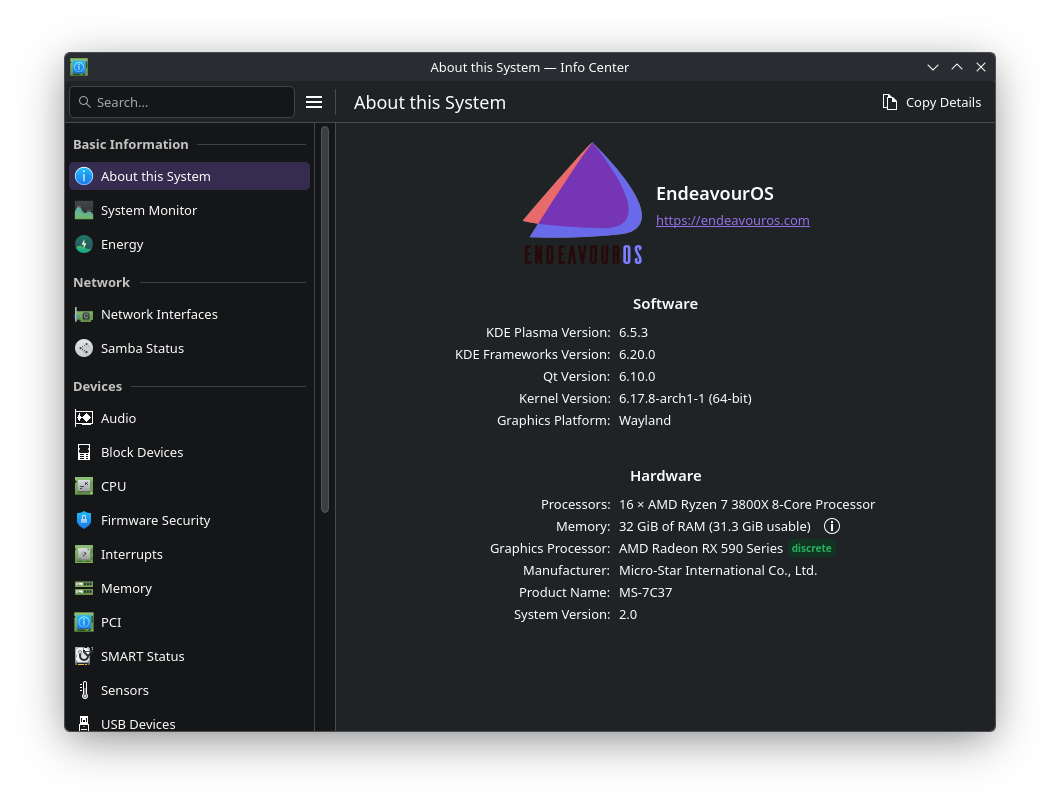
I’m not sure what users are doing?

[ricklinux@rick-ms7c37 ~]$ glxinfo -B
name of display: :1
display: :1 screen: 0
direct rendering: Yes
Extended renderer info (GLX_MESA_query_renderer):
Vendor: AMD (0x1002)
Device: AMD Radeon RX 590 Series (radeonsi, polaris10, ACO, DRM 3.64, 6.17.8-arch1-1) (0x67df)
Version: 25.2.7
Accelerated: yes
Video memory: 8192MB
Unified memory: no
Preferred profile: core (0x1)
Max core profile version: 4.6
Max compat profile version: 4.6
Max GLES1 profile version: 1.1
Max GLES[23] profile version: 3.2
Memory info (GL_ATI_meminfo):
VBO free memory - total: 7605 MB, largest block: 7605 MB
VBO free aux. memory - total: 15912 MB, largest block: 15912 MB
Texture free memory - total: 7605 MB, largest block: 7605 MB
Texture free aux. memory - total: 15912 MB, largest block: 15912 MB
Renderbuffer free memory - total: 7605 MB, largest block: 7605 MB
Renderbuffer free aux. memory - total: 15912 MB, largest block: 15912 MB
Memory info (GL_NVX_gpu_memory_info):
Dedicated video memory: 8192 MB
Total available memory: 24197 MB
Currently available dedicated video memory: 7605 MB
OpenGL vendor string: AMD
OpenGL renderer string: AMD Radeon RX 590 Series (radeonsi, polaris10, ACO, DRM 3.64, 6.17.8-arch1-1)
OpenGL core profile version string: 4.6 (Core Profile) Mesa 25.2.7-arch1.1
OpenGL core profile shading language version string: 4.60
OpenGL core profile context flags: (none)
OpenGL core profile profile mask: core profile

OpenGL version string: 4.6 (Compatibility Profile) Mesa 25.2.7-arch1.1
OpenGL shading language version string: 4.60
OpenGL context flags: (none)
OpenGL profile mask: compatibility profile

OpenGL ES profile version string: OpenGL ES 3.2 Mesa 25.2.7-arch1.1
OpenGL ES profile shading language version string: OpenGL ES GLSL ES 3.20

vulkaninfo

https://0x0.st/KVdf.txt

I don’t think you have it setup correctly IMHO.

Kde on Wayland

Edit: I do have an RX6750 XT that will show the same info!

Maybe they forgot to install drivers from vulkan ?

The same stuff happend on nvidia in the past → KDE Plasma showing llvmpipe even though nvidia-smi shows everything is fine? - #74 by MichelN

Everything worked a couple days ago, all I’ve done is run eos-update. I can provide more details from my PC in a few hours.

Hard to say! Would have to look at some info. They are using amdgpu so it shouldn’t be a problem. I’m not sure if they have set any variables in .environment to make sure it uses radeonsi also. They are also messing around with mkinitcpio which is not used on eos. They use dracut and nothing should be required when using amdgpu.

Check the permissions, user and group of /dev/dri/card* and /dev/dri/render* nodes. If it works with sudo then the permissions, or group/user changed. Check if you are the member of video group.

IIRC, NX (No Machine) is known to mess with those.

Check if there is some udev rule that touches the nodes

grep -iR /dev/dri /etc/udev/ /usr/lib/udev/

Perms should look like this

stat -c "%a %U %G %n" /dev/dri/*
755 root root /dev/dri/by-path
660 root video /dev/dri/card0
660 root video /dev/dri/card1
666 root render /dev/dri/renderD128
666 root render /dev/dri/renderD129

jfc, it was No Nachine!! I had it installed months ago but I was certain I had disabled it because I couldn’t get it to work reliably with Wayland, and just ended up using KDE’s built in RDP service. I just did sudo pacman -R nomachine, rebooted, and all is good! My system is so snappy again!! I still believe that some recent update introduce the conflict. In any case, thanks @jake99 !

I also had NoMachine installed, will try this rn.

Edit: yep, that was exactly it. tysm!

This was the solution to my issue over here:

Thank you very much!

Edit: For those interested in this nomachine issue, here’s the temporary workaround and anticipated “fix” schedule:

https://kb.nomachine.com/TR11W11619