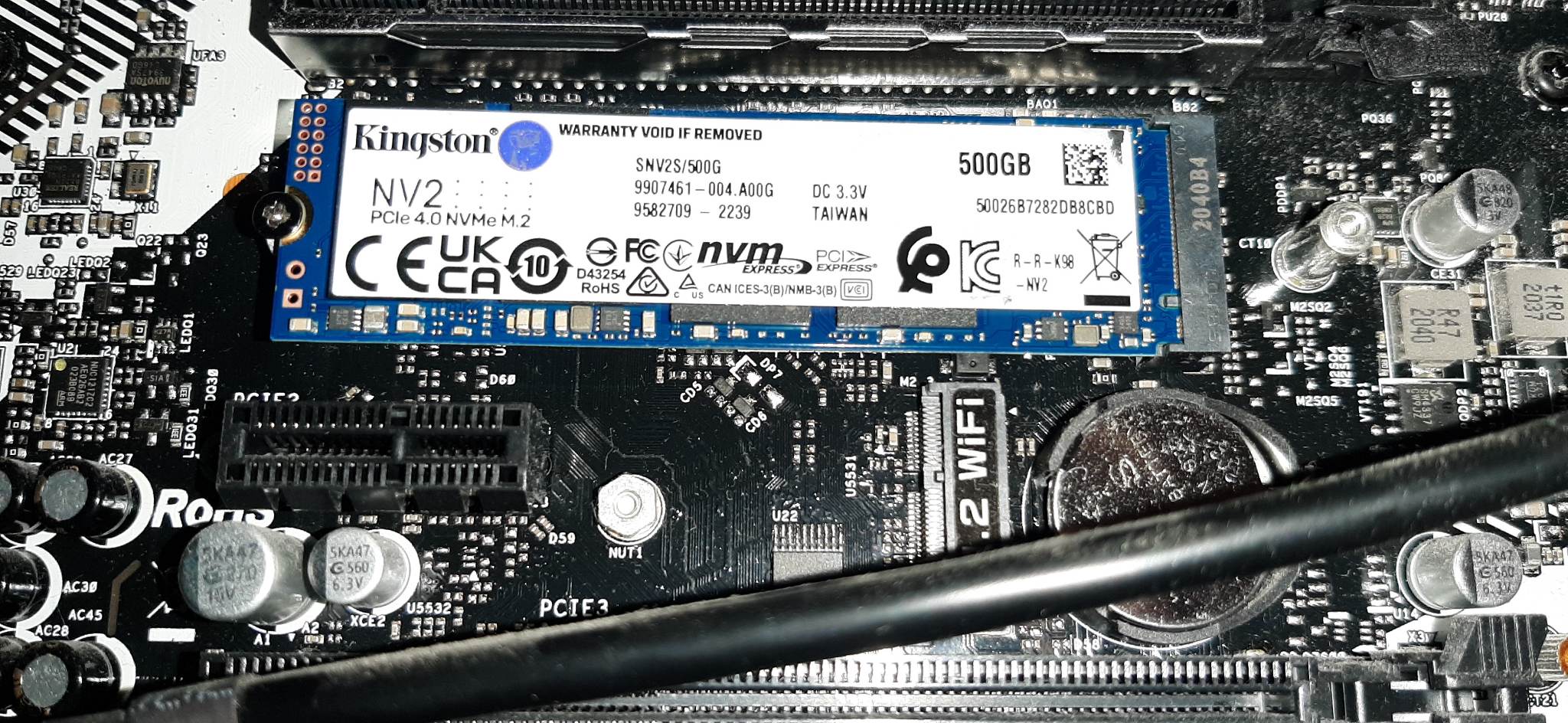
Well, i first either need to get a refund or replacement for this current one…
And Fedora just completely froze seconds after booting up. Wonderful.
Im losing ny mind here…
Well, i first either need to get a refund or replacement for this current one…
And Fedora just completely froze seconds after booting up. Wonderful.
Im losing ny mind here…
How did you run the test as I am not familiar with y-cruncher. I did run the i/o test but I don’t know what settings to use i just ran it. Mine is actually lower so i don’t think this is the problem. 
This is what i ran?
Enter your choice:
option: 2


I/O Performance Analysis:

Enter # to change option:

   1    Memory:             27.1 GiB
        Swap file Size:      217 GiB

   3    Multi-Threading:    Push Pool  ->  16 / ?  (randomization on)

   4    Far Memory Config:  Disk Raid 0:   ** Default Path **
   5    Far Memory Tuning:  1.00 MiB/seek, no parallelism

  20    Load from Configuration File
  21    Save to Configuration File

   0    Start I/O Performance Analysis!

option: 0

Working Memory...  27.1 GiB  (locked, spread: 100%/1)
I/O Buffers...     64.0 MiB

Sequential Write:          761 MiB/s
Sequential Read:          1.95 GiB/s
Threshold Strided Write:   873 MiB/s
Threshold Strided Read:   1.00 GiB/s
VST Streaming:
    Computation:  1.53 GiB/s
    Disk I/O   :  1.06 GiB/s
    Ratio      :  0.690283

Notes:

  - The overall I/O speed is unable to keep up with the CPU(s).
    Computations utilizing disk will be limited by disk access.
    The best way to improve performance is to increase your disk bandwidth.
    For best performance on large computations, the disk bandwidth should be
    at least double the compute speed. (Ratio > 2.0)

  - Your threshold non-sequential I/O bandwidth is very high.
    This may cause sub-optimal algorithm selection for large computations.
    The optimal ratio between sequential/non-sequential I/O is about 3 to 1.
    It is recommended to decrease the "Min I/O Size" setting and re-run
    this benchmark.

  - Your write bandwidth is significantly lower than your read bandwidth.
    It is recommended to examine your storage configuration if you are
    expecting balanced read/write speeds.


[ricklinux@eos-plasma ~]$
Edit: I don’t know how to read into this well as I am not that familiar but at least you have a comparison. 
I ran it the same as you.
It might not be a problem but thrn again, something clearly is fedora froze and it has nothing to do with arch kernel or windows so this csnt be happening on multipe systems, the same thing.
Seems like my disk i/o is way faster than yours if I’m reading this correctly although your write speed seems to be faster? The disk is this machine is the Western Digital Black but is an earlier version SN750 Pci-e 3.0
Yours
 Disk I/O   :   580 MiB/s
    Ratio      :  0.364835
Mine
 Disk I/O   :  1.06 GiB/s
    Ratio      :  0.690283
Edit: Hope this helps?
Well, i don’t know what that means, but i forwarded the output log from mine to the support email of the nvme manufacturer, maybe they can make heads or tails of it. Along with of course, everything else that has been happening.
What is the drive make and model btw?
I have almost no doubt it’s SSD.
Kingston is absolute garbage.
Very easy to check - turn off your pc, extract that SSD from PC, load from  live usb drive and see if problem will occur.
Yeah, everything seems to point to the SSD…
I did, the only problem occured when i tried installing something form AUR on the live session lol, but that has nothing to do with anything, it’s just not meant to be insalled that way.
Live session worked just fine, i don’t even remember tabs crashing…
Hmm, i’ll run the system from Endeavour live usb, keep it on for longer, see if tabs start crashing and similar stuff happens there…
Good idea, thanks!
Anyway, i’ll see if i can get a refund, but if not, a replacement at least. I just need to see what kingston will reply back.
My Western Digital Black drives have gone through hell and back. System still works flawlessly!
Yeah, that’s debug 101 
My advice - get your money back and buy Samsung pro / evo or Intel.
Seriously, using Kingston is like building your house on top of volcano.
Intel? 
Edit: Not for me! But Samsung is good! 
Well those 2 are only reliable manufacturers unfortunately, Samsung is the best by a mile.
WD SSDs - i wouldn’t trust my data with, because it’s not really WD under the hood but SanDisk, which i don’t trust at all.
However WD are making best HDDs.
Well i really like the Western Digital Black. No issues for me. I don’t do data! Just performance, reliability and longevity! 
So did my Samsung EVO SATA… Still works…
I didn’t see any WD disks locally though, but Samsung should be ok, no? If i were to replace it?
Still, first thing’s first, i need to get another memory module that’s the same. Then sell the extra, then i can buy an nvme if i don’t get a refund for this one, i have to see what happens.
Yeah, i’ll see what happens. I’ll try to get my money back, but idk, we’ll see.
It would help if Kingston would tell me it’s broken, then i can use that as proof.
Anyway… Now i have to wait.
In the meantime, can i make a live USB stick with persistance somehow?
Yeah, i think i tried everything BUT that lol. 
Well, if i get a refund, i’m not buying Kingston again. If i just get a replacement, i’ll use the replaced one as storage for unimportant stuff lol. IF it turns out it’s the drive, but idk what else it could be at this point.
I always had WD HDDs, worked beautifully.
Not much experience with nvme drives…
Do you use a separate DAC/ADC?
I’ve been working on my low latency setup but exactly what you need to do depends on the audio device. Onboard sound is easy, DAC/ADCs get complicated
Samsung is THE best option on the market, most reliable, especially pro ones.
You mean the audio interface or what?
Well, mine was purchased years and years ago and still works.
Should have just bought Samsung… 
Yes interface, I didn’t see you mention it but could’ve missed it
Edit: I see a focusrite 2i4
What gen?