Just got a bunch of updates again including sddm and mesa…
thanks for the hint. just updated
I found the culprit. virtual-desktop-bar did not support Plasma Wayland
See here the knwon issues
Everything else works really fine so far
It also seems like an “abandoned” project. There hasn’t been any commits since May 6, 2021 and the repository is being archived. So the prospects of support for Wayland looks rather dim at this stage.
it worked very well under x11. i only used it because of the look and got it from the AUR. as you say, the project will probably not be continued.
I don’t care, I don’t really need it, but I have found the culprit that was causing me problems.
Well that’s rude since I have a small auto hidden dock on the right just for it.
Well, i can only speak for me. I am not able to activate virtua-desktop-bar under wayland session.
Maybe you are using x11, in that case it works very well for me .
You do realize my post suggest that I’m running x11 and would have to get rid of Virtual-Desktop-Bar if I went to Wayland. With any luck they will work on the settings and look for the default pager, cause the default look is bad. I just added it to the one dock to see how it looks and ugly would be an understatement.
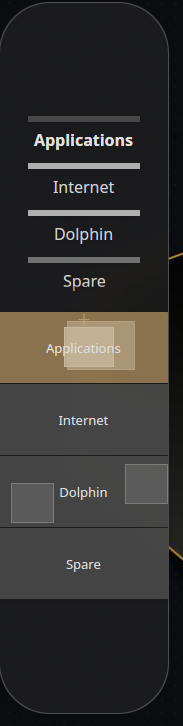
i have now set the virtual desktops to be a bit more comfortable. virtual-desktop-bar i could make look side by side under x11.
These are now the plasma on-board virtual workspaces. for me is ok that way how it looks.

@swh
I now have Wayland running on my Kde desktop with Nvidia. 
Sounds good!
Now we still have to wait for Plasma 6
Yes, I think it will be great. What is good is there will be X11 for those who want to continue using it over Wayland. It really doesn’t matter to me which one I use as long as they work and work well. I can use either.
really well said. there is nothing to add.
i know now what i had problems with. it was again a learning process for me but i managed it well. you know @ricklinux , i was a pure user at the beginning. with time and with the help of the forum i was able to solve one or the other problem. at the age of 55 i will also learn to write a script someday
I wish i too knew more. I only touch the surface.
first touch the surface and promptly dive into the shallows 
Yesterday I realized that Dolphin doesn’t show used/free drive space anymore in the right lower corner. Any way to get this back?

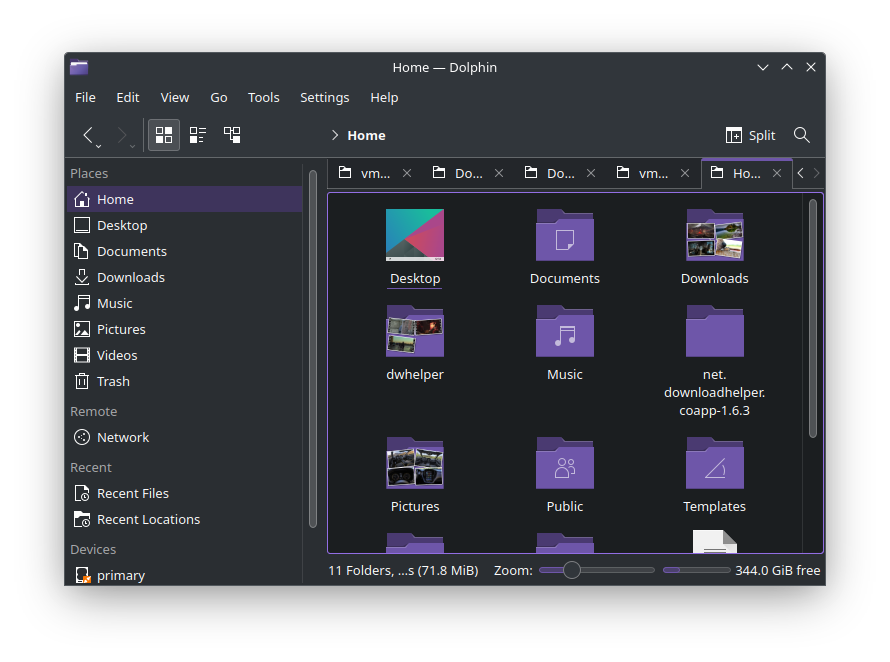
I can not confirm


#MeToo
I’m confused . For me the zoom slider is on the right edge and that’s it. I even checked the other drive, same.
?