just comment antergos repo at /etc/pacman.conf and try again.
Thanks after all this I just noticed I yanked the lines from the top but never went back and remove them when I pasted it at the bottom. So even when I had it commented out it was still near the middle of the file. It appears that everything is working now. Now all I have to do is make sure I remove and reinstall the packages that came from the antergos repo correct?
Packages with “antergos” name are no longer needed. Just need to check if unistalling may remove something you still want to use; in this case yes, just reinstall.
after doing your walk through, everything works fine. I just had a couple questions.
I tried to install the endeavouros-mirrorlist package and it complains that /etc/pacman.d/endeavouros-mirrorlist already exists in filesystem. how do I work around that so that the package can be installed and managed by the repo?
what is the xfce theme and other goodies from the stable iso called?
just use --force option, in this case is safe
sudo pacman -S endeavouros-mirrorlist endeavouros-keyring --force
arc-icon-theme
arc-gtk-theme
long answer, you can see all installed packages here https://raw.githubusercontent.com/endeavouros-team/archiso-offlineinstaller/master/packages.x86_64
@fernandomaroto I just wanted to ask how difficult it is to switch an Arch install over to Endeavour. Is it just a matter of adding the endeavour repo and the mirror list. I would like to try this on one of my Arch installs manually.
@fernandomaroto worked perfectly. thank you for your amazing project efforts and support.
@ricklinux I did it using the instructions that were posted above. I manually had to go find and download a newer keyring/mirrorlist. but it all went smooth enough.
@domoaligato You’re welcome, i’m glad you fixed everything 
@ricklinux to add endeavouros repo on arch is even simpler.
-
Download and install:
1.1) endeavouros-mirrolist
1.2) endeavouros-keyring -
add endeavouros repo to pacman.conf
then pacman -Syu
Okay i think i understand. So i have to use wget and download the tar files for key and mirror list and install them and then add endevouros repo in pacman.conf. Do i have to populate and refresh the keys? I was also wondering if you can do the same to an Antergos conversion that was done manually to Arch as i did on my dual boot Windows 10?
these are safe commands, you can run them, no problem.
If i understand correctly you migrated form antergos to arch, and now you want from arch to endeavouros? It’s possible, use the same procedure and will be ok.
The only required thing in all the examples is just add the repo at pacman.conf after you install mirrorlist and keyring. This order is important.
I have changed my Arch install over to Endeavour as discussed. I didn’t refresh the keys or repopulate and know it won’t hurt but i watched it installing them so i thought it wasn’t really necessary. I will do my Antergos conversion later.
Thanks for the reassurance. 
hi
1st post here coming from antergos (username: bangsergio), made all steps recommended by Joe, everything went well, thank you for that, now im in Endeavour team too
one last question, is it safe to rename files below?
x-special/nautilus-clipboard
copy
file:///etc/grub.d/10_antergos_proxy
file:///dev/disk/by-label/AntergosBoot
file:///dev/disk/by-label/AntergosRoot
file:///dev/disk/by-label/AntergosSwap
file:///etc/grub.d/proxifiedScripts/antergos
file:///run/udev/links/%5Cx2fdisk%5Cx2fby-label%5Cx2fAntergosBoot
file:///run/udev/links/%5Cx2fdisk%5Cx2fby-label%5Cx2fAntergosRoot
file:///run/udev/links/%5Cx2fdisk%5Cx2fby-label%5Cx2fAntergosSwap
file:///etc/grub.d/backup/etc_grub_d/10_antergos
file:///usr/share/glib-2.0/schemas/90_antergos.input-sources.gschema.override
Thanks and regards
Sergio
This is good point, I didn’t think the meta packages did much so I didn’t reinstall my DE, gnome in my case. When I inspect whats in the gnome group vs what I have installed on my computer there are only a handful of packages, some seem useful but most I don’t think are needed. Other than completing the group is anything gained from reinstalling the DE from the group?
packages will be saver from removing them if they are in a group.
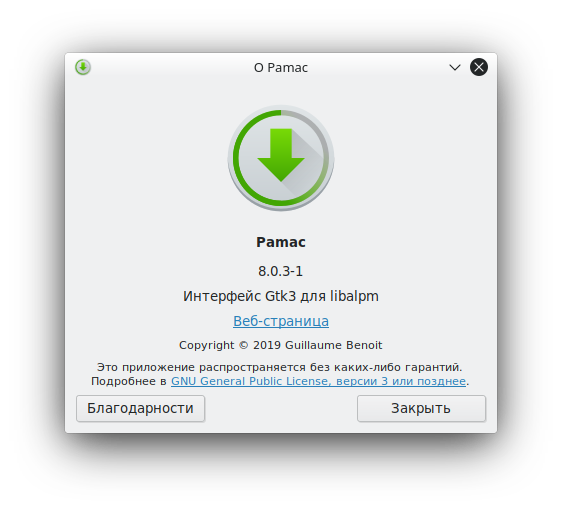
Regarding pamac-aur (8.0.3-1), there is indeed a source of trouble, which is parallel downloads having the tendency to hang. This can be easily remedied: in Preferences, set the number of Maximum parallel downloads to 0. Have read that detail somewhere in a Manjaro forum, maybe it will help someone here. Works like a charm on my box.
Hi!
I have the same version of Pamac, but after sorting the mirrors by their geographical location and speed, no problems with downloads do not observe.
But thank you for the possible solution if there is such a problem 
I’d like to add that I had to do
sudo pacman -U endeavouros-mirrorlist-1-4-any.pkg.tar.xz --overwrite '*'
Because it was complaining about /etc/pacman.d/endeavouros-mirrorlist either not existing or being overwritten.
Strange if it does not exist… But yes if it was there already
What do I have to do when not using grub. I was having trouble with grub on antergos on my system, therefore I don’t have a /etc/default/grub.