Then we should now move to btop++ in time, it is the third iteration from the same developer. The stable version was released few days back.
+1 for grex, I hate regexes but when you need to use them, this is an invaluable tool.
The tidal app for linux does not support playing on other devices so I went looking for a solution and found something that pipes your audio to dnla and chromecast clients:
It’s not my favorite (and i’m not comfortable to use it  ), however i thought i’d share…
fbi - This is a image viewer for the linux framebuffer console.

grabc is a super lightweight command line tool that when called opens a “+” for your mouse cursor and you can click anywhere on your screen and it will printout the hexadecimal colour code for the pixel you clicked on to your console. It is available on AUR.
Does it work on Wayland?
Nothing works on Wayland 
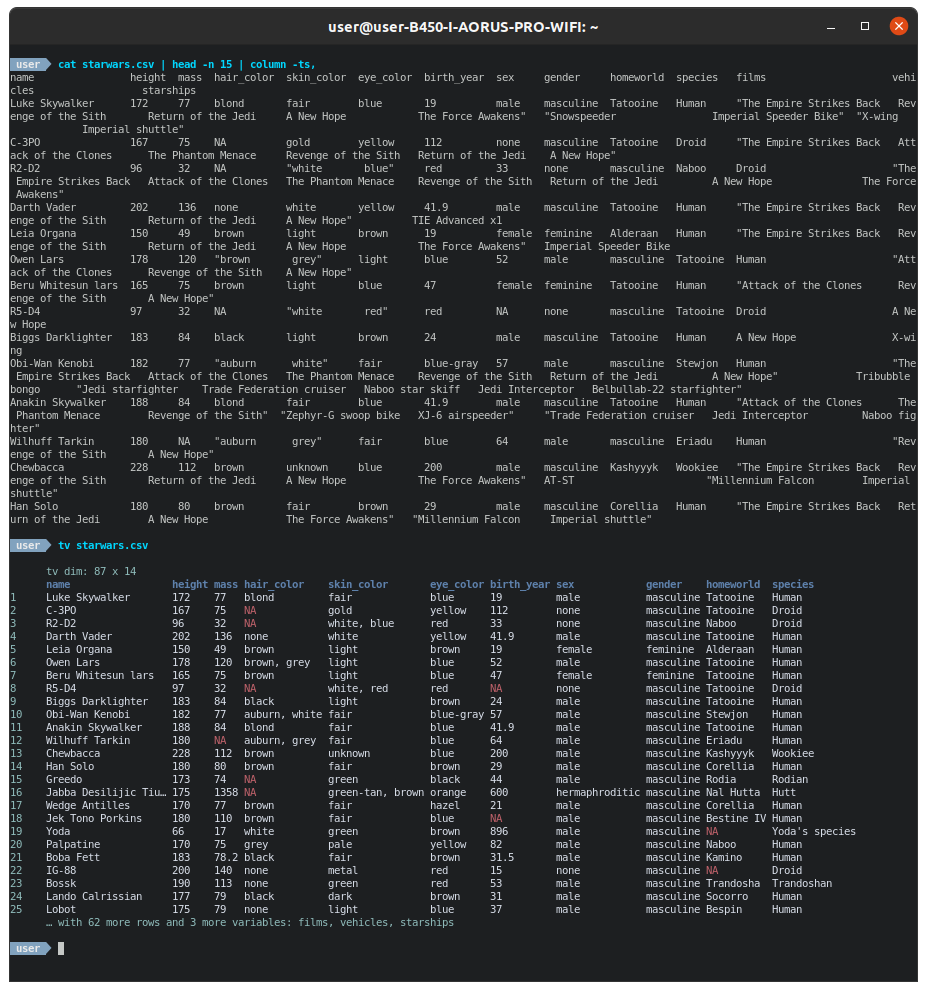

It is nice but I had to create an alias of tv for tidy-viewer for it to work because all the github README examples are “tv”. The default config is setup for dark theme viewing and I am finding that the ~/.config/tv.toml created is having no effect on the visual output (not tidy-viewer.toml either).
Another positive I will add is that the tv github page provides links to several other command line tools useful for working with csv files. I did not know about any of them. miller look particularly powerful but would seem to have a steep learning curve.
Yeah, turns out cli csv is a world of it’s own 
I tried using this tidy-viewer… It’s very raw and unpolished. It would be nice to be able to scroll vertically and horizontally through a several gigabytes long CSV file, but you can’t even pipe the output to less.
Horses for courses, that is what spreadsheets are good for.
Bloat. 
I am using gcolor2 for that purpose. This is in the community repo.
It allows bulk renaming of multiple files from within caja.
Welcome back!
We have a thread dedicated to lesser known programs where this is not only applicable, but you may find very interesting as well.
I don’t know what is caja (and I don’t particularly care to know), but bulk renaming is very useful, indeed.
For that end, I use the renameutils package, and I make the following alias:
alias rename='qmv --format=do'
Then I just type rename and a text editor opens with the list of all files in the current working directory. I just change the name of any file there (and I can use any fancy text editor for that purpose, with regexp and box select, etc…), save the temporary file and when I exit the text editor, all the files are renamed accordingly.
Caja is MATE’s Nautilus fork.
As for bulk renaming, I think most file managers have a plugin for this if it’s not built in. Nautilus has a plugin, Thunar has it built in I believe, Nemo can make use of Thunar’s bulk rename too. Thunar forks like pcmanfm can likely do so too, or at the very least it can be accomplished with a custom action.
What I would love to see, however, is an optional plugin offering file name matching to online services like tv- and moviedb. Would love to be able to replace Filebot.
If you zsh, zmv is a pretty amazing cli based renaming utility.