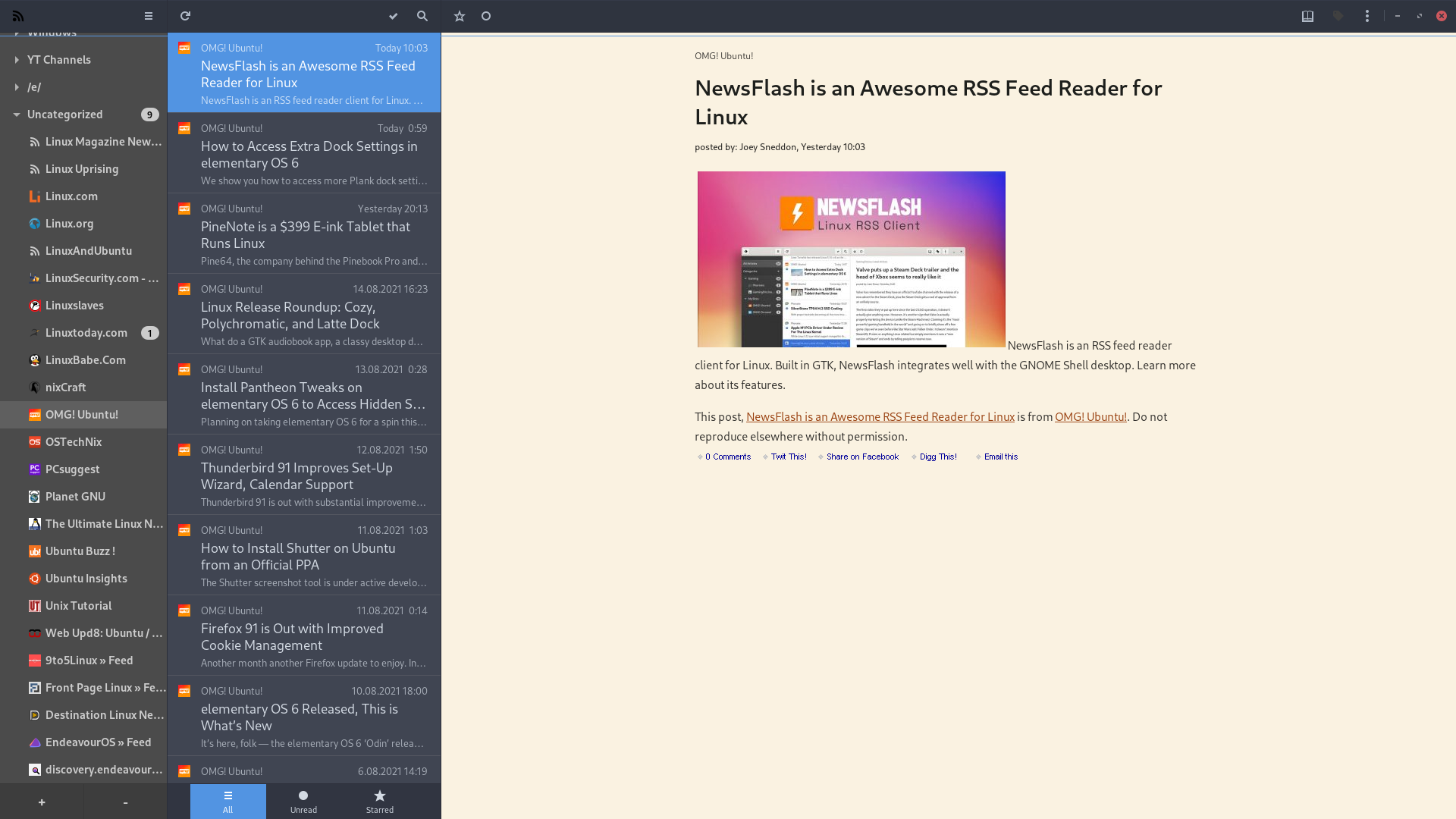
This app is described as the “spiritual successor” to the great (but-never-quite-perfect) FeedReader, a feature-packed GTK RSS app for the Linux desktop.
And best of all…
NewsFlash is designed to be used with an existing web-based RSS feed service (including Feedbin, Feedly, NewsBlur) or a self-hosted service (e.g., Miniflux, Fever), but this is not a hard requirement. NewsFlash works just as well as a local RSS feed reader, which is perfect if you don’t want to bother with cross-platform syncing and so on.
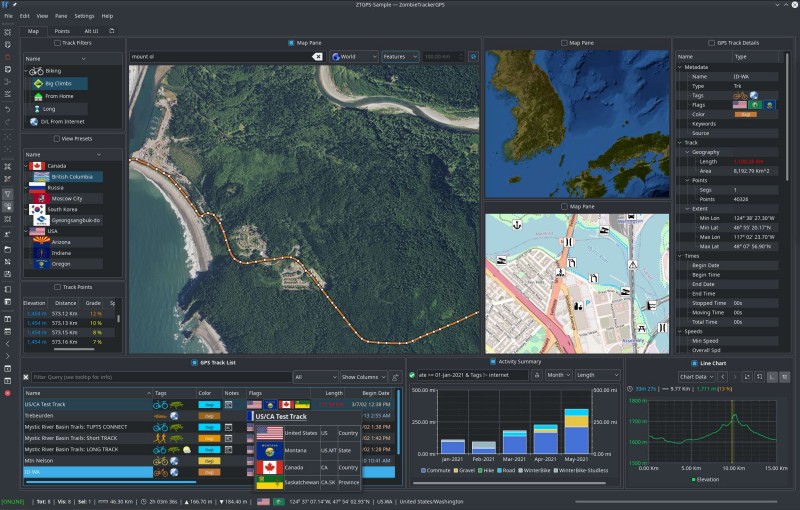
Here is a handy QT app, a “Fitness Tracking and GPS Track Management for Linux.”
ZombieTrackerGPS (ZTGPS) can manage collections of GPS tracks from biking, hiking, rafting, light aircraft, snowboarding, and many other activities. It features local data storage (no data scraping or monetization), advanced sorting and query capabilities to let you see and manage your data, and a highly customizable interface to put you in control.
I’m using fancontrol for a long time now, but over the last days the changing hwmon issue has suddenly become a constant pain.
So looking for alternatives I found fan2go. While there are some shortcomings (no hard min. or max. PWM setting) it solves the changing hwmon issue and offers other nice quality of life features (most prominently a somewhat sane configuration file).
So, I really like the virtual desktop gesture switcher thing in GNOME 40. I really wanted that on KDE as it’s the one thing I REALLY liked in GNOME, but most of it is not really for me.
So digging around I found a program called touchegg and if you want a GUI to help set it up you can use touche.
A really nice Firefox extension, which should be part of Firefox.
Open external links in a container
It allows you to open a tab from the command line, the same way as you would normally, using the --new-tab <URL> option, but you can specify the container for that tab.
So you can, for example, open a YouTube video in a Goolag container so that it protects you from ever-present eye of our internet overlord:
Works with LibreWolf, too, if you’re one of those weird people (like me) who use that mess of a browser.
I just assumed this feature would be included with Firefox. Today, I accidentally closed 7 tabs and it was a pain to restore them, so I wanted to write a little script that would just open 7 tabs, each according to its own container, of course, but I couldn’t find the CLI option for that. So I searched online and found this thread:
It’s been 4 years and hundreds of likes but Mozilla is just not interested in implementing this. Luckily this extension works flawlessly and, unlike many other extensions, does not require any permissions whatsoever.
Here is the M$-github repo:
It does not appear to be actively developed, but it is feature complete and, it seems, bug-free.
To improve my typing skills in the number row (numerals and special chars) I looked for a simple solution and was convinced that it must be covered by the Web nowadays. That notion became a disappointment.
So I started to look for native apps. Klavaro is exactly what I had in mind and it is available in the official community repo.
Yes, Klavaro is a fantastic typing trainer! Maximum features, maximum simplicity.
I had a crazy idea to switch to a custom keyboard layout – Colemak inspired, but with more Croatian stuff (Croatian and English have different frequencies of some letters) – so Klavaro helped me a lot in that regard. Unfortunately, then I realised that I have to work on multiple computers, some where, annoyingly, I am not allowed to just change the function of every key on the keyboard and leave it like that, so I switched back to using the boring old QWERTZ, because switching back and forth required effort and caused confusion.
Yes. It’s a perfectly natural place to put Z, since that is a fairly common letter in Croatian. On the other hand, the letter Y is not used at all in Croatian.
Other locales that use QWERTZ layout are:
Albanian, Czech, German, Hungarian, Slovak, Serbian (Latin script), as well as in Bosnia (which uses Croatian and Serbian language), and Switzerland (German, Italian, French, Romansh), and Liechtenstein (German). It is also somewhat common in Poland.
Deadbeef, just a simple-minimalist audio player for almost all gnu-linux distros, i guess.
Fsearch, just for search files by format, name, or whatsoever.
Freefilesync, for syncing files beetween differents HDD or SDDs.