Was going to ping you here about this but apparently you’re already on top of things with an update!
(We should get something like OBS to automate these build-dependencis bumps)
All of my kernels are now at 7.1.2.
It does not appear that RPi is going to upgrade their 7.1.y kernel tree this week to the latest but my multi-device 7.1 aarch64 kernel has been upgraded to 7.1.3 but will probably jump to 7.1.4 shortly.
After an upgrade today I saw I had to rebuild rpi-ffmpeg due to lib upgrade. Long story short it will not do x265 HW decode right now. I saw jc-kynesim updated his rpi-ffmpeg tree to 8.1.2 a couple of weeks ago so built it but no HW decoding with x265. So rebuilt 8.1.1 and have the same issue. Some where in the last few weeks HW decoding with x265 stopped working using mpv. Could be a newer kernel, mesa, mpv or some other upgraded lib. I pushed new 8.1.2 rpi-ffmpeg but for now it only does x264 HW decoding until something changes some where. At least x264 HW decoding is better than none.
Hello bug report here mesa.
And there’s another one with WebGL on Firefox (try Street View). I haven’t had time to file a bug report for that one yet. For now, it works with `webgl.min_capability_mode`.
Welcome to the EndeavourOS forum.  I hope you enjoy your time here.
Thank you for the heads up on the mesa regression.
Pudge
@tartanpion Welcome old friend.
Welcome to purple space 

Help wanted to debug when they will see webgl bug with firefox.
My Pi kernels are now at 7.1.3.
https://drive.google.com/drive/folders/1bv_1ueq4WdA09HLAIqKUA3mK2RC-qoVn?usp=sharing
My Pi kernels are now at 7.1.4.
My Pi kernels are now at 7.1.5.
I have successfully installed Waydroid on a x86_64 device and linux-7.1.5-arch1-2 has the necessary kernel modules.
On my RPi 5, using the Archlinux ARM latest kernel linux-rpi-16k-6.18.39-x Waydroid did not work. I assume the older 6.18.39-x kernel did not have the needed kernel modules.
When i get a moment, I am going to install your linux-rpi-16k-7.1.5 and see if it works.
Pudge
I have enabled what rpi and what extra modules arch-arm enables and it appears it is not in the kernel.
[ray@pi4 ~]$ sudo modprobe binder_linux devices=binder,hwbinder,vndbinder
[sudo] password for ray:
modprobe: FATAL: Module binder_linux not found in directory /lib/modules/7.1.5-1-rpi
Thinking back when I did have the modules enabled waydroid worked for some arm devices but there was issues for the rpi and it’s gpu. Things may have gotten better. I can enable in my next kernel build if you want to try.
Thanks for the info.
Since I have it on a x86 device, no big rush for it. If you decide to try it in the next kernel I can help test it.
Pudge
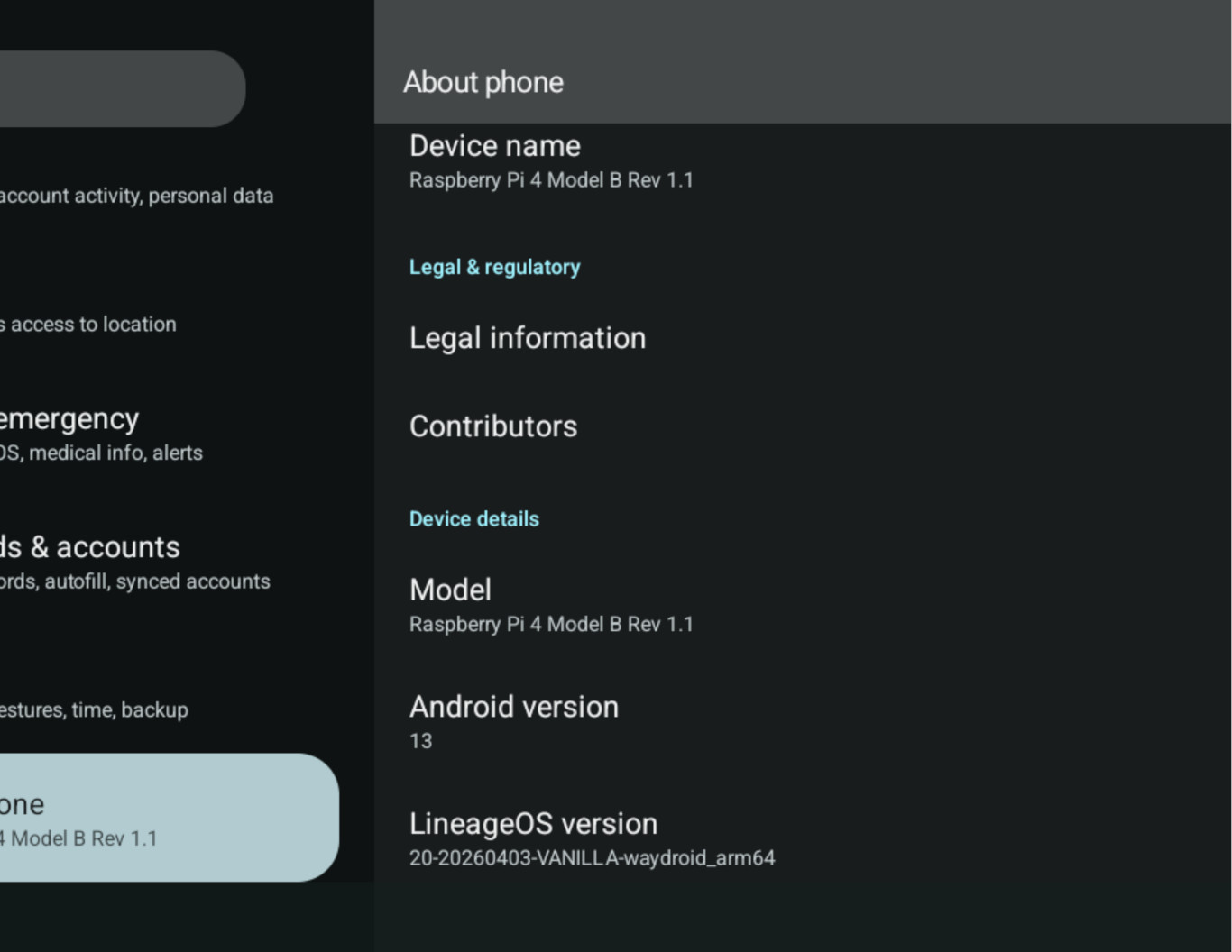
I was wrong. All modules are enabled in my pi kernels. I had to boot into my xfce wayland desktop and install the programs first. Waydroid loaded up and seems to be ok with what little I messed with it. Being a new program I know nothing about and it is confusing. AI said to start the session as normal user but I had to start it with sudo because of permission issue. The permission issue needs to be looked into and see if can be resolved because it writes info in home directory with root permissions like a screenshot.
[ray@pi4 ~]$waydroid session start & waydroid show-full-ui
[1] 8227
[04:03:47] Starting waydroid session
[04:03:47] Session is already running
[gbinder] ERROR: Can't open /dev/binder: Permission denied
[04:03:47] Waiting for binder Service Manager...
[gbinder] Service manager /dev/binder has appeared
[04:04:47] Service Manager never appeared
[04:04:47] Failed to access IPlatform service
Starting as root:
[ray@pi4 ~]$ sudo waydroid session start & waydroid show-full-ui
[2] 9729
I then had to do a ctrl-c in the terminal. I then saw I could not start another session until I did a sudo waydroid session stop then issue sudo waydroid session start & waydroid show-full-ui.
I saw that in the menu under Accessories → Waydroid clicking on it Waydroid starts properly but you have to right-click on the icon there to terminate the previous session before you can start another session with the icon after exiting in Waydroid. I created a shortcut on my Desktop and lost the choice to terminate the session with right-click with the shortcut.
I could not readily get bluetooth working and not really sure I got wifi working but I will not be using waydroid so not interested in messing with it further. Install steps to follow.
Waydroid Setup:
Update & install a few packages then Waydroid Package:
sudo pacman -Syu lxc nftables curl
sudo pacman -S waydroid
Initializing and Running:
sudo systemctl enable --now waydroid-container
Enable and start the Waydroid container service:
sudo systemctl enable --now waydroid-container
Initialize Waydroid to pull the ARM-compatible Android system image:
sudo waydroid init or sudo waydroid init -s GAPPS (if you need Google Play services)
Launch a Wayland compositor session (such as Weston, Wayfire, or Labwc) on your Raspberry Pi
as Waydroid will not run properly under raw X11.
Start the Waydroid session from your application menu or via terminal:
sudo waydroid session start & waydroid show-full-ui
My crappy attempt to take a pic. Yet again some confusion on how to.
This is awesome I will try it later!!
Will be interesting how the pi5 does. It is a little different in it’s make up with pi4.
I don’t have pi5, i only have pi4