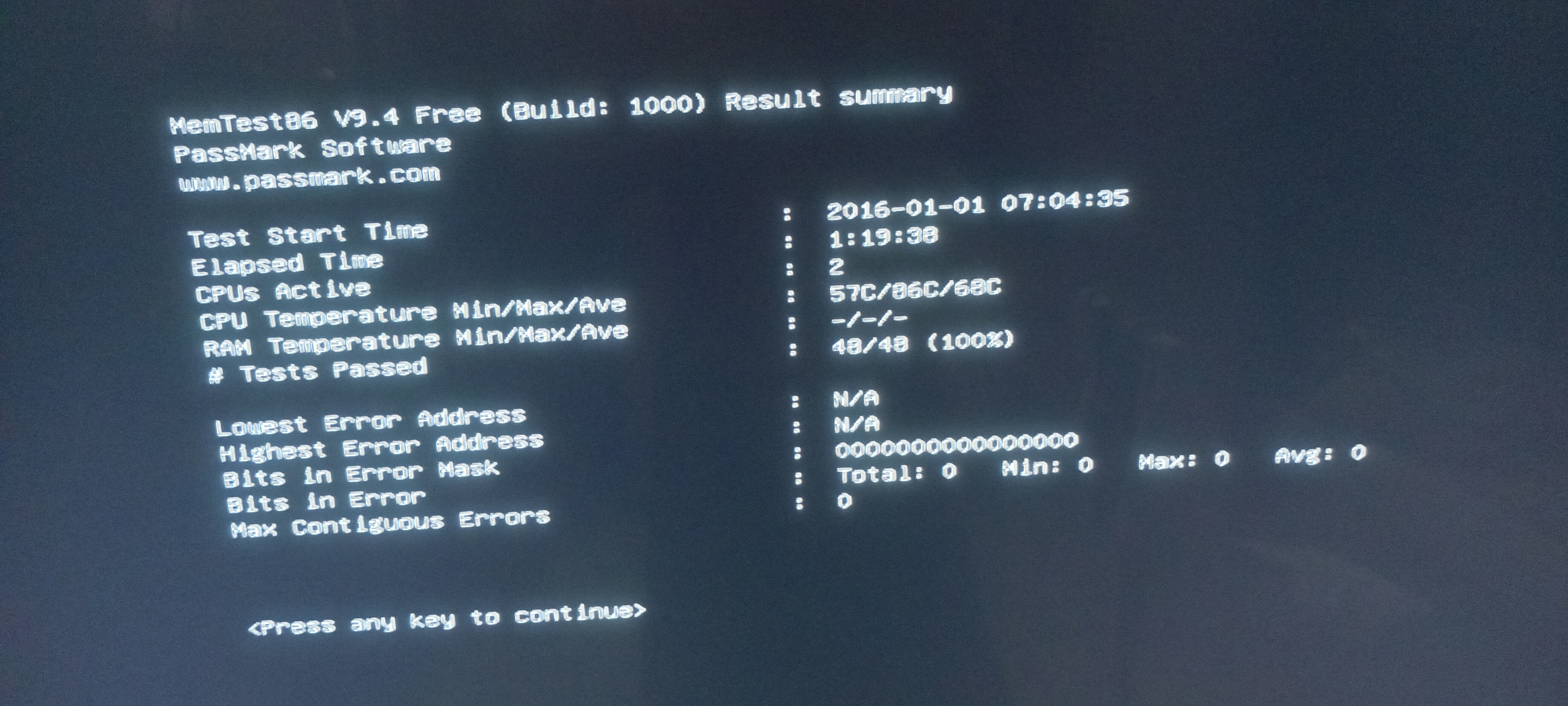
CPU’s rarely go bad. I would use memtest and run a demanding memory test for a good length of time or until you get errors. See if you have a bad memory stick first. If you get any errors then the trick is to figure out which stick is bad. Test each stick adding one at a time. Make sure they are installed and seated properly. Once you figure out which one is giving the errors replace it or remove it. You’ll have less memory but at least it should work. Did you check logs? If the memory is not bad is the cpu over heating? Then you need to cheek the power supply also. Narrow it down to the motherboard one thing at a time.
Let’s not forget that SSD dies unexpectedly and hardcore, especially if it’s cheap.
So check:
SSD with SMART
RAM with memetest
In case there’s nothing obvious - try to exclude whatever you can by disconnecting anything except essential components MB + PSU + CPU + 1 stick of RAM + GPU (in case you have no internal one) + boot from live usb.
I opened my desktop removed the ram stick (I have only 1 ram stick). I cleaned the ram connector. Then placed it back. Then when I booted there was no beep, no display. Only the power indicator was glowing and the CPU and PSU fan was running. Then I removed the CPU heat sink & CPU fan cleaned the cpu socket and re installed the CPU.
But it’s the same system that was having problems before, where you were also asked to check the health of the disk but didn’t reply with the information?
You shouldn’t need to remove the CPU but no harm doing that. Removing the heating sink and fan and cleaning it to reapply new thermal compound is what you should be doing if removing it in order to make sure it’s not overheating. The ram has to be inserted properly until both clips snap into place on there own. That’s how you know you have inserted it and seated properly. You don’t use the clips on the end of the ports to seat it. You press the ram stick into the slot firmly until they snap in. A lot of people do this wrong and the ram isn’t seated and then it doesn’t boot or they get memory errors.
Edit: Also as @keybreak mentioned check your drives also.
@jonathon what would you say, should he change sata cable as reason of failure, or it could be effect of those random freezes?
I’d probably say it looks more like effect, than cause.
You shouldn’t take anything, if there will be errors - then it’s RAM problem most likely, or motherboard settings if for example you have manually overclocked or over / under volted RAM too much.
Could be either, but also the raw value doesn’t necessarily mean anything. CRC errors should appear in the journal so if it’s a systematic issue it will show up there.