Floban
November 4, 2019, 12:31pm
1
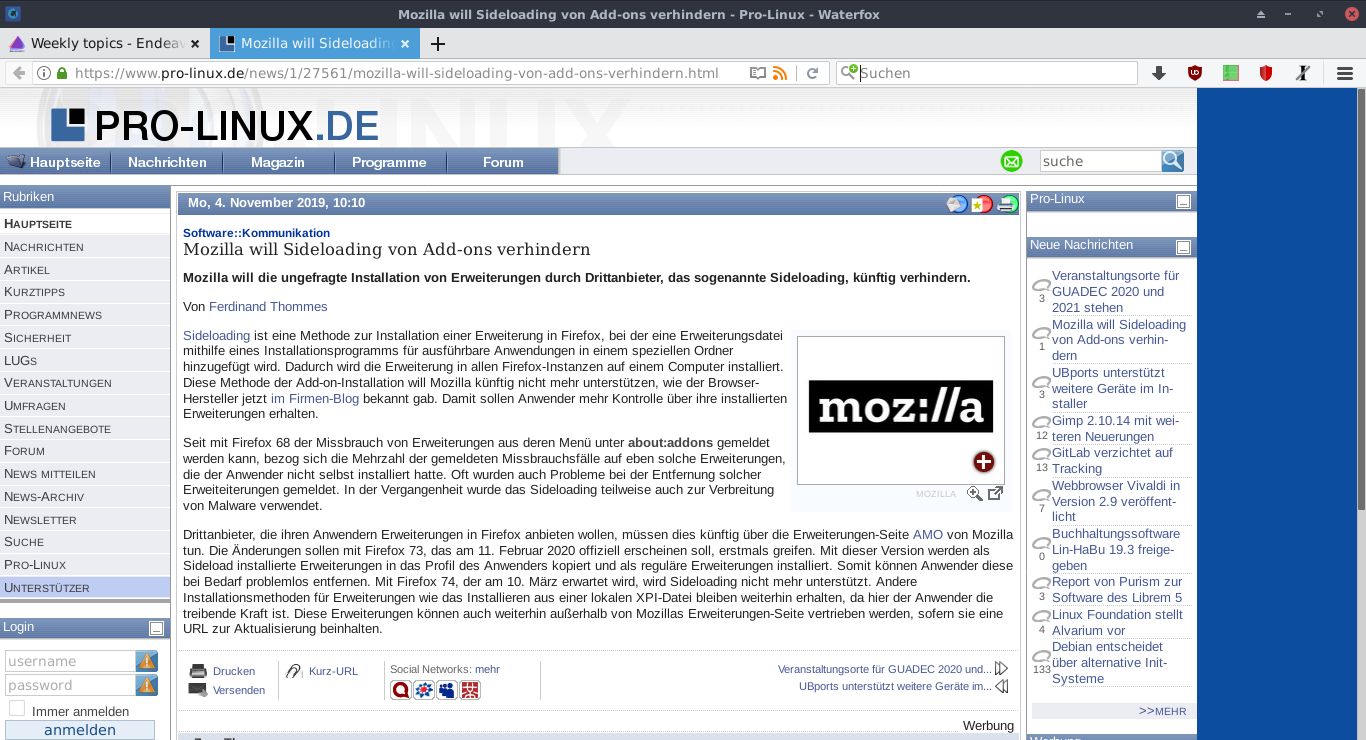
Yesterday I installed the latest ISO. I have AMD hardware (both CPU and Graphics) and am getting blurred fonts now, see attached screenshot.
Here’s some INXI info:
$ inxi
CPU: Quad Core AMD A4-5000 APU with Radeon HD Graphics (-MCP-) speed/min/max: 1159/800/1500 MHz
Kernel: 5.3.8-arch1-1 x86_64 Up: 5h 01m Mem: 1687.5/3380.6 MiB (49.9%) Storage: 465.76 GiB (51.8% used) Procs: 156
Shell: bash 5.0.11 inxi: 3.0.36
$ inxi -G
Graphics:  Device-1: Advanced Micro Devices [AMD/ATI] Kabini [Radeon HD 8330] driver: radeon v: kernel
           Display: x11 server: X.Org 1.20.5 driver: ati,radeon unloaded: fbdev,modesetting,vesa tty: N/A
           OpenGL: renderer: AMD KABINI (DRM 2.50.0 5.3.8-arch1-1 LLVM 9.0.0) v: 4.5 Mesa 19.2.2
This is my first EOS install, before I had installed Antergos and Linux Mint and never experienced these fuzzy fonts.
Thanks in advance for looking at it.
FLVAL
November 5, 2019, 12:13am
2
Welcome @Floban ,
could you give the result from ?
locale
Did you read on the forum here about fonts ?
Hey guys, sorry to have to bug ya’ll. I had to move away from this os a couple of days ago after having some issues (that I didn’t understand at the time) with my system. All that is pretty much sorted out now though. I reinstalled EndeavourOS now for the third time because everytime I update after a fresh install, my fonts brake. When I open terminal after the update, all my text is just blocks. I can go into the preferences and check use system fonts, and that helps, but I was hoping to get so…
Floban
November 5, 2019, 8:23am
3
Here you go:
$ locale
LANG=de_DE.utf8
LC_CTYPE="de_DE.utf8"
LC_NUMERIC=de_DE.UTF-8
LC_TIME=de_DE.UTF-8
LC_COLLATE="de_DE.utf8"
LC_MONETARY=de_DE.UTF-8
LC_MESSAGES="de_DE.utf8"
LC_PAPER=de_DE.UTF-8
LC_NAME=de_DE.UTF-8
LC_ADDRESS=de_DE.UTF-8
LC_TELEPHONE=de_DE.UTF-8
LC_MEASUREMENT=de_DE.UTF-8
LC_IDENTIFICATION=de_DE.UTF-8
LC_ALL=
Yes, I did. But it didn’t help me any further.
These blurred fonts occur all over: Browsers, Thunar, applications.
FLVAL
November 5, 2019, 10:18am
4
Hi @Floban ,
Are you on the last update of EOS ?/etc/locale.conf and modify “de_DE.UTF8” as “de_DE.UTF-8”
nano /etc/locale.conf
then
locale-gen
To know your DE could you give me the result from :
echo "${XDG_CURRENT_DESKTOP}"
To choose a Font, look here at Archlinux fonts by default (/usr/share/kbd/consolefonts/ ) are all listed : http://alexandre.deverteuil.net/pages/consolefonts/
Floban
November 5, 2019, 11:57am
5
Hi @FLVAL ,
first of all, thanks for taking your time to have a look here, I really appreciate it.
Sorry for having missed the basic infos: I’m on the lastest release/version/maintenance level, as I have installed EOS freshly last Thursday - no further maintenance applied since then.
What I have recognized is that my /etc/locale.conf differs from the output of the locale command above:
LANG=de_DE.UTF-8
LC_ADDRESS=de_DE.UTF-8
LC_IDENTIFICATION=de_DE.UTF-8
LC_MEASUREMENT=de_DE.UTF-8
LC_MONETARY=de_DE.UTF-8
LC_NAME=de_DE.UTF-8
LC_NUMERIC=de_DE.UTF-8
LC_PAPER=de_DE.UTF-8
LC_TELEPHONE=de_DE.UTF-8
LC_TIME=de_DE.UTF-8
Obviously some stuff is missing here.
FLVAL
November 5, 2019, 2:16pm
6
Your locale is good, mine is working with :
LANG=fr_FR.UTF-8
LC_ADDRESS=fr_FR.UTF-8
LC_IDENTIFICATION=fr_FR.UTF-8
LC_MEASUREMENT=fr_FR.UTF-8
LC_MONETARY=fr_FR.UTF-8
LC_NAME=fr_FR.UTF-8
LC_NUMERIC=fr_FR.UTF-8
LC_PAPER=fr_FR.UTF-8
LC_TELEPHONE=fr_FR.UTF-8
LC_TIME=fr_FR.UTF-8
Could you check if you have at the end of the file /etc/locale.gen these 2 lines if not add them with your language :
# Locales enabled by Calamares
fr_FR.UTF-8 UTF-8
To add them in case you don’t have nothing and save with CTRL Q or uncomment (remove #) the ones you need in the list as you want :
nano /etc/locale.gen
After it, you could generate :
locale-gen
Floban
November 5, 2019, 5:26pm
7
My /etc/locale.gen shows at the end of the file:
# Locales enabled by Calamares
de_DE.UTF-8 UTF-8
And somewhere in between, the default language (I guess) is commented out, too:
en_US.UTF-8 UTF-8
FLVAL
November 5, 2019, 8:49pm
8
It seems to have different settings font between locale and environment !/etc/locale.conf ?
sudo nano /etc/locale.conf
replace all what you have by below and save CRTL Q :
LANG=de_DE.UTF-8
LC_ADDRESS=de_DE.UTF-8
LC_IDENTIFICATION=de_DE.UTF-8
LC_MEASUREMENT=de_DE.UTF-8
LC_MONETARY=de_DE.UTF-8
LC_NAME=de_DE.UTF-8
LC_NUMERIC=de_DE.UTF-8
LC_PAPER=de_DE.UTF-8
LC_TELEPHONE=de_DE.UTF-8
LC_TIME=de_DE.UTF-8
then do with sudo :
sudo local-gen
When you reboot now, do you have the same between command locale and your locale.conf ?
Floban
November 5, 2019, 10:56pm
9
Unfortunately, nothing has changed. There’s still the difference between the console command and the generated file:
$ locale
LANG=de_DE.utf8
LC_CTYPE="de_DE.utf8"
LC_NUMERIC=de_DE.UTF-8
LC_TIME=de_DE.UTF-8
LC_COLLATE="de_DE.utf8"
LC_MONETARY=de_DE.UTF-8
LC_MESSAGES="de_DE.utf8"
LC_PAPER=de_DE.UTF-8
LC_NAME=de_DE.UTF-8
LC_ADDRESS=de_DE.UTF-8
LC_TELEPHONE=de_DE.UTF-8
LC_MEASUREMENT=de_DE.UTF-8
LC_IDENTIFICATION=de_DE.UTF-8
LC_ALL=
$ cat /etc/locale.conf
LANG=de_DE.UTF-8
LC_ADDRESS=de_DE.UTF-8
LC_IDENTIFICATION=de_DE.UTF-8
LC_MEASUREMENT=de_DE.UTF-8
LC_MONETARY=de_DE.UTF-8
LC_NAME=de_DE.UTF-8
LC_NUMERIC=de_DE.UTF-8
LC_PAPER=de_DE.UTF-8
LC_TELEPHONE=de_DE.UTF-8
LC_TIME=de_DE.UTF-8
FLVAL
November 5, 2019, 11:18pm
10
Could you show all your accessible LANG ?
locale -a
Your locale is good.
Mine here that works :
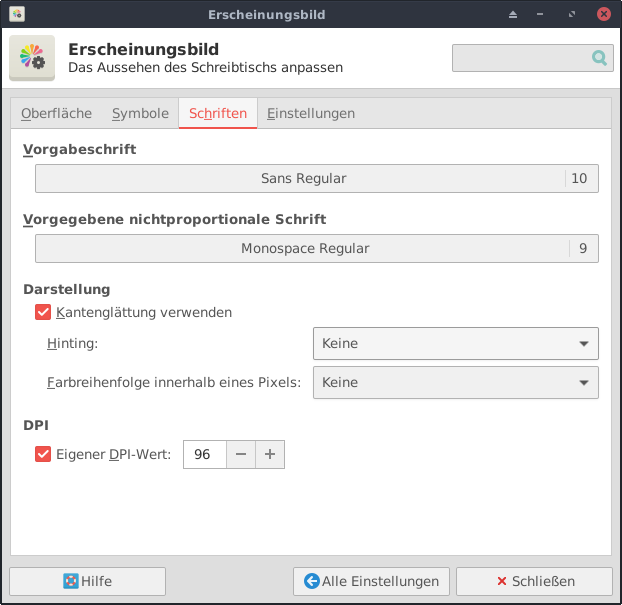
Do you have 96 DPI at Xfce settings → Appearance → Fonts → Custom DPI setting
Floban
November 6, 2019, 9:03am
11
These are my settings:
$ locale -a
C
de_DE.utf8
en_US.utf8
POSIX
What does that C mean?
Appearance:
Floban
November 6, 2019, 9:04am
12
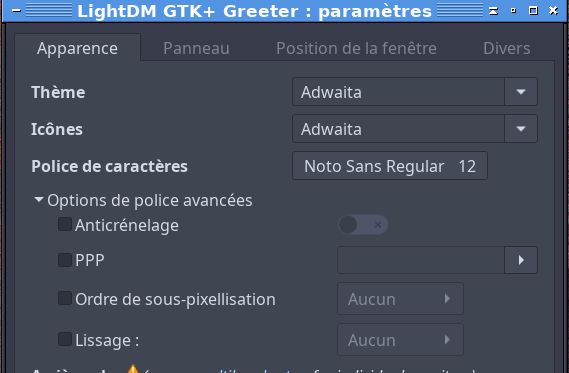
And here’s the hardcopy of LightDM (I’m only allowed to post one image):
FLVAL
November 6, 2019, 9:23am
13
Hi @Floban
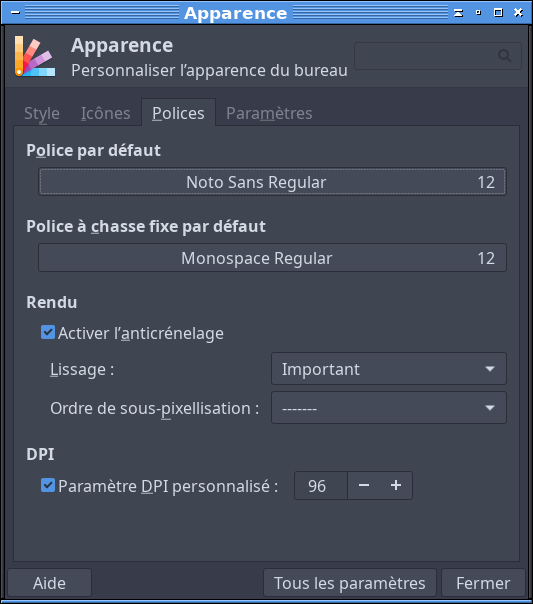
could you try to set exatly like mine about same typo and size with 12 everywhere on both gtk + xfce ? and test after it the result on your browser… a reboot or relogin could be necessary.
The locale “C” or “POSIX” is a portable locale, it exists on all conforming systems.
Floban
November 6, 2019, 10:04am
14
Hi there @FLVAL ,
Floban
November 6, 2019, 5:14pm
15
So, I’m back.
Floban
November 6, 2019, 5:14pm
16
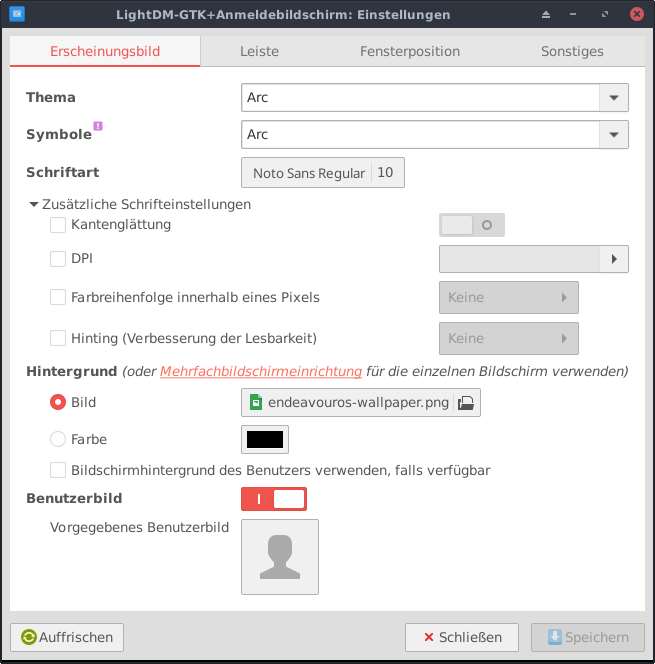
And here’s the screenshot for Light DM:
FLVAL
November 6, 2019, 5:23pm
17
Hi @Floban
When I asked You if you have 96 Dpi show me the 98 Dpi if you change things before to show me, it would be complicate to advance. That is showing me that you already did some changes in a different ways about font on your system…
I don’t understand ! You didn’t change the values on gtk + xfce ?
Because from what I see you have SANS REGULAR 10 on xfce and I have NOTO SANS REGULAR 12 ! And in Light DM the name of typo is good but size is 10 not 12 !
Could You check it ? and put all the same than mine please ?
Floban
November 6, 2019, 6:26pm
18
Sorry for having caused confusion. Was in a hurry today and simply forgot that I’ve already posted the old screenshots and haven’t set your values
Floban
November 6, 2019, 6:27pm
19
Here’s Appearance in the Settings menu:
Floban
November 6, 2019, 6:29pm
20
And here’s the result of these settings: