Could you show your zram-generator.conf?
[zram0]
zram-size = min(ram / 2, 4096)
compression-algorithm = zstd
1 Like
That seems correct. Just checking: have your removed the zram line in fstab? Did you try rebooting?
Yes and yes … it all happend after updates yesterday. Tried to revert them 1 by 1 (downgrading) and did not work. On my second notebook it happend too. 2 totally different machines.
That is really strange! I can’t see what possibly may have caused this 
In the error message, says something about failed to configure compression … Device or resource busy…
Maybe you can look into that.
Probably a configuration error somewhere. Just tried with zram-generator and it worked fine, not reading about issues elsewhere, highly unlikely that packages broke on two different machines.
1 Like
Yes, it seems so. Also seems unlikely that some update may have caused such an issue. If it has, it must be a very rare edge case.
1 Like
Excuse me ? i did a clean install on my own gaming notebook. All i installed is Steam and the zram configuration which worked fine for over 2 weeks on my 13 years old notebook. The next day i get updates offered and i rebooted the machine and suddenly zram does not work anymore.
So i tested my 13 years old notebook BEFORE i updated, i rebooted twice → no errors.
I did the updates → rebooted → zram did not work anymore.
So again…don’t blame me.
Try this
sudo swapoff /dev/zram0
zrmactl --reset
reboot.
If it fails check the logs. Look for errors and post them as formatted text.
1 Like
Let’s all calm down, I wasn’t blaming anybody. That was just my opinion on the technical issue. 
1 Like
Maybe i am a complete moron i don’t know, i read in the arh wiki that zram does not work with a swapfile or partition. So i started all over, removed everything from swap/zram stuff.
- I installed a swapfile to check if the error remains, rebooted no errors.
- I installed zram using the archwiki
Using a udev rule
The example below describes how to set up swap on zram automatically at boot with a single udev rule. No extra package should be needed to make this work.
Explicitly load the module at boot:
/etc/modules-load.d/zram.conf
zram
Create the following udev rule adjusting the
disksizeattribute as necessary:/etc/udev/rules.d/99-zram.rules
ACTION==“add”, KERNEL==“zram0”, ATTR{initstate}==“0”, ATTR{comp_algorithm}=“zstd”, ATTR{disksize}=“4G”, RUN=“/usr/bin/mkswap -U clear %N”, TAG+=“systemd”
Add
/dev/zramto your fstab with a higher than default priority:/etc/fstab
/dev/zram0 none swap defaults,discard,pri=100 0 0
The output is now:
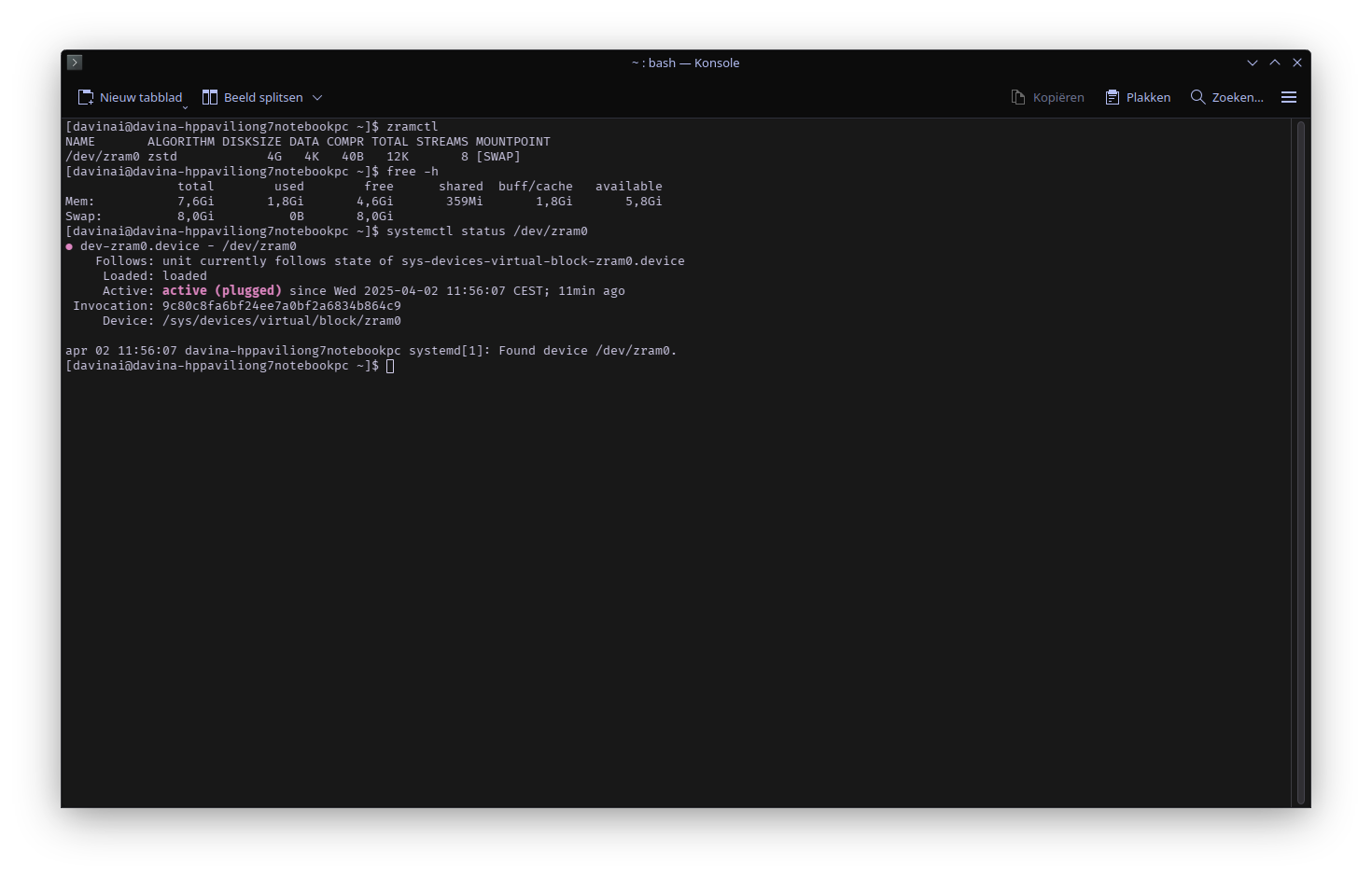
To my understanding zram will not work well with a swap as stated in the arch wiki you need to disable it. If i use the command echo 0 > /sys/module/zswap/parameters/enabled and reboot it gets re-enabled again (probably because a swapfile is created).
So now i removed the swapfile with these commands:
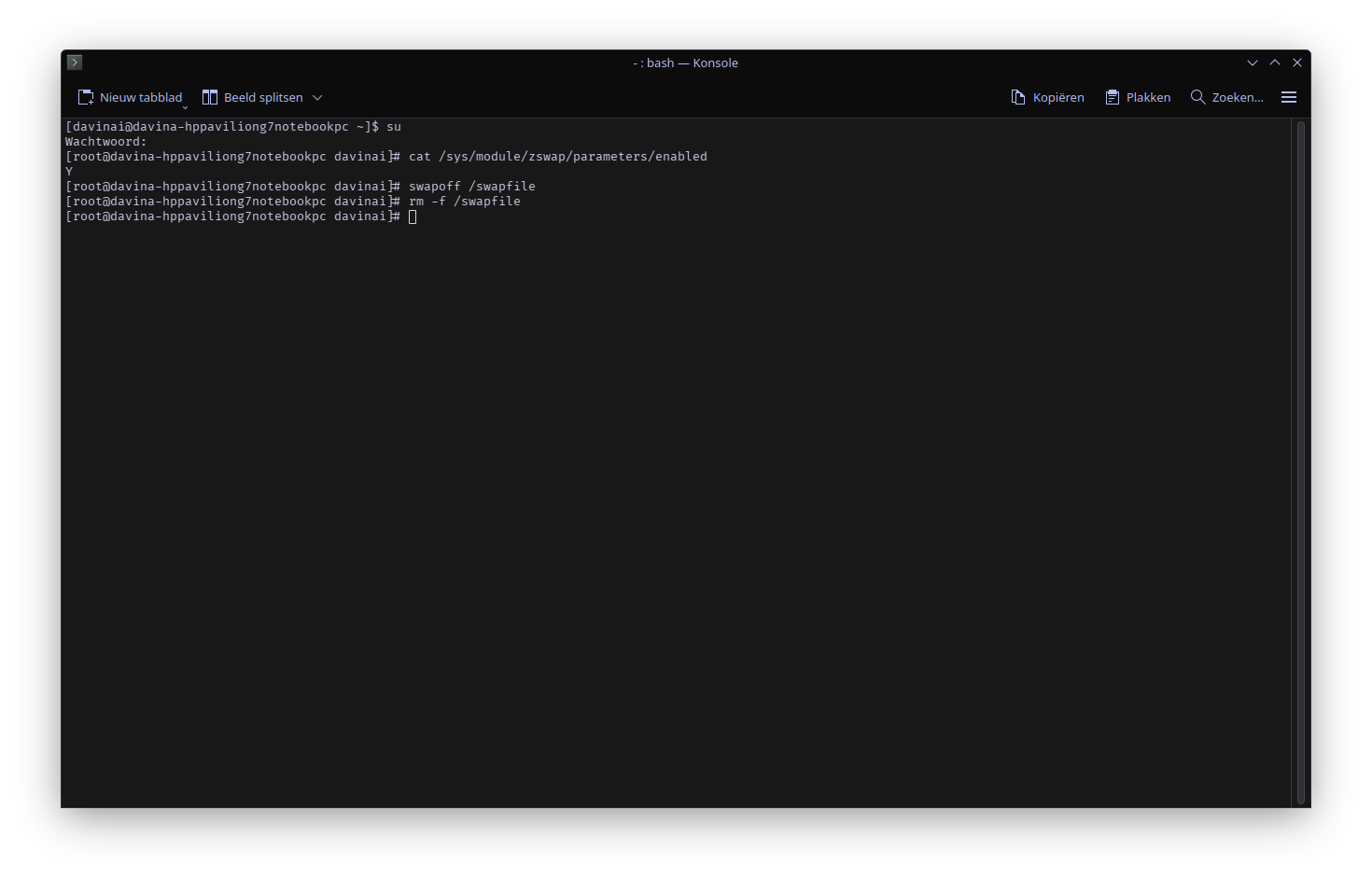
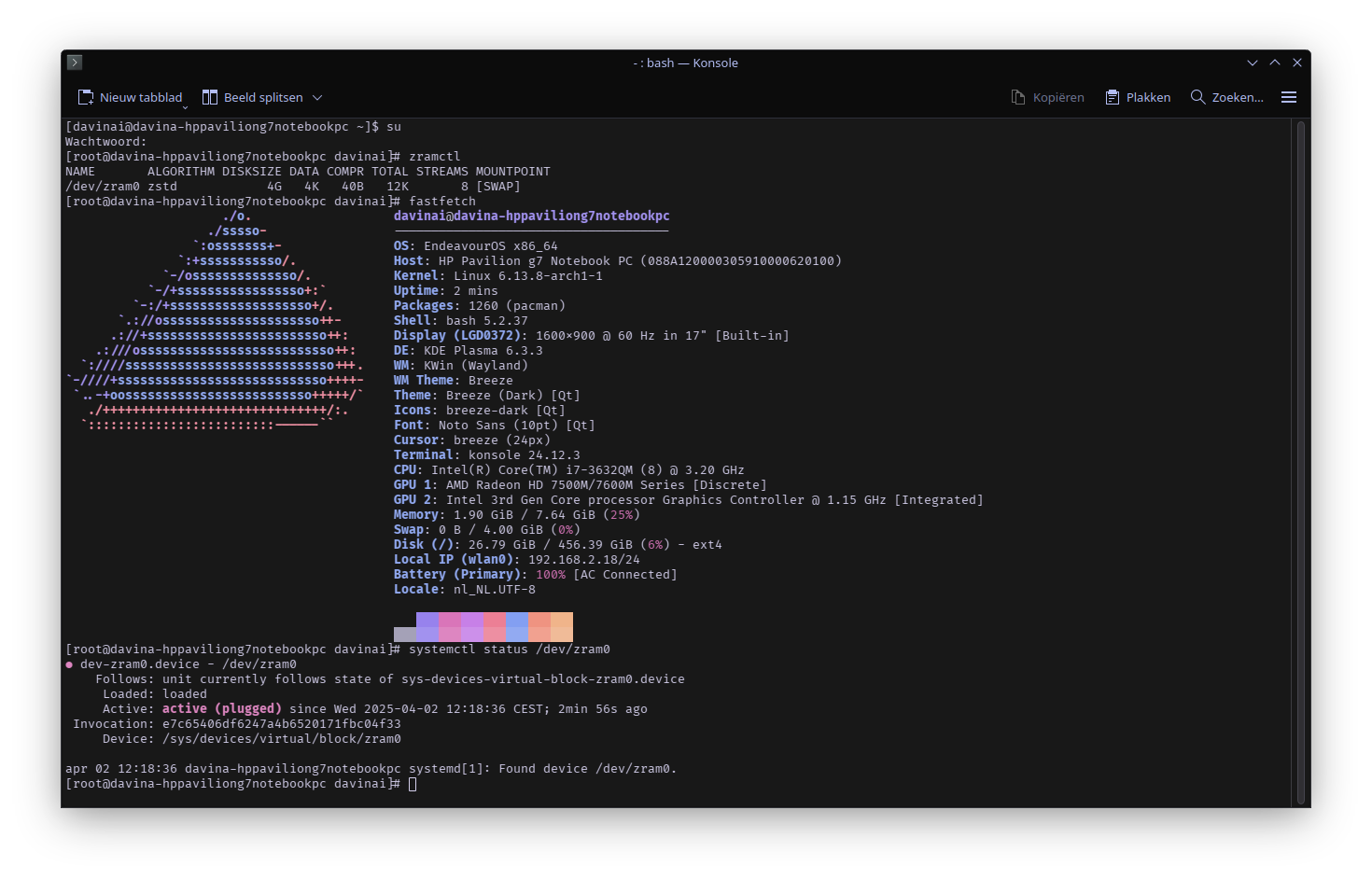
Rebooted and i get errors back
This is not true as has been stated a couple of times in this thread.
Zram doesn’t need the backing of a swap device (be it a file or partition) as zswap does.
Zram can work fine with another swap device (be it file or partition). There are reasons for such a setup. One would be hibernation.
Zram won’t work well with zswap. The latter needs to be disabled with the kernel parameter zswap.enabled=0.
If you keep telling that zram won’t work with swapfile or swap partition, I feel compelled to keep repeating that that is not true.
Got confused between zswap and swap. Do you use swap + zram ? If yes how much swap and how much zram ?
Why does the command echo 0 > /sys/module/zswap/parameters/enabled changes back after reboot ?
1 Like
That only disable it for the current session.
Use the kernel boot parameter mentioned.
Yes. I gave an example above: Zram vs swap partition vs swapfile - #77 by cactux
There are no set rules. Configure according to your use case.
1 Like
This is understandable. Zswap, despite its name it’s not a swap device (as is zram, swap partiton or swapfile)
zswap is a kernel feature that provides a compressed RAM cache for swap pages.
Where in the last picture is the error?
reading it it says there is no swapfile…i removed the swapfile to check if the zram issue would come back. I did not remove the swapfile entry in fstab. 
Edit: it’s very weird, seems everything got fixed after adding and removing the swapfile. zram also has a mountpoint.
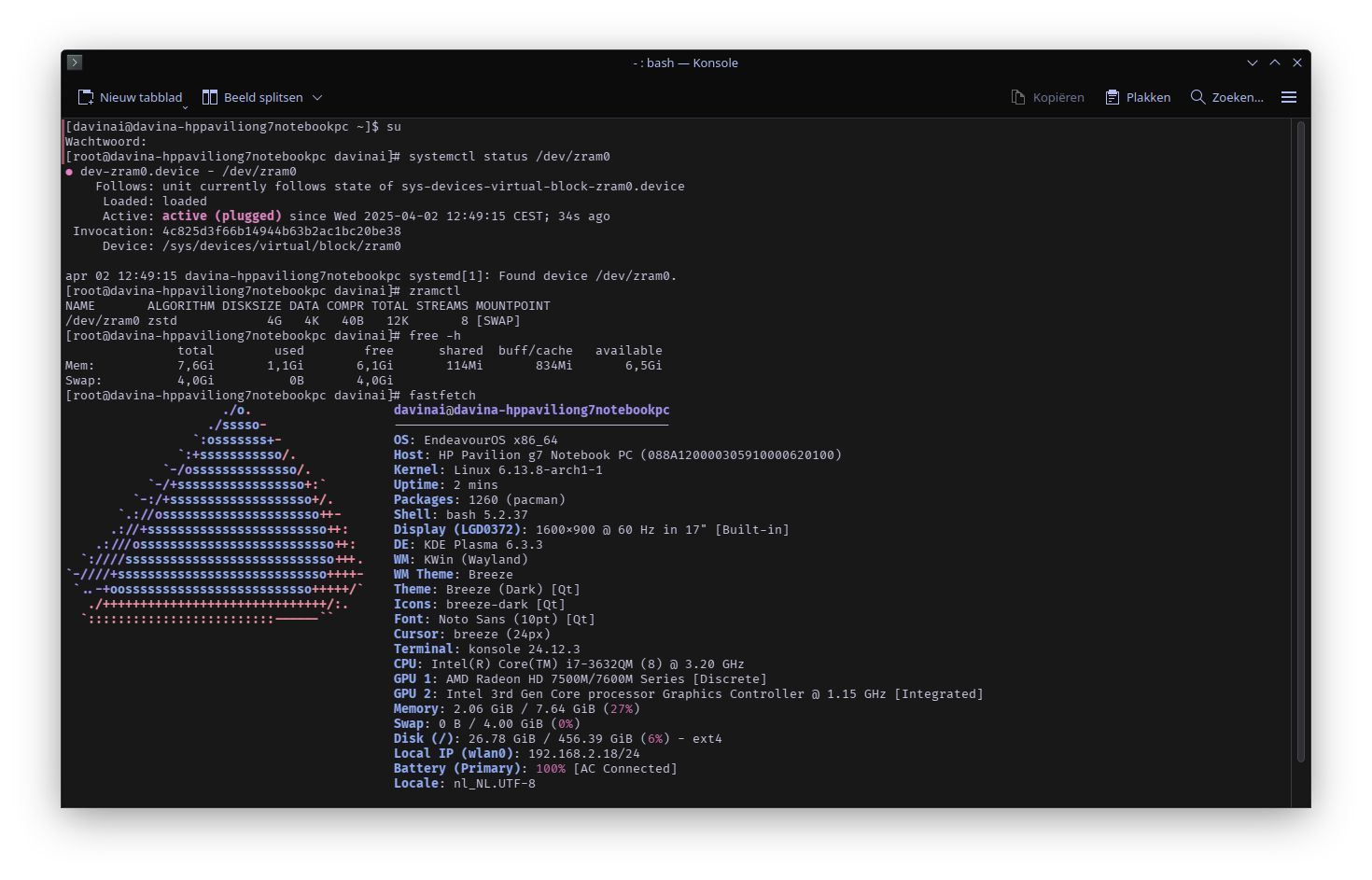
I suggest not using su for logging as root and executing a lot of commands.
You are running fastfech as root for example. None of the commands you show in your picture need to be executed as root.
This can be a recipe for disaster leading to a totally broken system.
2 Likes
Thanks for the warning. I was lazy to do some sudo commands so i used su instead.
Anyway seems starting over worked, i removed everything related to zram. Installed a swapfile 4G, installed zram later. Rebooted an voilla it worked, removed the swapfile and it still works. From early screenshots i posted i do notice now that zram has a mountpoint…it did not have this before.
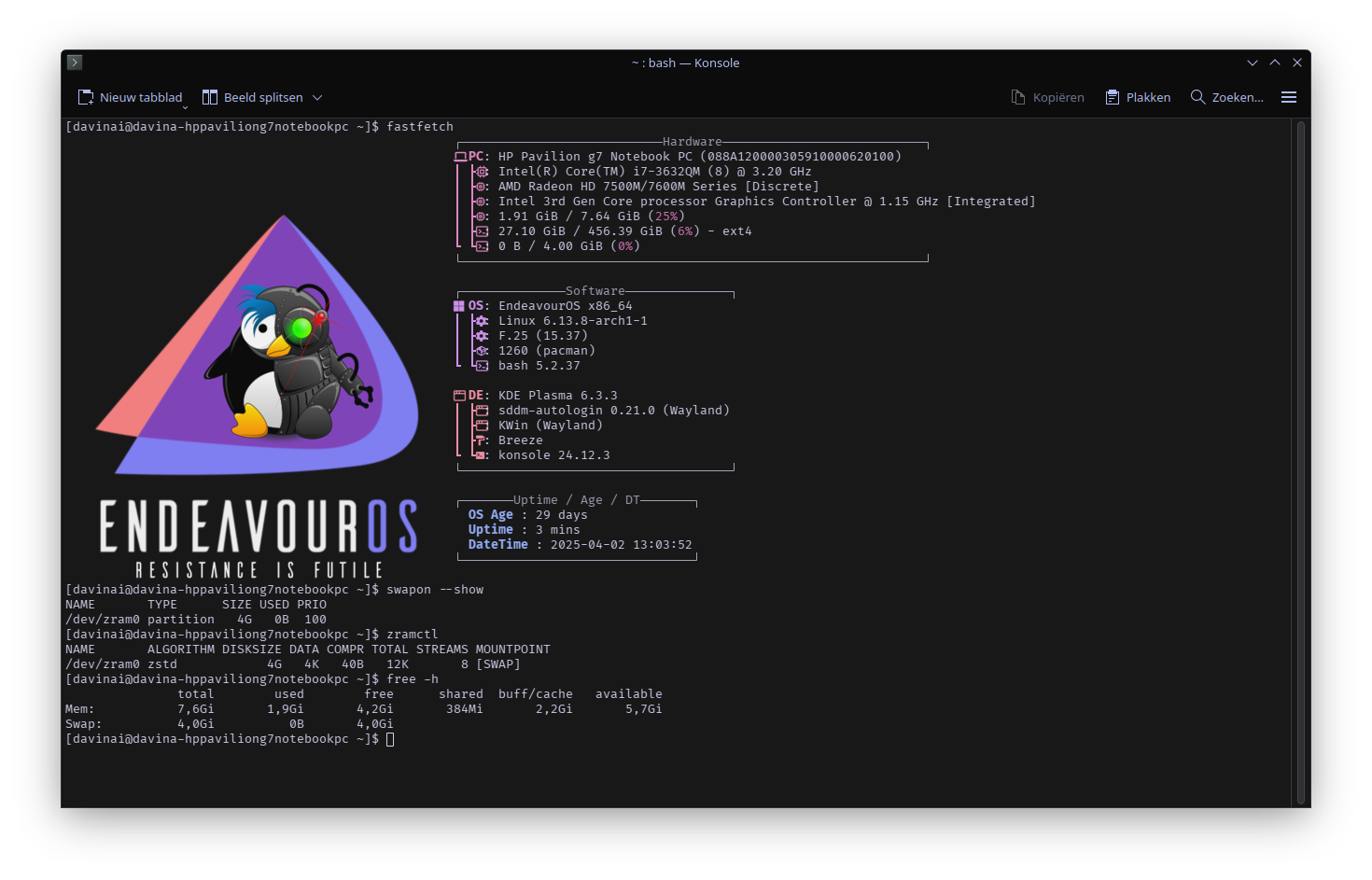
2 Days ago (before i got updates) it did had a mount point → Zram vs swap partition vs swapfile - #83 by MichelN