You’d need to test to confirm, by trying a different kernel. It’s not unusual that an issue crops up in the kernel, whether it’s LTS or main.
Having another kernel installed is something I’d recommend you always do. I have the LTS kernel permanently installed on my system, even though I rarely ever use it. If a bug crops up in my main kernel, or it fails to boot one day, having a backup kernel installed can really help.
By default, the standard kernel should be installed for you. If you need to install it though, this’ll do it:
yay -Syu linux linux-headers
When you reboot, it should appear in your boot menu.
Can you explain how this could indicate a disc problem? I have windows on the same disc and that doesnt have any problems its also only 2 years old and hasn’t seen nearly as much use as other ones i own. I’m not saying its impossible just doesnt seem very likley I’ve worked in IT since i was a teenager so I’ve seen my fair share of faulty parts but idk my thought process was if i ended up just doing a fresh install and it kept acting up then its defintely the ssd. Only problem with replacing it is these use the b+m key ones and those seem to be getting harder to find plus ya know the current price of storage being banana ham sandwich.
It could be with a very high wear level that the parts of the ssd are unusable so the disc capacity is getting smaller so in other words your install is out of usable disc space. But i’ll admit it might be far fetched.
Either way it does seems a hardware issue to me. I am using EOS with XFCE for many years without any problem.
First you need to make sure your hardware is good before questioning the software install in my view
So i know endeavour usually installs both but I’ve never had to switch. Fist boot on main went smoothly like its suposed to but since this problem doesn’t happen 100% of the time I’m going to have to just keep booting that one and see if it eventually does it or not. My question is if it is the LTS kernal then what do i do about it? Do i just do a full blown reinstall anyway or hope an update fixes it?
The best option is to use the main kernel in the meantime, if that’s a reasonable option (everything is working), and wait for an LTS kernel update that hopefully resolves the issue.
The alternative is to downgrade the LTS kernel:
sudo downgrade linux-lts
I’d caution that option though, because it places your system in a state of partial update, which would likely have its own issues. If the main kernel is working, that’s my recommendation.
With respect to the SSD wear, it can be difficult to read the data sometimes as different brands present it differently. From what I can tell your SSD is healthy. The Wear_Leveling_Count is presenting a curious value, but without knowing what it represents, I wouldn’t jump to conclusions just yet.
Okay but how would i go about testing that without just buying a new one? Seems silly to go blow $200+ just to test something. A high wear level wouldn’t make too much sense to me since this machine isn’t typically even used daily its my side pc i use it to play music and take notes for the most part. In my experience if an OS is over a year old and starts acting up its usually just the OS and typically i do a full blown reinstall on all my machines once a year but this one was forgotten about.
Alright when i wake up later today I’ll try booting into main over and over and see if the issue replicates. If not then i guess the issue is LTS. So since this doesn’t seem to be an issue for every xfce LTS user and is just an issue with my install would doing a full blown reinstall of xfce on LTS possibly fix the issue? I’m just trying to see like if main is fine I’ll stick to that for a few weeks/months and see if LTS gets an update but if the update doesn’t fix the problem would wiping the slate clean and making everything new be the move at that point.
Thank you I think we are onto something with the LTS just being borked so I’ll keep testing main and if the issue replicates I’ll run these tests because at that point it might just be the ssd. Like i said I’ll just keep booting main a bunch later today and I’ll give an update.
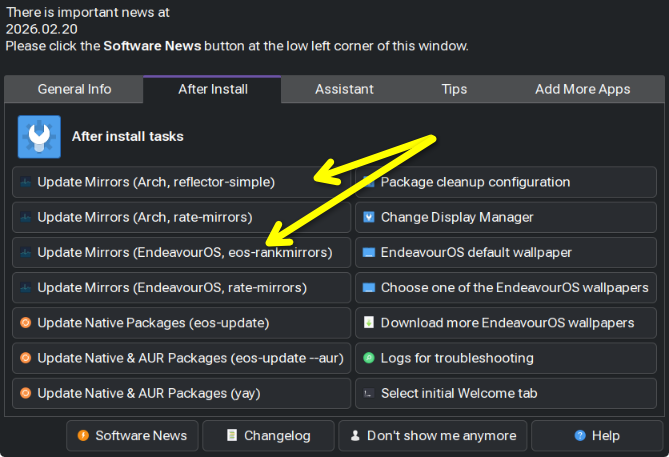
If you didn’t update for a while, you should sort out your .pacnew files. I use meld and pacdifflike this:
DIFFPROG=meld pacdiff -s you just press v and see the differences, then you can sort them out, don’t forget to save, then you can choose wich version to keep.
On a boot when the issue does occur, can you please share the output of your bootlog. For this one, it’s probably best to use the eos-sendlog tool to upload the log and generate a link for us, rather than pasting it all here, as it’ll be quite big.
It’s best to do this immediately after you’ve booted and noted the issue, to keep the log as concise as possible.
I’m not really sure what you mean by sort them out or what to even do with this i see two mirrow lists they both look similar some are green some are blue I’ve never messed with the mirror list before so I’m clueless.
I can see a lot of WiFi issues in your boot log. How feasible is it for you to use a network cable to access your router, instead of WiFi, even if just for testing?
Unfortunately The one network cable i have is about 6 feet too short to reach the system and if i move the system then the power cable is too short to reach my power strip idk why but GMKtec has super short power cables mine can’t even reach the floor from my desk i have the power strip propped up on a box right now. The wifi constantly disconnects due to the fact that it’s fighting through a metal roof and concrete wall I’m not even that far away maybe 10-12 feet but being upstairs the angle its trying to recieve the wifi is the problem it says it has 70% signal strength but it does this sometimes if i go reset the router it usually stops doing it as frequently. The router is also 10+ years old because the boomers i live with never replace or update anything I would prefer to have it wired but until i buy a spool of cat5 and a crimp tool I’m stuck with this for now. I also am probably moving within a month or two so that may wait until i get into a new place. It is just the 2.4ghz band though it kept trying for the 5ghz one but the distance is too far for it.
Yeah the 2.4GHz band is better when there are obstructions or distance. It’s a lower frequency, so think of it like the car driving down the street blasting music, but all you can hear is the lower frequency “doof doof”. The higher frequencies are filtered out by objects (the car) and distance.
The same principle broadly speaking, applies to WiFi radio frequencies.
It’d be nice to be able to rule the WiFi out as the cause. Network issues are a known factor in slow-downs.
One option is to simply disable the WiFi adaptor. “Flight mode” will suffice, but I’m not sure if XFCE provides that feature. Otherwise, you may be able to disable it in the BIOS.
Obviously, that’ll mean you have no internet access, but if you could try to replicate the slow-down issue while its disabled, that would help rule-in / rule-out WiFi as a possible cause.
The other option you may have, is tethering to your phone via USB if it’s an Android, and using its WiFi, or mobile data, to access the internet. The risk there though, is that the WiFi issue is actually router related, and persists!