I have been using Endeavouros ARM on my RPI5 for a few months now and i realized that the default installation comes with standard (EXTRA repo) versions of FFMPEG and VLC, instead of the “RPI” specific packages which are available in the “ALARM” repo of ARCH ARM.
After installing these two instead of the default packages (requires some tinkering because of the dependencies), to my surprise, i could play 4K HEVC videos with hardware acceleration (which wasn’t possible before me doing the swap).
I suggest the current maintainer to take a look at this and if possible, make the default installation to come with these instead of standard arch arm packages.
PS: HW acceleration only works with “Wayland”. FFMPEG-RPI only replaces FFMPEG4.4 package. The other one (FFMPEG) stays.
I have not tried vlc-rpi / ffmpeg-rpi combination in a while but at the time there was some limitations with playing hevc video I could not tolerate. I build ffmpeg version 8 with HW for x264 / x265 and play with mpv in the repo. Of course the pi5 only does x265 but my pi4 does both. For the last 4 years I have used my pi’s as as my main workstations. I have a 12 core x86 but only use it now to compile kernels for my pi’s because of it’s speed.
I use xfce and believe the –gpu-api=opengl needs to be changed to something –gpu-api=wayland. You are welcome to see what it will do if you want. I build the 6.12 kernel as I am not happy with the 6.18 for now.
I have never heard of vlc-rpi. What DE do you have installed?
I checked all the package lists, and vlc is not installed by default on any supported EnOS ARM device or any supported EnOS Desktop Environment.
So I downloaded the latest RPi 5 image and installed KDE Plasma. VLC was not installed. However something pulled in libvlc and a bunch of VLC plugin packages as dependencies.
Twenty seven out of seventy three plugins were installed, but not VLC itself. I don’t understand this but I have to check this out. Now I am wondering if all DEs pull in vlc plugins?
I tried to install vlc-rpi and ran into dependency problems.
I will look into this more tomorrow.
Irregardless vlc will not be installed by default in the future, as per the EnOS philosophy.
Minimal Customization
Our desktop environments come with a carefully selected set of packages
to offer a basic, fully functional system.  We apply only minimal
aesthetic tweaks (e.g., accent colors, icon themes).
There are no major modifications, optimizations, or rebuilt packages.
I am on KDE Plasma. And i am not really sure if the default video player was MPV and i replaced it with VLC or the default installation came with VLC, but it has to be one of these two. By the way, i don’t think mpv can utilize hw-acceleration no matter what. VLC-RPI package must have some spell on it to do so
In any case, i still think that it would be the right choice to have the “RPI” iteration of any package to be the default installation, because as you know, this “thing” is not like any other computer out there. Like i said, i could get the x265 4K videos to play perfectly “only after” i have installed the VLC-RPI and FFMPEG-RPI packages (i am not sure if both of them are required). So the default installation of EndeavourOS lacks that functionality.
First off, I really do appreciate any and all feedback on EnOS ARM. Thank you.
By default, EnOS ARM on KDE Plasma installs mpv and haruna,
As this Topic points out, Okular (which is Plasma’s Document viewer) installs a lot of VLC packages as dependencies.
This causes a lot of dependency problems when attempting to install vlc-rpi.
So to do what you are asking we would have to
Not install okular, a normal Plasma app, to avoid the vlc dependencies
Install vlc-rpi and it’s dependencies to get a modified VLC which a lot of users would not use nor want.
Then we would have a lot of Plasma users asking “where is okular, it’s supposed to be installed”.
But once again I have to refer back to:
Minimal Customization
Our desktop environments come with a carefully selected set of packages
to offer a basic, fully functional system.  We apply only minimal
aesthetic tweaks (e.g., accent colors, icon themes).
There are no major modifications, optimizations, or rebuilt packages.
Pudge
EDIT:
I found this:
To enable hardware acceleration in mpv on Linux, install the necessary
VA-API drivers for your GPU (e.g., `mesa-va-drivers` for AMD/Intel)
and add `hwdec=auto` to your `~/.config/mpv/mpv.conf` file.  This offloads
decoding from the CPU, reducing usage and lowering temperatures.
I assume this extends to Haruna and other mpv apps.
Correct if you are referring to the default ffmpeg install in EOS or Arch-Arm for the rpi’s. I only have rpi’s but seriously doubt there is any ARM device would without a rebuilt ffmpeg geared for the devices gpu would. I come from manjaro-arm and all of the years I have been there I do not remember anyone there with an arm device having HW with an out of the box install. I had to quit my work there because of health issues. My user name was darksky and I mostly did rpi package but had to take on a lot of the work for other devices because I was the only one left after a heart attack then finally now going through my kidneys failing.
I build this branch of jc-kynesim ffmpeg which PiOS and arch-arm kodi-rpi also uses.
Been in linux 32 years and never stop learning. Computers has been my life and is the only thing that occupies my mind tryng new things. But my spot at manjaro was too much for me trying to keep everyone happy with my health.
We all learn from each other sharing our knowledge and at the same time we make our community better.
My man, we had conversations in the manjaro forum. You are the reason (your absence to be precise) why many of us moved away from manjaro to endeavour. I did not expect to find you here But that is a happy surprise. It is good to see that you are still alive and kicking. I actually like endeavour a little more than manjaro because it is closer to pure arch. Manjaro had its own repos.
Anyway, anybody reading this who wants to utilize the hw accelerated playback on RPI devices with EndeavourOS, install VLC-RPI (it is in the ALARM repo). If you have other VLC packages installed, it could be a little tricky, but it is doable.
Thank you for the kind words. I originally had manually switched my manjaro image over to arch-arm but had my ssd crash. So I installed the EOS image to get going faster instead of building arch-arm manually.
That is true. Manjaro had a ton of custom overlays. Some I agreed with and some I did not that went a different way from arch. What was a nightmare for me was rebuilding the overlay packages after each arch-arm major upgrade. The one thing I did like was the ability to change the kernels to allow for the users needs to have certain kernel modules enabled. I also had the rpi-kernels where they would boot all rpi 64bit devices off the same image automatically like PiOS does.
Anyway I am still enjoying EOS but still have some of my custom builds to suit my needs but I guess others do the same.
I am also a Manjaro ARM to EndeavourOS ARM transfuge, and am very happy that you’re still around!
Now back on track with this subject:
On my enos KDE install on an RPi CM5 (mostly default, I used the btrfs image creation, made migrating device from uSD to NVMe a no brainer), there are indeed a bunch of libvlc-plugins already installed.
Now the weird thing is that even if libvlc and libvlc-rpi have the exact same package version number (3.0.22), pacman complains about missing dependencies:
:: libvlc-rpi-3.0.22-1 and libvlc-3.0.22-1 are in conflict. Remove libvlc? [y/N] y
error: failed to prepare transaction (could not satisfy dependencies)
:: removing libvlc breaks dependency ‘libvlccore.so=9-64’ required by vlc-plugin-a52dec
:: removing libvlc breaks dependency ‘libvlccore.so=9-64’ required by vlc-plugin-alsa
:: removing libvlc breaks dependency ‘libvlccore.so=9-64’ required by vlc-plugin-archive
:: removing libvlc breaks dependency ‘libvlccore.so=9-64’ required by vlc-plugin-dav1d
:: removing libvlc breaks dependency ‘libvlccore.so=9-64’ required by vlc-plugin-dbus
:: removing libvlc breaks dependency ‘libvlccore.so=9-64’ required by vlc-plugin-dbus-screensaver
:: removing libvlc breaks dependency ‘libvlccore.so=9-64’ required by vlc-plugin-faad2
:: removing libvlc breaks dependency ‘libvlccore.so=9-64’ required by vlc-plugin-flac
:: removing libvlc breaks dependency ‘libvlccore.so=9-64’ required by vlc-plugin-gnutls
:: removing libvlc breaks dependency ‘libvlccore.so=9-64’ required by vlc-plugin-inflate
:: removing libvlc breaks dependency ‘libvlccore.so=9-64’ required by vlc-plugin-journal
:: removing libvlc breaks dependency ‘libvlccore.so=9-64’ required by vlc-plugin-jpeg
:: removing libvlc breaks dependency ‘libvlccore.so=9-64’ required by vlc-plugin-mpg123
:: removing libvlc breaks dependency ‘libvlccore.so=9-64’ required by vlc-plugin-ogg
:: removing libvlc breaks dependency ‘libvlccore.so=9-64’ required by vlc-plugin-opus
:: removing libvlc breaks dependency ‘libvlccore.so=9-64’ required by vlc-plugin-png
:: removing libvlc breaks dependency ‘libvlccore.so=9-64’ required by vlc-plugin-shout
:: removing libvlc breaks dependency ‘libvlccore.so=9-64’ required by vlc-plugin-speex
:: removing libvlc breaks dependency ‘libvlccore.so=9-64’ required by vlc-plugin-tag
:: removing libvlc breaks dependency ‘libvlccore.so=9-64’ required by vlc-plugin-theora
:: removing libvlc breaks dependency ‘libvlccore.so=9-64’ required by vlc-plugin-twolame
:: removing libvlc breaks dependency ‘libvlccore.so=9-64’ required by vlc-plugin-vorbis
:: removing libvlc breaks dependency ‘libvlccore.so=9-64’ required by vlc-plugin-vpx
:: removing libvlc breaks dependency ‘libvlccore.so=9-64’ required by vlc-plugin-xml
:: removing libvlc breaks dependency ‘libvlccore.so=9-64’ required by vlc-plugins-base
Is really the libvlcore.so different between libvlc and libvlc-rpi? Or I am doing something wrong?
What i did was i “brute force” uninstalled all the VLC packages (all packages with vlc in their name), regardless if they are some dependency or not. It was a bold move but it worked and no package has been “complaining” so to speak. I have installed the VLC-RPI package and i am just assuming that those dependent packages will interact with that VLC from now on. And if not, i don’t really care to be honest.
PS: Okular still works.
PS2: I also installed FFMPEG-RPI which replaced FFMPEG4.4. The other FFMPEG (version 2:8.1-3) is still installed and was not bothered by the FFMPEG-RPI package.
UPDATE: I have to make an update, even though VLC-RPI package can utilize hw acceleration, when in full screen, i can not get right mouse click options or even double click to get out of full screen, these don’t work. In windowed mode, everything works. So once you are in full screen, you have to use the keyboard to get out of it. Subtitles work. But i remember even in the old VLC i was using “opengl video output” to get those things in full screen, so i guess it was the same. In this VLC (rpi one), opengl video output doesn’t work. It shows a frozen frame.
I messed with this today and it is a mess.The initial errors above with plugins installing vlc-rpi is due to failure to remove the vlc-plugns. The PKGBUILD apaears to make an attempt but fails.
conflicts=(vlc vlc-plugin)
replaces=(vlc-plugin)
There is a meta vlc-pligins-all that install all plugins but I see that it will not uninstall them either. I am not into listing the million packages separately in the PKGBUILD.
I never liked them moving the plugins to external packages a while back.
It will also not one install ffmpeg-rpi until you uninstall existing vlc-plugin-ffmpeg.
I tried to build the vlc-rpi package and ran into a glibc error so guessing it updated recently. I had tried a couple of days ago to rebuild my vlc version 4 and ran into an error because lua upgraded from lua4 to lua5. Just guessing that will be the next error
So at this point vlc-plugin-ffmpeg I am on the fence about the plugs working or not with other system packages that may use it but appears it might work on the surface. The embedded video file test above in okular would confirm it.
If you upload a file with embedded video or something, i can check. I have only two vlc packages installed currently and they are: libvlc-rpi and vlc-rpi. I have nothing else installed with vlc in it. I used to have a ton of codecs (as you said) installed together with the standard vlc package. They are all gone now.
Well you still have the plugins. The older version of vlc built the plugins internally where you had to install some extra codecs manually for them to work. They were mentioned in the PKGBUILD under optdepends=(). This is how vlc-rpi is built. The new vlc is built using external vlc-plugins and these packages also are under optdepends=() instead of the system codecs mentioned in vlc-rpi PKGBUILD.
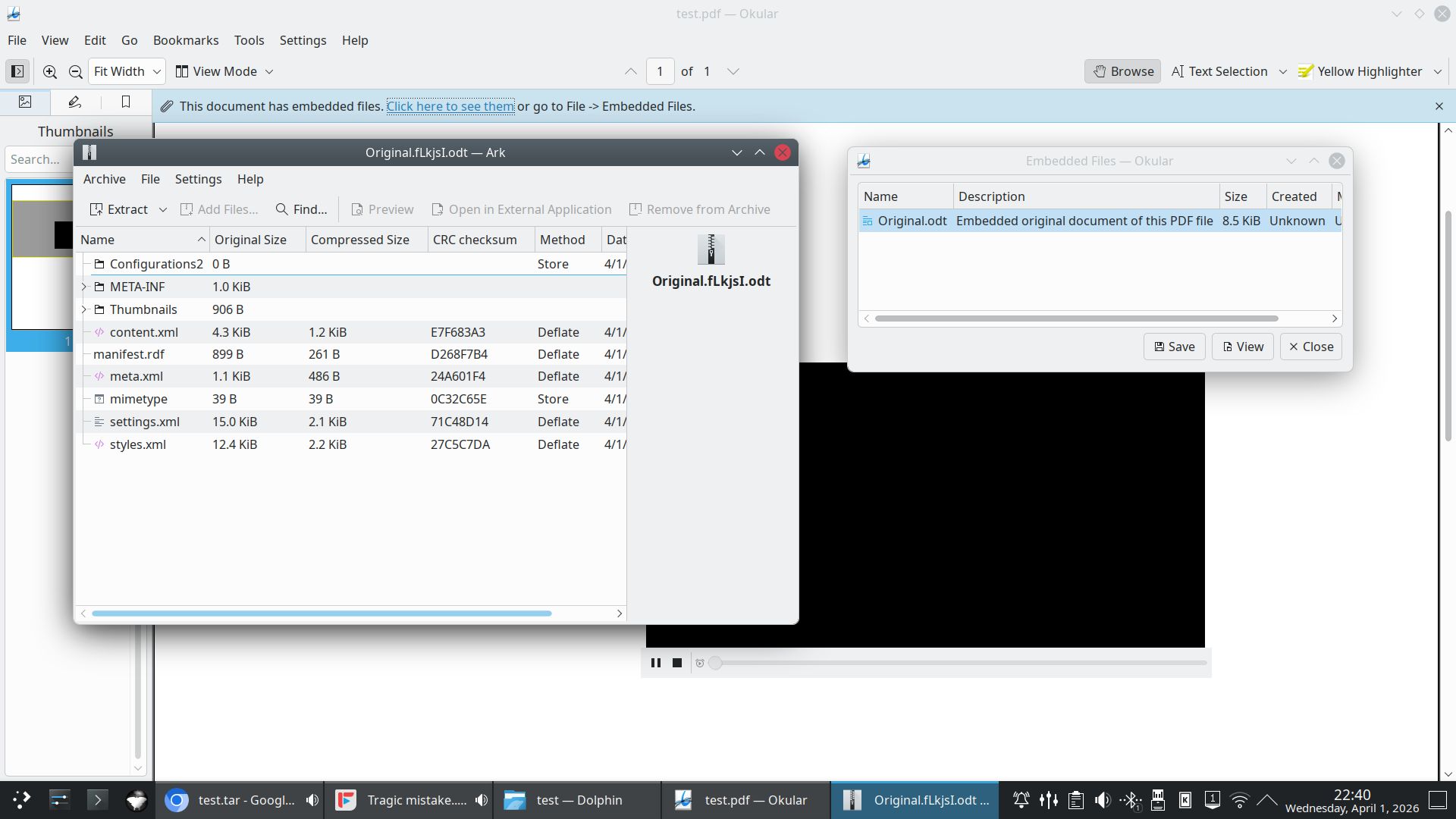
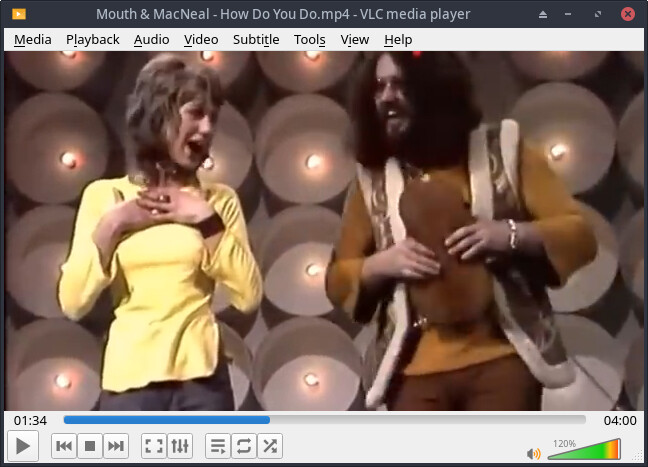
Here is a test .pdf for you to test. It is a 70 year old song of a video with Mouth and MacNeal. I tested it with evince and it works as I run xfce and do not want to install 500g of files to test okular.
It pulls in the external video (also included) and plays it in the document
Unpack the archive
cd to the test directory and open test.pdf in okular and click it’s Play Button.
I am guessing it doesn’t work. But honestly i don’t remember the last time i opened a pdf document with a video attached. Having hw accelerated x265 playback is more important to me at this point.
PS: I tried to play the video file outside the pdf, and it crashes VLC Why? I installed MPV, it started to play it and instantly crashed right after.
No clue. I have never cared too much for vlc-rpi because of having to jump thru hoops to get it installed and ran into limitations. That is the reason for me building my own ffmpeg for rpi and using mpv. I have very little experience with it.
MPV actually plays the video, but crashes when i make it fullscreen. VLC from the command line gave me the following error:
vlc video.mp4 (i renamed your file to make it simple)
VLC media player 3.0.22 Vetinari (revision 3.0.22-0-gf9020c4df0)
[00005555e4b1d5a0] main libvlc: Running vlc with the default interface. Use ‘cvlc’ to use vlc without interface.
[h264_v4l2m2m @ 0x7ffebc07d310] Could not find a valid device
[h264_v4l2m2m @ 0x7ffebc07d310] can’t configure decoder
[00007ffebc009a60] avcodec decoder error: cannot start codec (h264_v4l2m2m)
[00007ffea8001400] wl_dmabuf vout display: <<< Open: I420 640x386(640x360 @ 0,0 0/0), cfg.display: 640x360, source: 640x386(640x360 @ 0,0 1/1), scale=65536/65536
wp_color_representation_surface_v1#57: error 3: The buffer has a RGB format, but color representation is not identity!
The Wayland connection experienced a fatal error: Protocol error