Which software use for qualified OCR scan book on Linux?
I want to scan 600-paged paper books with qualified OCR to PDF/DJVU with copying also images: as in the paper, as in the PDF. I tried to use tesseract OCR in Spectacle to just scan from screenshot one phrase and received two mistakes. If I scan 600 pages, I think fix so many mistakes will be hard. I don’t want to use AI for that. What the best for it?
Perhaps try gimagereader-qt or gImagereader-gtk (depending on your desktop environment). It’s a front-end for Tesseract OCR.
I just gave it a go and it worked well on a batch of hundreds of images. It also has scanning support built in if you’d like to scan to it directly.
I tried to use Spectacle to scan cyrilic text from message screenshot. I received two mistakes.If It similar tesseract I will have so many mistakes? If it will 600 pages, and 2 mistakes per phrase, I will more 1000 mistakes! Is it possible to work in another way to reduce tesseract mistakes?
‘Google Cloud Vision API’ is actually the best OCR tool I’ve used. But its a cloud tool. I’m new to the forum and don’t want to break any rules so I’ll avoid linking to it here. But, I’ve been able to use it extensively without needing to spend money via their developer program.
Oh I see, sorry it hadn’t dawned on me that Spectacle was leveraging Tesseract too.
In my experience, OCR is rarely perfect. I know you said you don’t want to use AI, but some have used dedicated OCR tools to extract the text, but then leveraged LLM’s to correct the text.
Another you could try is PaddleOCR (paddleocr-git), but that’s getting into VLM/LLM territory, and the AUR entry looks like it might need fixing.
If qualified, but without LLM?
I’m sorry @wodsfortdragon, I’m not sure what you mean by that.
If good OCR,but without LLM using?
In terms of open-source, I’m not aware of any better than Tesseract.
Thank you! Do you know any way how I need change setting of Tesseract to have better compatibility with my text?
You need to ensure you’ve installed it with the correct tessdata language, based on the language in the images you’re scanning, otherwise I think the defaults are already the most accurate settings.
I did it, but still have mistakes
Mistakes are not unexpected with OCR, but here’s some info on how to improve it:
Now I installed gimagereader, but received this: spell checker not installed. How install spellchecker?
Perhaps install hunspell:
yay -Syu hunspell
If that doesn’t satisfy it, try gspell:
yay -Syu gspell
Yes hunspell language package helped)
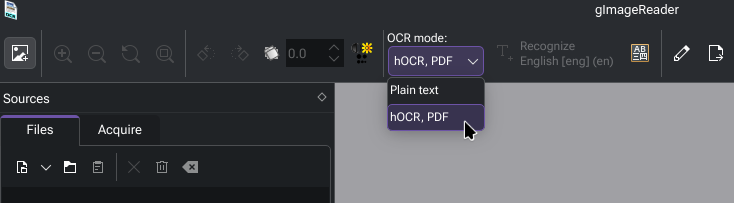
Have you tried the “hOCR, PDF” mode?
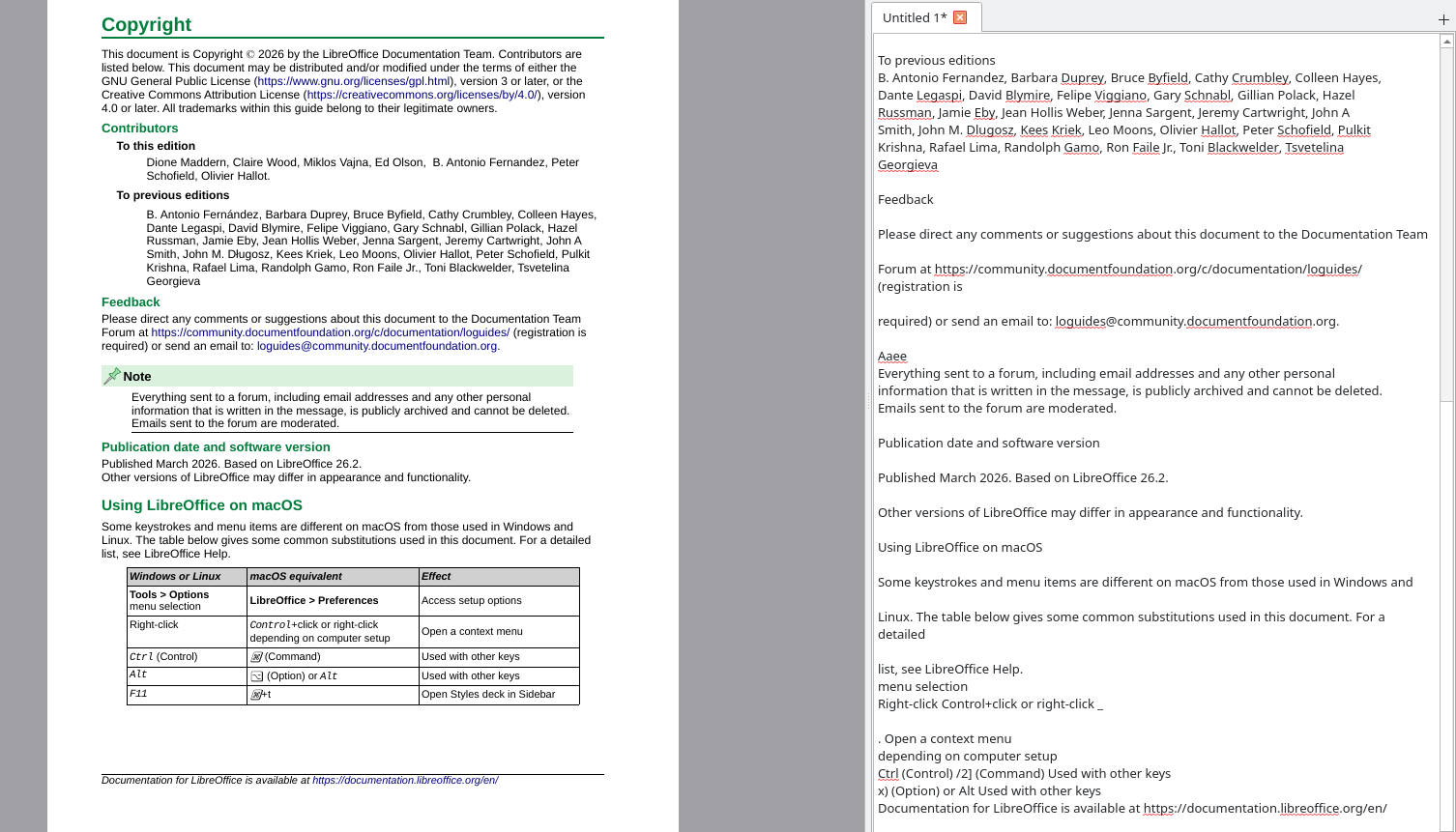
After running the OCR, you can save that as an ODT file and open it in LibreOffice. Just a heads up though, expectations should be tempered. OCR is about text recognition, fonts and such aren’t going to be real happy and the images in the ODT are going to still have the original text on them.
I understand your hesitation to use an LLM, especially for a large project. But, you won’t achieve perfect OCR that retains formatting without a lot of proofing and manual config, or AI. Personally, I would choose the latter: Give the outputs from Tesseract to an LLM tasked with converting raw text to readable markdown. You’ll lose the original formatting, but I don’t think that’ll meaningfully hurt the material’s readability in the end.
There are going to be tradeoffs to every problem and decision, right? I think using LLM here is going to get you the best end result. I know that’s faux pas but it is what it is.