I tend to use VLC as my music player, because I don’t like to have too many apps installed on my system if I can manage with one. 
For my simple local mp3 player use case, deadbeef sound is the best for my ears but due to the UI look, I moved to audacious. Audacious sound is great but still somehow inside me it cannot beat deadbeef 
I post long times ago Deadbeef versatile + can make look like want .
what i post no every one taste or want . it just my way show you can make it look how one want ( with in constraints of software.)
here screen shot
For music only Tidal 


deadbeef

Yeah I did have a good search before posting, I posted this just as ‘this is what I’ve been thinking the past 6 months’ rather than ‘can someone Google this for me?’ I know of goobox, adcd and grip but I havent’t heard of mcdp tbh.
I realise none of these apps are going to still be in development and long since removed from extra but as a non-coder I can’t just go adding stuff from the AUR willy nilly.
ADCD says on their webpage “Most probably the CD drive needs to be connected to the audio card through an analog audio cable for adcd to be able to play the CD.”
Grip and Goobox are both rippers/players which isn’t really what I wanted and Goobox is Gnome based so I’d rather go deaf thanks.
I will check out mcdp though. The best thing I’ve seen is Cmus can play CD audio but it needs recompiling with those features.
Edit: I’m just going to buy a mini hifi system and be done with it. I still stream music but I really feel strongly that I need some time with a glass of something and no computer turned on and also have some music. I get too easily distracted with the internet at my finger tips and this post demonstrates that perfectly.
yeah I get that (in shuffle mode actually)…but repeat tracks every 15-20 minutes, and a duplicate song every 5 songs..when you are trying to get some work done for a couple hours…is just damn depressing…
MPD has a rather trivial solution in the consume mode: You queue your songs/playlist, and after a song is played it gets removed from the queue. No chance to play it twice. But you have to requeue after the queue emptied, of course.
it’s brilliant. I thought MPD was a cloud-streaming-music-only player? Or did I have that wrong?
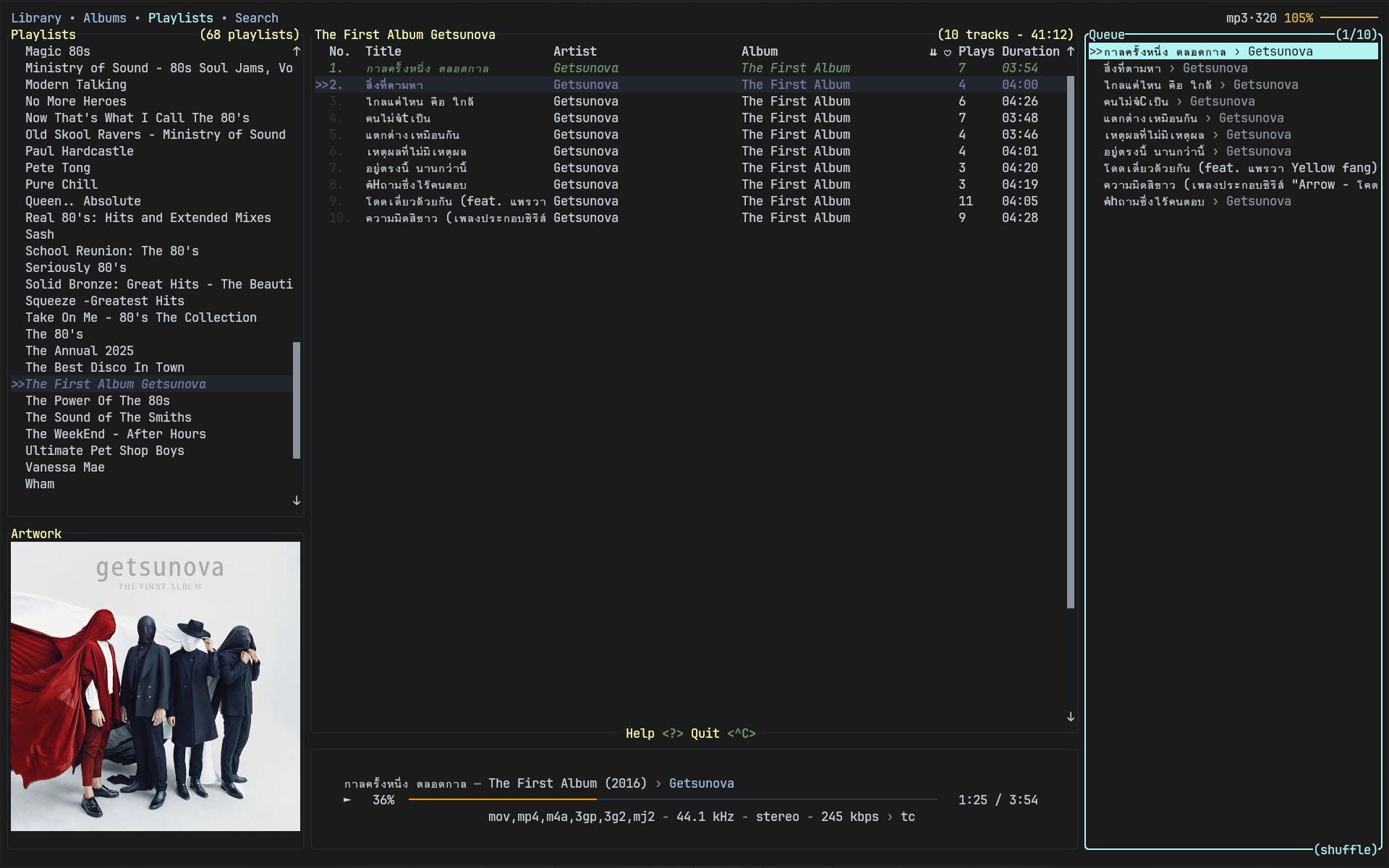
Nah quite the opposite, mpd is great for managing local music library, with a lot of possible front end to match your taste/use case. I use it with rmpc which is not the best but quite easy to use and customize.
This gave me an easy way to broadcast music anywhere i want in the house.
(You can use it for streaming/network but it’s not the main function)
thank you so much.
MPD is a lightweight music server. It reads a folder of music files, and then allows clients to connect to it and control the playback. It doesn’t stream music to a different computer for playback, but allows playback control on the machine with the MPD server.
There’s also not a single control application, but a myriad of clients for different operating systems, terminal apps, GUI applications, …[1] The Arch wiki also provides a list of Linux clients [2]. For example we talked about a new client here recently [3], you just point the client to your existing MPD server and have a new control app for it.
MPD can run on a different device and you control it over the network, but you can also run it completely locally on the same machine as the client.
With mpd you can set different audio sinks over LAN, i have it configured so i can listen to music on my phone, tablet or anything in my network
thank you as well. the purge-a-song-from-playlist-right-after-it’s-played setting is probably in the general settings as well. Will look for it. It’s a solution to my problem.
“Consume” mode is a core playback mode of the MPD server like the “Random” or “Repeat” in most (other) players, clients should expose it somewhere in their user interface. Don’t look for it in the MPD config.
the only other solution to my overkill-repeat-syndrome in any player would be to pre-shuffle the songs in some random order in the playlist before the player gets to them…then play them in a straight line (no shuffle).
/I feel like I’m Wile E. Coyote and linux music players are the Anvil and the Roadrunner…/
My solution was a raspi with the MPD server and every output device (headphones, speakers, soundbar, …) connects to it. What is your general setup to stream back to devices like phone, tablet, … ?
I don’t remember exactly, i haven’t set it up since i moved but i had a rpi3 and a pc connected to some speakers in the house and i set both a pulseaudio and http sink in mpd.conf.
The pulseaudio output was sent to the computers (which avoided having to install mpd), one output for each. Doing it this way allowed me to have the outputs appear in my audio control panel just like my speakers and headphones.
It is probably better to connect normally from other devices if you want to actually control mpd but in my case i only wanted to turn on/off other ouputs and volume as i pretty much always used my pc or phone to control it (rpi3 is used to connect a NAS and doesn’t even have a screen/keyboard, yet i could use it as and audio output)
Malp or KDE connect to control it with my phone and the http output for the devices that couldn’t handle the other way.
I’ll post my old config if i can find it. (now i feel motivated to set it up again…)