dash-to-panel I know but I didn’t make the connection here. Thx.
After Gnome 45, i removed all my extensions. I just felt that even though many great Extension projects, Gnome did not merge the features in. Extensions support seemed to be an after thought. Stability was more important to me over features.
Maybe in the future another desktop like Cosmic will grab my attention as an integrated solution.
is there a way to know what extension has just been added, or updated on the extensions page without browsing thru all the pages?
i mean you can sort on ‘recent’ but dashtopanel was just added yesterday and it did not appear on page 1, but page 17 or something.
(post deleted)
Thanks for that list with the direct links. I added the desktop cube and burn my windows
I especially like all the options and available animations for the windows burning one
Does anyone know IF Pop Shell works on Gnome 46?
I was thinking the same thing last night. In the search box I typed an “a”, and started browsing on page 1 and on for about 30 pages, and found many extensions several years old, and others that were very recent, and ready for Gnome 46. I spent about 3 hours trying extensions. Got errors on most. All one has to do is refresh the page if an error occurs, and an X pops up to remove it. Then move on to the next interesting one.
Slick menu system.
https://extensions.gnome.org/extension/3433/fly-pie/
Wow. Thanks.
I was thinking about this the other day as I used it on Ubuntu aeons ago, but couldn’t remember what it was called 
caffeine updated
extension.gnome does have a some useful extensions. Just have to find them. This is one I missed. Credit to @dalto.
https://extensions.gnome.org/extension/5895/app-hider/
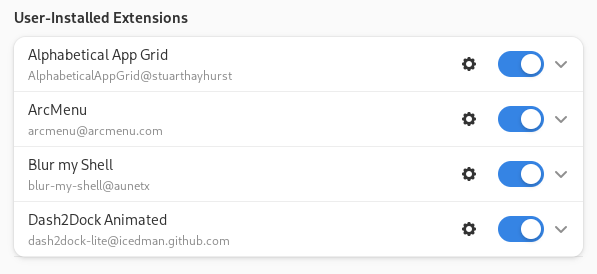
Always;
- Alphabetical App Grid
- Caffeine
Mostly;
- User Themes (I love Dracula Theme)
- ARC Menu
Sorry for late reply
But I use
gnome-shell-performance
and
mutter-performance
packages which weren’t updated at that time.
I haven’t used Gnome in years. So I’m spending time reacquainting myself with all things gnome. So far, here’s what I’m using…
Duplicate, sorry
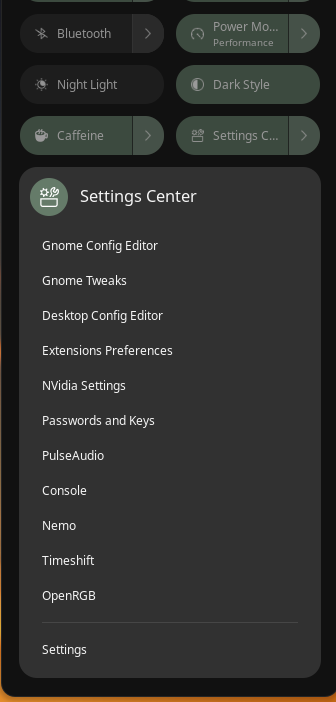
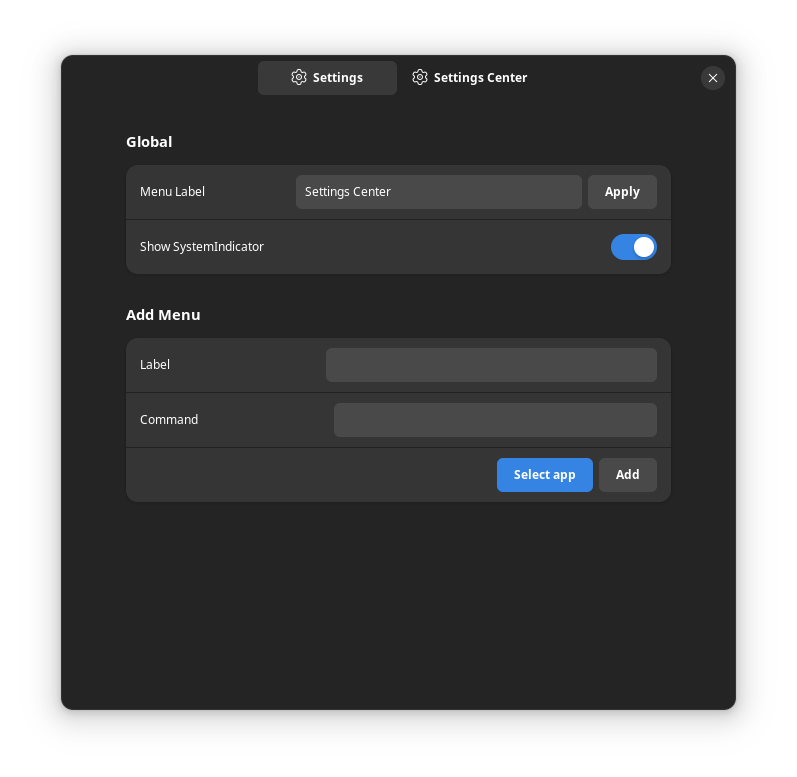
Settings Center works well. It incorporates into the top panel nicely, and has extensive list of settings. It also allows adding commands to the same menu.
https://extensions.gnome.org/extension/2899/settingscenter/

Tactile window tiler.
https://extensions.gnome.org/extension/4548/tactile/
I don’t think anyone has mentioned these yet:
- Freon - A super simple temp indicator in the system tray.
- Removable Drive Menu - For those of us used to have 1-click USB ejection.
- V-Shell - Amazing amounts of customization, but most of all fixes “native” Gnome bugs with display scaling!
Fedora 40 Workstation (Gnome 46.2) on my laptop…
UPDATED IN NEXT POST…