For anyone that has updated to Gnome 46 and uses these extensions.
If you build Appindicator from the master branch using the build instructions it works.
gnome-shell-extension-appindicator-git from the AUR also works.
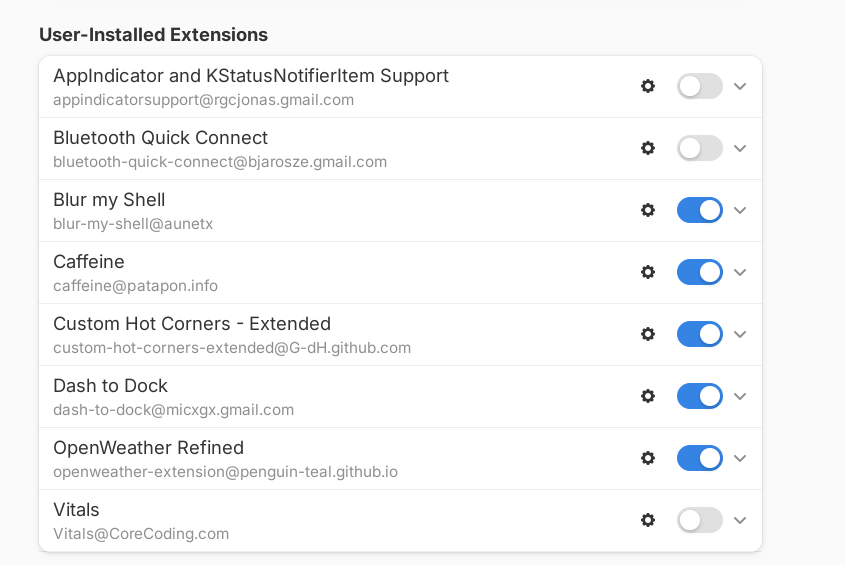
You are not on GNOME46 yet, are you?
Most likely not, Dash to Dock and Blur my Shell are currently missing for 46 shell, if they didn’t update it in the last 2 hours.
So do OpenWeather Refined and Custom Hot Corners - Extended. Caffeine also.
The screenshot seems to be from pre-gnome64 era.
It probably points to the master branch as well then and probably runs similar commands as described what is needed on the project page 
Yes, that’s what the pkgbuild shows. And yay -S gnome-shell-extension-appindicator-git is a bit more straightforward than the build instructions at GitHub 
Not sure how gnome-shell-extension-appindicator-git works for you since it hasn’t been updated since 2022 
It works the same way that most (if not all) -git AUR packages work - by pulling in the main version from GitHub with the very latest commits. If the pkgbuild still does this successfully, it doesn’t need to be updated. This is why the maintainers of -git AUR packages get so annoyed when their packages are flagged out of date.
It s odd that sometimes I can do an update, and it doesn t affect any extension. Then other times all of the extensions have to be re installed; like today 
There is a git for Dash to Dock And one for Dash2Dock-lite also.
Huh. I very rarely, if ever, install -git packages from the AUR so I never knew that. TIL.
Well that checks off a couple of must-haves. Now all that’s missing for me is GSConnect, Improved Gestures, and QSTweak/Audio Switcher. 
I updated EOS today, and it updated to Gnome 46.0. That explains why my extensions went bonkers. Most are DOA now. Fortunately Dash to Panel still works, and I found a nice system monitor for the top panel though. Mouse-over the icons on panel, and drop-downs appear.
https://extensions.gnome.org/extension/6682/astra-monitor/?c=158437
Some screenshots.
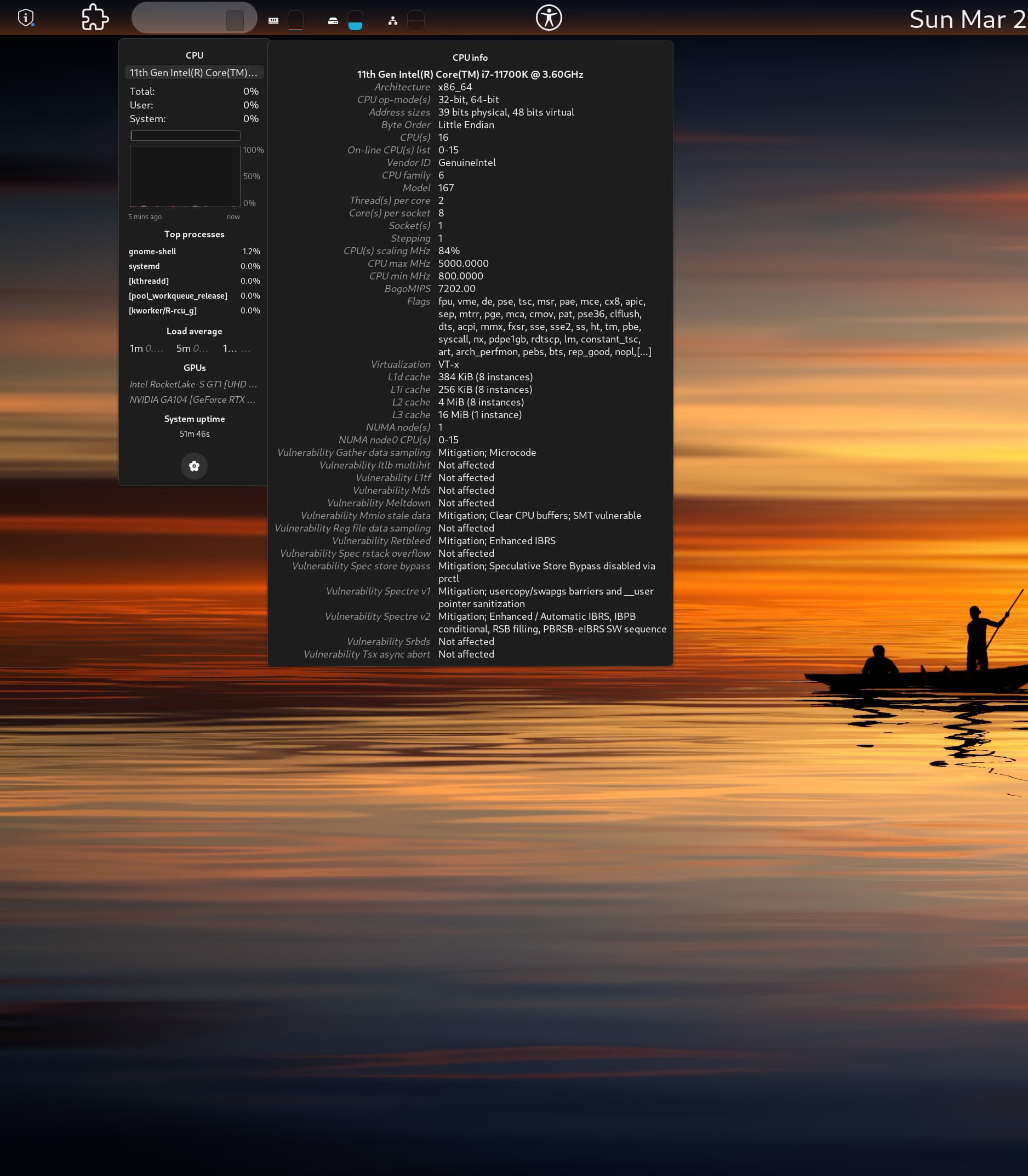
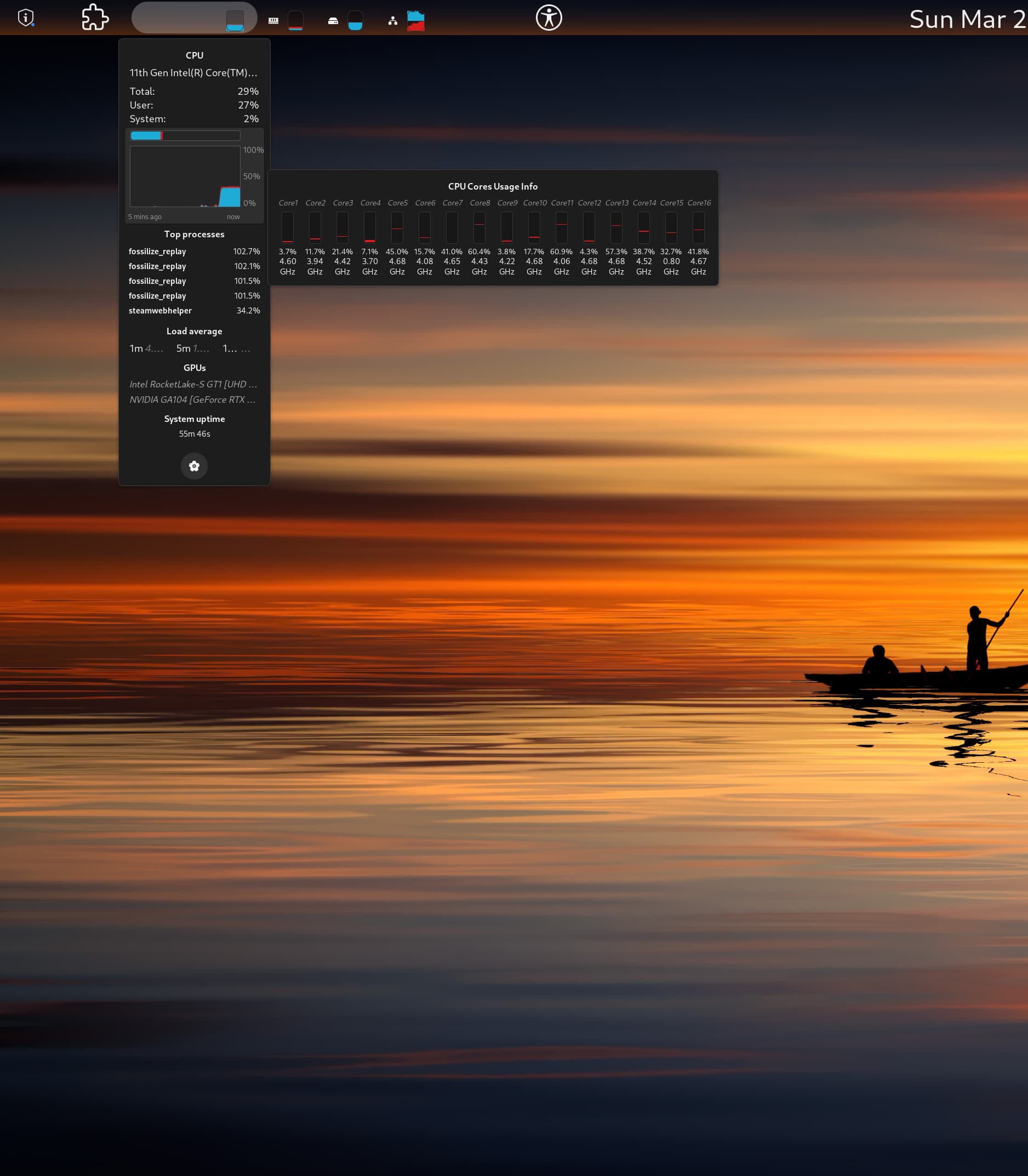

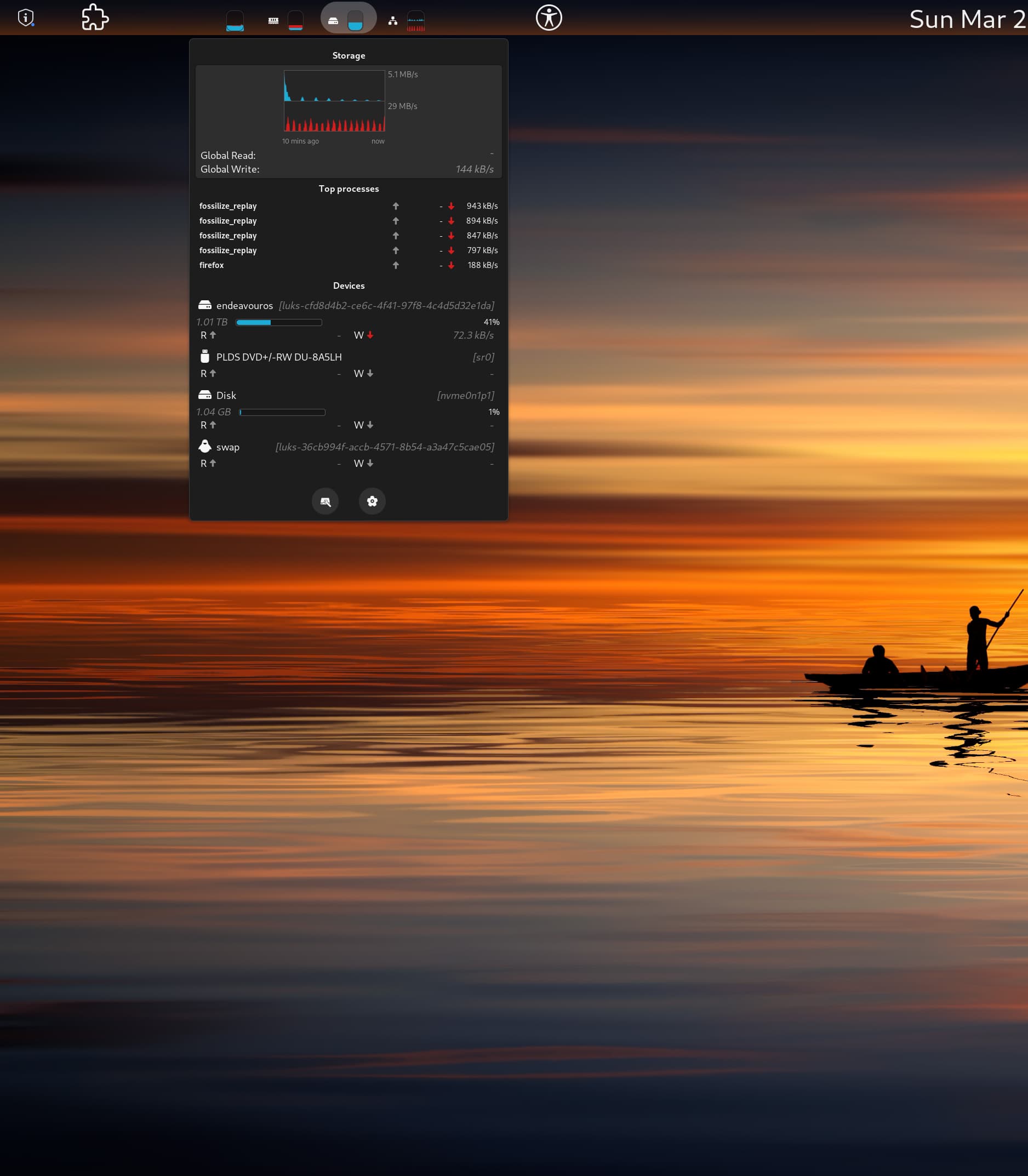
It isn’t any harder to do than installing the AUR package. When the official one gets released I will reinstalled it the normal way.
An interesting programmable menu, and it runs well in Gnome 46. I think this has many possibilities. Maybe someone can check it out, and show me how to add items to the menu, I can not seem to get the syntax right.
https://extensions.gnome.org/extension/3981/guillotine/
Just turn off version validation here: https://extensions.gnome.org/local/
It worked without problems for most of the extensions, including those two.
Auto Activities - opens activities when no window is open
Caffeine - disables screen sleep (doesn’t work with 46 yet, even with validation turned off, soon though)
Dash to panel - best panel
Clipboard History - works well with dtp
Disable Menu Switching - doesn’t change dash/panel active menus when you accidentally hover over another one, it was super annoying.
Impatience - makes the animations go brrrrr
What is dtp?
Dash to Panel is an icon taskbar for Gnome Shell. This extension moves the dash into the gnome main panel so that the application launchers and system tray are combined into a single panel, similar to that found in KDE Plasma and Windows 7+. A separate dock is no longer needed for easy access to running and favorited applications.