Ended up asking Brave for alternatives, and guess what, I found one.
It looks like a combo of Obsidian and VSCode but doesn’t use Electron!
Will test it out and edit this later.
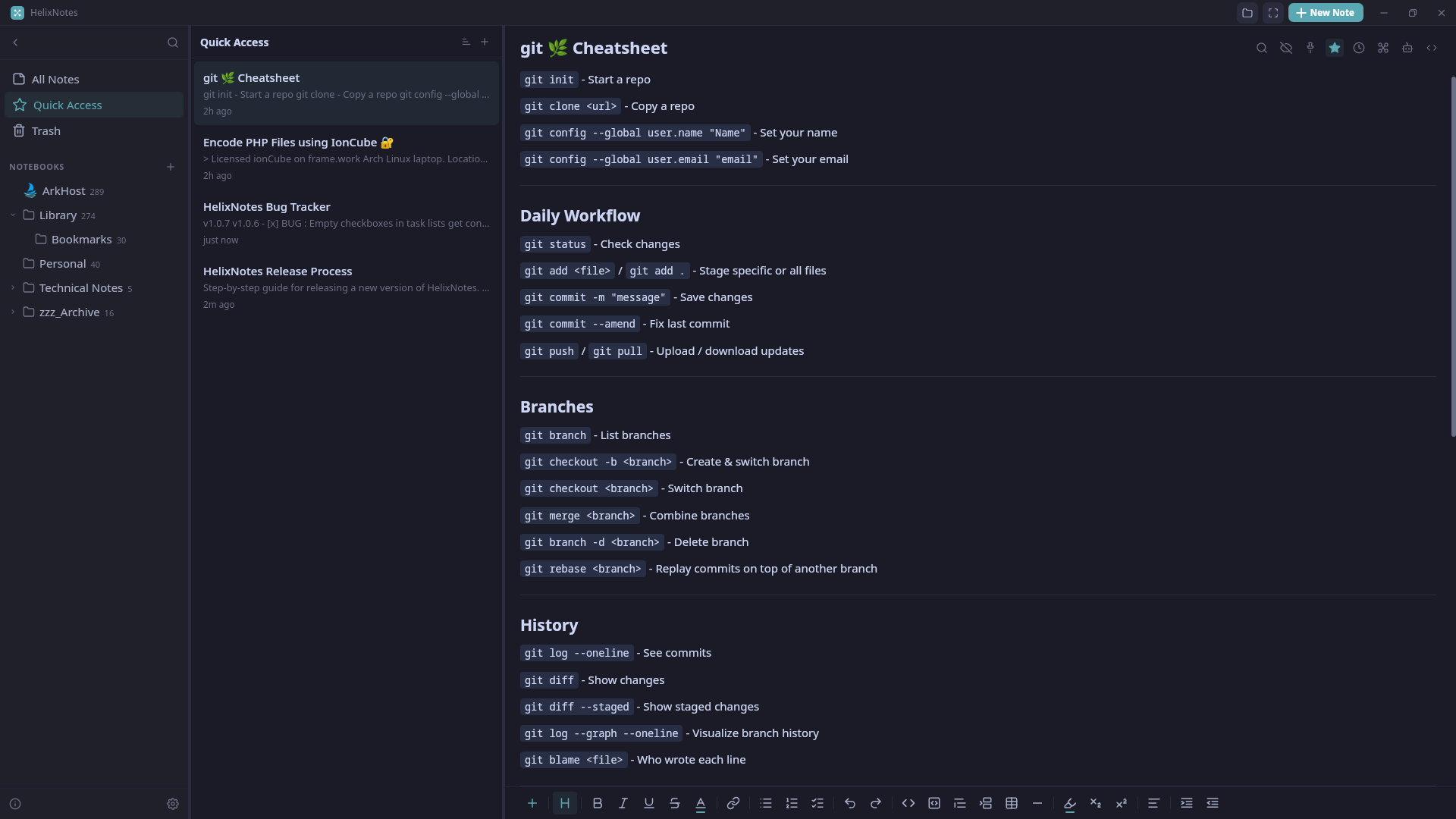
HelixNotes on Linux
So, what is the experience like? Well, not bad.
The Bad:
Howver, there is no built-in spellchecking or autocorrect. Notice that previous sentence starts with “Howver” and not “However”. There is no indication that I’ve made a mistake when using the app.
The next missing feature is tabbed note editing. Tabs simply don’t exist. There is an option to open a note in a new window, but this is suboptimal, and if you’re using Openbox, like I currently am, the window decorations disappear and cannot be added to that new window. Maybe this wouldn’t be the case in KDE, as an example.
Next up: Though you are writing in markdown, the spacing of lines feels like an RTF editor by default. Lines are double-spaced (or 1.6 in settings) when you press Enter is the default.
The Good:
It’s fast! Search is instant. Editing and going about the UI is fast. It launches quickly.
There is also the option to use custom icons for your folders within the UI, which is useful on big projects to differentiate a folder with Characters apart from Scenes, or Research apart from Locations, and so on.
The UI itself is not some awesome writer’s wet dream, but it’s not clunky. It can even get out of your way with a Focus Mode. It has basic themes as well for both light and dark modes.
Note/File linking works as expected.
And, of course, you can use the rich preview or the source view so that what you’re typing is what you expect. Though, as I write this particular feature in the source view to test it, I see that the cursor is about five characters ahead of the actual text I’m writing. This makes it so that navigating to a particular line/word becomes a guessing game. A bug, I guess.
HelixNotes on Android
So, what is the experience like? Same as before - no bad
The Bad:
All the issues are the same. The source view mode is bugged and the other issues.
There is an additional issue in that choosing “Custom” for the location of your notes does not find any file you already have in the location. If, however, you choose “Internal”, then copy your notes to that location, /storage/emulated/0/HelixNotes, then it will pick up all your notes.
Workaround found: Choose “Custom” but don’t enter the full path to the folder with all your files. Instead, enter the path the the folder just above that. Then, in the “Vault name” section, enter the name of the folder with your files.
Example:
Instead of entering /storage/emulated/0/SyncFolder/MyNotes, enter `/storage/emulated/0/SyncFolder", then enter “MyNotes” into the Vault name section.
The reason this doesn’t work as expected is because of the “Vault name” section. Whether you select one of the three default folder locations (Documents, Downloads, Internal Storage) or you select “Custom”, an actual Vault name is required, and this will always create a new sub-folder, unless the folder already exists.
The Good:
Same as above. There is no real difference in the Android version in terms of positives.
The verdict:
At its current early stage, HelixNotes can meet many users’ needs if they are searching for open-source alternatives to Obsidian that don’t lock the user into using one app (interoperability), while also being available on desktop and mobile.
- Would I recommend it?
- Will I be replacing Obsidian/Markor/Kate with HelixNotes?
- Not right now. Maybe Markor, though.
I’ll be keeping it around without actually switching to it. There are just too many things I’d be missing from Obsidian on Linux - all of which I could use on Android as well. And Kate is currently irreplaceable for when I need it.
I’ll maybe put in some bug reports and/or feature requests to help its development.
In any case, the app is new and off to a mostly good start.
PS: HelixNotes is more in line with what I want/need from my notes app, so I will test it out more and more, probably replacing Markor with it for Quick Notes, then eventually seeing if I can replace Obsidian as it gets better.