Not sure if this has been mentioned, but similar to Dolphin, Nemo has a kind of selection mode that you can access by pressing CTRL+S. It is search-/query-based using patterns.
It seems to use wildcards, maybe even simplified Regex? I found it when trying to save a file in another app, but Nemo popped over it and took focus. Neat feature.
For example: PoseRef*_01*.webp
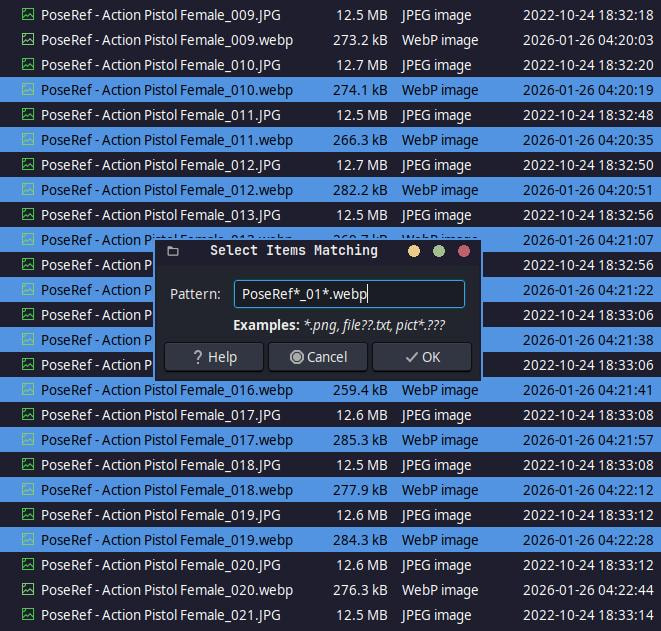
Did a little experimenting with it and found that pressing CTRL+SHIFT+I inverts the selection. I really love that Nemo is a little Dolphin in disguise. 


PS: WEBP is awesome! These files are 12+ MB per image, but with my little script, I’ve reduced them down to 200+ KB while still retaining high quality files that are 4000x6000 px on average.
EDIT: In case anyone is interested, other scripts can be found here: Scripts!
FINAL EDIT: I just reduced 5.3 GB down to 130.4 MB by using WEBP instead of JPG.
