Hi @ricklinux, I found a way to get the VboxSVGA with 3D checked on Virtualbox 6.1.0.1.
I think it’s a bug for now depending where you setup it.
1/ First checked the 3D inside the VM settings, and let whatever graphic controler you want.
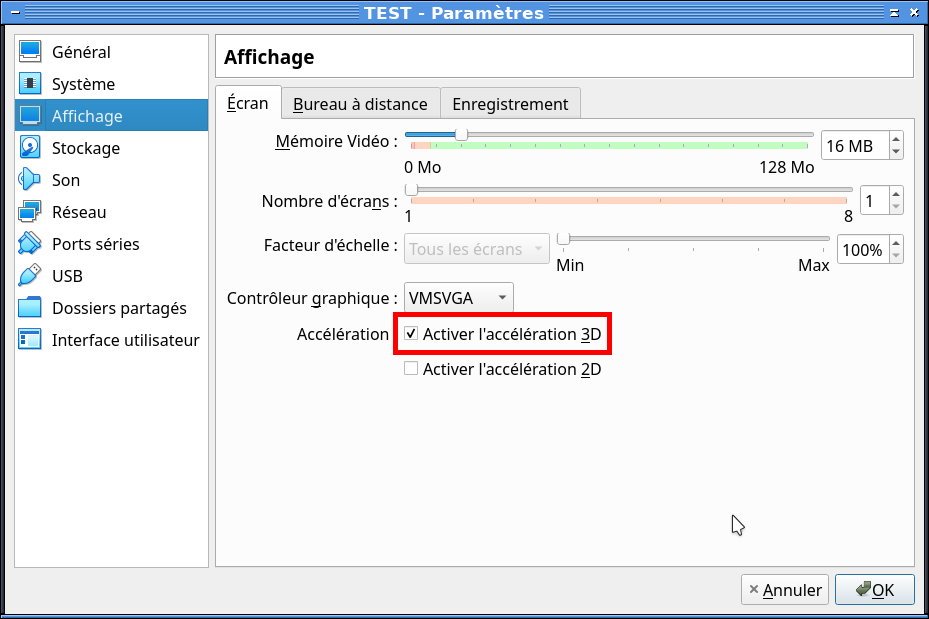
2/ Close the window setting and click as below directly on the name VMSVGA of your VM
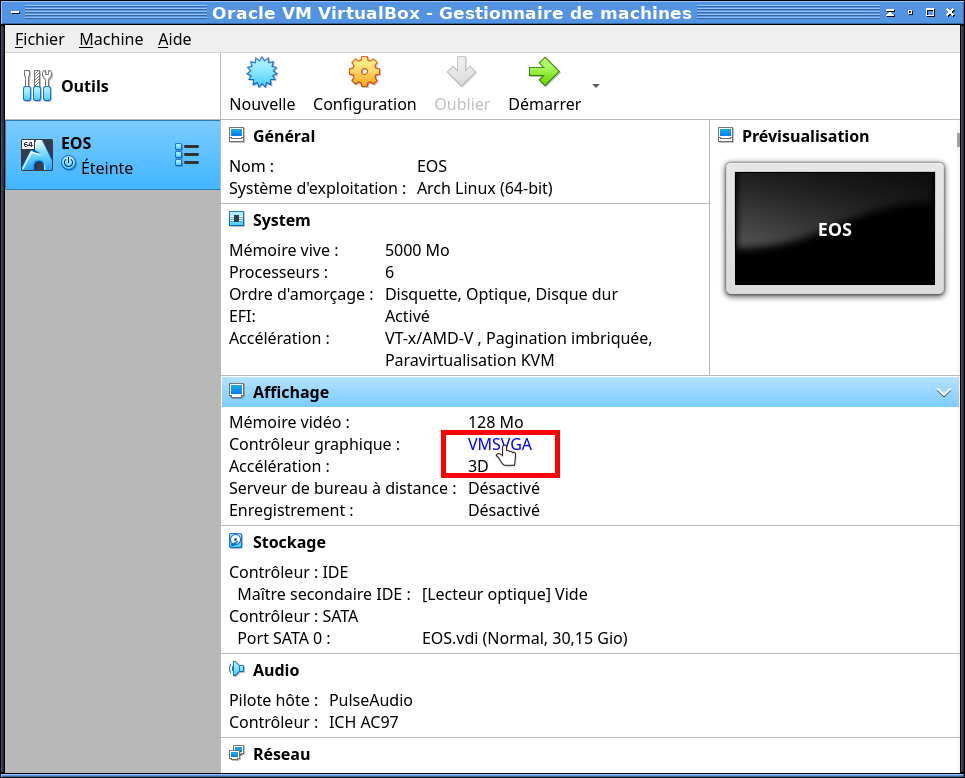
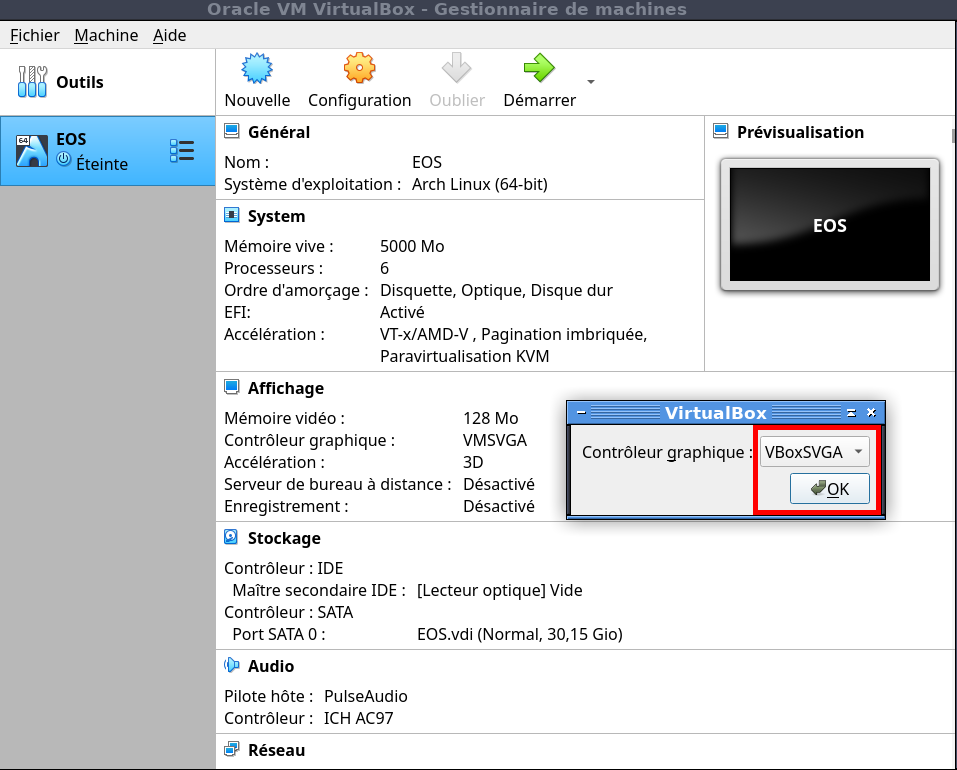
3/ Then a little window appears so change it for VboxVGA and click OK.
4/ Now the VboxSVGA with 3D checked keep right.
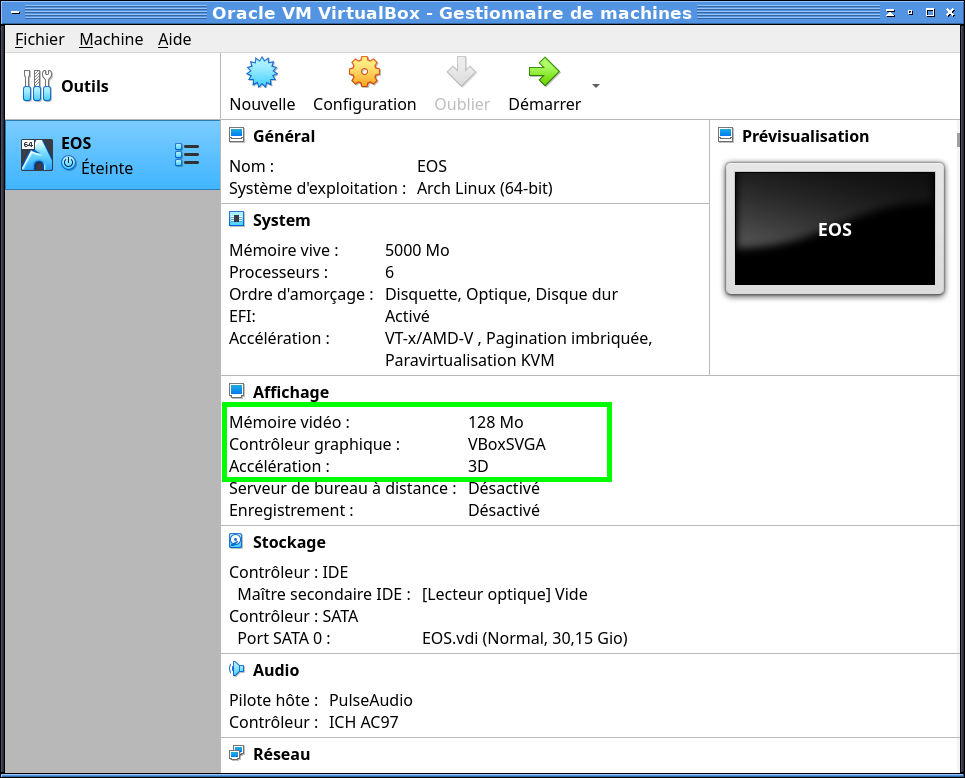
5/ To change 128Mo to 256Mo continue the post down, it’s explained