I use TurboTax on my computer via the browser without issue.
Running EOS Cinnamon.
I use TurboTax on my computer via the browser without issue.
Running EOS Cinnamon.
If you really need to run a native Win-program, you should try virtualbox (-> pacman).
Use it here for my historic XP & W7-apps from time to time since very long time.
It is much less stress than any win-install on bare metal and you don’t ruin your machine!
Edit: (It is able to run Win10, too!)
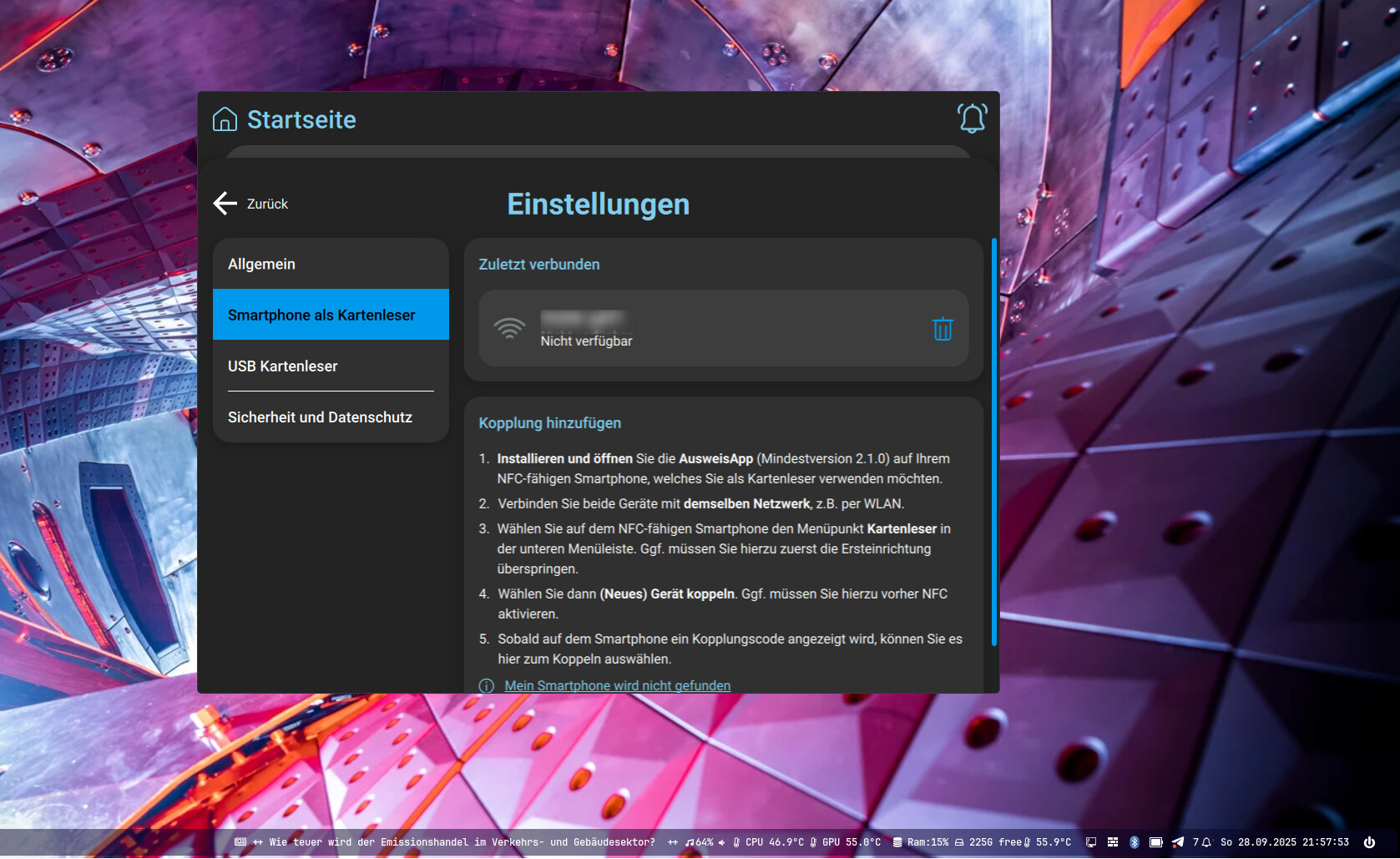
MJP needs some apps to identfy yourself with identy card.
Windows runs some minutes each day. The rest Linux.
It’s the same for me. I’m forced to retain Win11 because my work uses Microsoft Azure Virtual Desktop (AVD) which only works in Windows (not virtual machine) because of smart-card login. So when I work remotely (or from home), I have to boot from Win11.
However, I switched my Win11 to the IoT/LTSC variant which strips out all the Copilot and spyware components. I use systemd-boot instead of Grub.
isn’t this also possible to use over any webbrowser? and with BundID ?
Mein Ausweis App is also working nicely on Linux
Not sure, what kind of apps you need here.
I’m running my ID-app in Linux, but I think you will need a pure Win-suite.
In virtualbox you may pass any I/O-ports and your clipboard to the Win-Guest.
But, I’m not sure, if that will work for you…
Edit: exactly, what shown by @joekamprad .
Was EOS installed with grub or systemd-boot? In arch-chroot then if using grub you should have been able to reinstall grub and run the grub update command.
I have installed Ausweis App on the computer.
Yesterday, I started Windows 11 the first time.
I am not a long time Arch based distro user.
Only to make sure, you can use what ever you want 
I have Windows 11 installed too here, not really using it but very helpful to understand issues from users or testing out Dual Boot stuff.
Use what ever fits you please!
Totally agree with you. There’s nothing wrong with everyone using whatever they like, need, or simply feel like. That said, many of us (probably most) don’t like Microsoft for several reasons, and that sometimes makes us less than impartial in our comments.
In my case, when I mentioned that Windows 11 was taking desktop screenshots, I meant it as a feature they tried to push but later backed off from. It doesn’t happen now, although they clearly had that intention at one point.
But honestly, the last straw for me was Windows 10 constantly nagging me with that stupid message saying my perfectly fine PC wasn’t ‘ready’ for Windows 11 and that I should consider buying a new one. Seriously? The machine still handles everything flawlessly, including 1080p and even 1440p gaming. What a disgrace.
And then there’s the issue of forced updates — you can pause them, sure, but you can’t really stop them, even when they can actually cause problems for your system. At the end of the day, if you care about freedom and independence, Windows and Linux are not comparable.
Windows has updated to 25H2 now. Good luck!
I note: update to Windows 11 25H2 was successfull. Grub was not damaged.
Window’s updates are unlikely to overwrite the whole ESP thus damaging other system’s bootloader.
Windows’ upgrades (from 10 to 11 in this case) are likely to do so.
You could have a separate ESP for your EOS install to avoid such issues in the future.
But again an upgrade to Windows could change the UEFI settings.
Just so you know what you are dealing with, the topic starter is AI not a real person.
Both OS are installed this way: separate ESP partitions.
Upgrade does work, update does work.
Where did you find out? Somehow I’m not surprised, because his answers and topics have always felt little odd.
Well unfortunatly I can’t find the topic where the ts admitted it wasn’t a bot but KI (which is the German abbreviation for AI). In this (English) topic someone got annoyed with the answer given by ts and answered back in German and asked the question straight forward if it was a bot.
wait someone is so bored that they made some script that posts on discourse forums with AI?
In case if @Berta is not a bot. You should install windows in a virtual machine, it makes it more manageable.
Well just look at the history of the topic starter and draw your own conclusions.
I’m reading this topic as a silent reader as I want to learn.
But this is getting interesting