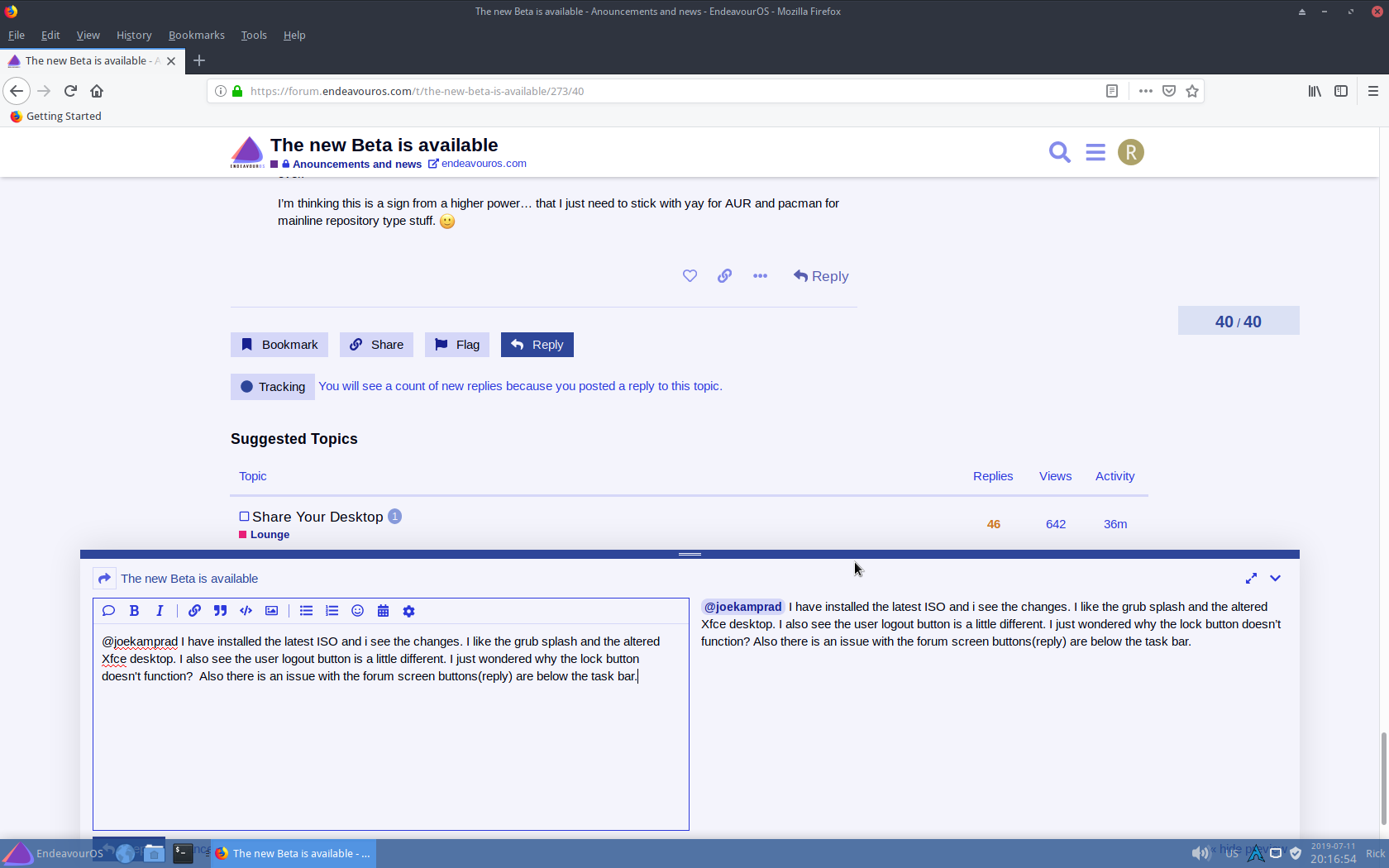
@joekamprad I have installed the latest ISO and i see the changes. I like the grub splash and the altered Xfce desktop. I also see the user logout button is a little different. I just wondered why the lock button doesn’t function? Also there is an issue with the forum screen buttons(reply) are below the task bar.
this only with firefox… i do not configure the panel to do so… you can change panel settings to intelligent hiding… so it will hide if you do not use it…
Locking the screen must be something related to lightdm, i will have a look here…
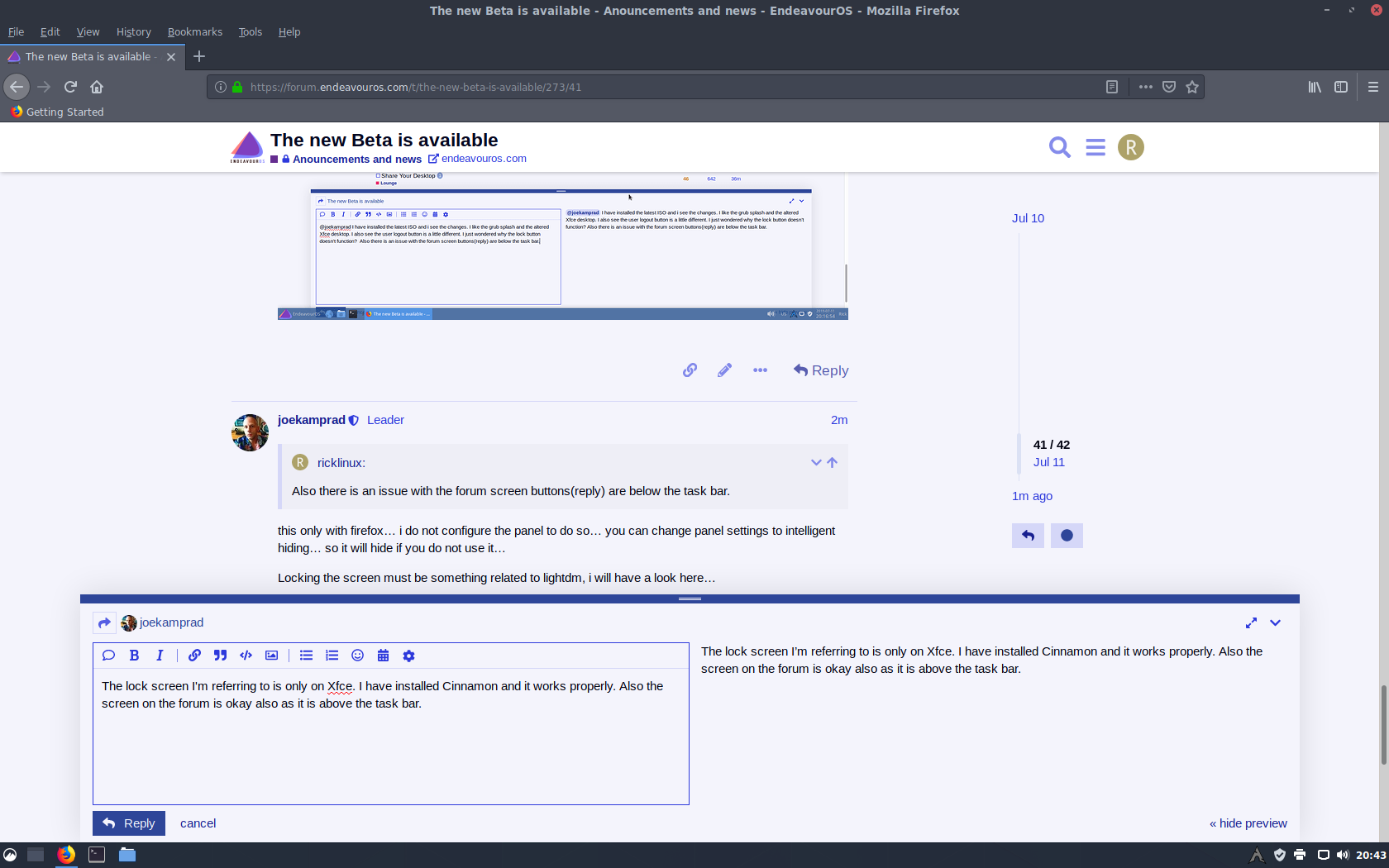
The lock screen I’m referring to is only on Xfce. I have installed Cinnamon and it works properly. Also the screen on the forum is okay as it is above the task bar. So there is a difference between Xfce and Cinnamon.
I tried installing the new Beta endeavouros-devel-2019.07.10-x86_64.iso and did a manual partitioning. I manually partitioned as
/dev/sda1 fat32 300 MiB mount point /boot/efi and flagged as boot (esp flag was not avail)
/dev/sda2 ext4 1 GiB mount point /boot (no flags)
/dev/sda3 ext4 112 GiB mount point / (no flags)
/dev/sda4 swap 8 GiB (no flags)
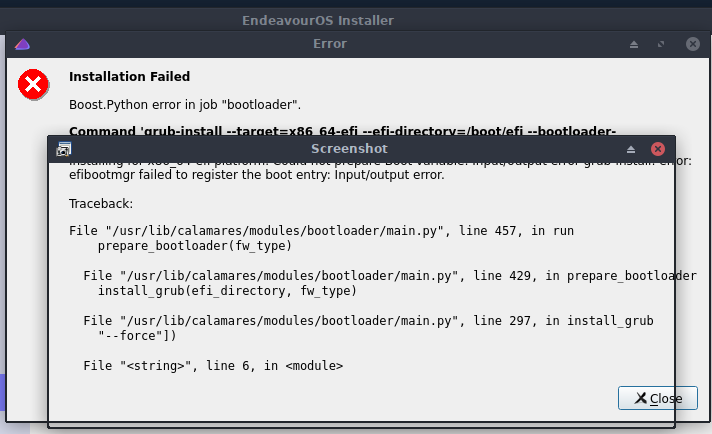
The install failed at the very end with this error:
It failed at the command:
grub-install --target=x86_64-efi --efi-directory=/boot/efi --bootloader-id=EndeavourOS
Then the Traceback. I don’t know if this will be sufficient information or not.
So I put in the Arch Linux install iso on a USB thumb drive and ran it.
I mounted the 4 partitions to /mnt
then I arch-chroot to /mnt
I ran mkinitcpio -p linux
grub-install --target=x8_64-efi --bootloader-id=EndeavourOS --recheck
Grub install ran fine. I did not include --efi-directory=/boot/efi and added --recheck
Then I ran
grub-mkconfig -o /boot/grub/grub.cfg
It ran fine. Exited out of chroot, then rebooted and EndeavourOS booted up fine.
On the previous rookie beta, I installed with default partitioning and it worked, but manually partitioning did not work with my partition setup which is fairly common.
If you have a running system there is no nee do reinstall, also to all still are on a antfree Antergos, you do not need to reinstall, you just can add our Repository if you want to.
No Need To Reinstall (never change a running system)
May you will need to tinker a bit on the theming, if you want to stay with xfce4 Desktop.
thanksalaot for reporting this, the screenshot is a bit screwed, but we got good pieces of information with it to track down the issue!
We know already that there is a BUG with partition module, and we are into tracking this down.
BETA!
I must add that we see much users already installing the Beta Versions as they are ready to use as a daily driver, they may work as it but:
A beta version is the first version of a computer program released by the manufacturer for testing purposes. Comparing a beta version a release versions is generally considered that in her all the essential functions of the program are implemented, but not yet fully tested. The program may or may therefore contain many, possibly even serious errors that make a productive use not recommended.
Is there going to be a final ISO for the launch or is it just the same? What is the online installer going to look like? Will it just be a selection for a desktop version with minimal installation? Or is there going to be some selection of packages on install?
I guess this is worthy of debate, including gnome extensions (EOS desktop more than a wall paper) or not…
Coming from a Manjaro POV where they have designed the desktop for an out of the box experience that lets you hit the road running, I appreciate that. I can turn off whatever I don’t want but having to hunt down the extensions that all work together and do what I want (subjective I know) is a pita. I would come down on the side including a curated list extensions. Obviously this conversation is for way down the road as there is much to do in EOS before Gnome customization, but if a newbie comes to EOS and does an install they may not instantly understand how Gnome works or even know extensions exists. They are easy enough to turn off and not that heavy on the download. Personally I learn from how different distros configure the extensions and it makes my desktop better.
I guess it gets to the core question of “who is EOS going to target as users?” I would hope for non-arch users since current arch users have the experience to appreciate things.
some might say an ALPHA is the first version. Some believe all releases are betas as even the mighty Microsoft with all its tens of thousands of programmers and a huge testing base still finds bugs in “final” releases – and powerful Intel bungled their CPU releases with the Spectre/Meltdown issues. For critical data the advice: backup, backup, and backup remains sound advice
Absolutely, IMHO, there is a reason to use one over the other. I’m using v8 on my pure arch machine, and classic on my former Antergos machines. Version 8 was just converted from the git-developmental branch, and there have been several significant issues with it in the last few weeks that crippled its operation. Version 7 (Classic), on the other hand, has been very stable through this same period.
Your choice—cutting edge vs. stability, but don’t take the decision lightly. And if you use v8, be sure you have an alternative (like yay) available on your system.
that’s exactly the main reason why i suggest to use the classic version.
If your installer fails it can interrupt from getting the system up to date and it can make pacman stop working.
If it breaks the pacman database, for example, it can be very challenging to get your system back to work.
pacman latest is developed for manjaro and so it is getting more and more fitting to manjaro ecosystem, which is getting more and more away from archlinux…
Looking it at it that way, I can see how that would make sense. Maybe (when the time comes) there could be a Default setting and a Minimal setting for the DEs in the live installer. That way, both new and experience users can jump in and have the system they want.