What contains the boot option? Are you trying to boot from a network?
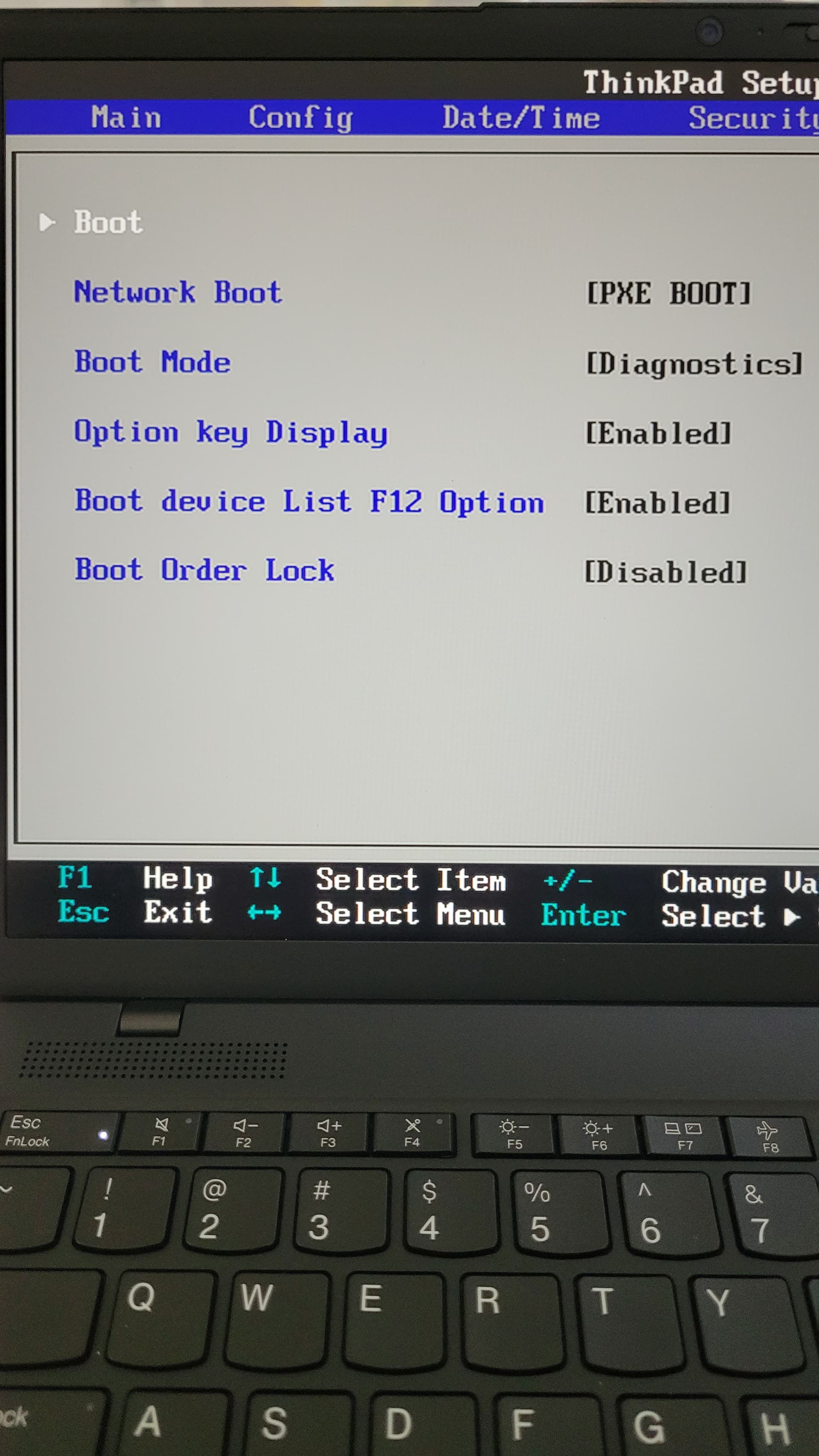
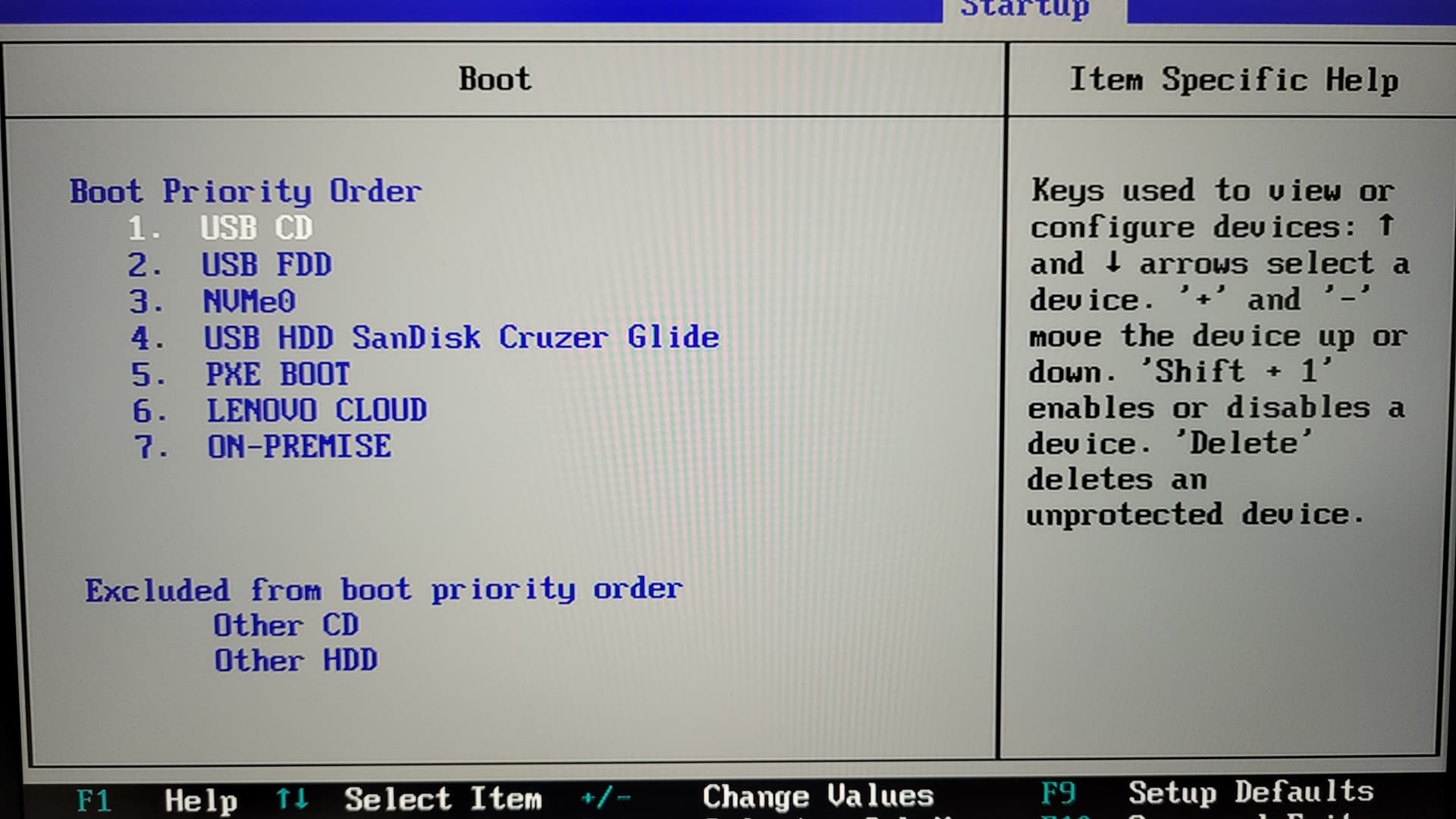
This is showing info for (PXE Boot) or network boot. You need to select boot and or boot mode. Then select boot device list.
pick 4 you can also try the F12 option you would need to post a picture of that from a phone for example.
I can move the USB down the list, but not up.
Also, I am booting fine into the Live USB without having to change this?
Ok on yer own. Your issue is not related to booting but installing…you simply lack the knowledge. I still appreciate you 
I’m out
Thanks for your time. I am indeed less knowledgeable than many here but want to learn and engage.
To your earlier suggestion: The only device that appears is the USB, nothing else. Post #28 illustrates something similar to that (SSD Not Found on Calamares After Failed Install - #28 by avantbored), but here is your specific request, which I did not see before my most immediate reply to you.

@avantbored
Is there a setting under boot mode for Raid? It needs to be disabled. Should be set to AHCI mode.
Edit: Check settings for drives under Sata as it may be listed somewhere else also.
I have tried and failed to find a menu in this BIOS to change those settings.
It could also be under Intel (RST)
Just clicked through the menus. No “INTEL (RST)”
It appears that the setting should have been changed from Windows. I think I’ve screwed the pooch!
No… these settings are in the UEFI Bios settings. Secure boot needs to be disabled. CSM needs to be disabled or turned off. Settings should be UEFI only no legacy. If the laptop had a raid setting for the drives it should be set to AHCI not raid. If it had Intel RST then that needs to be turned off. I don’t know the particular settings this laptop has. Only you will know that by confirming it and setting the settings appropriately.
Okay …i see in the log it is not identifying the controller.
Sep 01 21:40:08 EndeavourOS kernel: nvme nvme0: Identify Controller failed (17089)
Edit: This means the drive isn’t being recognized properly. Question becomes why? Could be the drive make or firmware or missing a module to load that it needs?  Or something else!
Sep 01 21:40:08 EndeavourOS kernel: nvme nvme0: Identify Controller failed (17089)
Edit2: Because it can’t detect the drive it drops it!
Sep 01 21:40:08 EndeavourOS kernel: nvme nvme0: Removing after probe failure status: -5~~~Secure Boot was disabled before the problem started, as the USB wasn’t booting; I remembered from the last time I installed I needed to disable that.
I had to Google how to toggle CSM/legacy BIOS just now. In this machines setting’s, it is done so by turning off “Kernel DMA Protection.”
As far as the RAID/AHCI goes, I don’t believe I changed that setting before this debacle. Hence the screwed pooch.
Where did you change it and what did you change it to?
Sorry, to clarify: I did not change any RAID or AHCI setting.
Edit: but as you said AHCI should have been enabled, and I don’t believe I did that, this may be the source of the problem?
Okay … so you didn’t change any of those settings in question and or it doesn’t have them. If you look at post #55 i have identified in the log that it doesn’t see the drive because it can’t identify the controller.
Edit: I’m not sure if it needs a kernel parameter to correct this? I will keep looking for info. Do you happen to know what drive make and model the m.2 drive is?
- Secure Boot was disabled.
- Just disabled CSM, but seems to be an afterthought here because of your finding (thanks for helping with that).
Parallel to our discussion, I just found this. That brand, KIOXIA, is also the brand of mine. Same storage capacity too.
Edit: Cheers, Rick. I wonder if it’s possible to recover it. It’s a M2 2242 KIOXIA 512GB PCIE NVME
Edit 2: In that thread, contributors recommended running lspci and two other commands. The output of those commands is below. I am pasting it here because @ricklinux mentioned something about a kernel parameter, and the output here points to a kernel buffer
lspci ✔
00:00.0 Host bridge: Intel Corporation Device 4621 (rev 02)
00:02.0 VGA compatible controller: Intel Corporation Alder Lake-P Integrated Graphics Controller (rev 0c)
00:04.0 Signal processing controller: Intel Corporation Alder Lake Innovation Platform Framework Processor Participant (rev 02)
00:07.0 PCI bridge: Intel Corporation Alder Lake-P Thunderbolt 4 PCI Express Root Port #0 (rev 02)
00:07.2 PCI bridge: Intel Corporation Alder Lake-P Thunderbolt 4 PCI Express Root Port #2 (rev 02)
00:08.0 System peripheral: Intel Corporation 12th Gen Core Processor Gaussian & Neural Accelerator (rev 02)
00:0a.0 Signal processing controller: Intel Corporation Platform Monitoring Technology (rev 01)
00:0d.0 USB controller: Intel Corporation Alder Lake-P Thunderbolt 4 USB Controller (rev 02)
00:0d.2 USB controller: Intel Corporation Alder Lake-P Thunderbolt 4 NHI #0 (rev 02)
00:0d.3 USB controller: Intel Corporation Alder Lake-P Thunderbolt 4 NHI #1 (rev 02)
00:14.0 USB controller: Intel Corporation Alder Lake PCH USB 3.2 xHCI Host Controller (rev 01)
00:14.2 RAM memory: Intel Corporation Alder Lake PCH Shared SRAM (rev 01)
00:14.3 Network controller: Intel Corporation Alder Lake-P PCH CNVi WiFi (rev 01)
00:15.0 Serial bus controller: Intel Corporation Alder Lake PCH Serial IO I2C Controller #0 (rev 01)
00:16.0 Communication controller: Intel Corporation Alder Lake PCH HECI Controller (rev 01)
00:1f.0 ISA bridge: Intel Corporation Alder Lake PCH eSPI Controller (rev 01)
00:1f.3 Multimedia audio controller: Intel Corporation Alder Lake PCH-P High Definition Audio Controller (rev 01)
00:1f.4 SMBus: Intel Corporation Alder Lake PCH-P SMBus Host Controller (rev 01)
00:1f.5 Serial bus controller: Intel Corporation Alder Lake-P PCH SPI Controller (rev 01)
~ ~ sudo dmesg | grep sda ✔
[ 6.030239] sd 0:0:0:0: [sda] 15633408 512-byte logical blocks: (8.00 GB/7.45 GiB)
[ 6.031340] sd 0:0:0:0: [sda] Write Protect is off
[ 6.031346] sd 0:0:0:0: [sda] Mode Sense: 43 00 00 00
[ 6.031967] sd 0:0:0:0: [sda] Write cache: disabled, read cache: enabled, doesn't support DPO or FUA
[ 6.034798] sda: sda1 sda2
[ 6.036732] sd 0:0:0:0: [sda] Attached SCSI disk
~ sudo dmesg | grep nvm ✔
~ 0|1 ✘
~ sudo dmesg | grep nvm 0|1 ✘
~ dmesg | grep nvm 0|1 ✘
dmesg: read kernel buffer failed: Operation not permitted
According to this post in Manjaro same drive and same problem. This is an unknown brand to me. I looked up the specs and doesn’t look great to me.