No i mean what desktop did you install? Is it the same as before when we had it working?
I believe it was XFCE earlier but I’m using cinnamon now with lightdm and slick-greeter
Did you try installing using the nonfree or nvidia option from the live ISO?
No I didn’t. You think it might install the legacy drivers automatically?
No, it doesn’t install legacy drivers, only the latest and greatest…
1 Like
I don’t think so? Let @manuel give some help here?
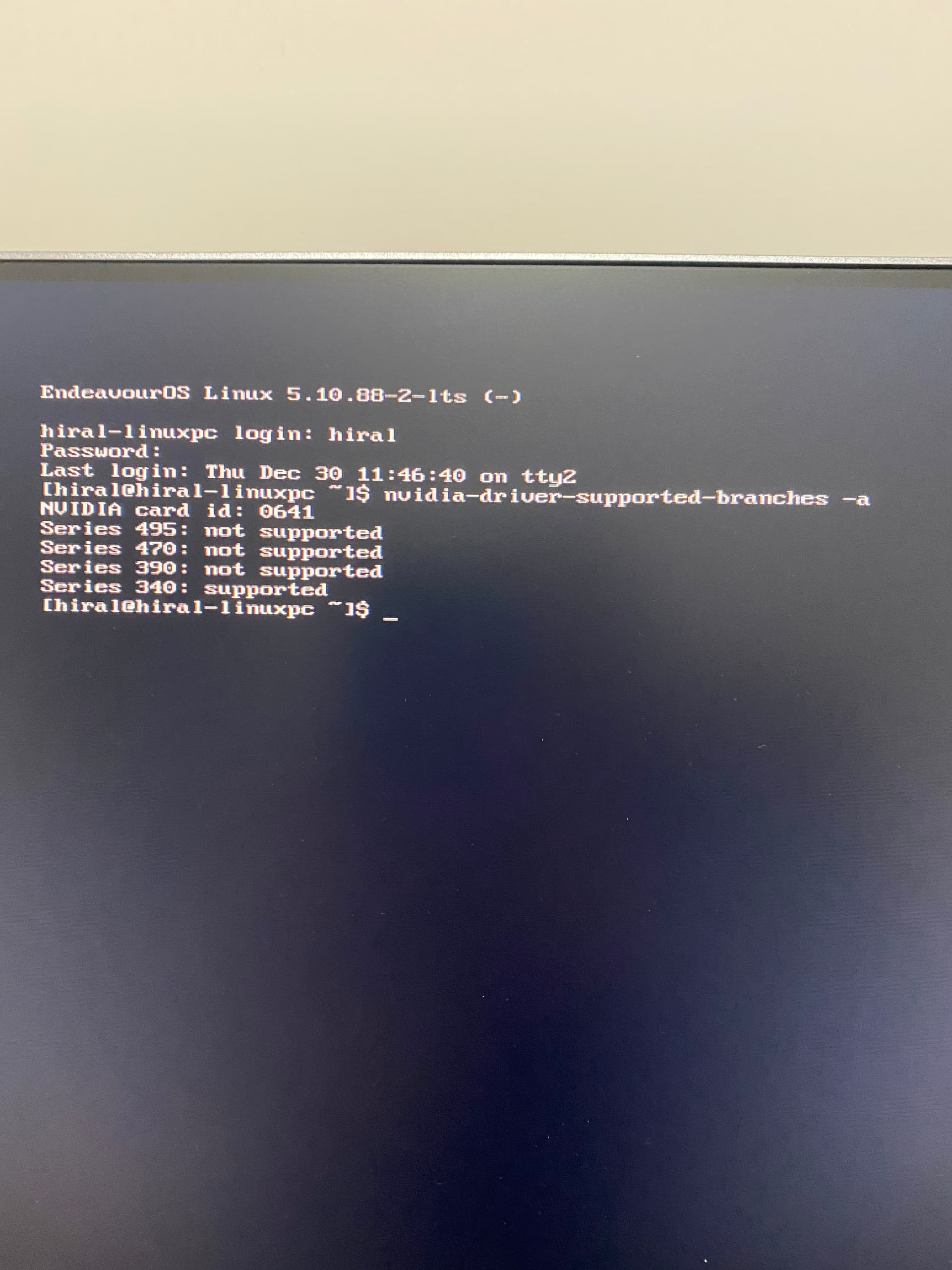
By the way, because of the long thread, could you show the output of command
nvidia-driver-supported-branches -a
@manuel
Just to fill in the gaps here. This was working originally on the 340xx drivers but the OP reinstalled with the latest ISO and now doesn’t want to work.
1 Like
1 Like
How about using the nouveau driver? Does that work?
That works fine. Just get random mouse stutters and screen tearing but otherwise no major issues.
@manuel
I’m wondering if he doesn’t need the nvidia-drm.modeset=1 in the default grub command line?
OK, good. Then the Arch wiki can have useful tips how to fix most or all of those nouveau issues. If nouveau is good enough for you, then it will be an easier ride…
Not sure about that, but worth a try anyway.
Worth trying anything before restoring to an earlier snapshot?
Let me try that.
Thanks
1 Like
No luck. Getting stuck at the same place
@MindTheGAAP
One thing to keep in mind is that you are trying to run an older legacy card on newer kernels which even the lts is in the same 5 series. So you may be relegated to using Nouveau open source drivers if you can’t get the card to work on the 340xx drivers. I’m no expert on Nvidia either. You may also need to add the xorg file as it stated in the install of the 340xx drivers. Maybe @manuel knows about this message.
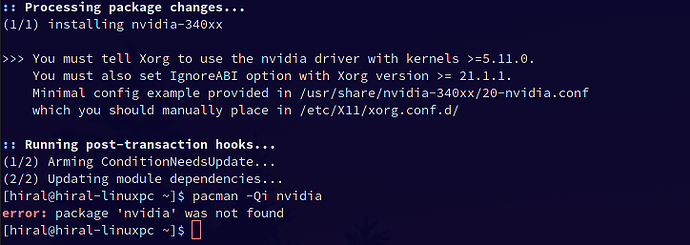
What does this show. Give the link to this command.
cat /usr/share/nvidia-340xx/20-nvidia.conf | eos-sendlog