Good news! Proton-Autogen is now officially supported on EndeavourOS
A big thank you to @Aergernis for the contribution that made this support possible.
For those who don’t know Proton-Autogen yet, it is a small tool that helps manage and automate the configuration of Windows games running through Proton/Wine, with diagnostic tools and integrations for some file managers.
EndeavourOS now joins the other supported Arch-based distributions, including Arch Linux and CachyOS.
Quick update on Proton-Autogen: the project is now available in the Arch User Repository (AUR).
I originally started Proton-Autogen because I wanted a simple way to launch Windows applications through Proton without having to manually add them to Steam or deal with prefixes and Proton installations myself.
The idea is pretty simple: give it an .exe, let Proton-Autogen figure out the rest.
It automatically detects installed Proton versions, supports Proton-CachyOS, GE-Proton and custom Proton builds, manages prefixes and also provides both a GTK4 interface and a CLI for those who prefer the terminal.
Installation
Endeavouros users can install it with:
yay -S proton-autogen
or:
paru -S proton-autogen
The AUR package takes care of the installation and required components.
Want to manage your Windows games and applications on Linux more easily? Proton-Autogen makes it simple with Proton integration and a convenient graphical interface.
Almost 0% CPU usage after launching an .EXE!
Proton-Autogen has been optimized to keep CPU usage extremely low once an application has been launched, leaving your system resources available for what really matters: gaming and productivity.
What’s new in v3.4.4?
Near-zero CPU usage after launching an .EXE.
Optimized scanning and improved performance.
New option to disable .EXE scanning.
Additional backend configuration options.
CSS and UX improvements.
Improved architecture and headless compatibility.
Better testing and Linux packaging validation.
Designed for Linux users, including Arch-based distributions like CachyOS.
@N3oray so what does your tool differently then steam proton ? red alert works fine for me in steam and so are all the games you showed in your video. Why should users use YOUR tool ?
And there is a different project, raven from the dev behind bottles which would cut Wine/Proton totally out of the equation. Without the need of using a VM, no winetricks, and no DLL overrides.
But it is in it’s very early stages of development. Without an official release yet. Therefore, I would consider it in a pre-alpha stage and being experimental at best. Might be worth a look into somewhere down the line.
One day there will be something like flatpak for windows-applications, maybe called winpaks, and for macprograms maybe macsnaps, where we all can install runtime environments and easily run into message of “no space left on device, update your cloud purchase”.
Proton-autogen automatically creates and configures Proton environments for Windows games and applications, applying optimized settings for the best compatibility.
What exactly does that mean, does that mean if will give the the best launch options for a game based on your hardware and Proton version or does it mean something else?
Als it looks like the repo documentation was generated by AI, that would mean you probably used AI with this project. It would be nice if you mentioned that AI is used with the project, so that people can choose to use or not use it based on that.
 Proton-Autogen now supports EndeavourOS!


 Improved application and game import
 New system monitoring
 Performance and responsiveness improvements
 UI/UX improvements
 Improved Debian, Flatpak and AUR packaging
 Expanded automated test coverage
 Improved CI and package validation
 New and updated documentation
 Further Linux integration and stability improvements
 Proton-Autogen v3.3.7:

 Links
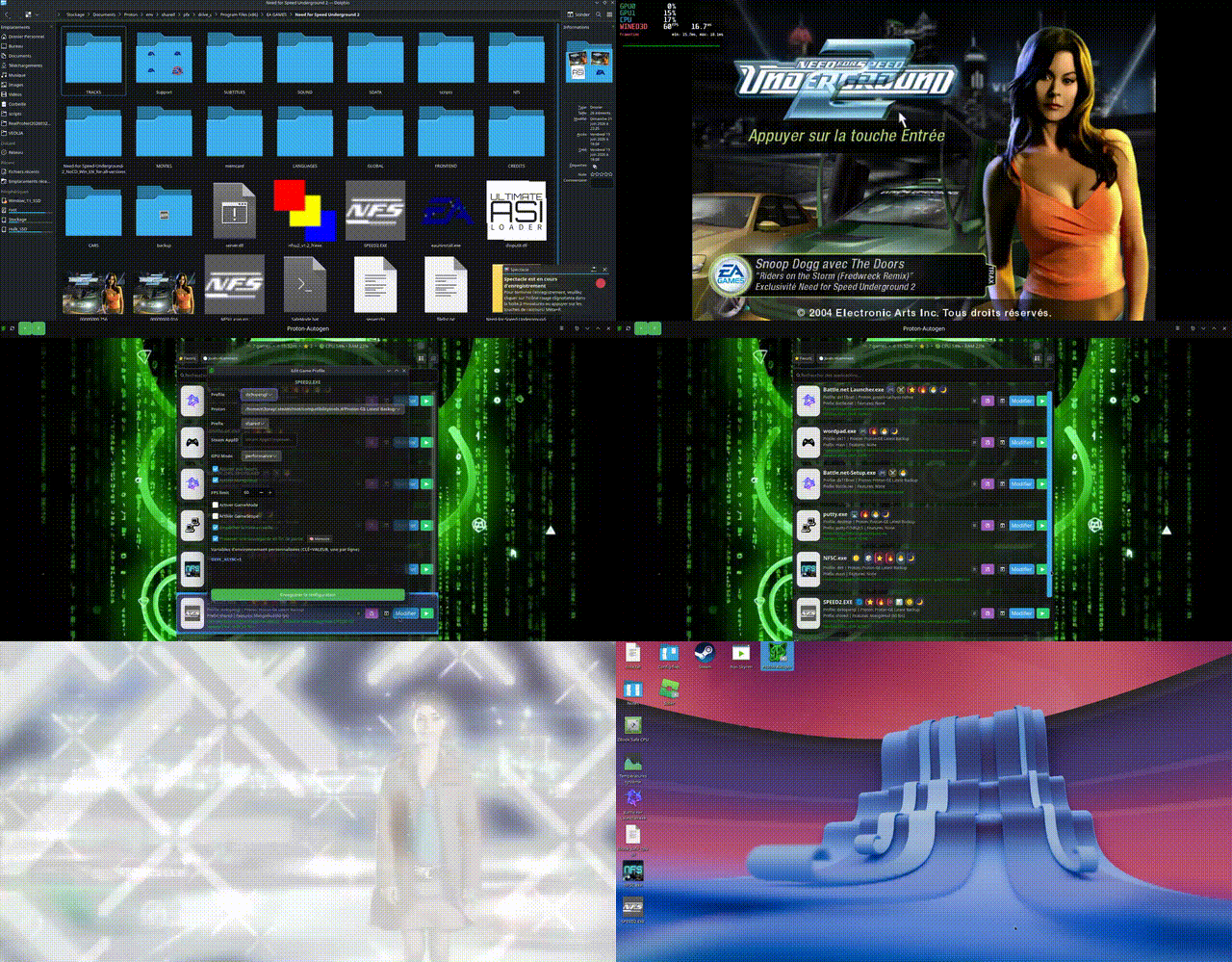
 Today’s demo
 Proton-Autogen 3.4.4 – New Release!

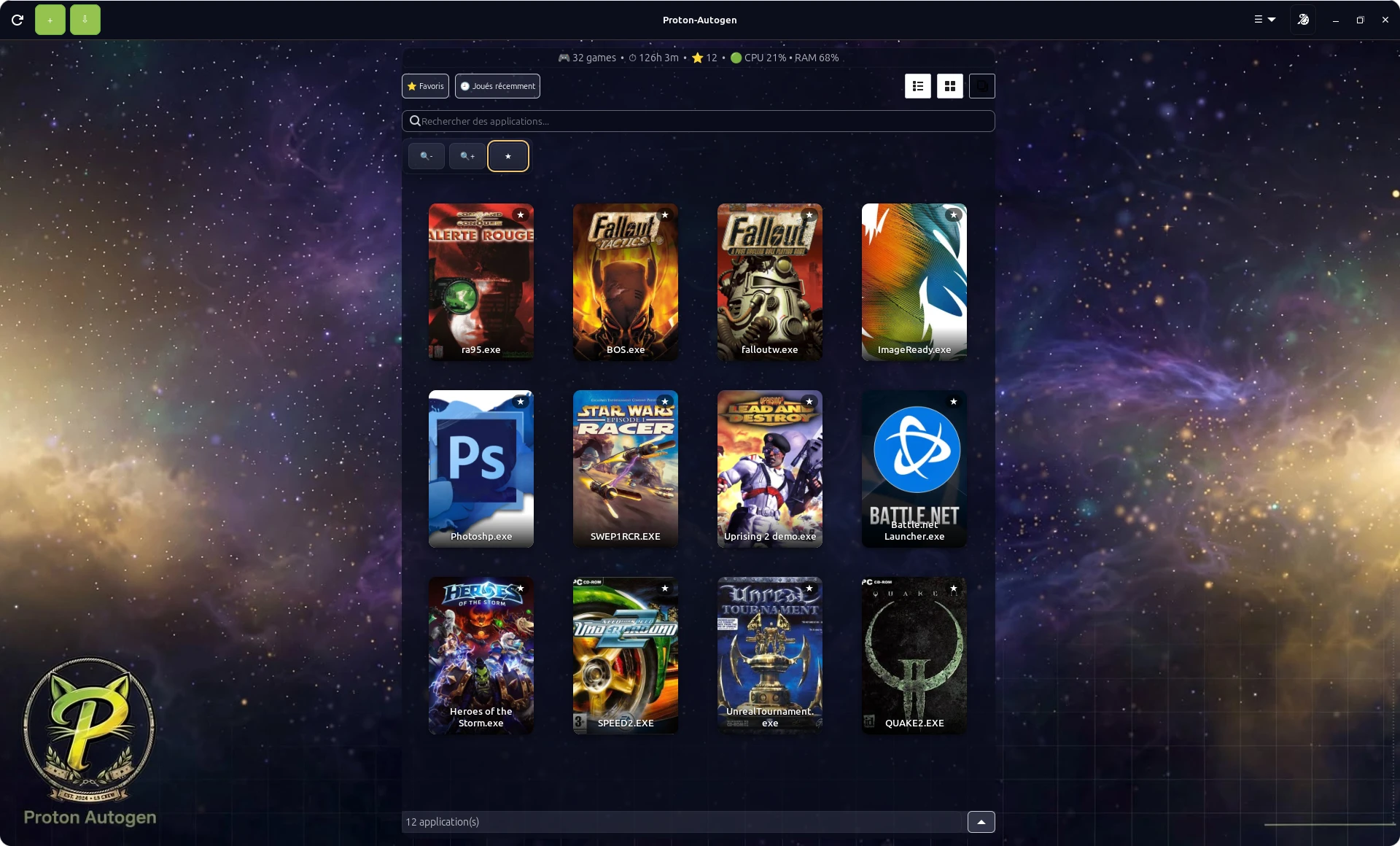
 Almost 0% CPU usage after launching an
 What’s new in v3.4.4?
 New option to disable
 Additional backend configuration options.
 CSS and UX improvements.
 Improved architecture and headless compatibility.
 Better testing and Linux packaging validation.
 Designed for Linux users, including Arch-based distributions like CachyOS.
 Download: