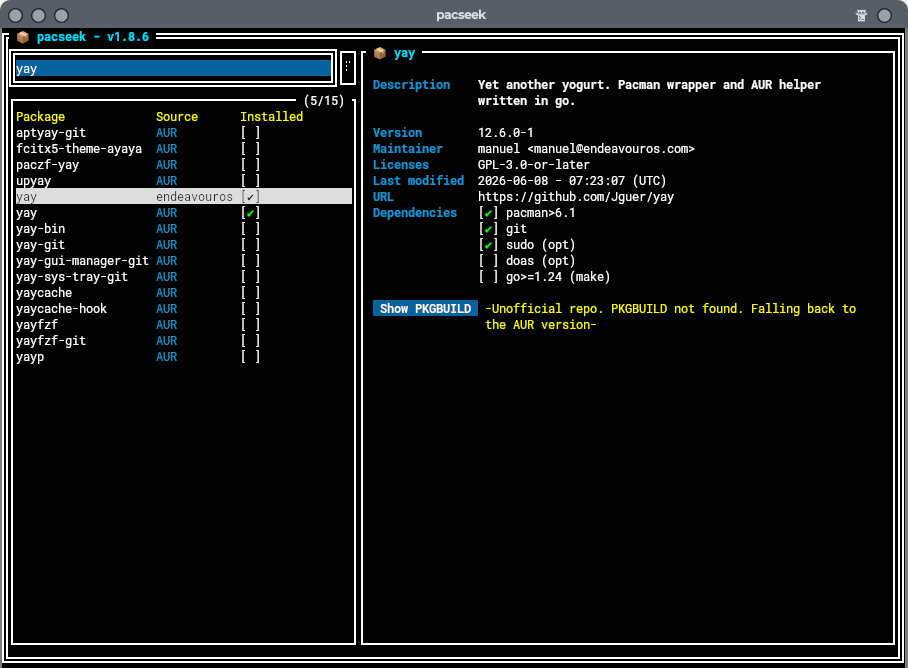
yay is in the  repo and so will not show in
 pacman -Qm.

I have pacseek and yay installed with yay listed in my pacman -Qm
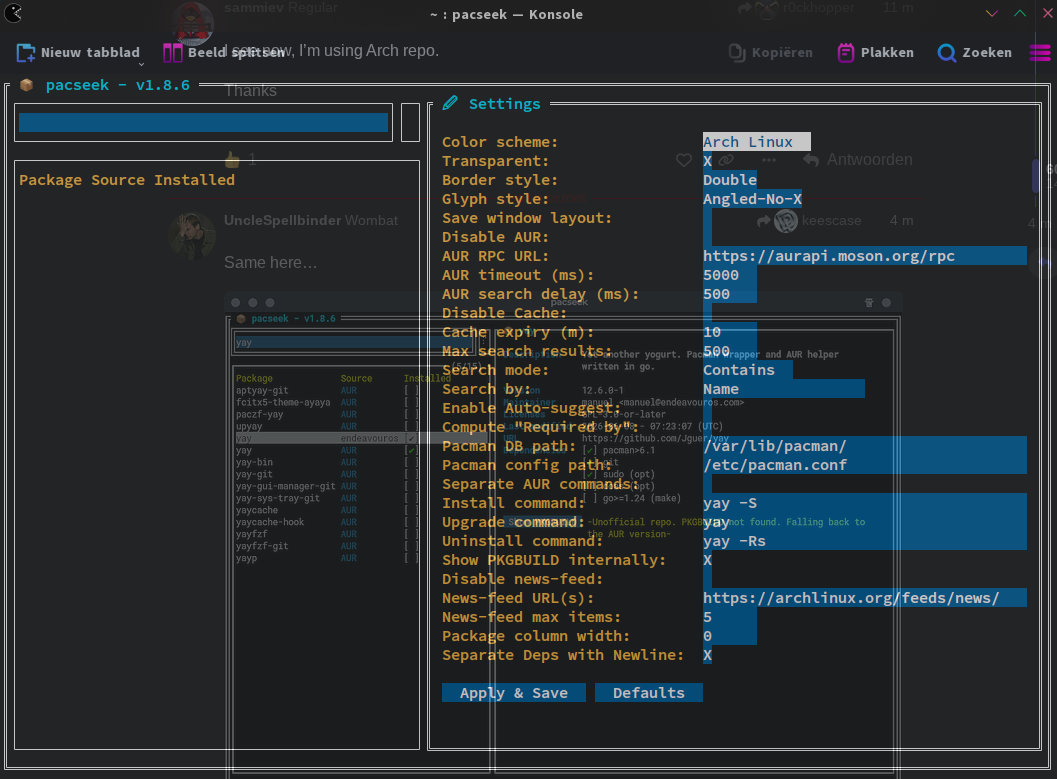
I see now, I’m using Arch repo.
Thanks

$ pacman -Qm
bash: pacman: command not found
Ooops… yay ate pacman
$ apt list --installed
bash: apt: command not found
Oops… nala ate apt
What’s going on?
@sammiev , I’m not sure as well but I think @r0ckhopper already answered your question.
[root@richard-ms7c91 richardc]# pacman -Qm
4kslideshowmaker 2.0.1.1055-1
4kvideodownloader 4.33.5.0172-1
aiksaurus 1.2.1-10
aladin 12.060-1
archlinux-java-run 12-1
caffeine-ng 4.3.2-1
clementine 1.4.1+78+gb55eca391-1
clipgrab 3.9.14-1
convertall 1.0.3-1
converternow-bin 4.6.1-1
dia-git 6973.ab941939c-1
dict-moby-thesaurus 1.0-3
dwproton-bin 1:11.0_4-2
forum-scout 0.6.5-1
freetube-bin 0.24.1-1
fsearch 0.2.3-3
gaiasky 3:3.7.3-1
google-earth-pro 7.3.7.1155-1
hotspot 1:1.6.0-2
java-20-jdk 20.0.2-1
jitsi-meet-desktop-bin 2026.1.1-1
josm-latest 19583-1
kvantum-qt6-git 1.1.7.r1.g058534fc-1
lib32-gst-plugins-base-libs 1.28.4-1
lib32-gstreamer 1.28.4-1
libpasastro 1.4.4-1
lightzone 5.0.0-1
naps2 8.2.1-2
ocs-url 3.1.0-7
octopi 0.19.0-1
onlyoffice-bin 9.4.0-1
openshot-bin 3.5.1-1
openwebstart-bin 1.13.0-1
pacseek 1.8.6-1
peertube 8.2.1-1
phoronix-test-suite 10.8.4-2
photofilmstrip 4.2.0-1
picosnitch 2.1.1-1
pinta 3.1.2-1
popcorntime 0.5.1-2
popsicle 1.3.3-2
pysolfc-music 4.50-2
python-ewmh 0.1.6-8
python-jplephem 2.24-1
python-pulsectl 1:24.12.0-1
python-sgp4 2.25-1
python-skyfield 1.53-1
qcustomplot-qt6 2.1.1-6
qt-sudo 2.3.0-1
qt5-location 5.15.19+kde+r7-1
qt5-webchannel 5.15.19-1
qt5-webengine 5.15.19-4
radiotray-ng 0.2.10.1-1
rmlint-git 2.10.3.r9.gb311f38d-1
shelly 2.3.3.3-1
signal-desktop-beta-bin 8.15.0beta.1-1
skychart 4.3.4991-2
solaar-git 1.1.19.r30.gb9e0cf82-1
solvespace 3.2-2
splix 2.0.1-2
stacer-bin 1.7.0-1
topcat 4.10.7-1
upscayl-bin 2.15.0-10
ventoy-bin 1.1.12-1
xnviewmp 1.11.2-1
xpm-pixbuf-git r1530.d290a0c-1
yed 1:3.25.1-2
zoom 7.0.5-1
Hope nothing ‘dirty’ is hidden, imbeded or otherwise taking up residence . . . .
Rich 
I can’t notice anything “dirty” there.
BUT, it would be nice if you’d use the Preformatted Text option when posting terminal output. 
This package is a hard-dependency of Octopi. The Octopi maintainer has already asked this maintainer to update the package last year and those comments went unanswered to the point that the comments were discussing the options of “orphaning” the package before the maintainer showed up to the conversation. But still no update and the QT-sudo package is “out-of-date”. This made me uninstall both Octopi and qt-sudo since the privilege-escalation function of sudo is critical to security and the cavalier attitude of the maintainer is worrying. https://aur.archlinux.org/packages/qt-sudo
Current state of affair after removing trivalent-bin and also removing the chaotic aur:
pacman -Qm
brave-origin-beta-bin 1.92.120-1
btrfs-desktop-notification-git r56.f976305-1
chaotic-keyring 20251028-1
chaotic-mirrorlist 20260428-1
d2rloader 1.6.2-1
fladder-bin 0.10.3-2
freetube 0.24.1-1
gpu-t 0.2.1-1
ipmiview 2.24.0-1
klassy 6.5.3-1
konsave 2.3.0-1
lib32-gst-plugins-base-libs 1.28.3-1
lib32-gstreamer 1.28.3-1
librewolf 151.0.4-1
notepadnext 0.14-1
pacseek 1.8.6-1
phoronix-test-suite 10.8.4-2
pinta 3.1.2-1
plasma6-applets-arch-update-notifier 6.6.1.r0.g173596d-2
portfolio-performance-bin 0.84.1-1
protonup-qt 2.15.0-1
puddletag 2.5.0-2
python-inputs 0.5-4.3
python-steam 2.0.0.alpha1-2
qdirstat 2.0-1
qpwgraph-git 0.9.5.r4.g66a88c4-1
softmaker-office-2024-bin 1234-1
splix 2.0.1-2
traur 0.4.1-1
ungoogled-chromium-bin 149.0.7827.53-1
ventoy-bin 1.1.12-1
winbox 4.1-1
xclicker 1.5.1-1
ytdownloader 1.6.0-1
zenmap-git 7.98.r115.g407dd3d-1
zenpower3-dkms 0.2.0-9
Quite a lot, unfortunately. And many of those are in daily use…
The Chaotic AUR scans for malware before packages are built:
Yes it does, and yes I am aware of that, thanks anyway for pointing me to this!
Buuuut, and this is a GIANT but:
npm-supply-chainattacks of the past consisted of many waves, and sometimes between wave3 and 4 they got quite sophisticated and dangerous. I will wait and see, and only update via pacman -Syu, omit everything (including chaotic) from the AUR in the meantime and try to clean my system from everything not completely considered a must…
Yes, that’s what I’m doing right now, but I’m keeping an eye on my AUR packages at https://aur.archlinux.org. One of them is mullvad-browser-bin which is based on Firefox, and if I’m happy with the PKGBUILD I’ll update it because it’s important to keep browsers up to date.
How did you remove Chaotic AUR? Because you still have chaotic-keyring 20251028-1 and
chaotic-mirrorlist 20260428-1 in your pacman -Qm.
You should run sudo pacman -Rns chaotic-keyring chaotic-mirrorlist to completely remove Chaotic AUR.
I just want to have it not available as package source, but be easily able to reactivate it.
My simple solution: I commented out the repo in my pacman.conf
You could run Mullvad (the official release) without installing it at all. It is like a “self-contained” portable app.
Also, it can self-update or notify you that there is an update so you can do it when it is more convenient to you.