Portable usb-bad main script(with persistence)

I selected persistence partition at installation(the only one that was allowed).

Installation Failed

Bad main script file

Details:

Main script file/usr/lib/calamares/modules/

windowsbootentry/main.py for python job windowsbootentry

raised an exception.

It did not paste a log to the web when I selected to do so.

Any solutions that work with this current installation?

I think I see, I just need to make a new separate efi partition during installation.

https://forum.endeavouros.com/t/installation-failed-bad-main-script-file/61183/21

nope

the installer failed to delete partition on /dev/sda

Delete partition ‘/dev/sda2’ (216.00 GiB, ext4)

Job: Delete file system on ‘/dev/sda2’

Command: wipefs --all /dev/sda2

Failed to erase filesystem signature on partition ‘/dev/sda2’.

Could not delete file system on ‘/dev/sda2’.

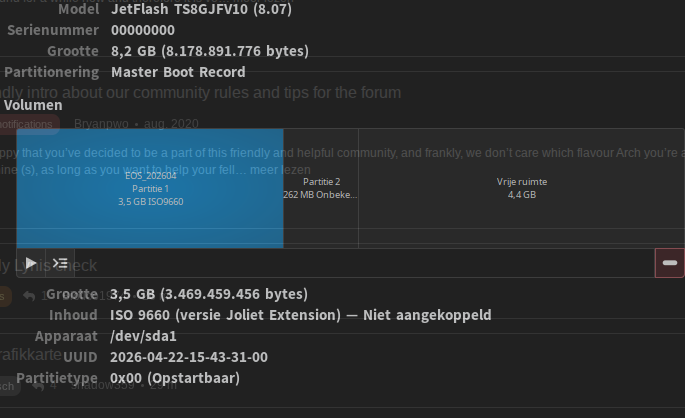
For what it is worth this is how a bootable USB live iso looks like.

So the data partition needs to be (in your case) sda 1 ext4 and the efi partition needs to be sda 2

trying to make a Portable OS USB with persistence.

You are not being very clear here, are you trying to install (with calamares ?) to the same usb drive that you use to boot the live ISO from (that will not work) or to a second USB drive ? Or do you use something else ?

same usb. The installer seems to block selecting the first partition, and offers selection of the second partition that was made as a persistence when placing the iso on the thumb drive with rufus earlier.

reading about it seemed to suggest that it wouldn’t install on the first partition because it is averse to fat32, but prefers fat for the efi which does get placed there.

I’ve seen it suggested that you want the os on the 2nd partition instead of the first for atleast some portable usb.

The installer would be overwriting itself using the first partition right ?

i believe the iso is in the first partition, but has fair space. 23.02 gb

actually, i thought i gave it 43 in rufus

@Peas_n_Carrots

It is not clear if you use 2 usb sticks. You need 2 usb to work with.
One to boot live iso. And the second to install the system on.

In calamares you select the second usb stick and install on it.

I was using the one, and trying to install to write on the same usb. Technically the installer gives the option to write to the 2nd partition. I had created the 2nd partition for persistence.

There seems to be conflicting information/opinions online about what you can or can’t do.

I’ve gone ahead and rewritten my other usb with the fresher iso download. I’ll go ahead and install on the usb I was trying to use with the iso on that.

Sometimes it’s said that that won’t work. I want the os to be portable, and not depend on any individual computer apart from the usb.

I’ll do the install I guess, and check back in.

This is not possible, what you try to do with one usb.

I dont understand you writing sorry.

You need 2 usb. There is no other way.

I think they want to create a live usb with persistence. Something like:

Perhaps. Maybe.

The USB stick used for booting the live session can not be used. It is blocked. And yes as of the installer is kept very open for changing things it is the same also open to do things that will not work in cases.

Using the same USB is simply not working as of the way it is loading from that and other things.

And in general there is no USB persistence installer option. You can do but it do not prevent you from doing it wrong.

I wouldn’t be doing it in the first place. USB with persistence is not something i would ever want to use. Installed on hardware is the only way to go.
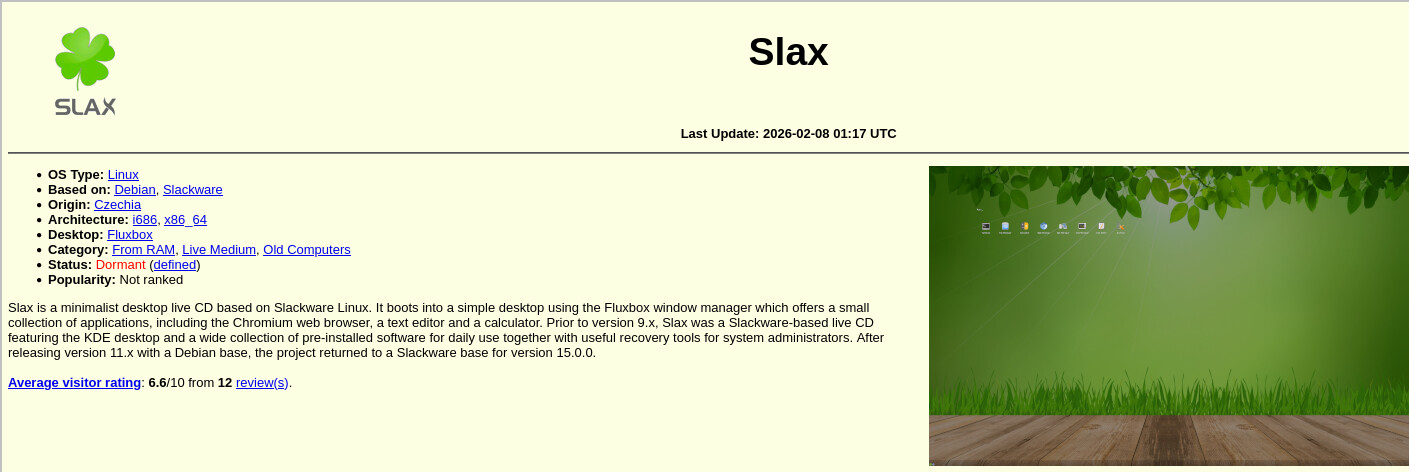
Has that option, done properly, using an overlay file that holds your changes, what will get loaded into the non changeable image while booting.

It’s sleeping:

The project seems to be on halt: