yes, sadly I update my system and it still blue icon
If they don’t change, could be a “feature”  (windows or apple mode eheh)
In Italy we say that is a “punch on eye” that problably will be translate in eyesore in english, desktop with those color mix doens’t look great
it doen’t match with color theme
Yeah, I understand the problem, but I was asking if the issue was in task manager or in the system tray? Cause comments are talking about the system tray and I didn’t recall seeing an entry in the system tray.
I am not sure what that issue is related to but dolphin itself isn’t part of plasma. It is part of KDE Gear.
on Plasma 5 it match, they told plasma is so customizable and then … dolphin stay on systray on 90% of systems and they doesn’t realyze id does not match with colo setting? Realy strange. Not a great issue for sure but is horrible on distro like EOS or Garuda that were so beauty and now not so beauty
Hope they solved or I change to cinamon
Because its related to the “Plasma style”, that will work if you pick Breeze. Or change the icon.
Thank you for the detailed explanation and the clear answer (thank you the prior replies from others too). Should I remove their unused dependencies too? like this (note, -Rsu has same output):
yay -Rs khotkeys  kpeoplevcard  kquickcharts5
[sudo] password for tuncay:
checking dependencies...

Package (7)       Old Version  Net Change

kdelibs4support   5.115.0-1    -18,10 MiB
kemoticons        5.115.0-1     -2,50 MiB
kpeople5          5.115.0-1     -0,85 MiB
kunitconversion5  5.115.0-1    -10,85 MiB
khotkeys          5.27.10-1     -4,02 MiB
kpeoplevcard      0.1-2         -0,05 MiB
kquickcharts5     5.115.0-1     -0,41 MiB

Total Removed Size:  36,78 MiB
I know that I could read and inform myself, but at this point its a jungle and I do not want to “try out” to find out if its the right or wrong decision by me. Hopefully in future events I can decide myself then. 
kdelibs4support is only required by calligra, so if you don’t use calligra you don’t need it.
kemoticons is only required by kdelibs4support, which you are removing.
kpeople5 used to be a dependency of kdeconnect but it’s been replaced by kpeople.
kunitconversions5 is required by kdelibs4support, which you are removing.
The last 3 have already been covered in my previous post.
pacman is quite good at resolving dependencies, be it for installing or removing packages  .
.
After experimenting more with it. Yes Its really bad and in all aspect 
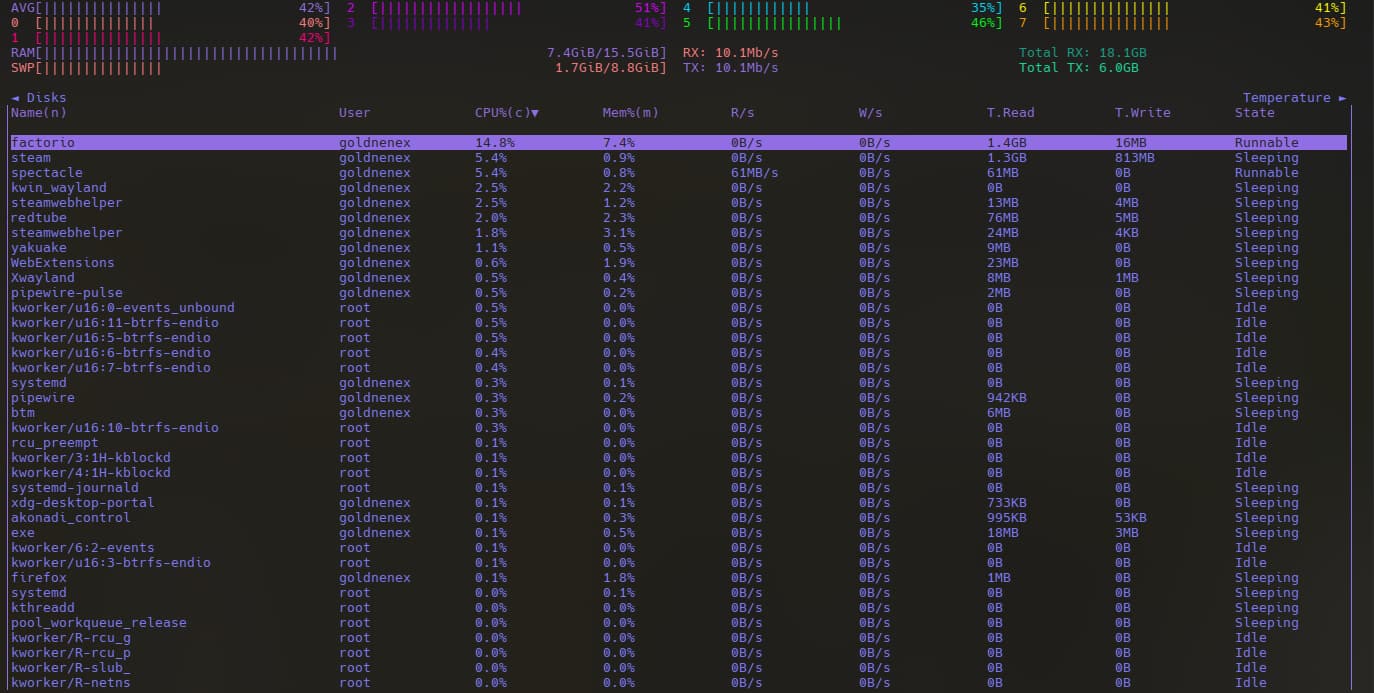
Someone made a dirty fork with qt6 https://aur.archlinux.org/packages/ksysguard6-git. I still need to look what change was made but i don’t know if i want to still using it. Its a fork, god know how long that will keep working/be worked on.
Edit: Now i start at launch bottom with the -b flag inside Yakuake and ctrl+echap to toggle the opening. Work great

Had an issue with Chrome flickering and behaving badly on keyboard inputs. Switching to X11 from Wayland (Link within the forum) fixed the issue. Since that more or less isolated the issue in my head to being Wayland related, I looked around and found a post mentioning that there are some flags in Chrome to make it work with Wayland (Reddit link). Once I set that ozone flag for wayland support, the flickering stopped and UI elements began to load properly again. Keyboard inputs are working sensibly too. Some minor UI glitches remain, but they are far less egregious.
Coming back to this:
Since I have my oxygen reinstalled (it got missing somehow after the last update) I have now sounds when I minimize/maximize/resize certain windows (for example the browser window) - how did that happen? I never wanted something like this and it is HIGHLY annoying…
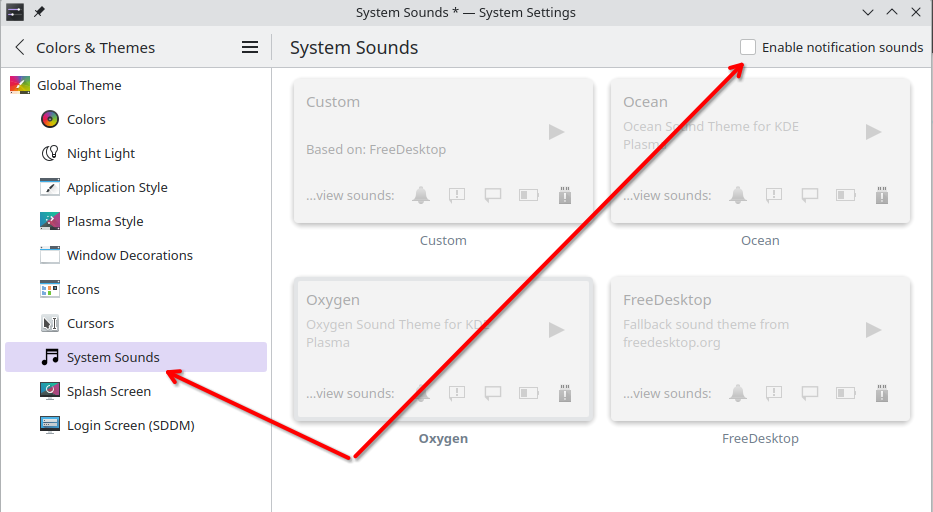
@manfredlotz That is for general system sounds like notifications and emptying trash. I’ve never heard of sounds when minimizing, maximizing, or resizing windows.
This, and this I want to keep. Hence leaving this activated. I have the feeling it comes down to gtk apps…
Yeah, you are right. I was wrong here.
The question is where those sounds can be turned on/off?
Perhaps this helps?
https://bbs.archlinux.org/viewtopic.php?id=293606
Edit: well, there is no real solution there, but at least others are having the same problem.
@manfredlotz I really don’t know, to be honest. I’ve never even heard of the feature where there are sounds when minimizing, maximizing, or resizing windows.
At least the package oxygen-sounds has files for window specific events
oxygen-sounds /usr/share/sounds/oxygen/stereo/window-close.ogg
oxygen-sounds /usr/share/sounds/oxygen/stereo/window-maximized.ogg
oxygen-sounds /usr/share/sounds/oxygen/stereo/window-minimized.ogg
oxygen-sounds /usr/share/sounds/oxygen/stereo/window-move-end.ogg
oxygen-sounds /usr/share/sounds/oxygen/stereo/window-move-start.ogg
oxygen-sounds /usr/share/sounds/oxygen/stereo/window-pin.ogg
oxygen-sounds /usr/share/sounds/oxygen/stereo/window-shaded.ogg
oxygen-sounds /usr/share/sounds/oxygen/stereo/window-unpin.ogg
oxygen-sounds /usr/share/sounds/oxygen/stereo/window-unshaded.ogg
https://bugs.kde.org/show_bug.cgi?id=483840
It’s reported over at KDE.
Guys, thank you very much for letting me know that I am not alone, AND that the Arch guys know of it, AND on top of it KDE knows as well. Love yours, thanks!