Maybe i would like it? I’m not sure.
That’s niche, you should just fork and edit something like old kickoff, shouldn’t be too hard
Installed here on Desktop and Netbook. Works flawlessly. Be sure to download from KDE store (org.kde.plasma.excalibur_p59+p511.plasmoid; other file is for older Plasma versions) and install it via right click on desktop → add widget → get new widget → install widget from local file. Then select downloaded file. After that is completed, you can select Excalibur via right click on launcher → choose alternatives.
2 Likes
I’m quite happy with the Legacy Kickoff 
I remove all panels from it except Leave and Favourites.
Actually, the one from the KDE Store has a nasty bug: the word “Favourites” is misspelled as “Favorites”. I wouldn’t mind if I used EndeavorOS, but I use EndeavourOS, so it’s a really jarring mismatch.
4 Likes
The spelling without the “u” is also correct.
You also have two spellings when you use the word color/colour.
The version without the “u” is normally American English, whereas the version with the “u” is normally British English.
Ptfff…

EDIT:
My locale settings:
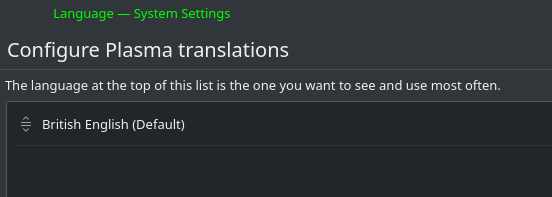
Thus, it is wrong.
3 Likes
Just a conky
Hmm. I’m just trying to make up my mind if I should give you this one. 
1 Like
I’ve never done any conky’s but i do like this one.
1 Like
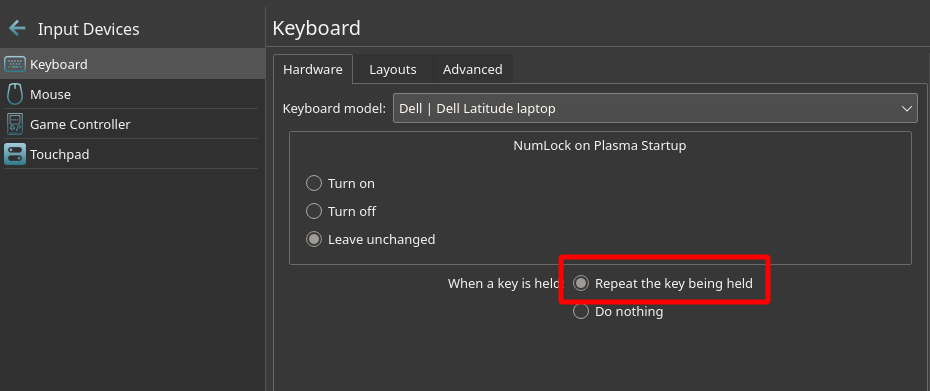
After installling and rebooting with Plasma 5.21 I found that keeping pressing the left or right arrow key on my keyboard would not move the cursor along the line.
So if it happen to you, just check the Settings > Input Devices > Keyboard.
The "Do nothing"option was active by default, just had to change it for “Repeat the key being held”.
1 Like
Strange? Mine is okay on my desktop. I check my laptop later.
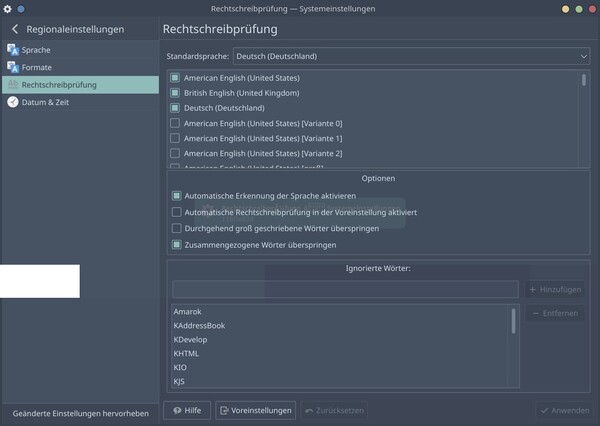
Just to avoid the strange behavior/behaviour you are experiencing. 
This is not helpful at all. Also, you shouldn’t mix British and American spelling, that’s just bad style. Like having “Favorites” on EndeavourOS, which is almost as bad as “Favourites” on EndeavorOS.
I’m also not a fan of the new launcher and appreciate the link! I’ll give it a try.
1 Like
Upgraded to 5.21 and i like it.
First of all, I do not know if it is related to the upgrade but the padding in the panel icons has been removed. Much more beautiful than before.
Plasma Firewall settings and Media Player widget are ok. For firewall settings i had to install plasma-firewall package.
The new Plasma System Monitor is beautiful and very customizable. It really rocks! But, what about kSysGuard? Will it receive updates? As it seems, you can’t uninstall ksysguard because it is required by plasma-desktop.
The only thing i do not like is the new menu. Power actions at the bottom are very useful but i feel that the new menu is a bit laggy.
Thanks to KDE team!
1 Like
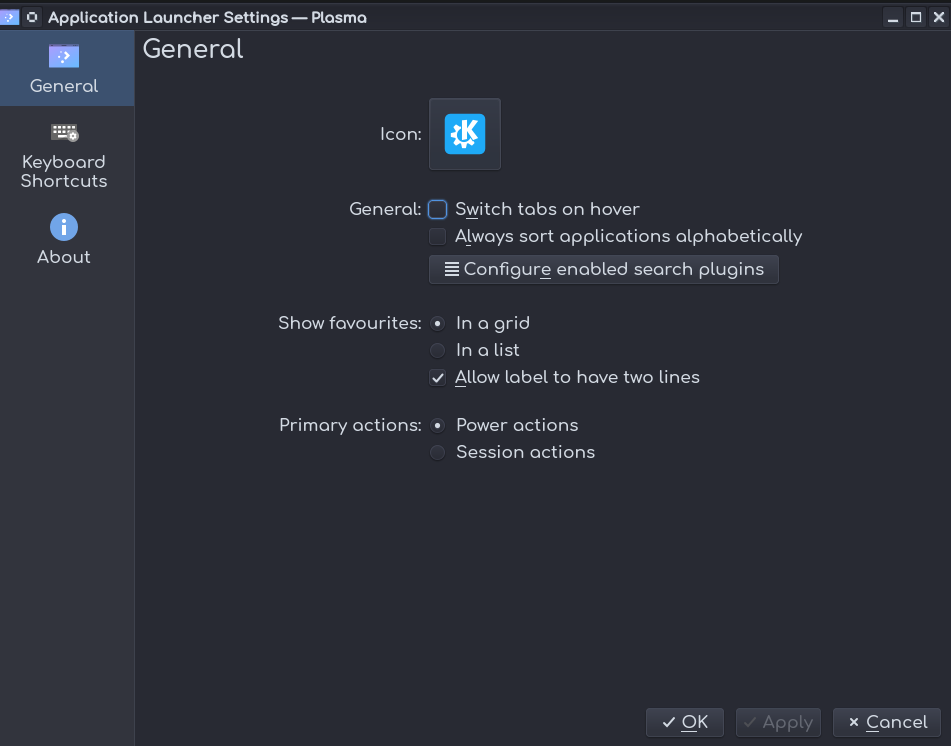
There is two problems that I hoped would be addressed by the new version.
You still cannot resize the menu nor can you turn off switch on hover in the menu. Other than that it looks much better and seems to be more responsive then the last version.
Are you sure about the hover…?
Spacing of panel icons has been increased quite a bit in 5.21, anyone know how to decrease it?
Is this a dive into some kde css file to change a spacing value?
2 Likes
System Settings > Appearance > Icons > Configure Icon Sizes > Panel and drop the size by one tick.
3 Likes
I found my panel was badly broken. I rebuilt it to no avail, but then discovered that the theme I was using did not work anymore. I reverted to Breeze Dark in all the Appearance settings and now everything is fine. I guess some of the themes from KDE.look are just not ready for 5.21 just yet. I suggest raising/messaging the devs on Github/Lab or whatever so that they are aware of any issues, if anyone finds this.