My internet mysteriously slowed down specifically on EndeavourOS last week, it has not sped up again since

You may remember me from Internet Speed SLOW/inconsistent(?) across applications on Ganymede, if so then welcome back!

You may think this is a similar problem due to both that topic and this one involving slow internet to some extent, but you’d be incorrect!
This is a different (I think?) issue that affects not just my current EndeavourOS install, but also my Ganymede Live USB for some reason.

information about my current installation (from fastfetch) is provided bellow:

                   ./sssso-                 --------------------------------------
                 `:osssssss+-               OS: EndeavourOS x86_64
               `:+sssssssssso/.             Host: B650M C V3-Y1 (Default string-CF)
             `-/ossssssssssssso/.           Kernel: Linux 6.19.10-arch1-1-bsb
           `-/+sssssssssssssssso+:`          
         `-:/+sssssssssssssssssso+/.        
       `.://osssssssssssssssssssso++-       
      .://+ssssssssssssssssssssssso++:      
    .:///ossssssssssssssssssssssssso++:     DE: KDE Plasma 6.6.4
  `:////ssssssssssssssssssssssssssso+++.    WM: KWin (Wayland)
`-////+ssssssssssssssssssssssssssso++++-    
 `..-+oosssssssssssssssssssssssso+++++/`    
   ./++++++++++++++++++++++++++++++/:.      
  `:::::::::::::::::::::::::------``        
                                            
                                            Terminal: konsole 25.12.3
                                            CPU: AMD Ryzen 7 7800X3D (16) @ 5.05 GHz
                                            GPU: AMD Radeon RX 9070 XT [Discrete]
                                            Memory: 30.95 GiB
                                            Swap: Disabled
                                            
                                            
                                            Local IP (wlan0): 
                                            

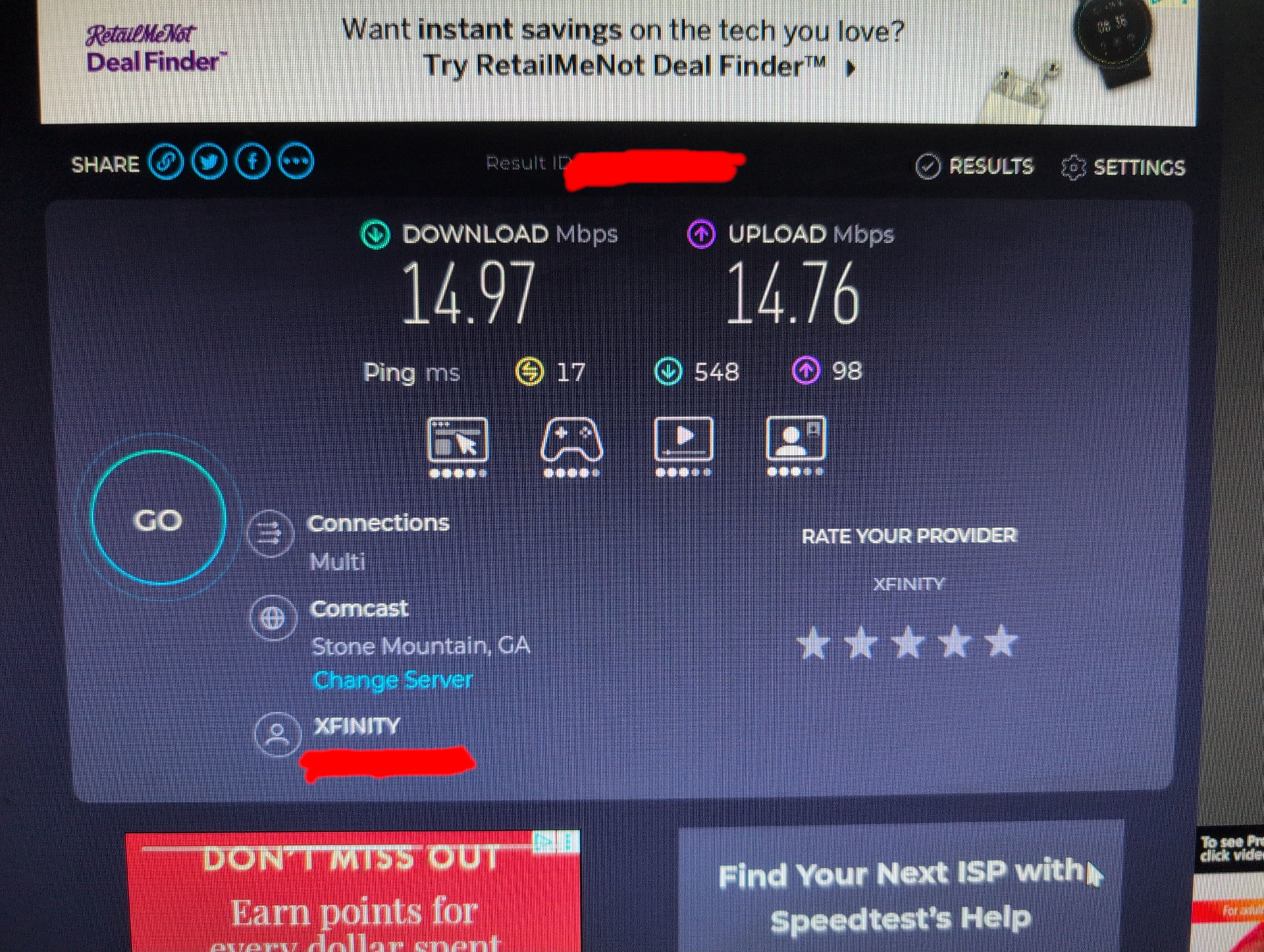
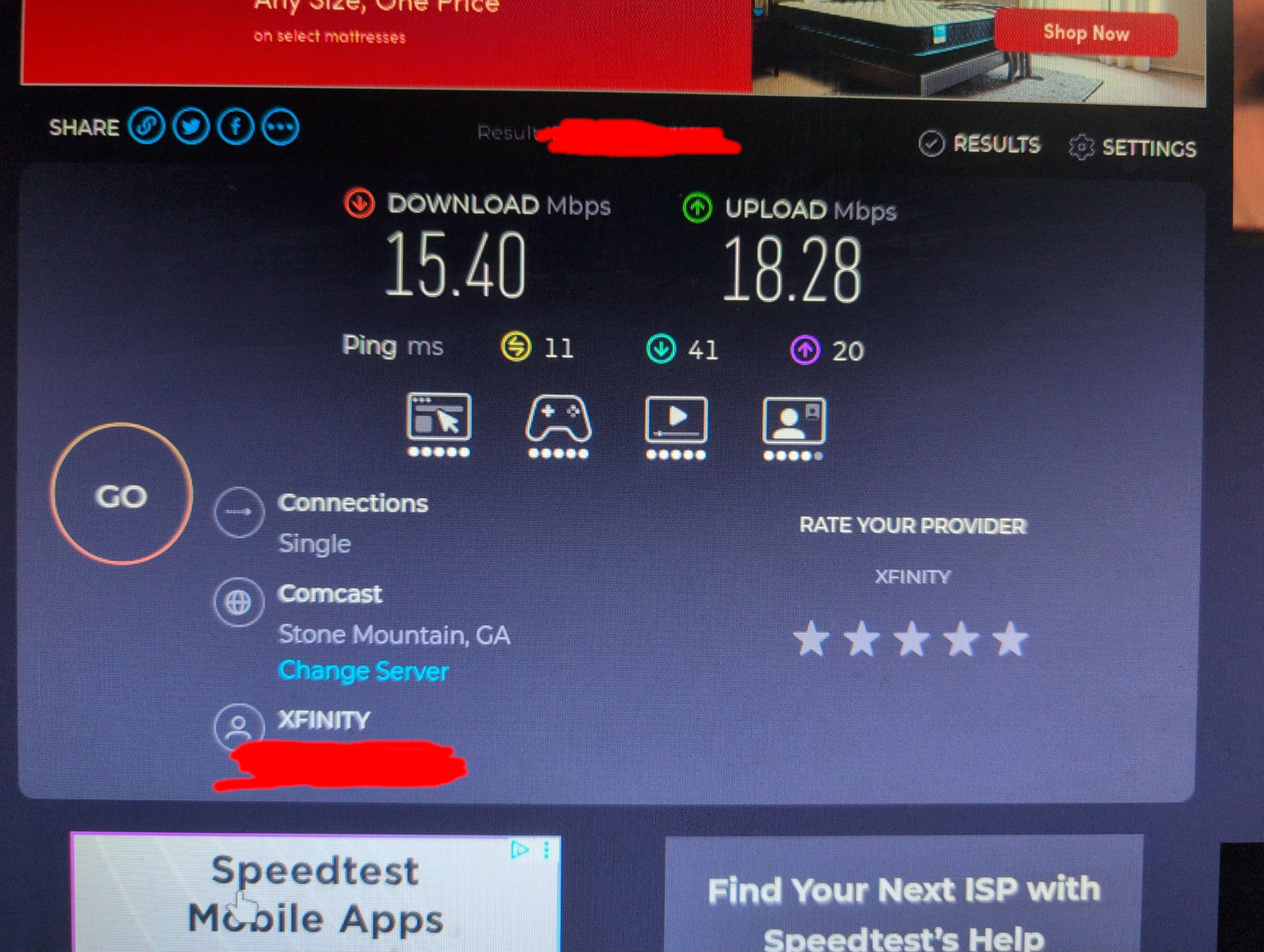
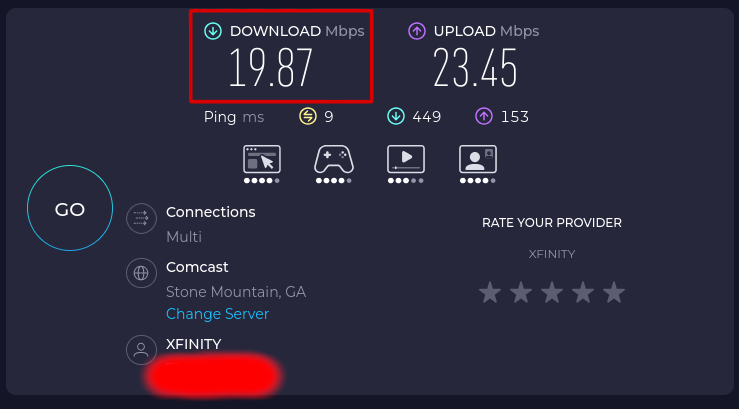
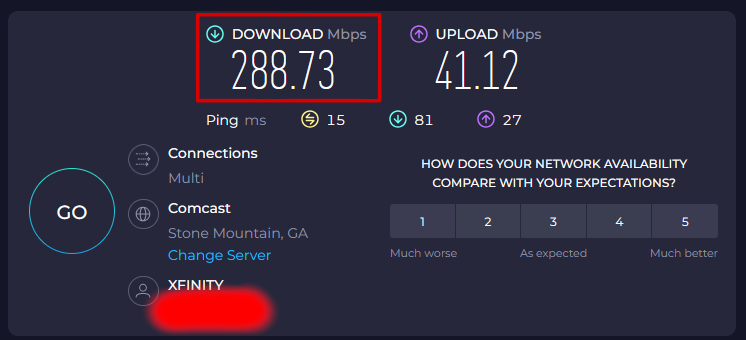
As the title of this topic states, last week my download speed mysteriously dropped to ~20Mbit/s across my entire operating system. It has not gone back up since then, and I don’t know why.
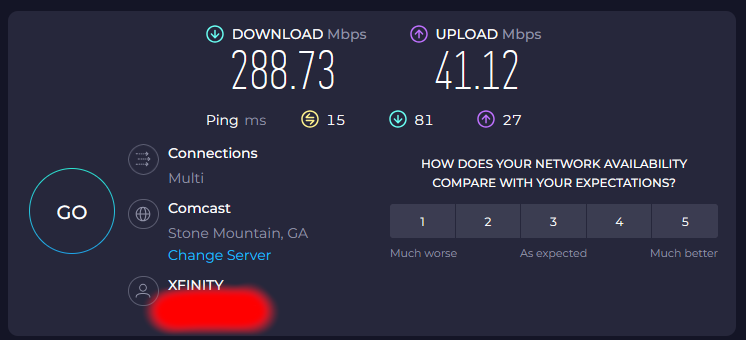
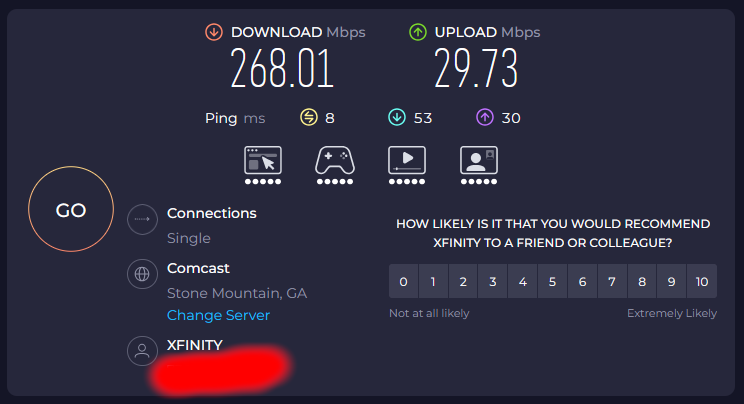
The bellow tests are from speedtest.net, I can provide results for my current endeavouros install from speedtest-cli on request.

EndeavourOS nomiddleclass-b650mcv3y1


EndeavourOS Ganymede Installation USB


Windows 11 IOT Enterprise LTSC (unaffected, for the most part)


Does anyone know what to do about this?

This look very minor different speeds. :thinking:

Also more importantly why are you running without add block :scream: :fearful:
The absolute horror you must witness? :fearful:

:grinning_face_with_smiling_eyes: That’s probably the live ISO, so just vanilla Firefox.
@PRGSPY, is the system dual booting Windows 11 or is that an entirely different system? Some context on those results would be good.

How is your EndeavourOS system connected? LAN cable or WiFi?
How is your Windows 11 system (assuming it’s not the same system) connected?

Please share the output of:

inxi -SMnxx --za

I am not comfi with subject, but wifi power saving is a thing with linux.

You call that minor? :thinking:

Not clear on what the connection type is used by the EOS install and what is used by the Win 11 IOT Enterprise LTSC. If both are on ethernet or on the same WiFi SSID then it should ring some alarm bells as the speed difference and ping latency is huge.

If they are not on the same network and the EOS install is on WiFi then check the following

  1. How far is the EOS install from the WiFi router?
  2. How many walls and glass surfaces are there between the EOS install and WiFi router? If possible try to reduce this.
  3. If you connect the EOS install via a ethernet cable to the router does the speed increase substantially?
  4. What is band that is used for connection to WiFi? 2.4 Ghz or 5 Ghz or 6 Ghz or something else? Higher the band closer the device needs to be the router. Lower the band, lower the throughput that one gets.
  5. Check how many devices are connected to the WiFi SSID. Try to reduce them.
  6. See the amount of interference in WiFi signal where your EOS install is placed. Sometimes, microwaves, other nearby WiFi routers and other interference cause a degradation in service.

It’s a dualboot

the pc is connected to the internet over Wifi for both operating systems, with both using the same xfinity gateway (they’re on the same network)

System:
  Kernel: 6.19.10-arch1-1-bsb arch: x86_64 bits: 64 compiler: gcc v: 15.2.1
  Desktop: KDE Plasma v: 6.6.4 tk: Qt v: N/A wm: kwin_wayland dm: 1: LightDM
    note: stopped 2: SDDM Distro: EndeavourOS base: Arch Linux
Machine:
  Type: Desktop Mobo: Gigabyte model: B650M C V3-Y1 v: x.x
    serial: <superuser required> Firmware: UEFI vendor: American Megatrends LLC.
    v: F37 date: 12/17/2025
Network:
  Device-1: Realtek RTL8111/8168/8211/8411 PCI Express Gigabit Ethernet
    vendor: Gigabyte driver: r8169 v: kernel pcie: speed: 2.5 GT/s lanes: 1
    port: e000 bus-ID: 08:00.0 chip-ID: 10ec:8168
  IF: enp8s0 state: down mac: <filter>
  Device-2: Realtek RTL8851BE PCIe 802.11ax Wireless Network
    driver: rtw89_8851be v: kernel pcie: speed: 2.5 GT/s lanes: 1 port: d000
    bus-ID: 09:00.0 chip-ID: 10ec:b851
  IF: wlan0 state: up mac: <filter>

I have already disabled powersaving via udev rules

have you check your internet configuration if all of them are in default settings? specially link negotiation… try to disable your connection then re-enable it if aint working delete your network profile then start new profile connection.

I disconnected from the gateway, deleted my network profile, stopped networkmanager with systemctl, started networkmanager again, then reconnected to the gateway. Nothing has changed.
Not sure what would’ve happened here since connecting while inside the live usb didn’t show better performance, but I had to try anyways.

I don’t remember ever touching this, probably because its only shown as an option for wired connections while the issue I’m having is with a wireless one. Is there anything else I should change?

I found with my specific wifi access points that the “metered” flag was not passed correctly to EnOS and because the default setting is “automatic” the speeds cratered. So for my setup, I had to go into the Wifi & networking configuration settings, select the wifi SSID, ‘general’ tab, and select ‘Metered=No’. Only then did I get normal speeds. I’m on KDE/Plasma.

Wired connection is unaffected.

As others have mentioned, check your UEFI/BIOS for any networking power-saving “features” since these can significantly impact network speeds.

Doing this did not fix my specific issue.

checking now, I’ll keep you posted

Are there any specific keywords I should look for when searching? All I could find with what I had in mind at this time was the Network Stack Enabled setting, which appears unrelated since it was disabled since before I started having the problem.

do you have access to where you are connecting to? you might as well check that router/modem if there is some anomaly going on there like bandwidth throttling, arp spoofing, dns poisoning, etc. frequently restarting it on a weekly basis to prevent it glitching or in case someone got hack into it.

If you haven’t already tried, you may want to install this driver package from the AUR:

Be sure to reboot after installing any new WiFi driver.

installing this did not fix my issue

Hi @PRGSPY

You’re running KDE Plasma 6 with Wayland but LightDM as your display manager — that’s a mismatch. SDDM is KDE’s native DM and handles Wayland sessions properly. This could be why your udev rules aren’t applying correctly after login.

Switch to SDDM:

sudo systemctl disable lightdm
sudo systemctl enable sddm
sudo reboot

Then test your speed again. If it improves, the issue was likely the session initialization.

Actually, I think it’s accurate to say that ‘plasma-login-manager’ is now the session manager, though sddm should continue to work (for now).

Thanks @dbarronoss

I am not running Plasma so I can mistaken with the login manager.

I see sddm in the inxi that’s why I suggest enable sddm service.

System:
  Kernel: 6.19.10-arch1-1-bsb arch: x86_64 bits: 64 compiler: gcc v: 15.2.1
  Desktop: KDE Plasma v: 6.6.4 tk: Qt v: N/A wm: kwin_wayland dm: 1: LightDM
    note: stopped 2: SDDM Distro: EndeavourOS base: Arch Linux

The main thing is trying disable/remove lightdm as login manager and use the plasma login way.

for one, I’m unsure whether or not session initialization is the issue since this is also a problem on the live iso and not just my installation.
for another, I’ve already been using sddm for months by this point, and you can see in the note: for dm: 1: that lightdm was stopped. Using the commands you listed changed nothing