KDE/Plasma X11 session removed from archrepos / Plasma moved to wayland only

KDE Plasma 6.8 Wayland Migration & SDDM Display Manager Update

With the release of KDE Plasma 6.8, the Plasma X11 session has been completely removed upstream, making Plasma Wayland-exclusive.

X11 applications remain fully supported via Xwayland.

see here:

And seems sddm also start getting issues, EndeavourOS already switched to plasma-login-manager for new installs, but users may still use sddm on their install.

Recommendation is to switch to plasmalogin already as soon as possible, users reporting broken themes and issues using it.
We will shortly also remove the eos-breeze-sddm packages that wa s shipped before to theme sddm for plasma/KDE installs

To switch over, with updating OS:

sudo pacman -Syu plasma-login-manager

sudo systemctl -f enable plasmalogin

After completing the migration, you can also clean-up and delete the sddm user, which would no longer be used, with the command sudo userdel -r sddm

And cleanup packages used for sddm:
sudo pacman -R eos-breeze-sddm sddm sddm-kcm

Notice for Calamares / ISO Installs

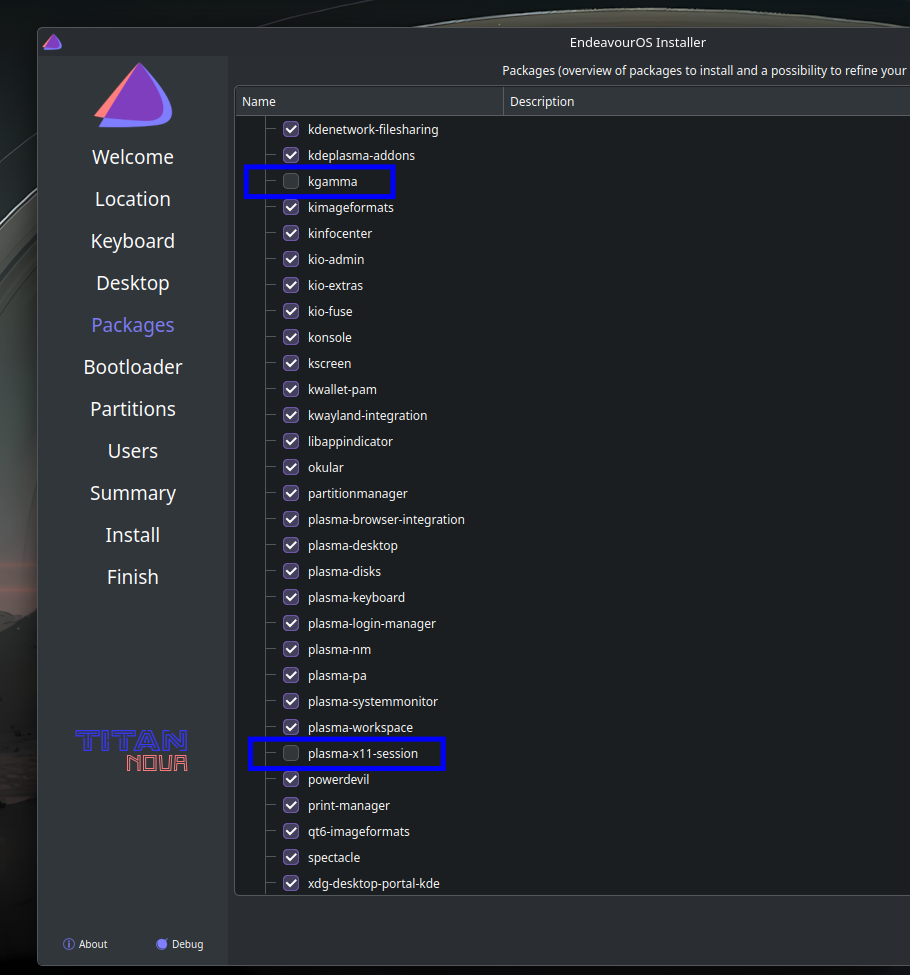
Current ISO installations will fail during package installation if plasma-x11-session or kgamma are selected or included in the package list, as they are no longer provided by upstream.

Please deselect these packages manually during netinstall until the updated package HotFix is deployed.
i add this warning for older nvidia cards , they need nvidia580xx-dkms drivers in this case , not sure that they are mostly compliant to wayland

@joekamprad thank’s for the solution. Seems that this Plasma Update to 6.8 caught us cold? :wink:

nah not that cold, but time is short for me at the moment..

Ah, okay. Then special thanks for the solution-post. :handshake:

This has indeed hit me, and my desktop is now flickering after successfully logging in via plasma-login-manager. :cry:

I guess I have to go back to X11 then? Can I keep plasma-login-manager installed (instead of sddm) and use this with X11 instead of Wayland?

What commands do I have to execute in order to move back to plasma-x11-session?

if you can , open a TTY
check in your journal log

sudo journalctl -b0 

and do a report on KDE 6.8 Dev ,
because they stop support for X11 session , so they have to work with older drivers 580xx with wayland https://discuss.kde.org/tag/wayland/329

That worked for me. Thank you very much.
One more question: Should I uninstall kwin-x11 and xorg-server? (There are no dependencies), or is it better to leave them installed?

Definitely. Kick them out!

Doesn’t Xwayland still require the xorg server? And xwayland itself is still being developed to provide compatibility.

Not the full xorg-server, only some libs. It is not installed on my system:
1 extra/xorg-server 21.1.25-2 (1.5 MiB 3.9 MiB) [xorg]

And I’d uninstall sddm as well:
1 extra/sddm 0.21.0-7 (3.6 MiB 5.3 MiB)

I successfully swapped to plasma login manager using the commands in the first post.

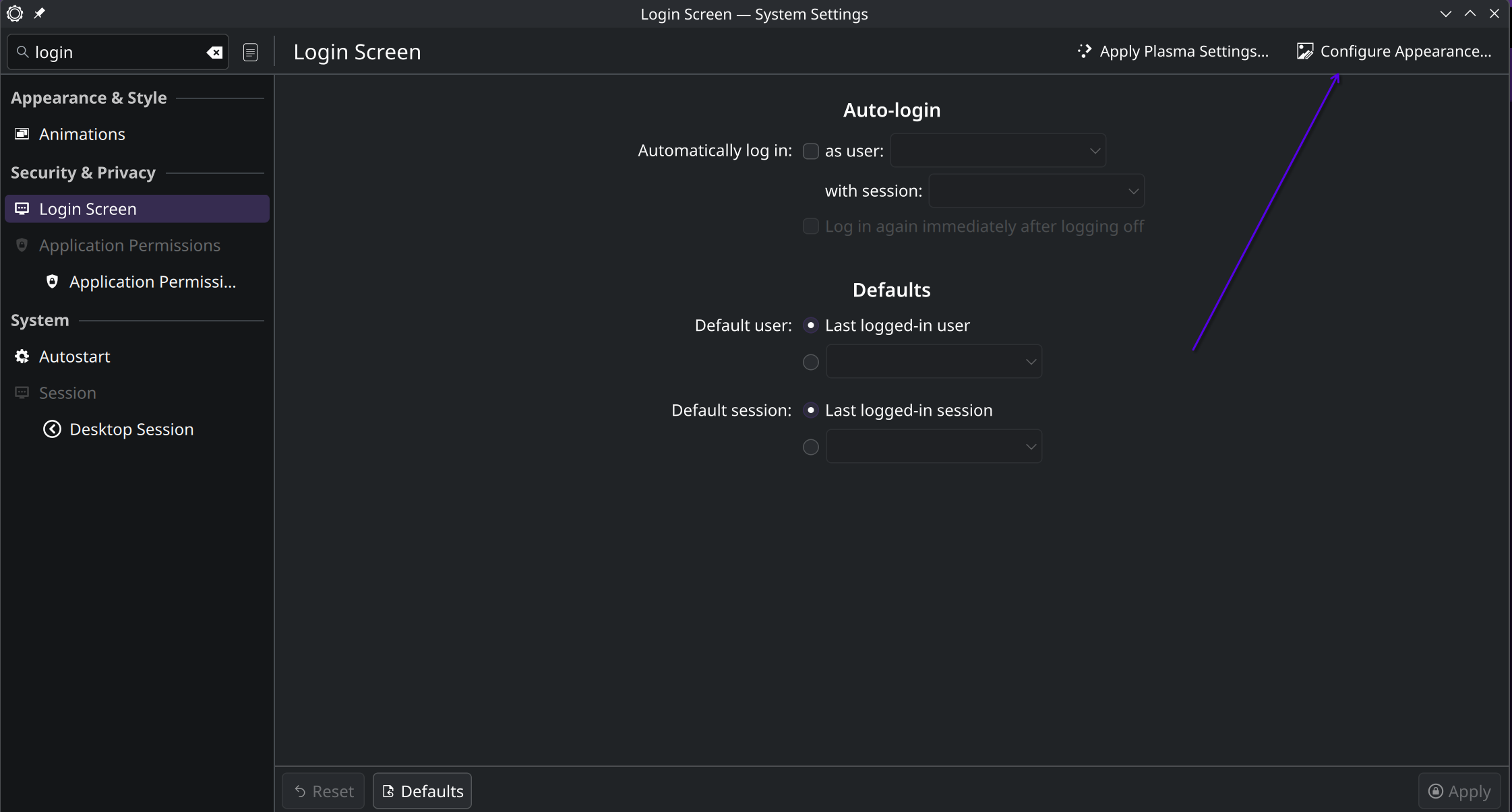
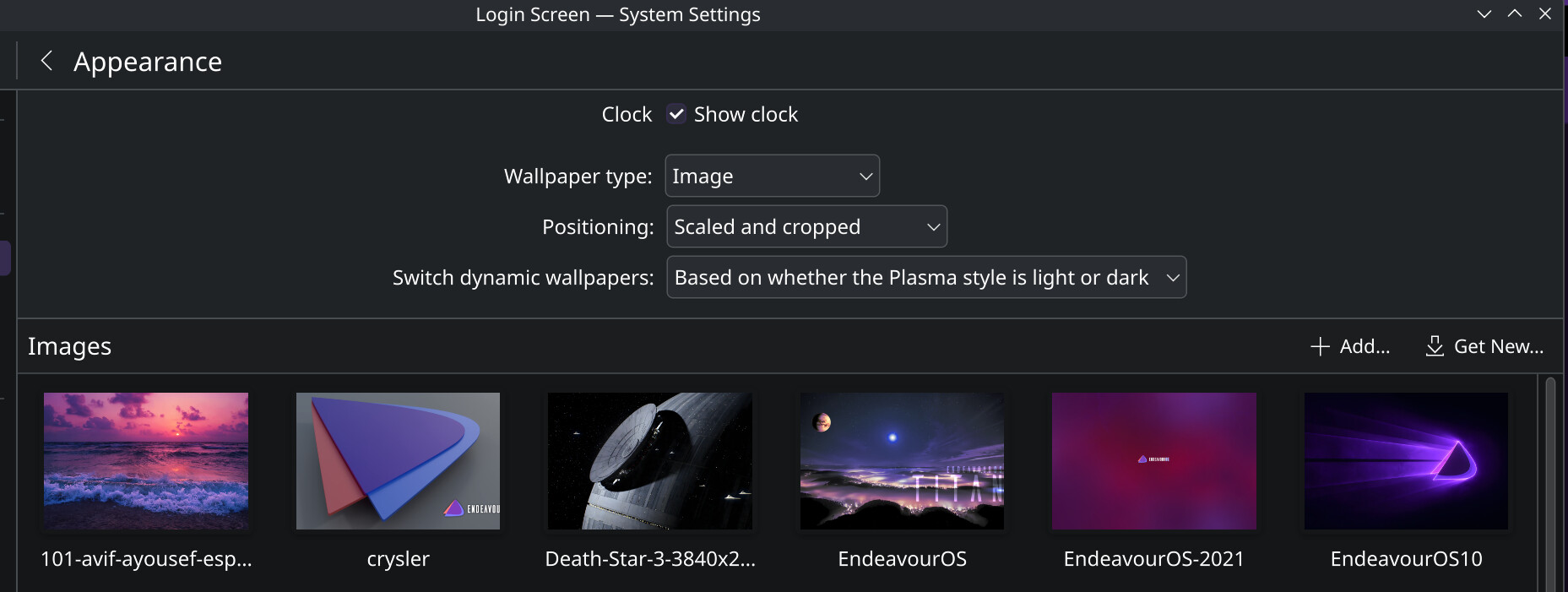
But I’m unable to change the login screen wallpaper from the “EndeavourOS Titan” one now. Changing the wallpaper via System Settings > Login Screen > Configure Appearance... makes it change for one time, but next time locking the screen the screen flashes the changed one for a fraction of a second and then changes back to the “EndeavourOS Titan” one again.

Is some EOS automatic theming conflicting here? What should I do?

I uninstalled kwin-x11 but left xorg-server installed.

I had already done that—thanks

The lock screen and login screen have separate configs for wallpapers.

  • open up system settings and search for “lock”
  • click “Screen Locking”
  • click “Configure Appearance” at the top-right of the window
  • set your lock screen wallpaper there

Sorry, I meant to type Screen Locking for the settings menu, that’s where I was changing the setting.

Upon investigation it seems this is happening only when selecting the kde 6.8 default “Hanabi” wallpaper or the default EndeavourOS wallpaper. When an selecting a custom png as a lock screen wallpaper it changes and stays there normally.

So in short
Selecting “EndeavourOS” as wallpaper > It changes to higher res after 2nd screen locking
Selecting “Hanabi” as wallpaper > It changes to EndeavourOS after 2nd screen locking
Selecting a custom png as wallpaper > It stays there normally even after multiple screen locks

Not sure why this is happening, but using a custom png works around it.

@Tryf2 :

But I’m unable to change the login screen wallpaper from the “EndeavourOS Titan” one now.

Yea this was a limitation, it was not yet implemented in Plasma Version: 6.7.

So, i’m not sure if it is now possible in 6.8. If it is possible, this would be a new feature in 6.8 (i have not tested it yet.)

Hi,

Can confirm a fresh install with latest iso worked when de-selecting plasma-x11-session and kgamma

so thanks for your comment.

you may not fully switched and have sddm-kcm still installed? may even still running sddm? or setting it to use plasma theme settings?


And in general sddm should still work.
You only need to switch theme or remove the now broken option for the virtual keyboard in the settings. (or wait till package is updated from our side)

I use the following AUR packages for an Nvidia GTX 960:

nvidia-580xx-dkms
nvidia-580xx-settings
nvidia-580xx-utils
lib32-nvidia-580xx-utils

So far, I’ve had no problems with Plasma 6.8 and plasma-login-manager under Wayland.

I didn’t install plasma-x11-session from the start since I don’t need an X session.