Note: This describes the process for GNOME-based DEs (GNOME, Cinnamon, etc.). For a KDE solution, see @Pudge’s post below.
I wondered why, on my EOS/Cinnamon laptop, the fan went on so often, and a CPU load average of 1.5–2.0 was seen when I did nothing on the system, often for hours. Also, the (NFS auto-mounted) NAS folder icons for my Music and Video folders would suddenly appear on my desktop while I was not officially using my NAS.
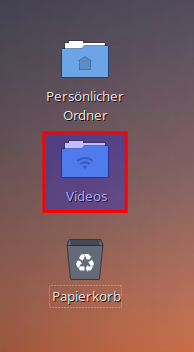
Now I have my Music and Video NAS folders mounted onto ~/Music and ~/Videos, and htop showed 8 threads of localsearch-3 and localsearch-extractor-3 running, one of each eating 99.8% CPU all the time.
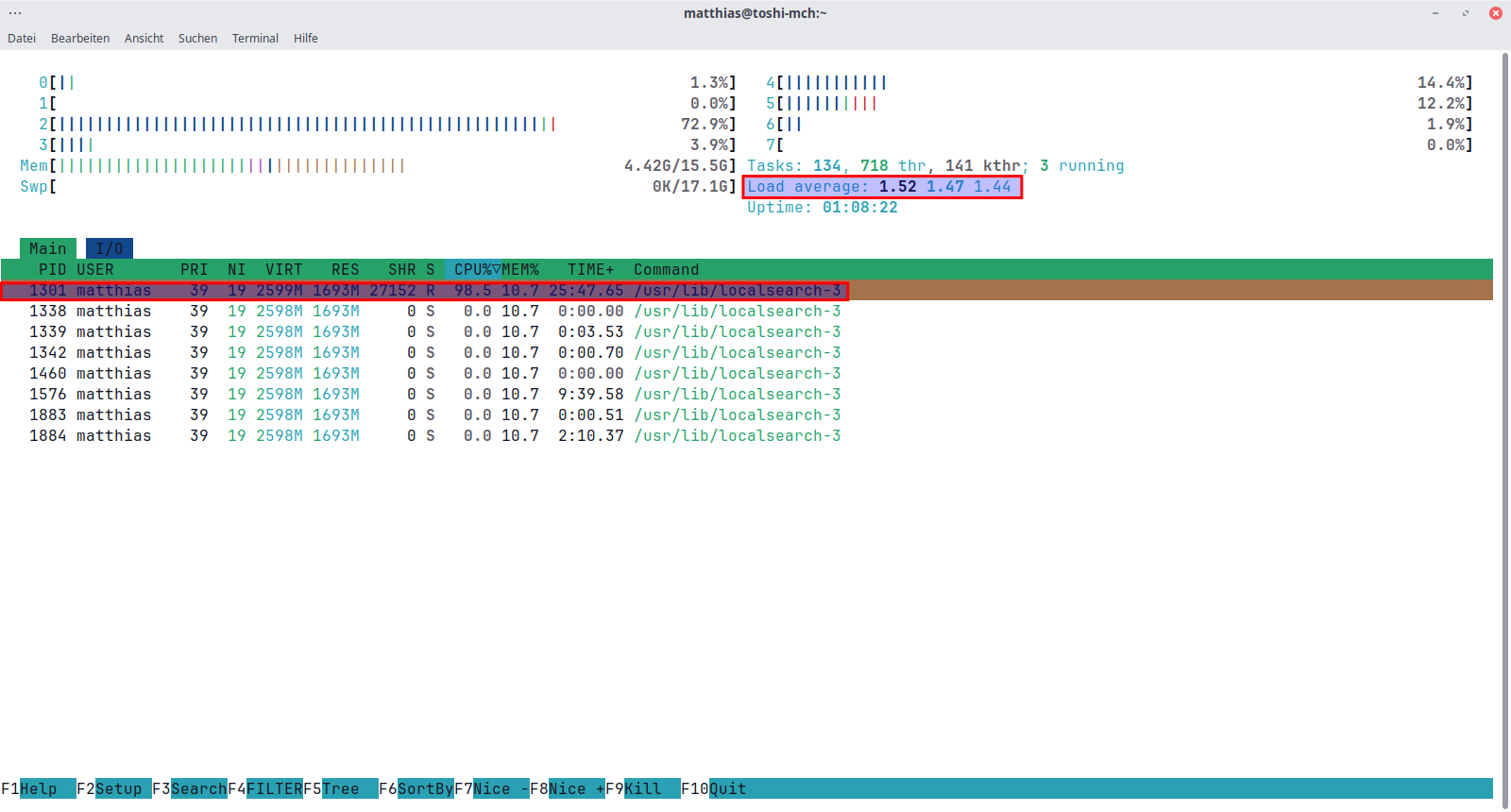
Turns out localsearch tries to index the hundreds of thousands of files on my NAS over WiFi, to build a local index for faster access. And it doesn’t see that these folders are actually remote. (Tools like find, rsync and ncdu, for instance, can very well recognize the difference.)
Unfortunately, the collected data is totally useless, since Cinnamon has Nemo instead of Nautilus, and we don’t use GNOME tools that would access the localsearch (ex Tracker3) data. But we can’t simply uninstall Nautilus, localsearch-3 and its companions due other dependencies that require them. 
I thought of masking & stopping the relevant services, but they apparently get started again via DBus.
GNOME’s localsearch command line reference finally gave me the hints needed.
- Getting the localsearch status confirmed my suspicions:
$ localsearch status Derzeit indiziert: 212683 Dateien, 34621 Ordner Verbleibender Speicherplatz auf der Partition mit der Datenbank: 102,6 GB (47,71%) Waiting for data... (^X or interrupt to abort) (tracker status:8896): Tracker-CRITICAL **: 08:00:45.446: Could not get miner progress for 'org.freedesktop.Tracker3.Miner.Files': Zeitüberschreitung wurde erreicht Alle Datensammler sind bereit, die Indizierung ist abgeschlossen 969 registrierte Ausfälle - Checking the daemon status further confirms the fruitless task:
$ localsearch daemon Indizierer: 25 Jun 2025, 08:10:13: 1% File System - Crawling recursively directory 'file:///home/matthias/Musik/Tagged/Scheit,%20Das/Scheit,%20Das%20-%20A%20Darker%20Kind%20of%20Black%20(2016%20album,%20XW)' - So I checked what it tries to index:
$ localsearch index Pfad Rekursiv /home/matthias/Schreibtisch * /home/matthias/Dokumente * /home/matthias/Musik * /home/matthias/Bilder * /home/matthias/Videos * /home/matthias - /home/matthias/Downloads - ~/Musikand~/Videosare actually mounted NAS volumes, so let’s remove these from the indexer and verify:
Not in the list anymore, fine!$ localsearch index --remove /home/matthias/Musik $ localsearch index --remove /home/matthias/Videos $ localsearch index Pfad Rekursiv /home/matthias/Schreibtisch * /home/matthias/Dokumente * /home/matthias/Bilder * /home/matthias - /home/matthias/Downloads -- Now let’s reset the indexer, and clear out its cache:
$ localsearch reset --filesystem 0 PIDs gefunden … - Check localsearch status again:
$ localsearch status Derzeit indiziert: 518 Dateien, 43 Ordner Verbleibender Speicherplatz auf der Partition mit der Datenbank: 103,8 GB (48,3> Alle Datensammler sind bereit, die Indizierung ist abgeschlossen 12 registrierte Ausfälle Pfad Nachricht …atch/screenshot-2025-02-13-11-01-07.png Could not get any metadata for uri:'fi… …atch/screenshot-2024-11-16-11-16-26.png Could not get any metadata for uri:'fi… …atch/screenshot-2025-03-19-10-07-05.png Could not get any metadata for uri:'fi… …atch/screenshot-2024-11-15-07-49-28.png Could not get any metadata for uri:'fi… …atch/screenshot-2025-02-18-14-56-08.png Could not get any metadata for uri:'fi… …atch/screenshot-2025-02-20-13-19-57.png Could not get any metadata for uri:'fi… …atch/screenshot-2025-03-17-16-04-09.png Could not get any metadata for uri:'fi… …atch/screenshot-2025-02-17-18-07-27.png Could not get any metadata for uri:'fi… …atch/screenshot-2024-11-03-20-25-14.png Could not get any metadata for uri:'fi… …er_lite_i2s_dfu_firmware_48k_v1.0.9.bin Could not get any metadata for uri:'fi… …er_lite_i2s_dfu_firmware_48k_v1.1.0.bin Could not get any metadata for uri:'fi… …firmware_48k_v1.1.0_ch0-asr_ch1-mww.bin Could not get any metadata for uri:'fi… - DONE. No more screeching fan, no more wasting CPU and WiFi bandwidth! Average CPU load now back at 0.1–0.2 when doing nothing, and no unneeded auto-mounts and NAS connections anymore. It also makes the laptop run much longer on batteries.
Nowadays often things get pre-installed that are supposed to “help” users, but in fact just waste lots of resources! Getting rid of these unwanted supposed-to-be “make user’s life easier” tools is often hours of work for diagnosing and learning how to handle these—just to turn them off. Wish more things were opt-in instead of opt-out. Really,