I used @xircon 's script and unit file and followed his directions.
At reboot the backlight now turns on; when I log in they turn off for a second or so, and then they turn on again and stay on. That’s indeed what I wanted, so thank you @xircon.
Snag is: if I turn the backlight off by pressing the appropriate FN-key the backlights turn off, and, after one second or so, they turn on again :-).
I think I can live with that, though.
I’m just surprised that hardware manufacturers can’t put out a product that works from the get go. It would be extremely disappointing if i purchased a laptop knowing that it has a backlit keyboard and yet it doesn’t work out of the box. I just know that my Lenovo Thinkbook does and I’m not sure that’s the case for all Lenovo products. Most likely it’s not but i fail to understand why? If they can make it work on one then it should work on all their products they produce. I’m glad you have it working to your satisfaction thanks to @anthony93 and @xircon.
Edit: I realize yours is an Asus product but I’m just saying it should be the same for any manufacturer that produce a laptop with backlit keyboards.
This could be due to the fact that you added always for the Restart option in the unit file. If you use always, the service will always be restarted after the process exits; this means that your script will always be run even after it has already done its thing. That is probably why the backlight turns back on after you manually turned it off; because the script is being restarted (run) repeatedly.
Change
Restart=always
to
Restart=on-failure
and you should be good.
This is a great point, actually. I’m not even sure where to find the code to load the hardware settings. Probably in some kernel module, I reckon. A possible reason why such things work out of the box for Thinkpads is that there are more users running Linux on Thinkpads compared to other hardware.
With on-failure, if you turn it off with the FN-key, does it automatically turn back on?
Interesting. Can you post the contents of the script you run with that unit file? Also post the journal entries for the affected boot (the boot where you tested on-failure)
#!/usr/bin/env bash
echo 3 |  tee /sys/class/leds/asus::kbd_backlight/brightness
The behaviour I am seeing now is the same is with ’ Restart=on-failure’: the backlights are on when booting but turn off after I logged in. Pressing the appropriate FN-key works as expected.
Coming weekend I’ll do some more digging and experimenting with the unit file, and/or the startup script to see if I can get it to work as one would expect it to work.
Sorry for the late heads up. Life’s been having plans I did not know about.
The only way I’ve been able to have the keyboard backlights turned on is with:
Restart=always
RestartSec=3
I’ve read up on unit files and their options; things get complicated rather fast as the options are interrelated and - for a noob like me - rather obscure in some cases.
It sounds like something else is setting the backlight value later in the startup routine. If you could figure out what and stop it, that would resolve your issue.
Other than that, you could try changing the target to something which occurs later on in the login process like graphical-session.target.


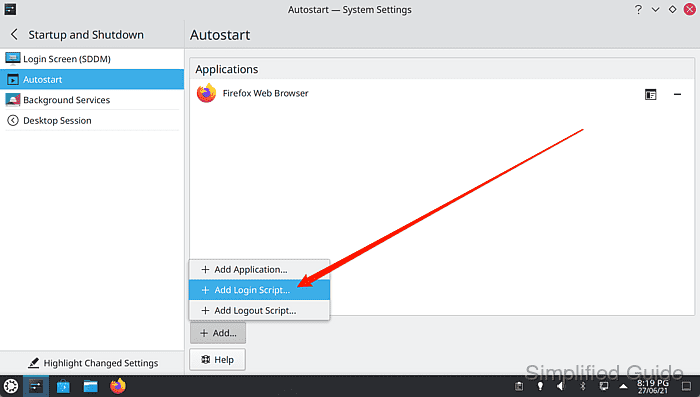

 then you can stick it in your autostart or shell init script.