
It seems to be working on my end.
I can only get it to to go full screen mode which i don’t like. On v-box or vmware i don’t have this issue.
Edit: I have tried so many things.
Edit2: I can go 1440x900 to fit in the Window otherwise i get scrolling. Or i can use full screen but i don’t like that mode. I like to set the same as my monitor resolution. On v-box i do this as the live ISO loads and it works every time and readjusts to fit exactly in the Window so i have access to my host! I do the same with vmware but it does it automatically.
But … my screenshot was also in full screen mode 
It may be full screen but not the way i want it.
It doesn’t look fullscreen to me. It looks maximized. If it was fullscreen the VM would take over your entire screen as if it was your installed OS.
That being said, full screen works fine for me.
It may work fine i just want it to fit in the vm windows like v-box or vmware does and it won’t.
Edit: I like it like this on -v-box
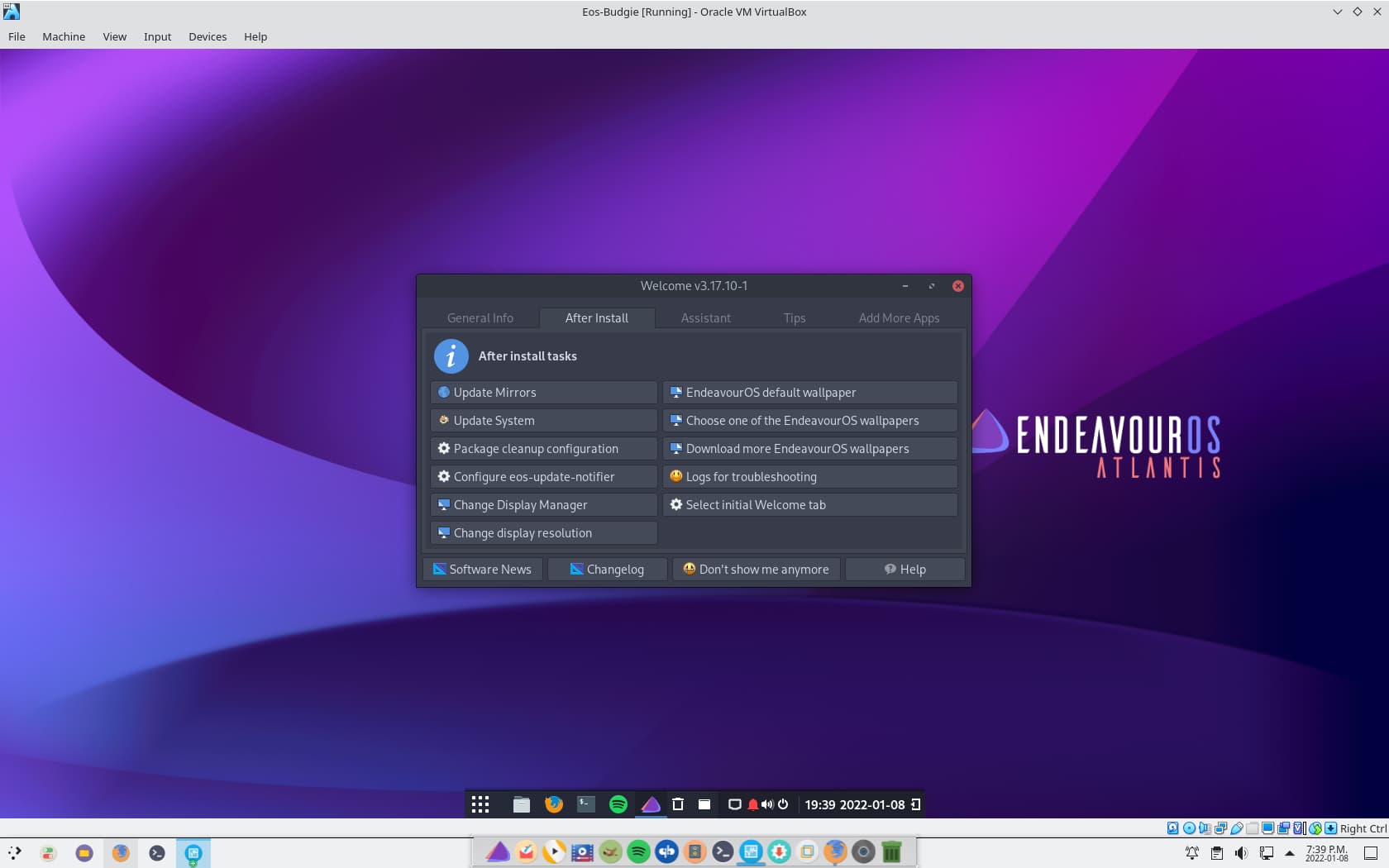
It does that on all my machines, I am not sure why it doesn’t work for you.
That isn’t full screen either. That looks the same as @pebcak’s screenshot above.
I don’t run vm in full screen. I just want it to fit in the window that is the vm window but fully? So on vbox it always works before i even install it. I boot on the live ISO and set it before the install to my screen resolution. Then it adjust slightly on the install because the vm window is slightly smaller than the screen resolution., I have never been able to do it on virtmanger no matter what i have tried or what other people tell me. The best i can get is 1440x900 or i get scrolling. My resolution on this particular monitor is 1680x1050. In v-box it self adjusts to fit 1680x931
Edit: Vmware also works this way for me but slightly different resolution.
You are right of course!
Sorry for the conceptual confusion 
PS- Full screen mode also works on my end 
Full screen mode works for me also but that’s not what i want. Hence why i use v-box because it does work the way i want.
1 Like
It does work like that for me. All of them do.
Sometimes I think your PC is a bit like the Bermuda triangle.
1 Like
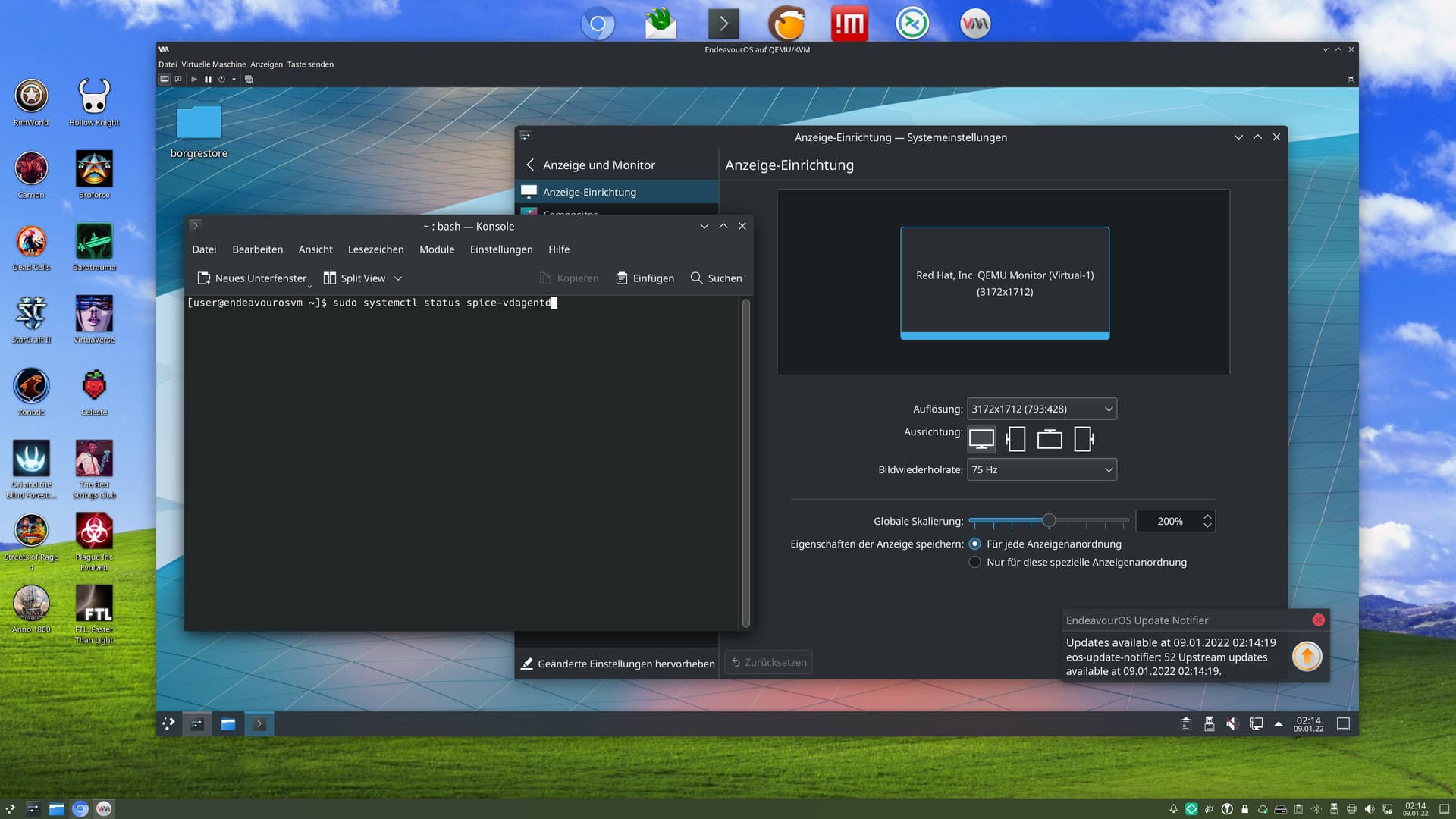
Like so?

Just kiddin.
what the bad bad guys here don’t want to tell you is that you need spice-vdagentd for this, and the VM has to be configured specifically for this (spice channel has to be added) 
I’m trying my first Arch install on a QEMU VM. Wish me luck!!
1 Like
Well that’s not in the install instructions!
Oh, you could have a wonderful discussion about that.
Ah RTFM Guy would say, RTFM  https://www.qemu.org/docs/master/system/qemu-manpage.html
In the official “Intall instructions”/Manual everything is described. But like the EULA’s, nobody read that
For my self, i didnt knew this too. i learned that years ago as i started using proxmox on a Server as Hypervisor. Proxmox use Spice too. So as i started to use Virt-Manager/QEMU, and saw it use Spice too, i already thought it would be same like on Proxmox.
It still doesn’t work to set the resolution like v-box does and vmware. Sure i can run fulle screnn but not how the others work. This is full screen. That’s not the issue.
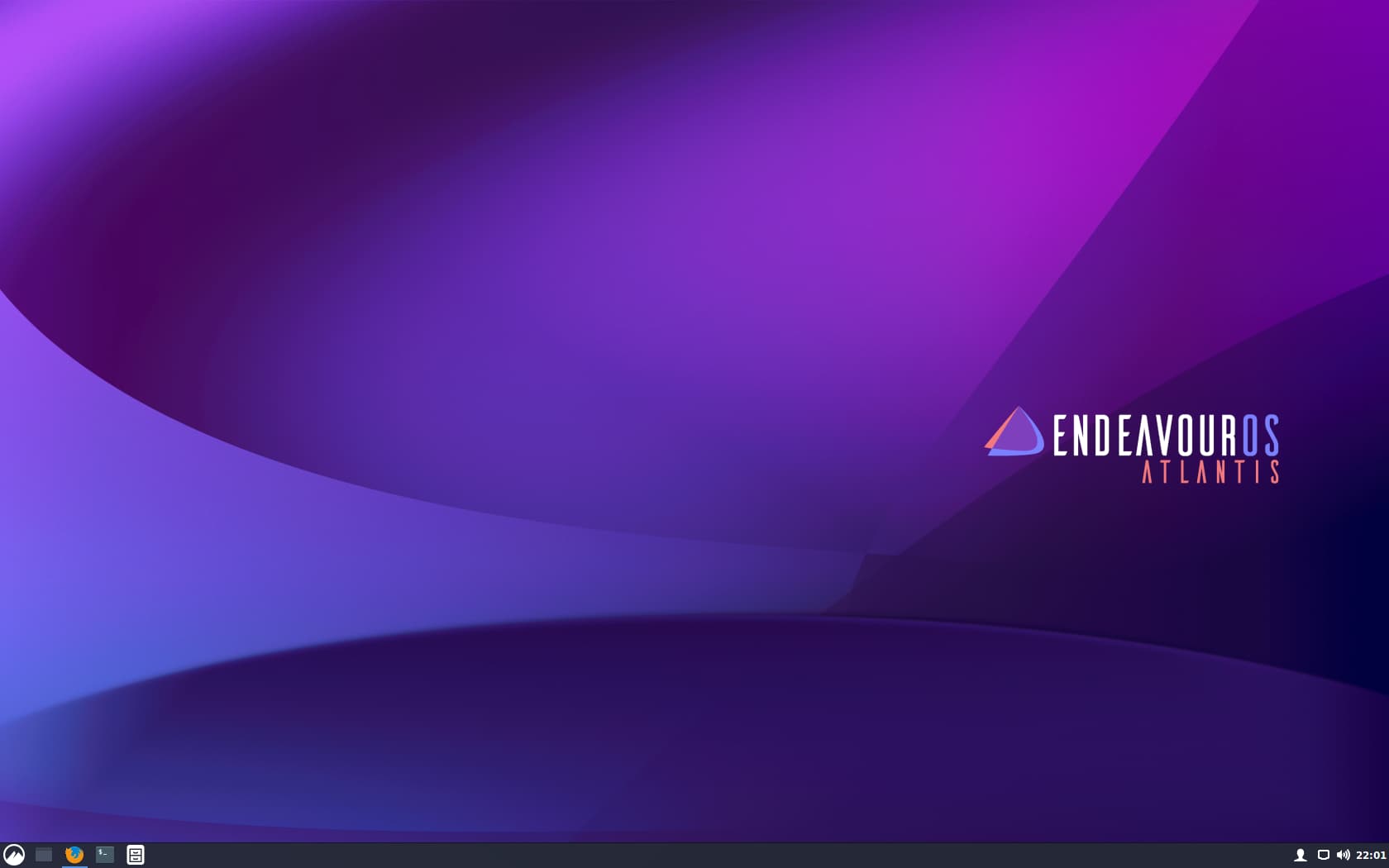
Edit:The issue is i can’t use it like v-box or vmware so that it allows access to the host without taking it out of full screen!
Edit: When it’s not in full screen mode you can’t click on anything because they don’t function!
What have you done? Do you added this:
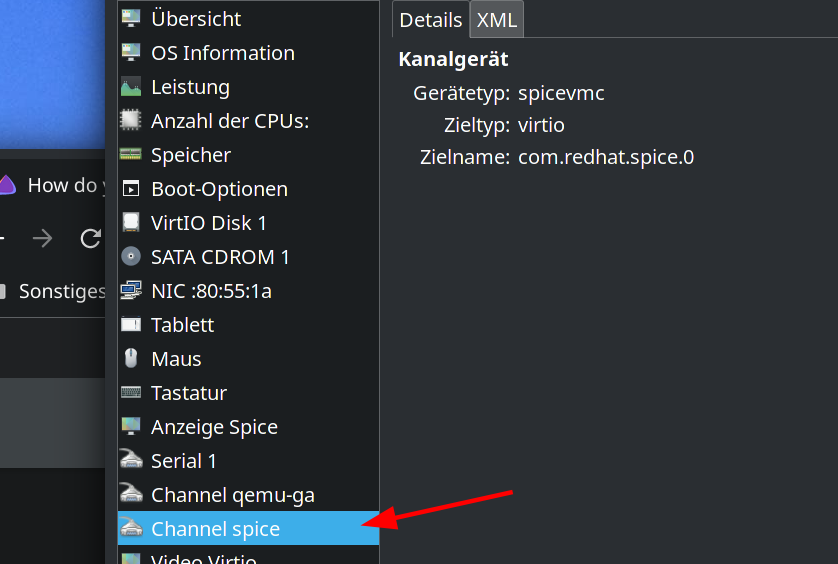
and installed and enabled spice-vdagentd on the guest?
and checked this box:
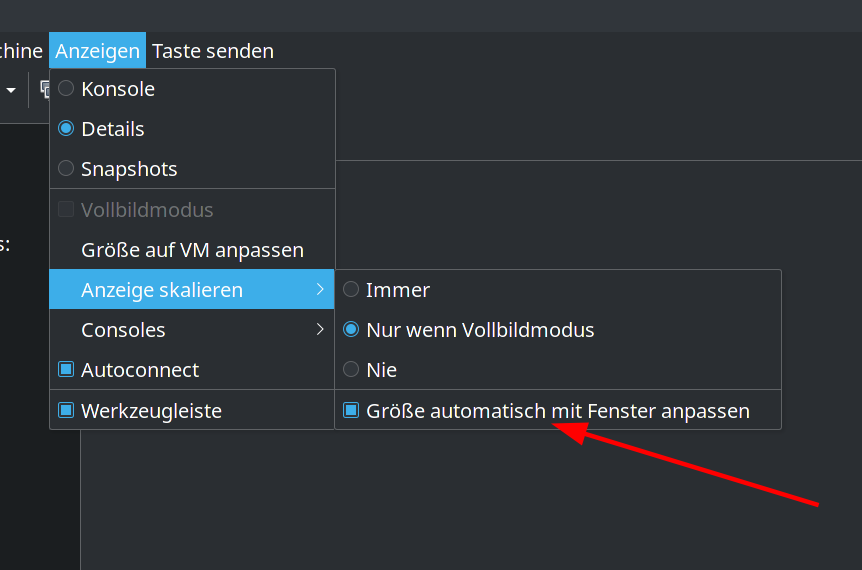
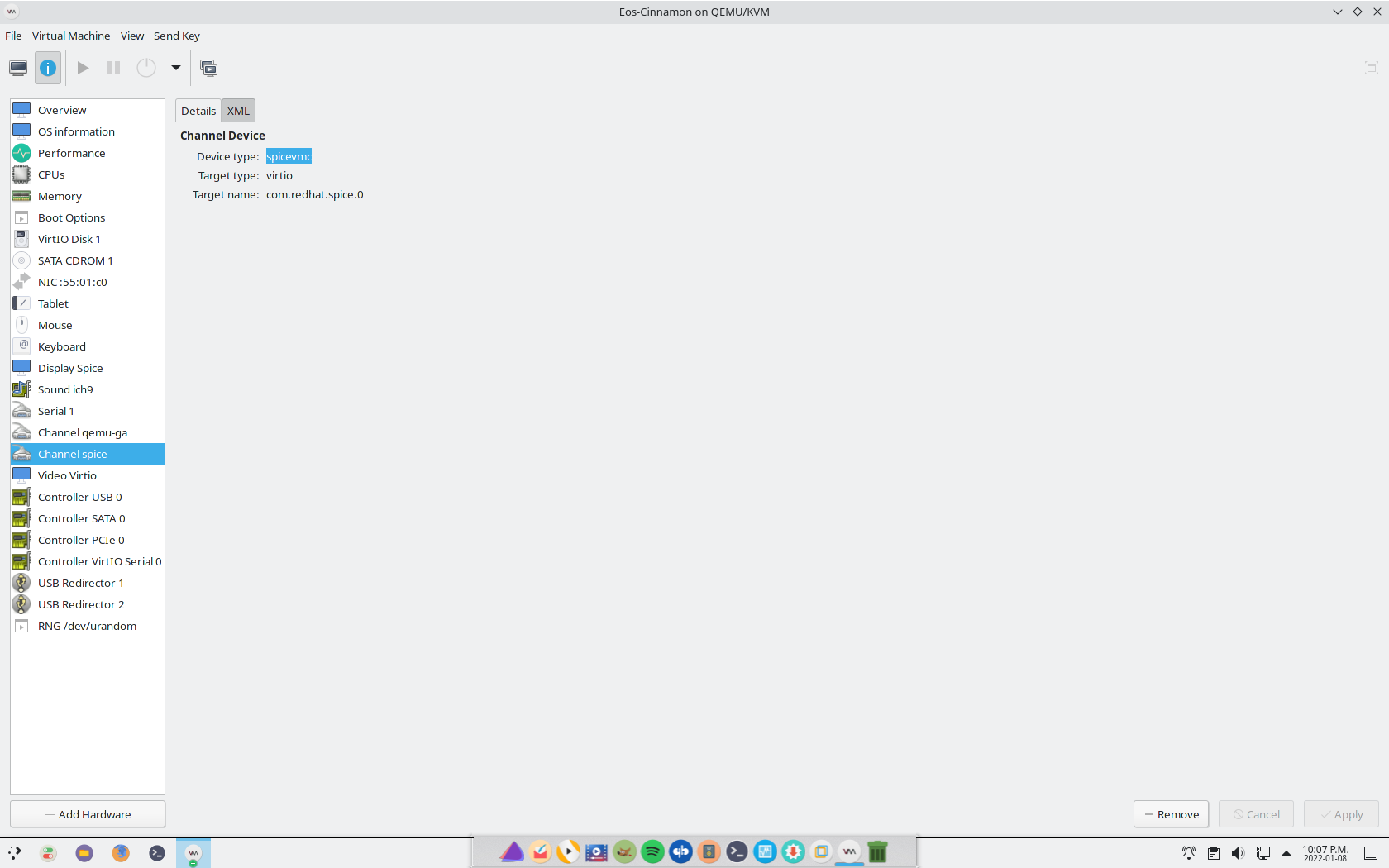
and what about that?
OI can’t read the language.