I have been at this for some time now and I really can’t figure it out, I want to use my computer to watch youtube on the TV in my livingroom.
Its connected to my desktop computer via a HDMI cable. I can see the HDMI port with the aplay -l command and alsamixer but I can’t for the the live of me figure out how to select it and sound to there.
Pretty much a newb and other then this everything works like a charm.
Very happy I leaped from Windows to Linux.
I would greatly appreciate any and all help on this subject, thank you all in advance for helping me!
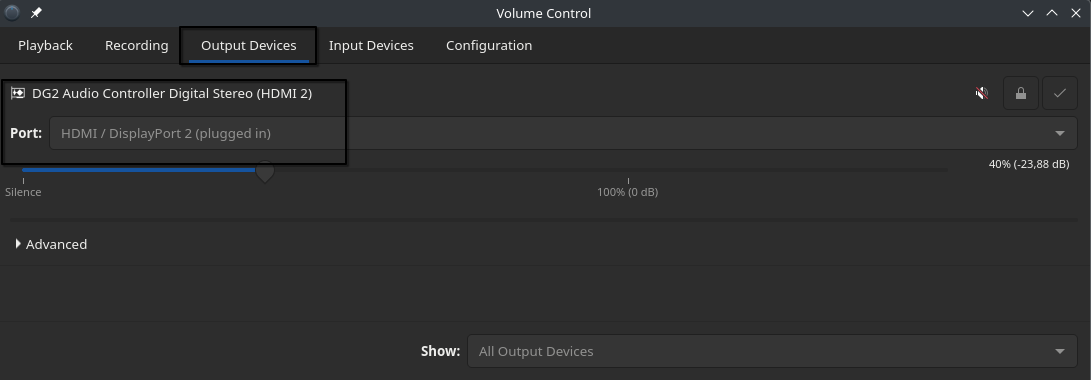
you tried to set it with `pavucontrol’ i can use the display speakers without issue using Nvidia or Intel GPUs here.
In many cases you will need to put off internal Audio device to get sound piped to the HDMI output.
Thank you very much Joe!
I can’t see any DG2 audio controllers in my pavucontrol program only a rembrandt radeon which is probably my CPU onboard graphicscard I am assuming?
in the Configuration tab as above the first choice “Rembrandt Radeon high definition audio controller” say it is “Unplugged” and “Unavailable” so it is not recognized .
At the bottom, the “DG2 High Definition Audio Controller” is reconized.
With music playing, go to the “Output Devices” Tab and see if any of the devices has it’s level meter moving back and forth horizontally. If so that device is active.
Now go to the “Output” tab and see what device is in use. Click on the down arrow and try enabling all the listings one at a time.
If that doesn’t work, go back to the Configuration Tab and click on the devices down arrow and see if “Audio Pro” is available. If so select it and re-try the above.