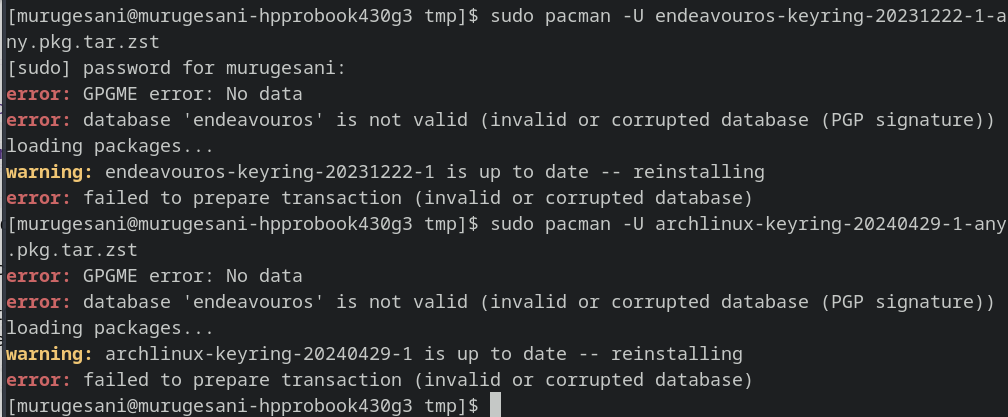
error: GPGME error: No data error: database 'endeavouros' is not valid (invalid or corrupted database (PGP signature)) loading packages... warning: endeavouros-keyring-20231222-1 is up to date -- reinstalling error: failed to prepare transaction (invalid or corrupted database)
That’s the same error I had yesterday because of a foreign repo — in my case it was Megasync.
Which text editor do you have installed?
Please run the below command, copy the text, then paste it here in this thread. Close the editor after without trying to make any changes — you can’t, but still close it anyway.
name_of_text_editor /etc/pacman.conf

Example:
geany etc/pacman.conf
kate etc/pacman.conf
Tip: please do not show pictures of the terminal output. Only show only the output as text here.
And when showing the text, please add the whole command and all output of the command, without leaving any detail out.
Copy the whole text here, select it, and press Ctrl-E to make it more readable.
Yes, it is fine if you use xed or VS Code. Whatever you prefer.
I just wanted it to be easier for you to copy the contents of the file; not the output of the terminal. So, please redo it and copy what is in the file.
The xed window should open and you should see something that starts off similar to below:
#
# /etc/pacman.conf
#
# See the pacman.conf(5) manpage for option and repository directives

#
# GENERAL OPTIONS
#
[options]
# The following paths are commented out with their default values listed.
# If you wish to use different paths, uncomment and update the paths.
#RootDir     = /
#DBPath      = /var/lib/pacman/
#CacheDir    = /var/cache/pacman/pkg/
#LogFile     = /var/log/pacman.log
#GPGDir      = /etc/pacman.d/gnupg/
#HookDir     = /etc/pacman.d/hooks/
HoldPkg     = pacman glibc
#XferCommand = /usr/bin/curl -L -C - -f -o %o %u
#XferCommand = /usr/bin/wget --passive-ftp -c -O %o %u
#CleanMethod = KeepInstalled
Architecture = auto
When you paste it here, please do one of the following:
select the pasted text and press CTRL+E
OR click the code button indicated below
OR type ``` before and after the text on separate lines.
#
# /etc/pacman.conf
#
# See the pacman.conf(5) manpage for option and repository directives

#
# GENERAL OPTIONS
#
[options]
# The following paths are commented out with their default values listed.
# If you wish to use different paths, uncomment and update the paths.
#RootDir     = /
#DBPath      = /var/lib/pacman/
#CacheDir    = /var/cache/pacman/pkg/
#LogFile     = /var/log/pacman.log
#GPGDir      = /etc/pacman.d/gnupg/
#HookDir     = /etc/pacman.d/hooks/
HoldPkg     = pacman glibc dracut kernel-install-for-dracut eos-dracut
#XferCommand = /usr/bin/curl -L -C - -f -o %o %u
#XferCommand = /usr/bin/wget --passive-ftp -c -O %o %u
#CleanMethod = KeepInstalled
Architecture = auto

# Pacman won't upgrade packages listed in IgnorePkg and members of IgnoreGroup
#IgnorePkg   =
#IgnoreGroup =

#NoUpgrade   =
#NoExtract   =

# Misc options
#UseSyslog
Color
ILoveCandy
#NoProgressBar
#CheckSpace
VerbosePkgLists
ParallelDownloads = 5

# By default, pacman accepts packages signed by keys that its local keyring
# trusts (see pacman-key and its man page), as well as unsigned packages.
SigLevel    = Required DatabaseOptional
LocalFileSigLevel = Optional
#RemoteFileSigLevel = Required

# NOTE: You must run `pacman-key --init` before first using pacman; the local
# keyring can then be populated with the keys of all official Arch Linux
# packagers with `pacman-key --populate archlinux`.

#
# REPOSITORIES
#   - can be defined here or included from another file
#   - pacman will search repositories in the order defined here
#   - local/custom mirrors can be added here or in separate files
#   - repositories listed first will take precedence when packages
#     have identical names, regardless of version number
#   - URLs will have $repo replaced by the name of the current repo
#   - URLs will have $arch replaced by the name of the architecture
#
# Repository entries are of the format:
#       [repo-name]
#       Server = ServerName
#       Include = IncludePath
#
# The header [repo-name] is crucial - it must be present and
# uncommented to enable the repo.
#

# The testing repositories are disabled by default. To enable, uncomment the
# repo name header and Include lines. You can add preferred servers immediately
# after the header, and they will be used before the default mirrors.

[endeavouros]
# SigLevel = PackageRequired
# Include = /etc/pacman.d/endeavouros-mirrorlist

#[core-testing]
#Include = /etc/pacman.d/mirrorlist

[core]
Include = /etc/pacman.d/mirrorlist

#[extra-testing]
#Include = /etc/pacman.d/mirrorlist

[extra]
Include = /etc/pacman.d/mirrorlist

# If you want to run 32 bit applications on your x86_64 system,
# enable the multilib repositories as required here.

#[multilib-testing]
#Include = /etc/pacman.d/mirrorlist

[multilib]
Include = /etc/pacman.d/mirrorlist

# An example of a custom package repository.  See the pacman manpage for
# tips on creating your own repositories.
#[custom]
#SigLevel = Optional TrustAll
#Server = file:///home/custompkgs
You have [endeavouros] uncommented, but with no valid settings for the repo (the SigLevel and Include lines have been commented out). You need to either comment out the repo altogether, or uncomment the SigLevel and Include lines.