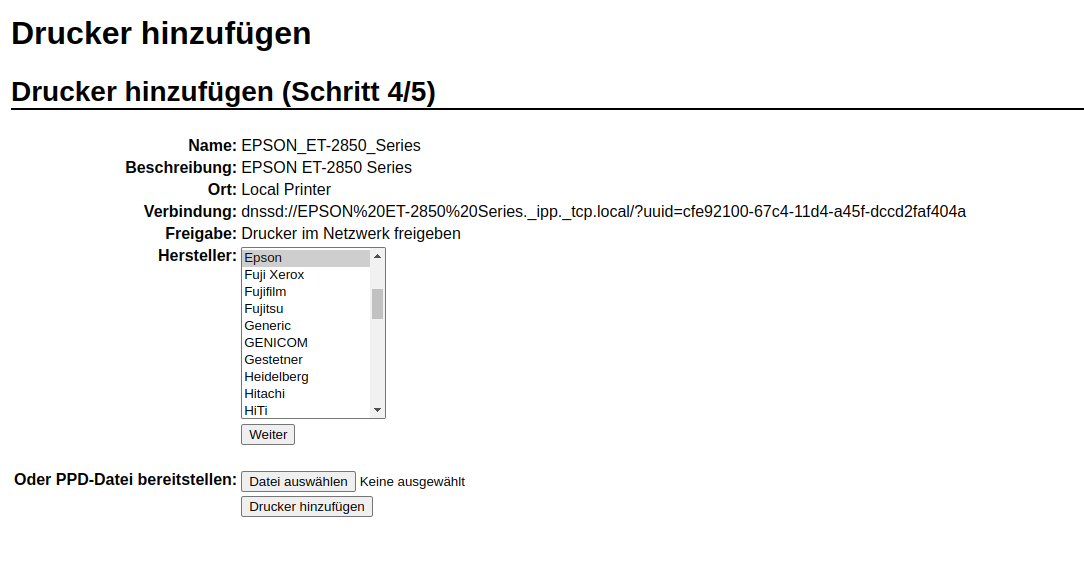
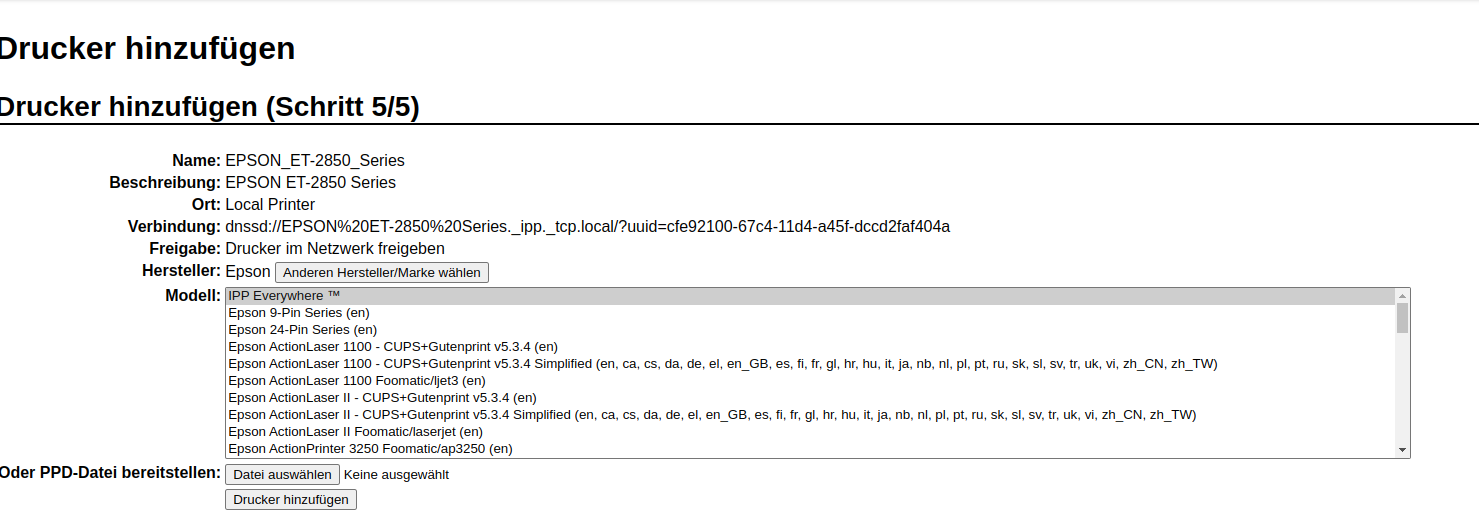
should i go the steps in the cups - drucker verwaltung…:
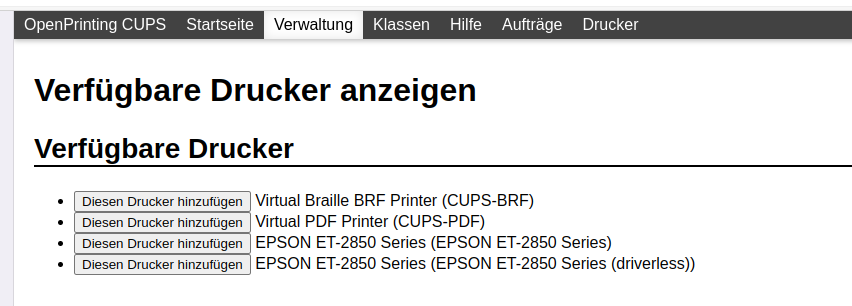
… and add some of the mentioned - epson printer!? … and go on to the driverpage - which might be a next page
ha ha i was exactly thinking this will happen … everyone wants one now… we should ask if @discobot can do them…
Maybe we should really do that but if so on real paper with stamp and seal 
hmm ai bot?
Hi! To find out what I can do, say @discobot display help.

looks good to me or the other one that will need a driver to select…
yes you can do this so it will get shared i never use this option because it shows a second printer if you setup manually in your print dialogue… and for me the shared printer is not working … as … it is a network printer and it is already shared over your local network… the options more for usb plugged printers connected to one system so it will get shared if the machine is powered on…
nice url for your printer… b.t.w.
or use also ipp-everywhere … driverless option
yes there you should find your printer somewhere 34km down
But this part is one of the things i never understand on cups… why? you need to manually search for the driver if it already detects your printer ? it should select it already and give the option to search manually…
hi - many many thanks - now it works perfect
with the new added printer it prints great and awesome.
dear joekamprad you did an awesome job - and saved my day.
Not only that.
Just great - and i just have to say:; you have helped me so often … Thank you!!
now its late (in good old GERMANY .)
so i go offline . and wish you a great weekend…
many thanks to you…
Otrott
yes same here Geisterstunde 
And next time i tell you the story of scanning over the local network 
I like it when users stay on the issue and try to solve it also it takes time and learning… that’s how you dive into Linux and what it makes easier every time you need to solve issues…
I set up a blank Certificate…do you want me to post it? I used Tahoma Bold @ 110px for the user field…What font did you use? I could do some for people if you wanted…
hello dear @joekamprad
So i am very glad for any and all help for the patience and for taking the time.
You have helped me quite alot - and you encouraged me in going on. In this thread and in many many others too.
Many many thanks!
have a great day!!
yours otrott
@ExDebianuser - hehe - great ideas 
hi there hi - Joe Doctor
bow she says - its not possible to print out documents
so i guess that we have to check the installation - see here
[heike@tp14 ~]$ systemctl status cups
● cups.service - CUPS Scheduler
     Loaded: loaded (/usr/lib/systemd/system/cups.service; enabled; preset: disabled)
     Active: active (running) since Fri 2023-12-08 18:09:24 CET; 1 day 2h ago
TriggeredBy: ● cups.path
             ● cups.socket
       Docs: man:cupsd(8)
   Main PID: 567 (cupsd)
     Status: "Scheduler is running..."
      Tasks: 2 (limit: 17752)
     Memory: 6.2M
        CPU: 110ms
     CGroup: /system.slice/cups.service
             └─567 /usr/bin/cupsd -l

Dez 08 18:09:24 tp14 systemd[1]: Starting CUPS Scheduler...
Dez 08 18:09:24 tp14 systemd[1]: Started CUPS Scheduler.
[heike@tp14 ~]$ systemctl status cups-browsed
Unit cups-browsed.service could not be found.
[heike@tp14 ~]$ systemctl status cups-browsed
hmm what do you say - what can we do here!?
look forward to hear from you
regards