It runs as root so it uses the theme of the root user. If the root user has a dark qt theme applied that should apply here.
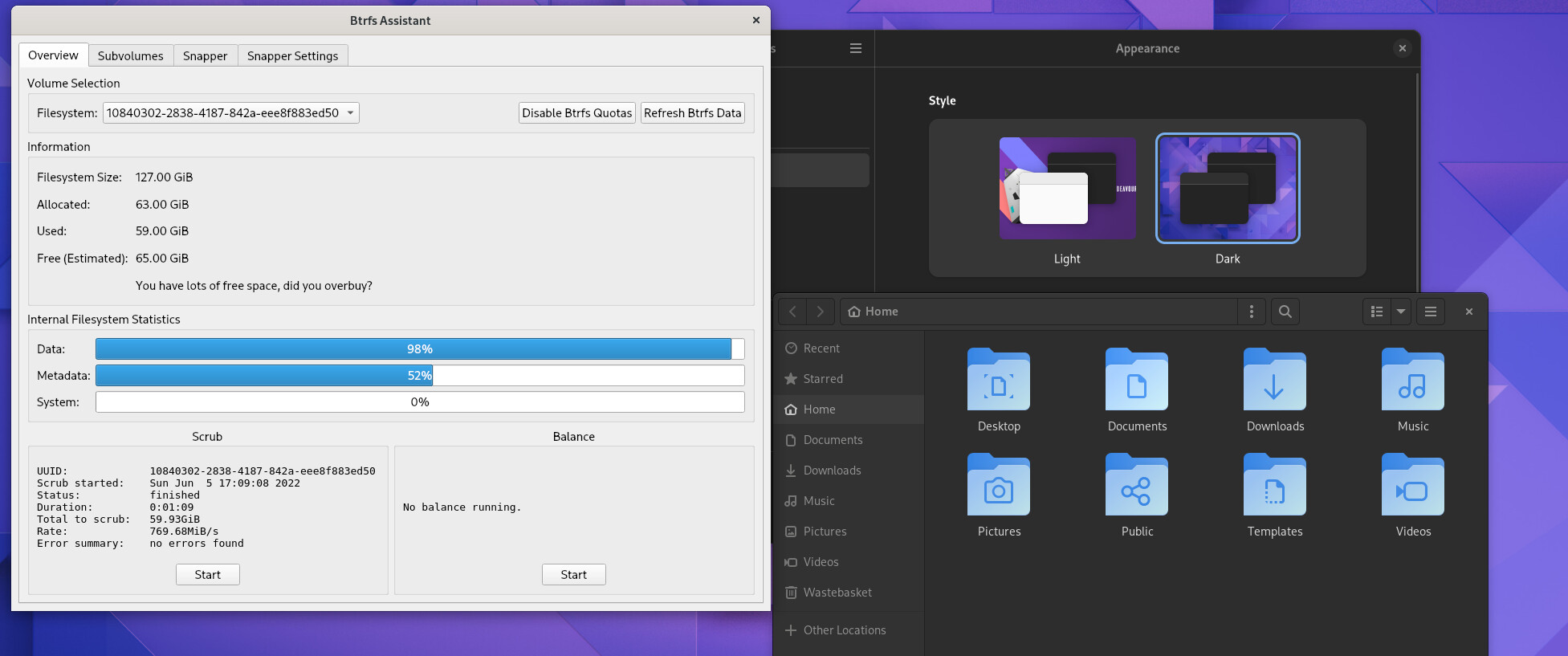
Doesn’t that set the gtk theme? You probably have to do something different to set the qt theme. I am not familiar enough with gnome to know the right way to do that.
I believe you can use qt5ct and set QT_QPA_PLATFORMTHEME=qt5ct for root?
Perhaps. Would take some specific testing. It should be possible to qt5ct, qgnomeplatform and/or kvantum but I am not sure the best way to configure them for root. Especially when the application isn’t running with root’s full environment.
Yeah, I’ve tried setting the theme in qt5ct but I’m not sure where to set the QT_QPA_PLATFORMTHEME for root to respect it… probably outside the scope of this thread, though.
I am not sure either but I suspect if you set it in /etc/environment it would be valid for all users including root.
Needs testing though.
So this is day two of using BTRFS assistant. I used the default snapper config and I just tested the restore/rollback functionality. What I did was:
- Reboot to get a fresh boot snapshot
- Installed random package (“blender” which pulls in 32 packages on my system)
- Select the latest boot snapshot if BTRFS assistant’s Browse/Restore view
- Click restore
- Gave the name “undo_blender” to “Name of saved” backup
- Click OK and then reboot
This worked like a charm. I came back to a system without Blender or any of its packages installed.
Some questions:
- What is the name I entered in step (5) used for?
- After restore was done, there was a dialog box suggesting to reboot immediately. Why is this best practice? Wouldn’t anything I do from this point on get “undone” on next reboot? Is there any “danger” at this stage?
This software makes BTRFS very accessible to people that are unfamiliar with it.
Thanks for taking the time to try it out and provide feedback!
It is added to the name of the backup Btrfs Assistant makes of the subvolume. It is optional and just convenience to help you identify it later in case you want to restore or delete it.
Because you are still running on the on old subvolume. Rebooting is what actually puts the restored subvolume in place.
If you want to see this more clearly, take a look at the output of findmnt -t btrfs after doing a restore. You will see that what is mounted is the renamed backup subvolume.
Ah, so then it’s just a manual snapshot taken to save the system state just before the restoration. I’ve found it in the Subvolumes tab after clicking on “Include Timeshift and Snapper Snapshots” and have just deleted it. May I ask, what is the difference between this and (say) taking a manual snapshot in the Snapper tab? Basically I was looking for it in Snapper and could not locate it, which is how I came about to asking the question above. Just curious as to what the difference is.
Thanks again, this is all very awesome!
It isn’t a snapshot. We just rename the existing subvolume.
This is how a restore works:
- Rename the existing subvolume
- Take snapshot of what you are restoring and install it at the target location
- Move any nested subvolumes into the new subvolume
For a more concrete example, lets say the subvolume you are restoring is named @home and mounted at /home and you are restoring snapshot 22.
- Rename
@hometo a backup name - Take a snapshot of snapshot 22 and place it at
@home.
It is done this way for a few reasons:
- In many cases you can’t just rip the underlying filesystem out from a running system when it is in-use
- We never want to destroy any data. It is up to the user to decide to delete those subvolumes if they choose to do so.
- If something goes wrong in the restore process, it is possible to recover from it since the original subvolume still exists and was simply renamed.
Hi Dalto, quick question and forgive me if this is answered above.
When I restore using grub menu, Upon reboot I get message that this is read only.
But when I restore using the BTRFS Assist app, I don’t get any such messages.
What is the reason for this and what is the preferred method to restore?
Also, if the system ever breaks and want to restore, can I also restore using the CLI ?
In the past, I used Timeshift but want to try snapper package and learn a thing or two 
Does the grub menu restore? If you are using btrfs grub, I think it just lets you temporarily boot off a snapshot.
Btrfs Assistant actually restores the snapshot. However if your system is totally broken, you could use grub to boot off the snapshot and the run Btrfs Assistant to restore it.
Yes. Btrfs Assistant has a simple CLI that lets you list and restore snapshots
Thank you Sir. It makes sense.
Great job on the app btw.
Hey @MindTheGAAP, I just learned about this feature from your post!
To install it, do you simply yay -Sy grub-btrfs or is there more to it? Any guide you’ve used in particular?
You should also put the hook in /etc/mkinitcpio.conf and run sudo mkinitcpio -P
That will make it so when you boot off a snapshot you aren’t dealing with a read-only filesystem.
Hi Dalto, is the hook needed to make the grub restore read and write?
As you mentioned above, currently it is read only and if this hook solves that problem then I won’t have to restore again using the BTRFS Assignment app. One less step
Thanks
It is important to remember that even if grub is booting off a read/write snapshot, it is still just booting into the snapshot. It is not restoring anything.
The hook will make it make it read/write but via an overlayfs. The purpose of this is so that everything works and you don’t get errors tied to a read-only filesystem.
There are two important caveats:
- Any change you make to the filesystem won’t survive a reboot since it is an overlayfs
- Grub doesn’t actually restore anything so if you want to restore you still need to do that some other way
If you want to plan how to restore root-snapshot without using Live USB in the future:
- Edit
/etc/mkinitcpio.confto addgrub-btrfs-overlayfsinHOOKS. - Run
sudo mkinitcpio -P - Create a new root snapshot with the ability
grub-btrfs-overlayfs, but all old snapshots do not have this ability. - You can boot into some read-only snapshot with the ability Overlayfs from Grub menu.
- Then restore any snapshot in Btrfs Assistant, then reboot.
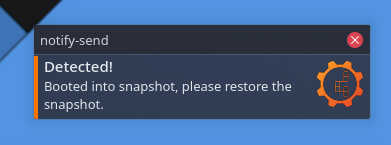
If you need the Desktop notification to detect if you are using Overlayfs after booting into read-only snapshot:
- Create a new script
/usr/local/bin/btrfs-assisant-detects-snapshot:
#!/bin/bash
if stat -f -c '%T' / | grep -q 'btrfs'; then
  exit 0
fi
notify-send -u critical -i btrfs-assistant 'Detected!' 'Booted into snapshot, please restore the snapshot.'
-
sudo chmod +x /usr/local/bin/btrfs-assisant-detects-snapshot -
Create a new script
/etc/xdg/autostart/btrfs-assistant-detects-snapshot.desktopfor startup
[Desktop Entry]
Name=Snapshot Detect
Icon=btrfs-assistant
Exec=/usr/local/bin/btrfs-assisant-detects-snapshot
Terminal=false
Type=Application
See the example:
Thank you. I’ll give this a try.
Have a great day!