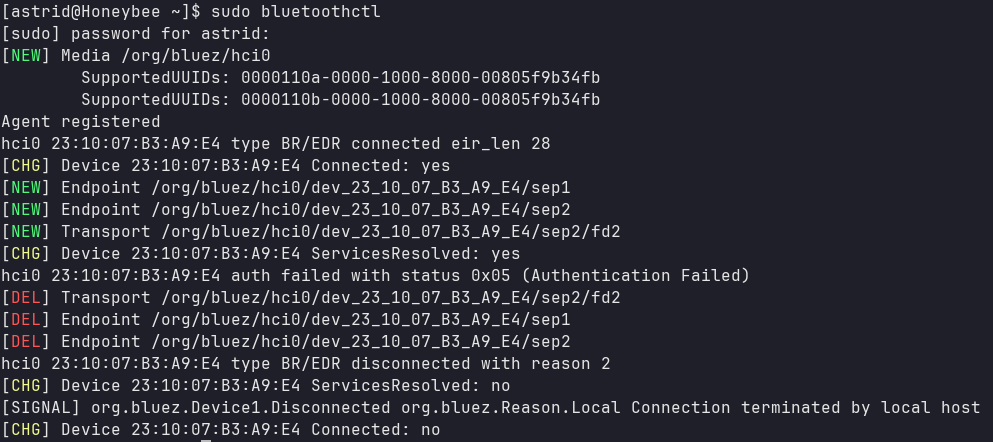
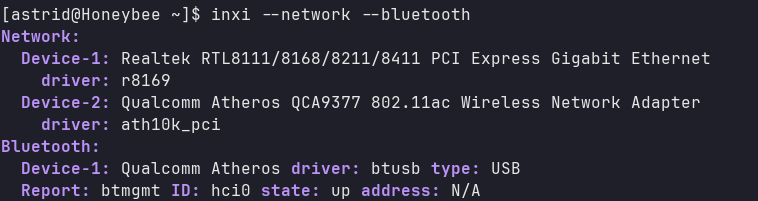
Headphones are charged, work with other devices and have previously worked with this laptop. Unfortunately I don’t have any other devices I could try connecting to see if they also fail.
I am dual-booting with Windows 10.
Restarting bluetoothctl, unpairing and pairing, reloading the btusb module and rebooting the laptop don’t work.
However that issue happens when the device gets paired on the other OS, I haven’t used bluetooth on windows at all so the keys can’t have been replaced. I will test it out when I have the time though, thanks!
It all worked before (1 month ago is the most recently I’ve used my headphones with my laptop) however I did do a massive update after leaving my laptop off for most of the month so something there may have broken it.
Update: I noticed it works after manually restarting bluetooth.service. I’ve tried digging into it and reading about similar issues to no avail - I suspect it was caused by the update of either bluez or some pipewire package.
For what it’s worth, chatgpt suggests the issue is caused by bluez being loaded before pipewire/wireplumber, not detecting them and never checking again. Thus when I connect, bluez accepts the connection initially but then notices it doesn’t have any backend to handle the headphones and disconnects.
I simply made a script run on startup that will restart bluetooth.service after all the appropriate services are running and hopefully that solves it forever.