Backlight Management?

Normally you should be able to adjust screen brightness by simply left clicking on your battery icon assuming it’s in your bottom right screen icon tray. That then produces a brightness slider. But when I left click on the icon I get nothing of the sort. How do I add this/ get it back to how it was?

For hardware reference, I’m using the ASUS ROG Strix G15 Advantage Edition 15.6” (512GB SSD, AMD Ryzen 9 5000 Series) Gaming Laptop

What DE/WM are you using? Please run the command inxi -S -xxx --za and paste the output over here in enclosed in code or Preformatted Text.

System:
  Kernel: 7.1.2-zen3-1-zen arch: x86_64 bits: 64 compiler: gcc v: 16.1.1
    clocksource: tsc
  Desktop: Xfce v: 4.20.2 tk: Gtk v: 3.24.52 wm: xfwm4 v: 4.20.0
    with: xfce4-panel tools: xfce4-screensaver vt: 7 dm: LightDM v: 1.32.0
    Distro: EndeavourOS base: Arch Linux

You have xfce. Will wait for others who have it to comment.

One request. It seems that you are using the zen kernel. Will it be possible for you to please shift, on a temporary basis, to the normal mainline Linux kernel or LTS Linux kernel and see if you still face the issue?

Not permanently, just for one small session to check. You can continue to use the zen kernel post this check.
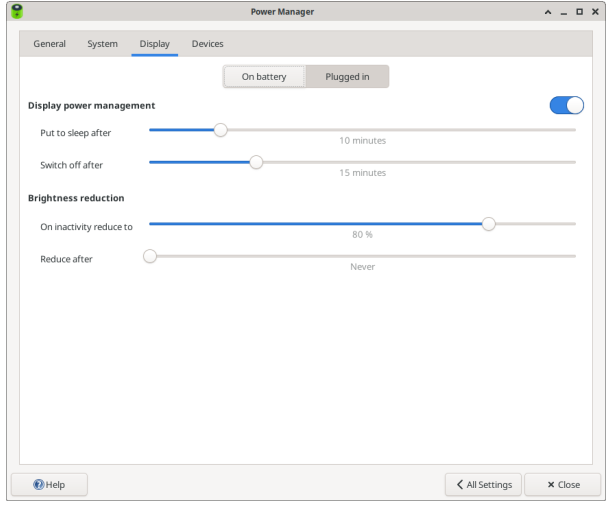
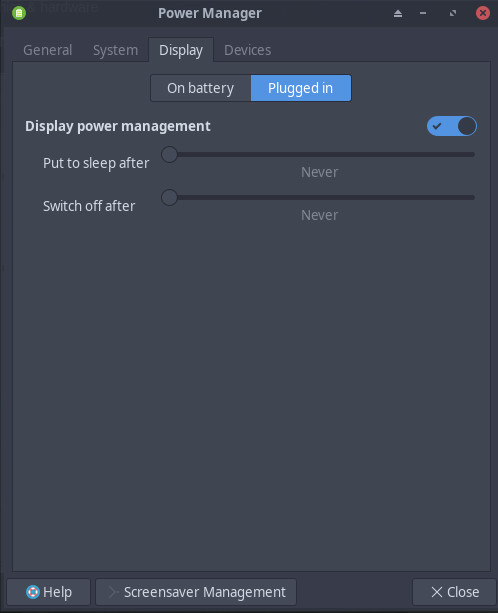
To rule something out is this slider set to on ?

It might be until the weekend that I have time and opportunity to do this. But if no other solution is discovered by then I’ll give this a try.