Since Mount NFS share upon first access is already closed, here is what I use on EOS/Cinnamon.
Goals:
- Using
fstab, no manual creation of.mountand.automountsystemd units. So mounting is where you expect it, and just one line per share. - Shares shall be mounted automatically on access, and auto-unmount after a while (say 1 minute for testing; I actually use 10 minutes).
- Booting must not fail due to mount errors, because my laptop is not always in my home network.
- Users shall be able to manually mount/unmount shares without sudo via a file manager (Nemo, on Cinnamon). Just a precaution, since the systemd settings will override this.
- A share like my music folder must appear in
~/Musik, since I use many programs like scripts, MusicBrainz Picard, Strawberry and Quod Libet to organize my music, and their databases and playlists have the full paths to the music files, on many machines. So the paths should always be the same (like local).
So here is an example fstab entry for my music share that will do exactly that (including the mount on first access):
nas1:/mnt/musik/Musik /home/matthias/Musik nfs users,noauto,nofail,async,noatime,_netdev,x-systemd.automount,x-systemd.device-timeout=10s,x-systemd.mount-timeout=10s,retry=1,x-systemd.idle-timeout=1min 0 0
Explanation of fields and options:
nas1:/mnt/musik/Musikis the exported TrueNAS share./home/matthias/Musikis my XDG music folder, here it shall be mounted.nfsis the file system type- Next are options:
users— users may mount/unmount (must not be same user)noauto— prevents boot time mounting, needed forx-systemd.automountto work correctly.nofail— gracefully continue if mount not possible (i.e., laptop on the road).async— write caching allowed (syncwould prevent that but is slower).noatime— no need to update last access time (atime)._netdev— force systemd and DEs to see this as a netork device, also setsx-systemd.requires=network-online.targetand others needed.x-systemd.automount— make systemd autocreate an automount unit for this entry.x-systemd.device-timeout=10s— device timeout, depends on network and server speed (10s is way enough for my WiFi here).x-systemd.mount-timeout=10s— How long before a mount is considered failed. Note this isinfinityby default, so better set it.retry=1— Only one retry (default is 10000!). Note some file managers have internal hard-coded extra retries.x-systemd.idle-timeout=1min— device idle time before an automatic umount shall happen (I mostly use10min, this is just so you can check if it works).
0— Should the filesystem be dumped? Usually0. (Who usesdumpthese days? )
)0—fsckorder,0=don’t check
How it works in practice:
- When logging into your session, the share will be mounted for one minute, then auto-unmount. (This is because the DE has to check if it should display drives, for instance on the desktop.)
- Upon starting a file manager (Nemo, in my case), the share also typically gets mounted, and unmounted again. (File managers like to check devices, so it gets accessed which in turn makes systemd mount it.)
- Auto-mounting can also happen when you empty the rubbish bin. People (including me) tend to forget that such shares also have a rubbish bin.
- For all other purposes, your share now gets auto-mounted upon access.
- After not being used for the specified time (1 min in our test), it gets auto-unmounted again.
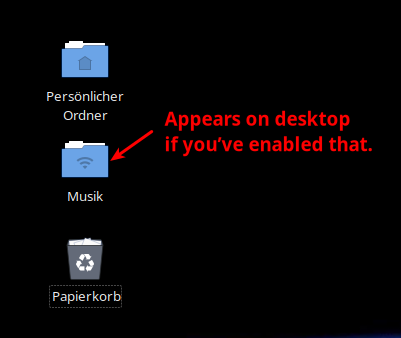
Desktop view
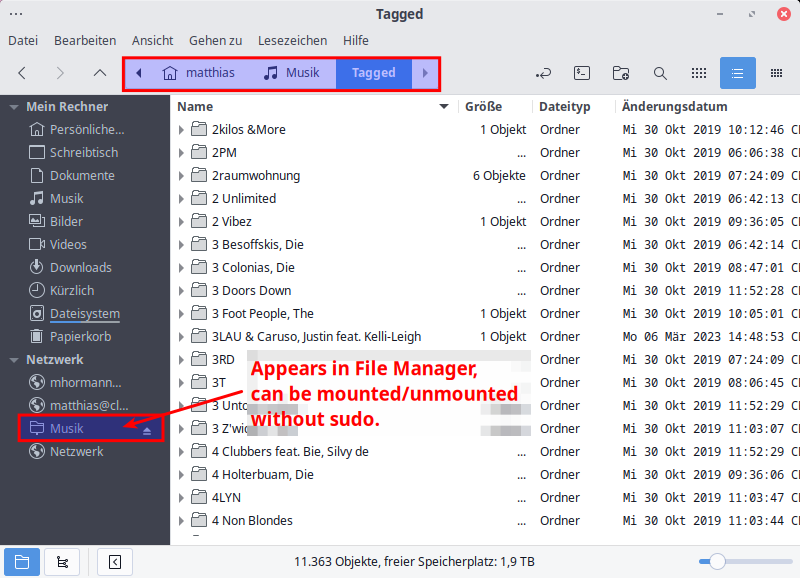
File Manager view

Terminal example (was unmounted when I gave the command)
Mission accomplished!
(Maybe I should have posted this in “Newbie”? While writing it down, ever more explanations came up… Remember, I can’t do short?)