I have my old PC but, unluckily, the PSU is 750 W too (not that uncommon in 2011). I was thinking about removing the unit and connecting it to the GPU so i would have two separated power sources but it only has 2 PCI cable, it’s semi-modular, so I could add another one but I just don’t have it.
Just wanted to add: I run LACT from the live, it was reporting no throttling and the lower limit of the power slider was something around 200, don’t remember exactly, while when run from the installation, the lower limit is 0, which is kinda peculiar. You’ll notice, from the position of the slider of the other user, that his is not zero too, but I have no idea if this has any meaning.
EDIT: I also tried adding all the live ISO kernel parameters to my installation and I compared the journalctl entries with amdgpu in them for the live and my installation, the only difference was something related to some power daemon that I tried disabling.
One anomaly I found is that adding amdgpu.dpm=0 freezes the system during boot.
In case it’s equipped with a CPU that has a significant lower TDP than the 125 Watt of your Intel i7 13700K in the Intel Nuc 13 Extreme, in the neighborhood of 60-75 Watt or so, the 750 Watt might be sufficient. In case the missing 3rd 8pin PCIe power connector, I can’t tell if these are modular. If so, you could eventually try to borrow the daisy chained cord from your NUC temporarily. Disabling onboard Bluetooth and WLAN as well as disconnectiong unrequired hard drives might also help.
In terms of LACT, don’t forget that there is the “reset all configuration” option.
But the likelihood of the getting the card to work properly with the NUC wouldn’t be my first priority. I`ld focus on testing the card in an setup with sufficient power supply, to definitely rule out hardware faults on the card and if it’s stable in that scenario.
Isn’t testing it on Windows (I run furmark for 10 good minutes) enough? EDIT: I mean, if it’s stable on the NUC, like apparently it is, it will arguably be stable on any other system.
Yes, the NUC one is modular I could try that, the CPU is a i7-2700.
Also, is this the one you were talking about? (I would have to mod the NUC to fit it.)
I found other differences that I overlooked:
smu fw version = 0x004e8300 (78.131.0)
smu fw version = 0x004e8200 (78.130.0)
[drm] Display Core v3.2.351 initialized on DCN 3.2
[drm] Display Core v3.2.340 initialized on DCN 3.2
Any idea what they are?
Well, I didn’t linked that one due to size differences.
In short :
100 x 125 x 63.5 (mm) is the footprint of your current PSU and the Enermax 1200 Watt is 150 x 150 x 86 (mm)
You won’t be able to cram the size difference (ATX footprint) into the SFX size.
SMU should be the systems management unit.
In short: I don’t think that you really want to dive into the rabbit hole of the linux kernel drivers…
I don’t in fact. XD
I’m running a test in Windows, how long should it be to be meaningful? I never tested cards before.
A major update for the kernels and a lot of core stuff. It may be worth updating and seeing if it fixes it.
You mean 6.18.4? Just updated.
Yeah.
This is after 15 minutes, I had to turn down the room heating because I was sweating, and not just because of the heat.
Can we write off the hardware fault or better do more testing? I get that furmark isn’t stressing the CPU so total power draw is potentially higher but I could just limit the GPU.
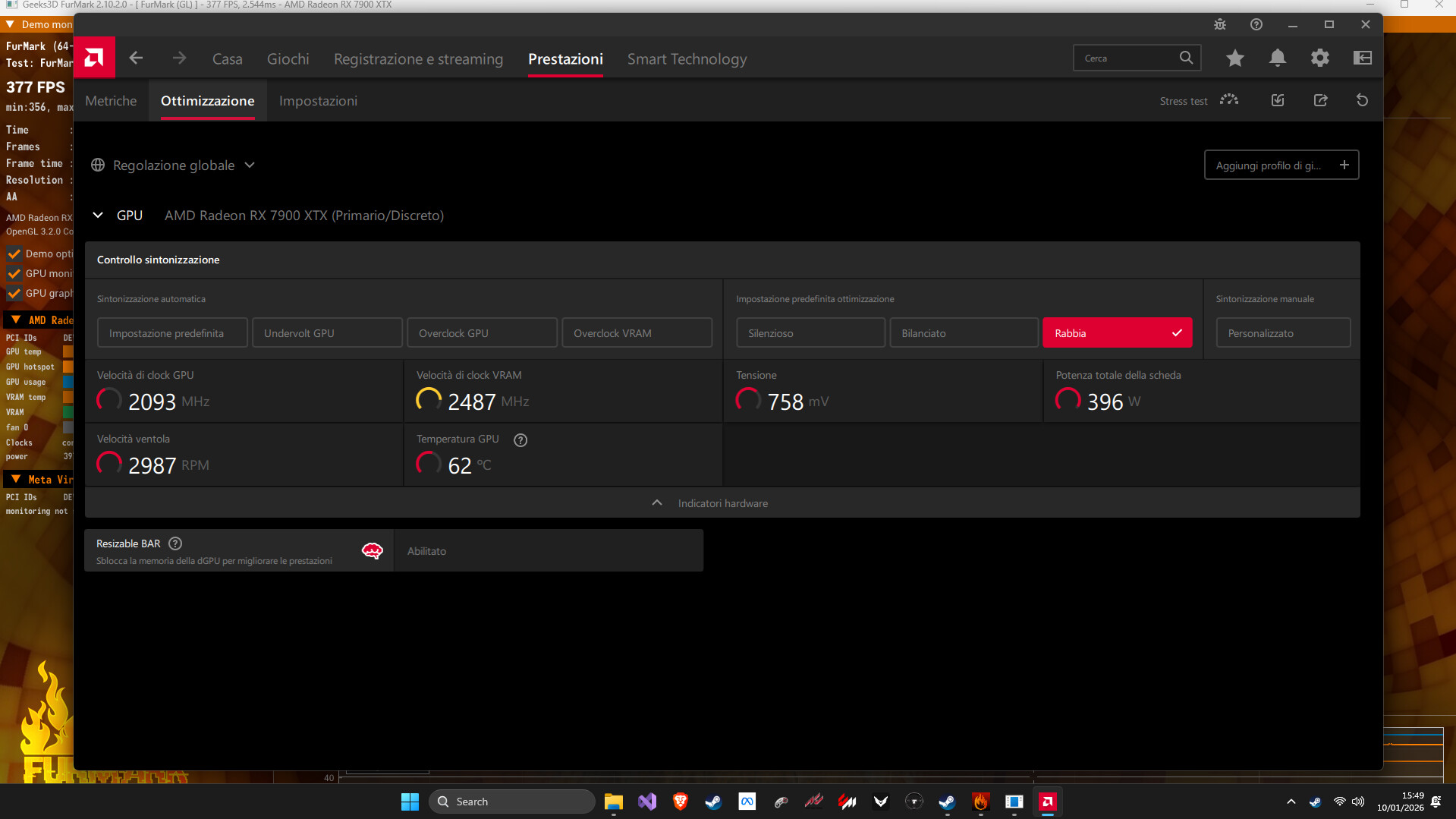
I only skimmed over thread. My thoughts: If it works on Windows on an older Life image: it’s not the PSU. If it works on the older Life image: Install in offline mode and check if it still works (EOS had that, right, it’s been a while since my latest installation?). If that works, slowly roll forward (backwards) and check when it breaks (e.g. using https://wiki.archlinux.org/title/Arch_Linux_Archive).
I always install in offline mode, I dicovered only yesterday that you can choose packages in online mode, I whish it was there in offline too.
So installed in offline mode, no system updates, and it works in the Life Image but not the actual installation?
Exactly! Which doesn’t make sense! This morning I tried copying the files from the live ISO to my local install but I didn’t manage to make it work. XD
EDIT: it was “files” I always forget the Ss.
No, it doesn’t.
Which file?
Basically all system folders, starting from etc but it’ll fail running plasma. It was just a naive attempt after having tried basically eveything.
As a final thought, have you compared the kernel parameters from the live session to the installed session? If you’re using systemd boot, have a look at /etc/kernel/cmdline
Just curious, have you posted an inxi -Gxx somewhere?