There’s probably a reason why the guy sold it, but the Pulse is one of the few high end cards that fit in my case so I had to take the chance, mainly because I’d like to switch to a Steam Frame and ditch Windows for anything but sim racing (and developing).
Since it works on Windows I guess I could resell it as a “Works perfectly fine on Windows” card.
No clue what is going on with your card.
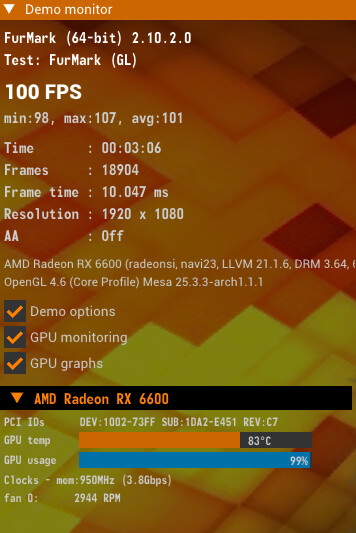
But if you check the screenshot from @shadow359 of his furmark run, his also reports PPT0 throttling.
With the major difference that the card doesn’t overshoot his actual limit of 305 Watt, where yours overshoots the 250 Watt limit by 30 Watt.
What I find strange about his measurement is that it doesn’t show the temperature or anything like that, only the utilization. In addition, the card clocks very high for Furmark. Normally, it shouldn’t do that (it’s a kind of a protection mode).
Something’s not right there. Something’s not right there.
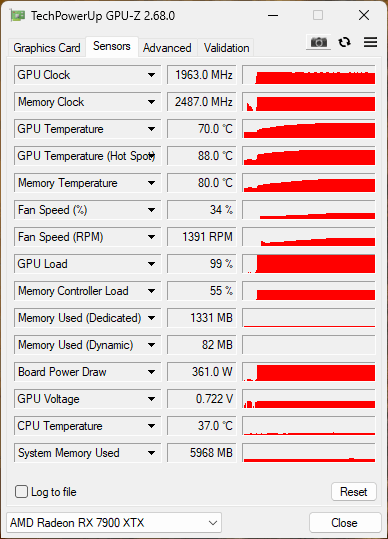
@Stripe76 Can you run Furmark on your Windows installation together with GPU-Z? Just to see the difference.
Edit:
Otherwise, you can try something like Fedora with KDE to see how the card behaves and whether there is a problem with your EndeavourOS installation.
I can’t tell if he still has CoreCTRL installed on his system. Which could be an issue I assume.
Nevertheless, I doubt that his 750 Watt PSU is sufficient, I wouldn’t trust the current setup of the three 8pin power connectors of which two are essentially drawing the power from the same leads.
Additionally as the Intel NUC extreme enclosure only has a SFF form factor, there is de facto no space for additional ventilation.
I also only have an 800-watt power supply (Enermax Maxtytan), but I have separate cables for each of the three 8-pin connectors. I don’t think that will cause any problems with its 250 watts.
Edit:
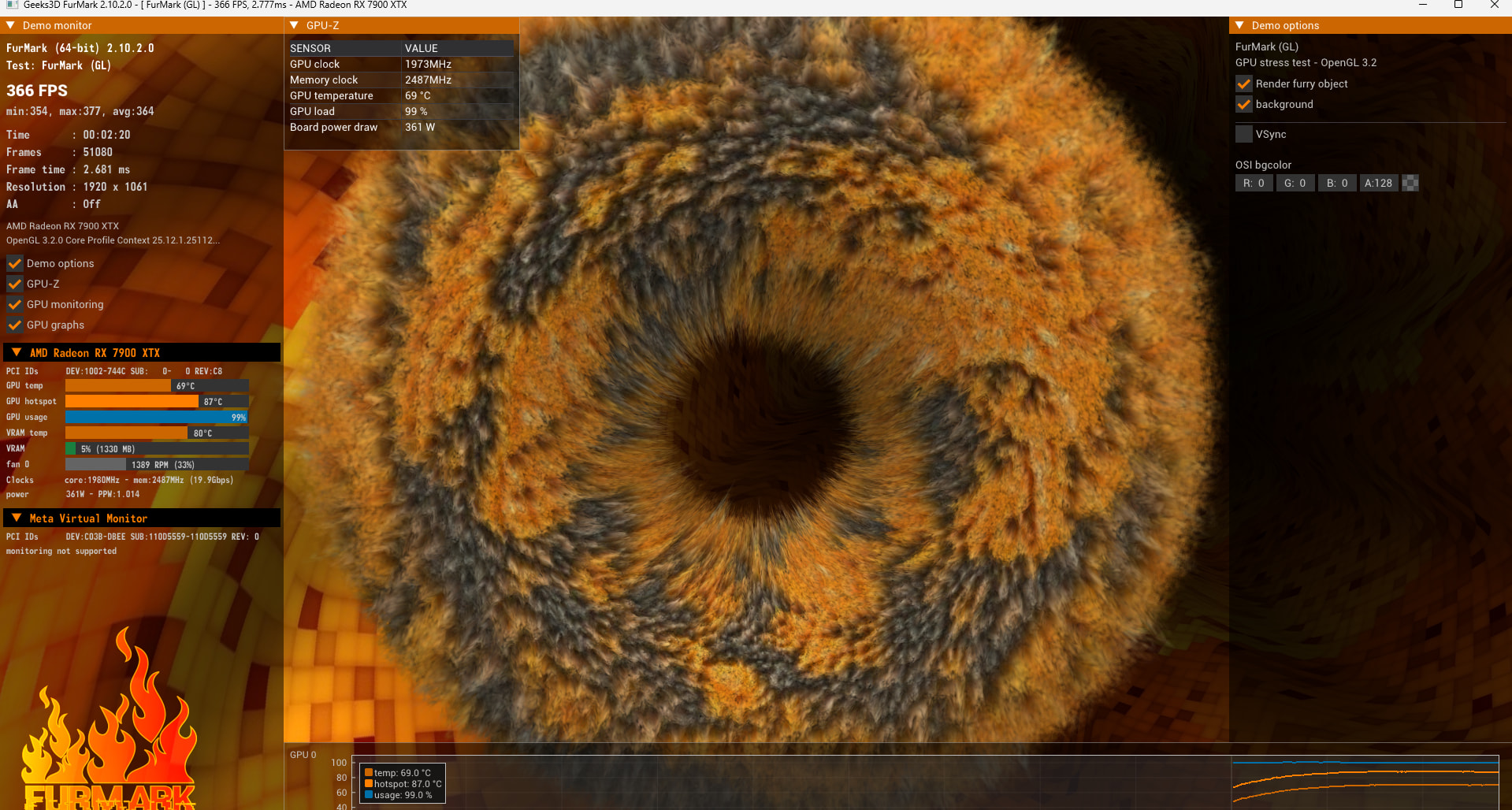
@stripe76 This is how it should look with EndeavorOS. Looks normal to me. 361 Watt on Windows is also normal.
My EOS installation is clean, I reinstalled it like 10 times both with keeping my /home partiiton than with /home in the root to avoid reading some personal settings that could cause problems,
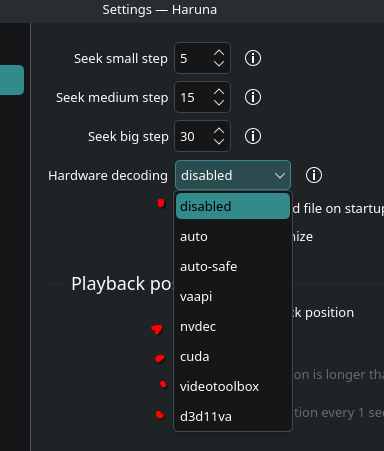
I also tried Kubuntu 25 and wasn’t working either but I can’t remeber if I acutally tried running some games or just checked videos playback, speaking of whcich, it works with all the marked selections
By the way, you’ve state that it is a Sapphire Pulse 7900 XTX 24 GB.
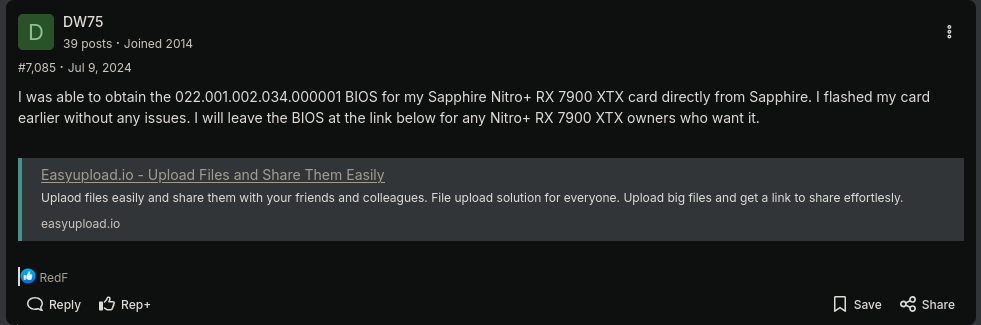
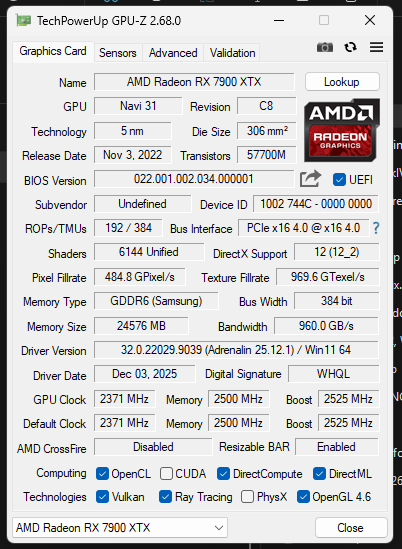
But according to the GPUs info, this doesn’t match. As this card shipped with the VBIOS Version 022.001.002.010.000001
Maybe the previous owner flashed a different VBIOS onto the card ?
Unlikely. Updates to the VBIOS are pretty uncommon (afaik).
The VBIOS version your card is reporting 022.001.002.034.000001 would match a Gigabyte 7900 GRE with 16GB of VRAM, which is unverified by techpowerup. And that’s definitely a weaker chip.
Can you check via GPUz on Windoof that it is reporting the same difference in the VBIOS version ?
Wrong link ? I don’t see anything related to the VBIOS. All I can tell that the VBIOS version for the Sapphire Pulse RX 7900 XTX is verified by techpowerup to be 022.001.002.010.000001.
I just opened the link on my smartphone and it shows the same content as the screenshot.
It would be interesting to know when the card was purchased or when it was manufactured in order to (maybe) rule out the BIOS flash. The screenshot from GPU-Z would still be interesting.
According to @Stripe76 it isn’t the Nitro+ version, just the Pulse. The Nitro+ is the premium version that usually is equipped with an vBIOS switch, one for silent fan mode. The Pulse line doesn’t have that feature.
Unfortunately I don’t see an verified entry for the vBIOS version of the Nitro+ on techpowerup, only this unverified entry. Which reports the very same vBIOS version as for the Pulse version of the card.
No clue why, but your link redirects me to post #1961 as of Feb 16, 2023 within that thread, not #7065 as of Jul 9 2024.
And I don’t see any means on Sapphires site to download a newer vBIOS version for any of their cards. To my knowledge, AMD publishes the reference design and they’ll develop & deliver the individual vBIOS for the board manufacturers and their changes / implementation differences from the reference design once.
To my knowledge individual updates, bug fixes and new features are usually done via the driver, not the vBIOS.
If you compare the BIOS version of the Pulse (TechpowerUP) and my Nitro+, they have the same number. So it may be that at some point later, a new BIOS version 2024 (022.001.002.034.000001) was released with the same number for both Sapphire cards. Why? No idea.
In the end, however, this doesn’t matter. It’s possible that something went wrong when the previous owner flashed the BIOS, but normally this would also be noticeable in Windows.
Note: I also know that the Nitro+ is the “premium” version and Pulse is somewhat stripped down.