Just updated my main pc, Ryzen 1800x+RX 580, noticed my cpu widget said 36% usage…
Double checked, my fans whirring says its true. Plasmashell is using ~40% of my cpu. I found a couple of posts online blaming the wallpaper (from years ago,) and swapped my background from an animated image to a static png wallpaper, now we’re down to 10%. However, It used to sit at 3% when idling. Something in the plasma 6.5 update is causing this, im guessing it has something to do with passing desktop graphics to the gpu, which is stated in KDE’s Plasma 6.5 changelog.
I would like to personally thank those working at KDE, who have fixed the slow cold boot>to desktop speed. It used to be about 3 min, and has reduced to less than 1 min, even while using a mechanical HDD. Thank you Thank you Thank you.
yes, but the cpu usage dropped only when i changed the background/wallpaper. I can delete the widgets and monitor the usage using another program, no change, so i added them back. Sorry i forgot to mention i had already ruled that out. Removing the wallpaper and just using “Plain color” doesn’t fix it either.
I am slowly diagnosing the issue, it may be related to me not being able to get VLC working here. I’m not sure what happened, as all I have done was update my pc. Is there a way to reinstall the graphics drivers easily? I’m not sure what pacakges I need. Im running an RX 580.
<4>[    0.006146] ACPI BIOS Warning (bug): Optional FADT field Pm2ControlBlock has valid Length but zero Address: 0x0000000000000000/0x1 (20250404/tbfadt-611)
<4>[    0.474140] VMSCAPE: SMT on, STIBP is required for full protection. See https://www.kernel.org/doc/html/latest/admin-guide/hw-vuln/vmscape.html for more details.
<4>[    0.665292] Could not retrieve perf counters (-19)
<4>[    0.732899] usb: port power management may be unreliable
<4>[    4.198821] vboxdrv: loading out-of-tree module taints kernel.
<4>[    4.246116] VBoxNetAdp: Successfully started.
<4>[    4.256405] VBoxNetFlt: Successfully started.
<4>[    8.637512] amdgpu 0000:2d:00.0: amdgpu: [drm] Failed to setup vendor infoframe on connector HDMI-A-2: -22
<4>[   20.206430] faux_driver regulatory: Direct firmware load for regulatory.db failed with error -2
<4>[   95.340704] warning: `kdeconnectd' uses wireless extensions which will stop working for Wi-Fi 7 hardware; use nl80211
I havent really changed much from the defaults, I seem to be having issues with videos playing in VLC as well. What little i’ve changed i set back to default, and there hasnt been a drop in cpu usage except for the animated wallpaper dropping it from 35>10% idle usage.
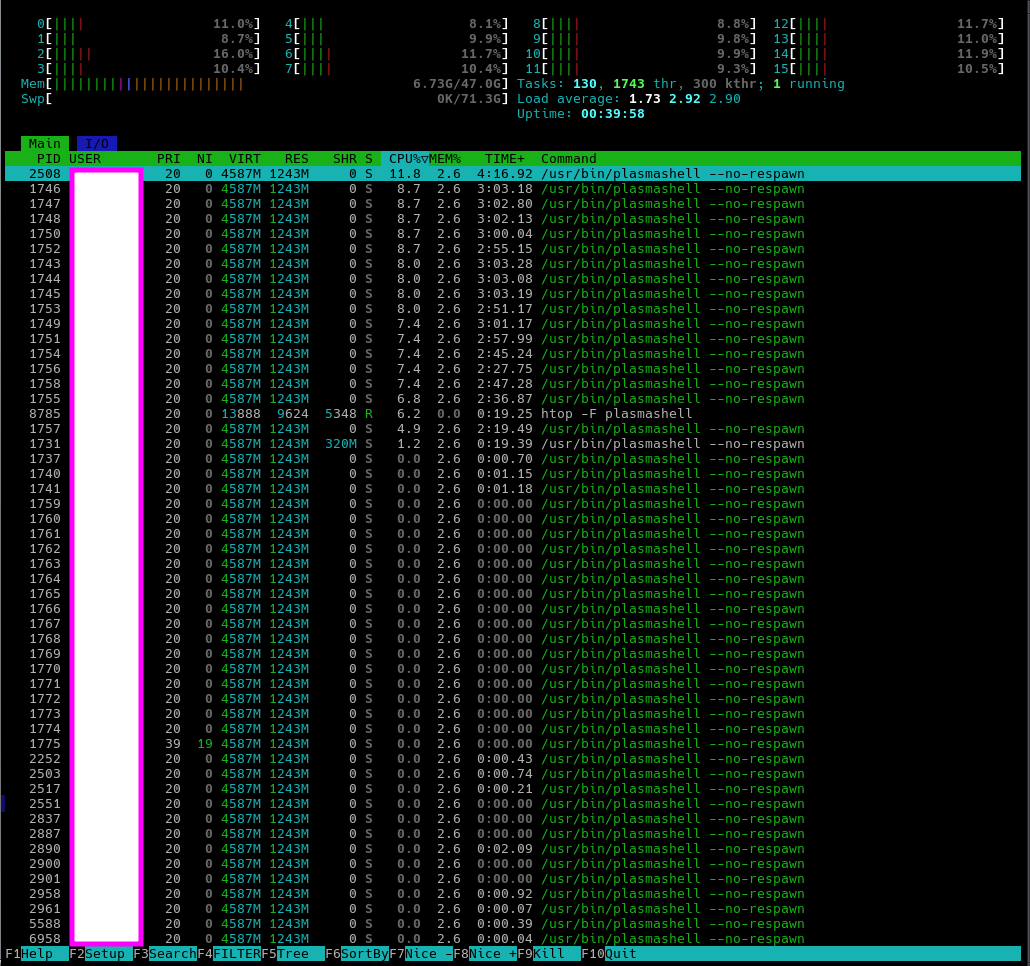
I would check the usage with htop -F plasmashell. It would perhaps give a more accurate number.
Also, you could try creating a new user account for testing purposes. Log out and log in to the new user account and check the cpu usage for plasmashell.
I’m not sure how to get htop’s information on this forum. i shall provide an edited screenshot. In contrast, firefox with hundreds (im serious) of tabs open is using less than 3%.
I’m bordering simply reinstalling, not something I’m wanting to do and nor am I sure will fix it either but I’ve just about exhausted all other options… I also have a new crash that occurs, anytime I come back to my pc after the monitor has turned off and I am presented with a lockscreen, I log in and plasmashell immediately crashes and restarts. I wasn’t aware of this prior or I would have mentioned it.
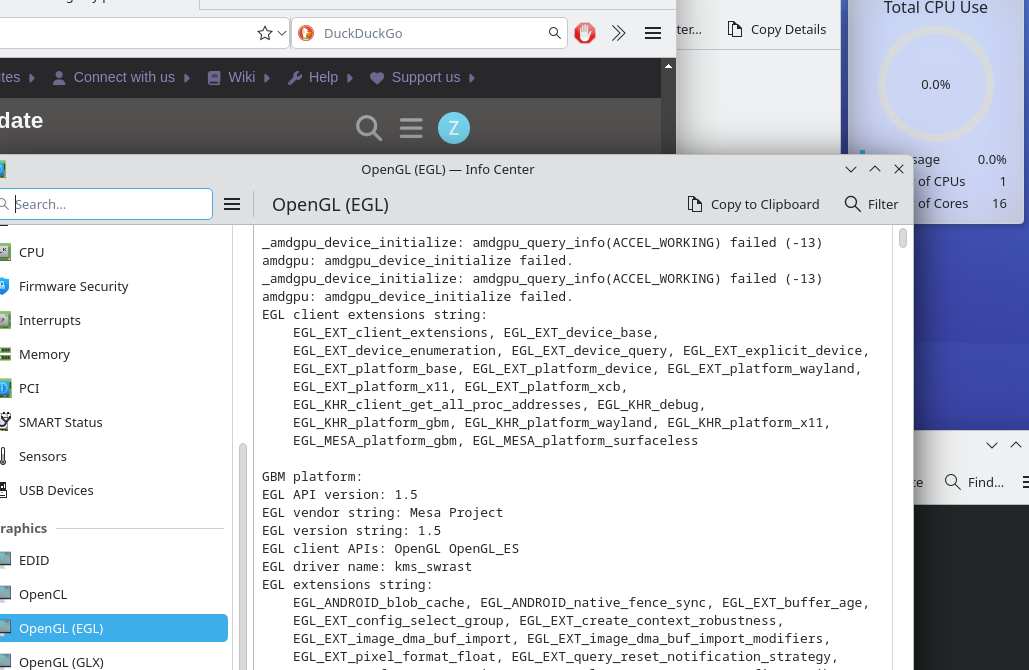
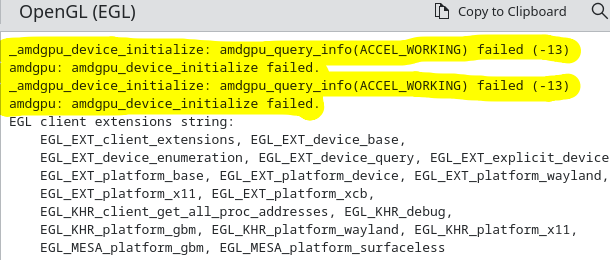
Specifically llvmpipe? That can’t be right, and all I’ve done was update my pc. I was playing some games on steam the other night, surely my graphics are not llvmpipe. Perhaps something is wrong and needs to be reinstalled. How do I reinstall mesa drivers? everywhere online just says “its preinstall, no install necessary” which doesnt help my situation.
if i type: glxinfo | grep OpenGL
failed to get driver name for fd 4
failed to get driver name for fd 5
glx: failed to create dri3 screen
failed to load driver: radeonsi
OpenGL vendor string: Mesa
OpenGL renderer string: llvmpipe (LLVM 21.1.5, 256 bits)
OpenGL core profile version string: 4.5 (Core Profile) Mesa 25.2.7-arch1.1
OpenGL core profile shading language version string: 4.50
OpenGL core profile context flags: (none)
OpenGL core profile profile mask: core profile
OpenGL core profile extensions:
OpenGL version string: 4.5 (Compatibility Profile) Mesa 25.2.7-arch1.1
OpenGL shading language version string: 4.50
OpenGL context flags: (none)
OpenGL profile mask: compatibility profile
OpenGL extensions:
OpenGL ES profile version string: OpenGL ES 3.2 Mesa 25.2.7-arch1.1
OpenGL ES profile shading language version string: OpenGL ES GLSL ES 3.20
OpenGL ES profile extensions:
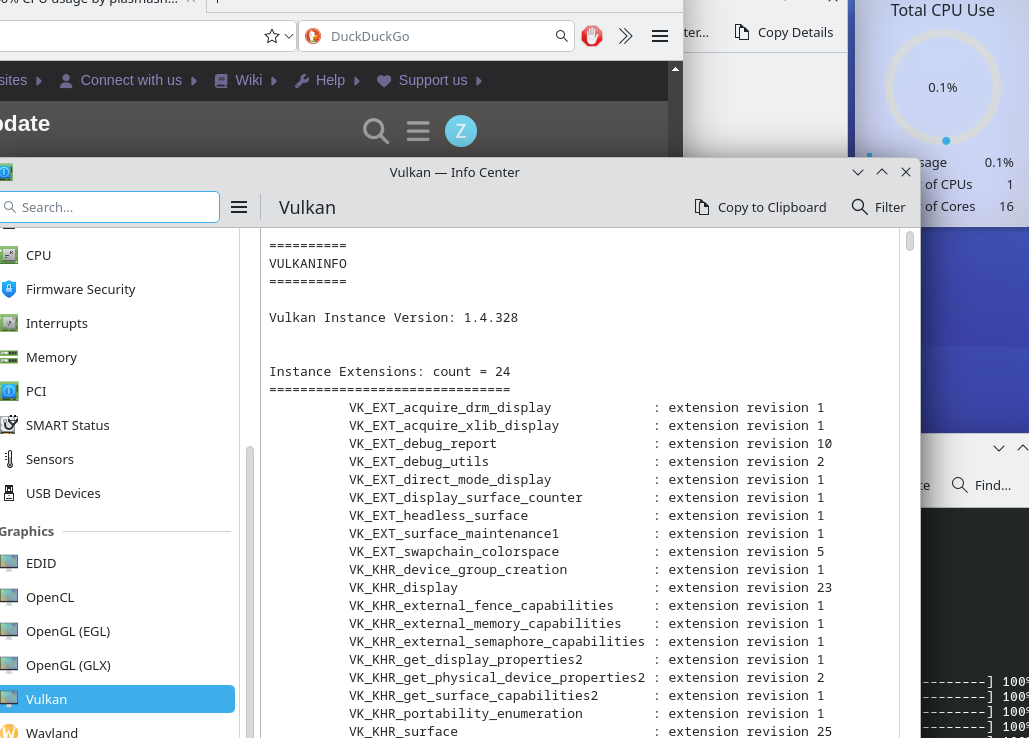
WARNING: [../mesa-25.2.7/src/amd/vulkan/radv_physical_device.c:2160] Code 0 : Could not get the kernel driver version for device /dev/dri/renderD128: Invalid argument (VK_ERROR_INCOMPATIBLE_DRIVER)
ERROR: [Loader Message] Code 0 : setup_loader_term_phys_devs:  Failed to detect any valid GPUs in the current config
ERROR at /usr/src/debug/vulkan-tools/Vulkan-Tools/vulkaninfo/./vulkaninfo.h:247:vkEnumeratePhysicalDevices failed with ERROR_INITIALIZATION_FAILED
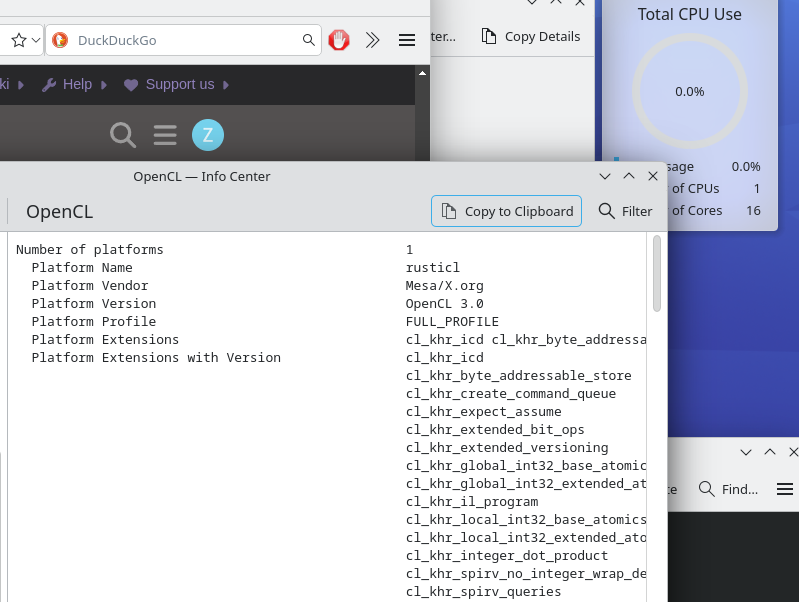
Thank you. vulkan-mesa-layers, opencl-mesa, and vulkan-mesa-device-select were not installed, however, no luck.
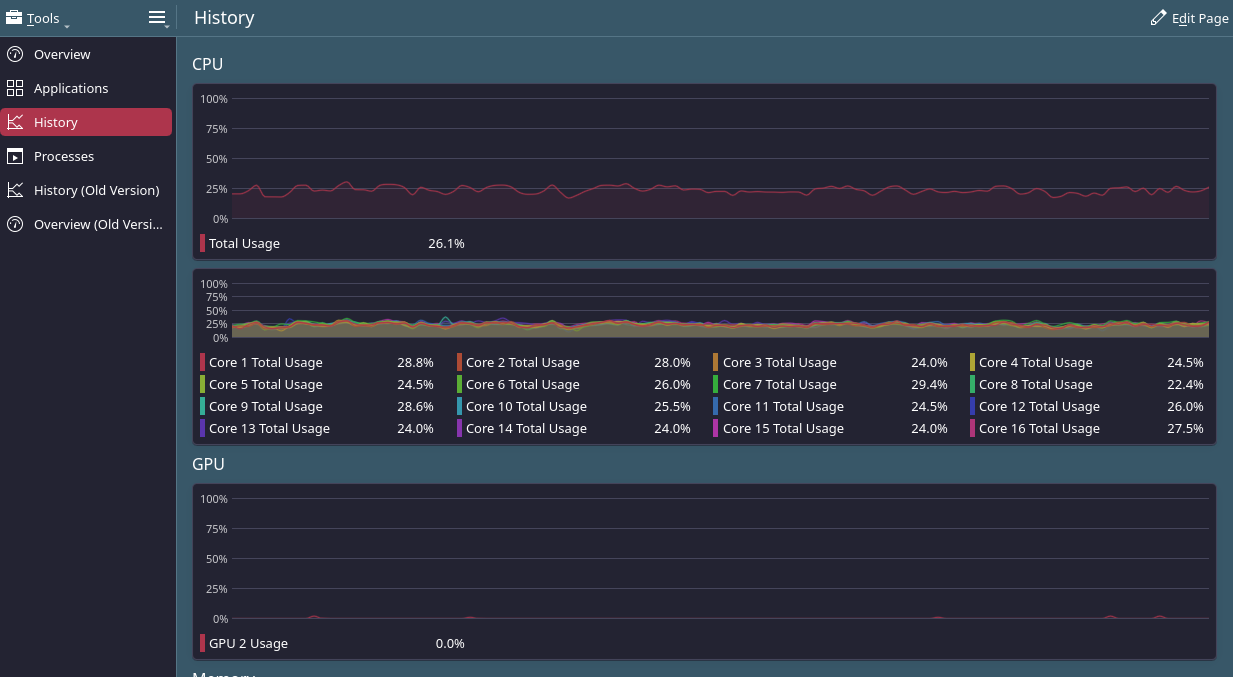
Thank you, and I would agree as I dont really care about as long it as its running, but many other things are broken atm. My cpu is idling at 10%, all of which is plasmashell, and if i change it to my animated wallpaper it jumps to 40%. Even at 10%, that would mean i have almost 2 cpu cores completely saturated at 100% continuously. Here is a screenshot while im running ksysgaurd (i know ksysgaurd is basically abandoned.) It’s using a whopping ~25% of all cores drawing this graph and you can also see that the GPU section is essentially blank, though from time to time it has very large (90%) spikes. (Edit: my bad, you -cannot- see the GPU spikes, as i missed them in this screenshots, just trust me they do happen lol———–I just noticed and am more concerned about the fact that it says GPU “2” as I have a single pic-e card and no onbaord graphics at all)
Here is the screenshot of plasmashell’s cpu usage, nothing has changed, i just switched tabs. It drops back down to the 10% range when not drawing graphs.
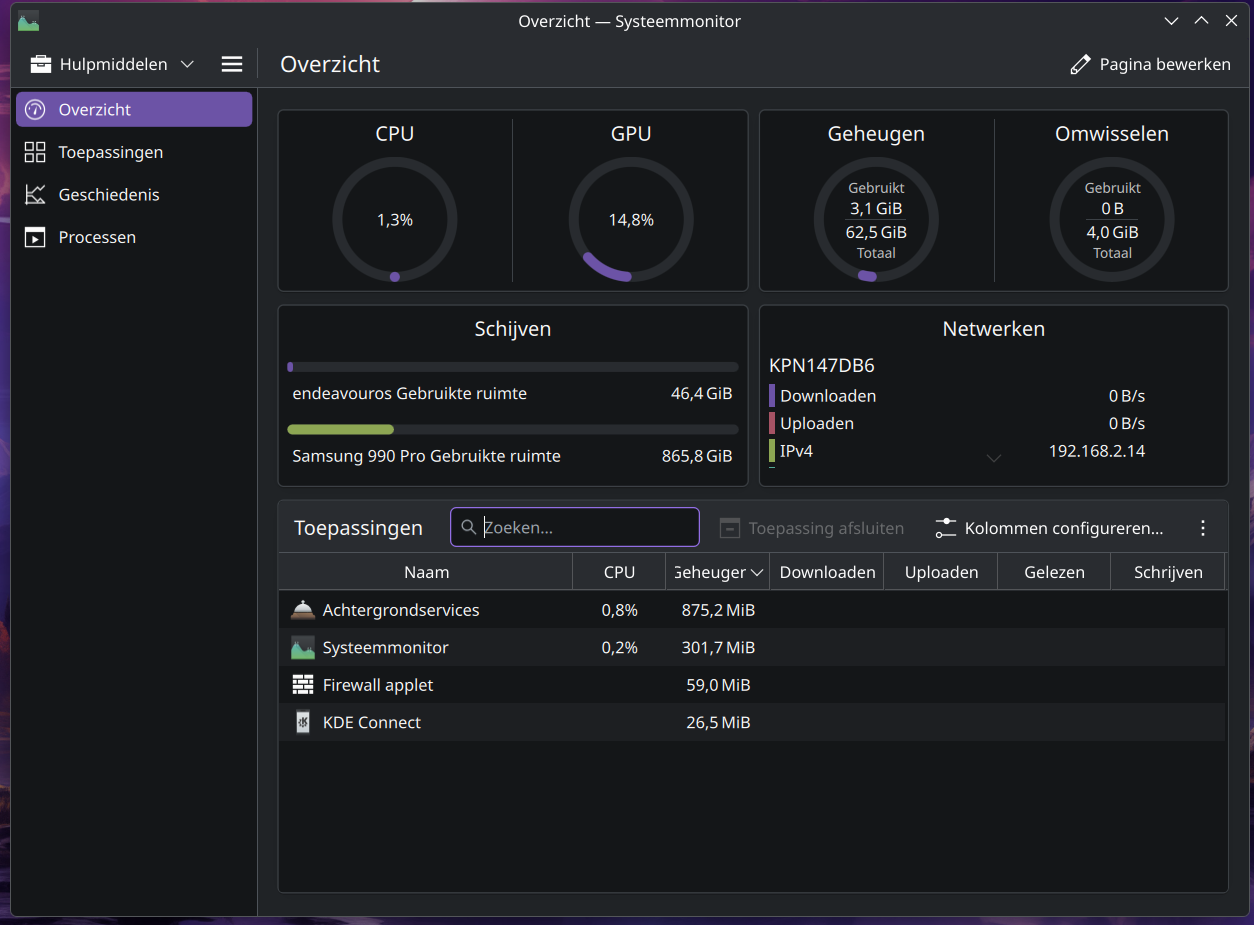
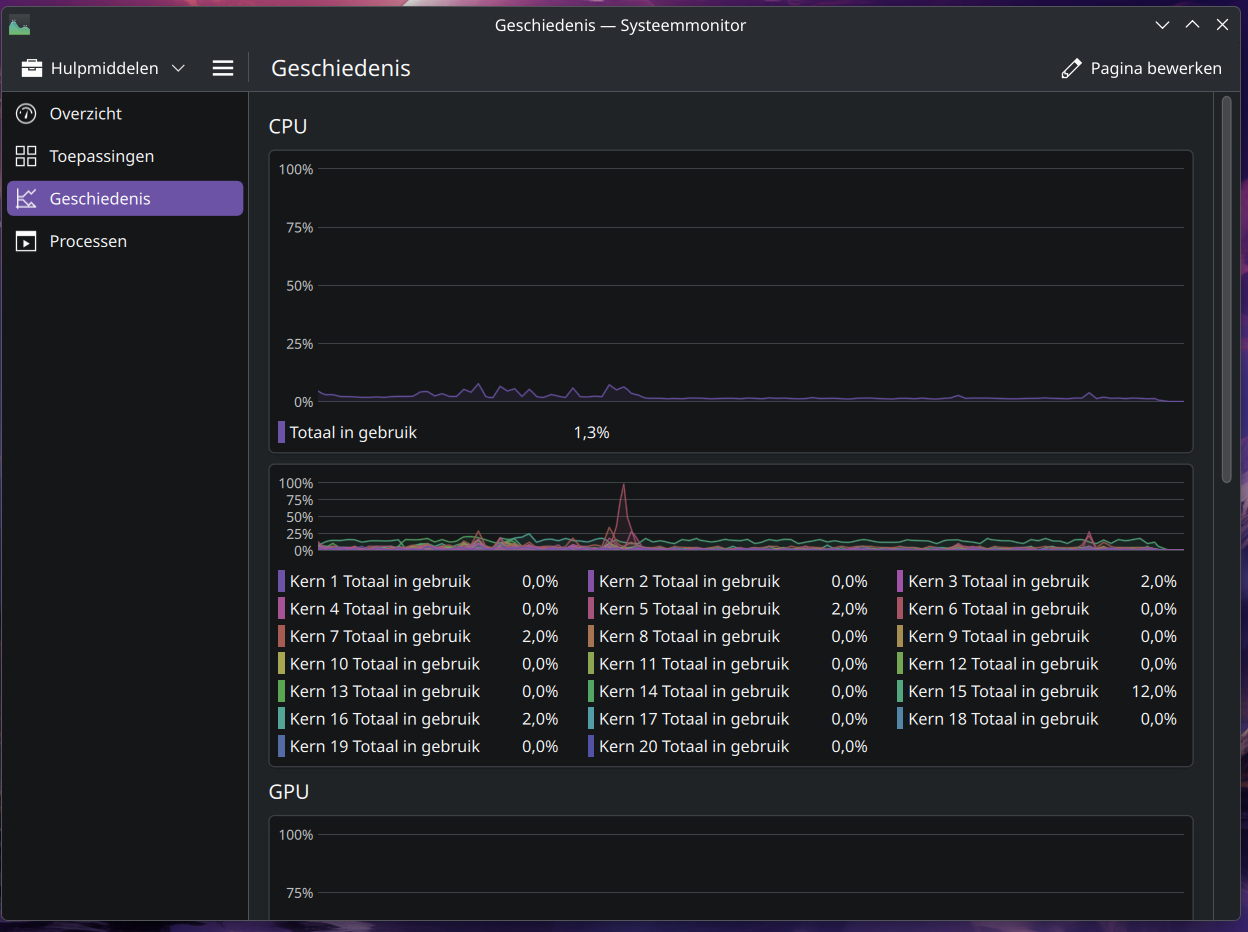
Okay, so i scavenged two usb flash drives, booted a live iso on one and installed EndeavourOS to the other, then booted from the install. I then installed KDE and all mesa, vulkan, and opencl packages. Everything is fine and running as expected. So it was definitely the update. Thank God my hardware is okay. Proof is in the screenshots.
Soooooo, I’m probably just going to reinstall since i have absolutely no idea how to repair the damage that has been done. I have my /home on a separtate partition, is there anything i need to be worried about if i reinstall? The only thing i can think of is separate drives being automounted via fstab will need to be added again. Should i create a new user and slowly copy over things as I need them to prevent unexpected configurations? Or is it generally safe to just mount the /home and start using my old user?
Unless someone has an idea on how to find and repair the damage?
(I am beginning to wonder if my chip had a seg fault during the upgrade, as these first gen Ryzen chips are a little weird at times..)
If it was the update you would see the same symptoms. The live session will install the latest updates. I suspect a program or something miss configured.
 Thank you Thank you Thank you.