Zram vs zswap. Why choose one over the other

Based on the chart that @dirn posted, the benefits of zram over zswap make sense for my use-case. I have the following settings (32 GB RAM):

# /etc/systemd/zram-generator.conf
[zram0]
zram-size = min(ram / 2)
compression-algorithm = zstd

This is from “Optimizing swap on zram” section on Arch Wiki (Zram)

# /etc/sysctl.d/99-vm-zram-parameters.conf
vm.swappiness = 180
vm.watermark_boost_factor = 0
vm.watermark_scale_factor = 125
vm.page-cluster = 0

Having more RAM compressed makes my GPU-intensive games run noticeably smoother. Zswap is disabled, no need for it (not using hibernation).

wait, per this picture, I should not use zram ? I have 13 GB ram available..hm

That’s what I understand as well. Anyway, I’ve decided to use zram as it is.

1 Like

I don’t think that is about what you should or should not. The chart gives a bit of simplified picture of what has been discussed earlier in the article. If you want, read the whole article and decide for yourself which one would suit your use case and preferences.

I have switched back to zswap for the time being. I haven’t found any way to “benchmark” the performance of either to see which of them is more performant or more efficient. I haven’t been using my system that heavily either for it to hit the swap. I’ll be monitoring the situation :wink:

3 Likes

zram and zswap work only when SWAP usage comes into play. If only RAM is being used and SWAP is not being used then they do not come into play. Is that a correct statement to make?

Also zswap checks if the swap page can be compressed or not. If not then it writes to SWAP file or SWAP partition. While this is not the case with zram. zram always compresses, irrespective of level of compression that it will achieve. So in this case zswap appears to be more efficient than zram but not more effective. Will this also be a correct statement to make?
Efficient in terms of CPU cycles and energy consumed. Effective in terms of not disk thrashing, i.e. NVME or SSD disk thrashing.

If someone works with a large data set (in spreadsheets, json data format, etc) or compiles big programs or works with AI/ML and has experience with zram and zswap setup that would be helpful.

Thanks @dalto. I am thinking more in terms of laptop slowness with time, due to battery degradation. With time all the lithium ion batteries degrade. Thus they are unable to deliver the required level of voltage/power to the CPU to make it function at its best. When that happens, running zram and possibly zswap would also result in issues.

Thanks @ajgringo619, this helps. Would it be possible for you to share some more details of your setup? What type of GPU are you using? Is it integrated with CPU or internal but separate GPU graphics card or is it a eGPU (External GPU kept outside the chassis but connected via Thunderbolt or USB 3.x)?
Does the GPU have dedicated RAM inbuilt or does it share Physical RAM with the CPU?
Did you try to use zswap? Or had both of them working?

@cactux after a period of time, please do update your experience. Also what happens when you use GPU intensive loads or work with large data sets or large files or large work items. Thanks once again for the article it is a gem.

1 Like

Here are my complete system stats:

$ inxi -Faz
System:
  Kernel: 6.17.5-1-cachyos arch: x86_64 bits: 64 compiler: clang v: 21.1.4
    clocksource: tsc avail: acpi_pm
    parameters: initrd=\65fda53f67ae48dbb85bbec7532020d5\6.17.5-1-cachyos\initrd
    nvme_load=YES nowatchdog rw rootflags=subvol=/@
    root=UUID=aabfd1fa-d4fc-48ee-b08e-1ee0e5052943 nvidia_drm.modeset=1
    zswap.enabled=0 systemd.machine_id=65fda53f67ae48dbb85bbec7532020d5
  Desktop: Xfce v: 4.20.1 tk: Gtk v: 3.24.48 wm: xfwm4 v: 4.20.0
    with: polybar,xfce4-panel tools: xfce4-screensaver vt: 1 dm: xinit
    Distro: EndeavourOS (Xfce XLibre Host) base: Arch Linux
Machine:
  Type: Desktop System: ASUS product: N/A v: N/A serial: <superuser required>
  Mobo: ASUSTeK model: PRIME B760M-A AX v: Rev 1.xx
    serial: <superuser required> part-nu: SKU uuid: <superuser required>
    UEFI: American Megatrends v: 1812 date: 01/21/2025
CPU:
  Info: model: 13th Gen Intel Core i5-13400F bits: 64 type: MST AMCP
    arch: Raptor Lake gen: core 13 level: v3 note: check built: 2022+
    process: Intel 7 (10nm) family: 6 model-id: 0xBF (191) stepping: 2
    microcode: 0x3A
  Topology: cpus: 1x dies: 1 clusters: 7 cores: 10 threads: 16 mt: 6 tpc: 2
    st: 4 smt: enabled cache: L1: 864 KiB desc: d-4x32 KiB, 6x48 KiB; i-6x32
    KiB, 4x64 KiB L2: 9.5 MiB desc: 6x1.2 MiB, 1x2 MiB L3: 20 MiB
    desc: 1x20 MiB
  Speed (MHz): avg: 800 min/max: 800/4600:3300 scaling: driver: intel_pstate
    governor: powersave cores: 1: 800 2: 800 3: 800 4: 800 5: 800 6: 800 7: 800
    8: 800 9: 800 10: 800 11: 800 12: 800 13: 800 14: 800 15: 800 16: 800
    bogomips: 79872
  Flags-basic: avx avx2 ht lm nx pae sse sse2 sse3 sse4_1 sse4_2 ssse3 vmx
  Vulnerabilities:
  Type: gather_data_sampling status: Not affected
  Type: ghostwrite status: Not affected
  Type: indirect_target_selection status: Not affected
  Type: itlb_multihit status: Not affected
  Type: l1tf status: Not affected
  Type: mds status: Not affected
  Type: meltdown status: Not affected
  Type: mmio_stale_data status: Not affected
  Type: old_microcode status: Not affected
  Type: reg_file_data_sampling mitigation: Clear Register File
  Type: retbleed status: Not affected
  Type: spec_rstack_overflow status: Not affected
  Type: spec_store_bypass mitigation: Speculative Store Bypass disabled via
    prctl
  Type: spectre_v1 mitigation: usercopy/swapgs barriers and __user pointer
    sanitization
  Type: spectre_v2 mitigation: Enhanced / Automatic IBRS; IBPB:
    conditional; PBRSB-eIBRS: SW sequence; BHI: BHI_DIS_S
  Type: srbds status: Not affected
  Type: tsa status: Not affected
  Type: tsx_async_abort status: Not affected
  Type: vmscape mitigation: IBPB before exit to userspace
Graphics:
  Device-1: NVIDIA AD107 [GeForce RTX 4060] vendor: ZOTAC driver: nvidia
    v: 580.95.05 alternate: nouveau,nvidia_drm non-free: 550-580.xx+
    status: current (as of 2025-08) arch: Lovelace code: AD1xx
    process: TSMC n4 (5nm) built: 2022+ pcie: gen: 1 speed: 2.5 GT/s lanes: 8
    link-max: gen: 4 speed: 16 GT/s ports: active: none off: DP-1,DP-3
    empty: DP-2,HDMI-A-1 bus-ID: 01:00.0 chip-ID: 10de:2882 class-ID: 0300
  Display: unspecified server: X.org compositor: xfwm4 v: 4.20.0 driver: X:
    loaded: nvidia unloaded: modesetting alternate: fbdev,nouveau,nv,vesa
    gpu: nv_platform,nvidia,nvidia-nvswitch display-ID: :0.0 screens: 1
  Screen-1: 0 s-res: 3840x1080 s-dpi: 96 s-size: 1017x286mm (40.04x11.26")
    s-diag: 1056mm (41.59")
  Monitor-1: DP-1 mapped: DP-0 note: disabled pos: left model: Acer XF270H B
    serial: <filter> built: 2019 res: mode: 1920x1080 hz: 144 scale: 100% (1)
    dpi: 82 gamma: 1.2 size: 598x336mm (23.54x13.23") diag: 686mm (27")
    ratio: 16:9 modes: max: 1920x1080 min: 640x480
  Monitor-2: DP-3 mapped: DP-4 note: disabled pos: primary,right
    model: Acer XF270H B serial: <filter> built: 2019 res: mode: 1920x1080
    hz: 144 scale: 100% (1) dpi: 82 gamma: 1.2 size: 598x336mm (23.54x13.23")
    diag: 686mm (27") ratio: 16:9 modes: max: 1920x1080 min: 640x480
  API: EGL v: 1.5 hw: drv: nvidia platforms: device: 0 drv: nvidia device: 2
    drv: swrast gbm: drv: nvidia surfaceless: drv: nvidia x11: drv: nvidia
    inactive: wayland,device-1
  API: OpenGL v: 4.6.0 compat-v: 4.5 vendor: nvidia mesa v: 580.95.05
    glx-v: 1.4 direct-render: yes renderer: NVIDIA GeForce RTX 4060/PCIe/SSE2
    memory: 7.81 GiB
  Info: Tools: api: eglinfo,glxinfo de: xfce4-display-settings
    gpu: nvidia-settings,nvidia-smi x11: xdpyinfo, xprop, xrandr
Audio:
  Device-1: Intel Raptor Lake High Definition Audio vendor: ASUSTeK
    driver: snd_hda_intel v: kernel alternate: snd_soc_avs,snd_sof_pci_intel_tgl
    bus-ID: 00:1f.3 chip-ID: 8086:7a50 class-ID: 0403
  Device-2: NVIDIA AD107 High Definition Audio vendor: ZOTAC
    driver: snd_hda_intel v: kernel pcie: gen: 4 speed: 16 GT/s lanes: 8
    bus-ID: 01:00.1 chip-ID: 10de:22be class-ID: 0403
  API: ALSA v: k6.17.5-1-cachyos status: kernel-api
    tools: alsactl,alsamixer,amixer
  Server-1: PipeWire v: 1.4.9 status: active with: 1: pipewire-pulse
    status: active 2: wireplumber status: active 3: pipewire-alsa type: plugin
    4: pw-jack type: plugin tools: pactl,pw-cat,pw-cli,wpctl
Network:
  Device-1: Realtek RTL8125 2.5GbE vendor: ASUSTeK driver: r8169 v: kernel
    pcie: gen: 2 speed: 5 GT/s lanes: 1 port: 5000 bus-ID: 04:00.0
    chip-ID: 10ec:8125 class-ID: 0200
  IF: enp4s0 state: down mac: <filter>
  Device-2: Realtek RTL8852BE PCIe 802.11ax Wireless Network
    vendor: AzureWave driver: rtw89_8852be v: kernel pcie: gen: 1
    speed: 2.5 GT/s lanes: 1 port: 4000 bus-ID: 05:00.0 chip-ID: 10ec:b852
    class-ID: 0280
  IF: wlan0 state: up mac: <filter>
  Info: services: NetworkManager, systemd-timesyncd, wpa_supplicant
Bluetooth:
  Device-1: IMC Networks Bluetooth Radio driver: btusb v: 0.8 type: USB
    rev: 1.0 speed: 12 Mb/s lanes: 1 mode: 1.1 bus-ID: 1-14:7 chip-ID: 13d3:3571
    class-ID: e001 serial: <filter>
  Report: btmgmt ID: hci0 rfk-id: 0 state: up address: <filter> bt-v: 5.2
    lmp-v: 11 status: discoverable: no pairing: no class-ID: 6c0104
Drives:
  Local Storage: total: 5.45 TiB used: 1.48 TiB (27.2%)
  SMART Message: Unable to run smartctl. Root privileges required.
  ID-1: /dev/nvme0n1 maj-min: 259:0 vendor: Western Digital
    model: WD Blue SN580 1TB size: 931.51 GiB block-size: physical: 512 B
    logical: 512 B speed: 63.2 Gb/s lanes: 4 tech: SSD serial: <filter>
    fw-rev: 281010WD temp: 41.9 C scheme: GPT
  ID-2: /dev/sda maj-min: 8:0 vendor: SanDisk model: SSD PLUS 480GB
    size: 447.13 GiB block-size: physical: 512 B logical: 512 B speed: 6.0 Gb/s
    tech: SSD serial: <filter> fw-rev: 7100 scheme: GPT
  ID-3: /dev/sdb maj-min: 8:16 vendor: SanDisk model: SDSSDH3512G
    size: 476.94 GiB block-size: physical: 512 B logical: 512 B speed: 6.0 Gb/s
    tech: SSD serial: <filter> fw-rev: 7000 scheme: GPT
  ID-4: /dev/sdc maj-min: 8:32 vendor: Western Digital
    model: WD40EZRZ-00GXCB0 size: 3.64 TiB block-size: physical: 4096 B
    logical: 512 B type: USB rev: 3.0 spd: 5 Gb/s lanes: 1 mode: 3.2 gen-1x1
    tech: HDD rpm: 5400 serial: <filter> fw-rev: 3002 scheme: GPT
Partition:
  ID-1: / raw-size: 100 GiB size: 100 GiB (100.00%) used: 56.85 GiB (56.9%)
    fs: btrfs dev: /dev/sda1 maj-min: 8:1
  ID-2: /home raw-size: 100 GiB size: 100 GiB (100.00%)
    used: 56.85 GiB (56.9%) fs: btrfs dev: /dev/sda1 maj-min: 8:1
  ID-3: /var/log raw-size: 100 GiB size: 100 GiB (100.00%)
    used: 56.85 GiB (56.9%) fs: btrfs dev: /dev/sda1 maj-min: 8:1
Swap:
  Kernel: swappiness: 180 (default 60) cache-pressure: 100 (default) zswap: no
  ID-1: swap-1 type: zram size: 15.56 GiB used: 2.14 GiB (13.7%)
    priority: 100 comp: zstd avail: lzo-rle,lzo,lz4,lz4hc,deflate,842
    dev: /dev/zram0
Sensors:
  System Temperatures: cpu: 41.5 C mobo: 32.0 C gpu: nvidia temp: 40 C
  Fan Speeds (rpm): fan-1: 1114 fan-2: 1064 fan-3: 1161 fan-4: 1159
    gpu: nvidia fan: 34%
Info:
  Memory: total: 32 GiB available: 31.13 GiB used: 5.95 GiB (19.1%)
  Processes: 547 Power: uptime: 10h 26m states: freeze,mem,disk
    suspend: deep avail: s2idle wakeups: 0 hibernate: platform avail: shutdown,
    reboot, suspend, test_resume image: 12.4 GiB
    services: power-profiles-daemon, upowerd, xfce4-power-manager
    Init: systemd v: 258 default: graphical tool: systemctl
  Packages: pm: pacman pkgs: 1303 libs: 392 tools: pacseek,yay Compilers:
    clang: 21.1.4 gcc: 15.2.1 Shell: fish v: 4.1.2 default: Bash v: 5.3.3
    running-in: kitty inxi: 3.3.39

tldr - a single Nvidia GPU (8 GB), desktop system
My original installation had a dedicated swap partition, with zswap enabled. Once I switched to zram, I disabled zswap.

That is correct.

Another thought I want to throw into this discussion: Swapping to a file or a partition is really slow. Regardless if you swap to a fast SSD or NVME: The computer will become really slow when it swaps. May be even to a point where it is unresponsive.

You can try this out with the stress-ng command and monitoring swap usage with your system monitor of choice.

See these instructions from Red Hat:

E.g. My system has 64 GB of RAM with 12 GB of zram swap. I do the stress test with:

stress-ng --vm 2 --vm-bytes 32G --mmap 2 --mmap-bytes 32G --page-in

This swaps up to 12 GB to zram swap and the computer is still responsive. On the other hand, swapping out 12 GB to a file or a partition takes a few seconds during which the PC may not be responding. You can try this by yourself and feel the difference.

2 Likes

Zram also checks if the content is compressible. If it isn’t then it will be held uncompressed.

It can be useful to be in memory only if there’s lot random access on the dataset. It can also be that your AI/ML app leaks memory like a sieve, so it’s better putting stale memory onto disk eventually.

It depends on setup and workload. If you really want to micro-optimize on that level you have to open a system monitor on your system and look how the system behaves.

True, but in the end we put these in-memory solutions (zswap, zram) in front of the disk-swap to avoid that situation.

It would be interesting to see the result of a similar test in term of system responsiveness for a setup with 8GB RAM and 4/6/8GB Zram.

Also, I don’t think that this test reflects the majority of “real life” use cases where usually almost a negligible amount of pages are swapped out.

I have switched to zswap plus swapfile. I just use my system as I normally would and I am monitoring the swap usage. So far I haven’t noticed any slowdown in the way of system’s operation let alone being unresponsive.

For now I cannot take your categorical statement at face value until I have used this setup for enough long period.

Current parameters for zswap:

 grep -r . /sys/module/zswap/parameters/
/sys/module/zswap/parameters/enabled:Y
/sys/module/zswap/parameters/shrinker_enabled:Y
/sys/module/zswap/parameters/max_pool_percent:20
/sys/module/zswap/parameters/compressor:lzo
/sys/module/zswap/parameters/zpool:zsmalloc
/sys/module/zswap/parameters/accept_threshold_percent:90

Current RAM and swap usage:

 free -h
               total        used        free      shared  buff/cache   available
Mem:            14Gi       4.5Gi       4.4Gi        47Mi       6.4Gi        10Gi
Swap:           15Gi          0B        15Gi

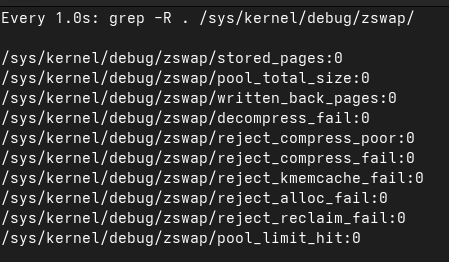
Current zswap usage:

1 Like

The whole point about zram is to speed up the swap process. If you are swapping just a “negligible amount of data” you will not be able to tell the difference between swapfile, swap partition, zram or zswap. In that case this whole discussion here is pointless.

My point is that your test doesn’t seem to reflect a “real life” usage.

Also you are not giving any comparison for performing the same test with zswap with a pool equally large (12GB) plus a swap device.

What would be the result of the same test if you performed it in a setup with zswap + swap device in terms of system’s performance and responsivity?

Providing the result of such comparison would add some relevance to this test. Otherwise I cannot see any.

zram is not “in front of the disk-swap”. zram does not use any disk swap. zswap does use disk swap after compressing swapable pages in memory. zswap is a cache layer for disk swap.

With that in mind I believe zram is faster than zswap. If zswap starts swapping to disc you will likely see a performance drop of your PC.

I would love to read some user reports about zram / zswap comparison with stress-ng.

No I didnt. I leave this up to users who are interested to find the best solution for them.

I have done my testing resp. benchmarking a long while ago. I never considered zswap because i wanted to eliminate any disk involvement because I compared zram with a swap file on NVME and that is a significant performance difference.

My main use case for high RAM usage is photo editing with gimp and darktable. Especially with high res pictures in gimp and multiple layers I can easily saturate my 64 GB RAM. With zram in place I can still work normally when it swaps several GB. That was not possible when I had a swap file.

1 Like

Your system is not swapping at all. Have you tried to provoke swapping with stress-ng? Lets see how your system behaves when it uses your 15 GB of swap.

Then I don’t understand your categorical statement below since zswap is enabled by default:

It seems to be based on an assumption rather than the result of the test you posted above.

And this one based on a belief?

At any case, there seems to be a tradeoff between higher CPU usage (zram) and slower disk i/o when zswap starts to swap out to the disk.

Then there is also the system configuration (hardware), workload, real life usage etc.

For me, there seem to be many “moving parts” involved to come to a definite conclusion as to which option is “objectively” better, more efficient and so forth.

No. And I don’t think I would do that. I am not interested in “provoking” a situation which has no relevance for my daily usage of my system by filling my zswap and swapfile with “none sense data”.

I am interested to see the difference between these two options in my ordinary day to day usage. So far I haven’t seen any difference.

@cactux
I was just adding my 2 cents here. You do not need to agree.

Here is a summary of my thoughts

*) rotational disk as swap device are a no go because they are too slow
*) SSD and NVME are faster but are aging to fast with heavy swap usage.
*) persistent swap on SSD, NVME or HDD is only mandatory for hibernation
*) zswap uses a persistent swap device after caching pages in-memory. This caching is extending the lifetime of SSD/NVME swap devices. One of the main ideas of zswap.
*) zram is purely in-memory => faster than zswap if lots of swap is needed
*) stress-ng can help to identify best performance solution

It is not a question of agreement or disagreement.

For me it is a question of which of the two options are to be preferred in a “real life” usage where there are many different factors involved: hardware, configuration, workload etc.

Therefore I don’t think that the stress-ng test can be the way to identify the “best performance solution”. Universally and for everybody.

That’s it. And thanks for posting to clarify your thoughts. I appreciate it even though I don’t agree with all of them :wink:

Zram doesn’t require disk swap, true, but you can use additional disk swap, either as a writeback device or just as a spill over.

Swapping to disk only affects performance if it can’t be done in the background. stress-ng is an unusual workload that can force that bad performance scenario. If a system isn’t severally memory starved then swapping usually isn’t an instant “half of the RAM” situation though, but a gradual “a few dozen MB”, which will run unnoticed in the background. It depends on the workload, if you’re in a stress-ng situation then prefer zram, sure.

1 Like

If the OS resp. the kernel is swapping, the amount of data is minimal from kB to a few MB. It happens in the background and all happens unnoticed by the user. If that is what concerns you or what is discussed here in the thread, I am attending the wrong party. :wink:

If a RAM hungry applications are swapping the situation is totally different. With blender, video editing or picture editing you can easily bring your PC to a stand still if swap performance is not good.