Ah okay, different to what happened to me. I had it as current set when I copied over and it borked. I deselected it and it worked for me.
edit: also, hi mate . 
Ah okay, different to what happened to me. I had it as current set when I copied over and it borked. I deselected it and it worked for me.
edit: also, hi mate .
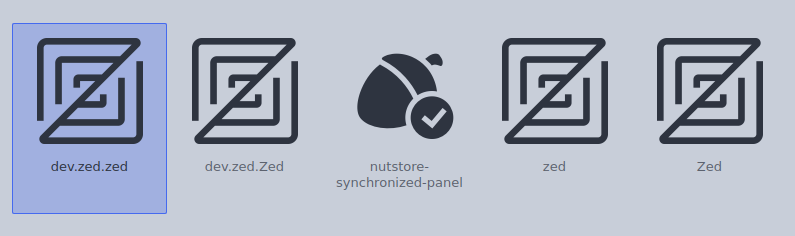
This icon. The rest are symlink to zed.svg.
This is my install script. Works even when I’m currently use the icon
#!/bin/bash

# Extract tar.gz file to target location with cleanup
# Usage: ./extract_tar.sh <source_tar.gz> <target_directory> <extracted_folder_name>

if [ $# -ne 3 ]; then
    echo "Usage: $0 <source_tar.gz> <target_directory> <extracted_folder_name>"
    echo "Example: $0 archive.tar.gz /path/to/extract my_folder"
    exit 1
fi

SOURCE_FILE="$1"
TARGET_DIR="$2"
EXTRACTED_NAME="$3"

# Check if source file exists
if [ ! -f "$SOURCE_FILE" ]; then
    echo "Error: Source file '$SOURCE_FILE' does not exist"
    exit 1
fi

# Check if source file is a tar.gz file
if [[ ! "$SOURCE_FILE" =~ \.tar\.gz$ ]]; then
    echo "Error: Source file must be a .tar.gz file"
    exit 1
fi

# Create target directory if it doesn't exist
mkdir -p "$TARGET_DIR"

# Full path to the extracted folder
EXTRACTED_FOLDER="$TARGET_DIR/$EXTRACTED_NAME"

# Remove existing extracted folder if it exists
if [ -d "$EXTRACTED_FOLDER" ]; then
    echo "Removing existing folder: $EXTRACTED_FOLDER"
    rm -rf "$EXTRACTED_FOLDER"
fi

# Extract the tar.gz file
echo "Extracting '$SOURCE_FILE' to '$TARGET_DIR'"
tar -xzf "$SOURCE_FILE" -C "$TARGET_DIR"

# Check if extraction was successful
if [ $? -eq 0 ]; then
    echo "Extraction completed successfully"
    echo "Extracted to: $EXTRACTED_FOLDER"
else
    echo "Error: Extraction failed"
    exit 1
fi
This is how I use it
sudo ./install.sh source.tar.gz /usr/share/icons YAMIS
It delete the existing YAMIS folder and extract tarball into /usr/share/icons
You got me thinking. I deleted the YAMIS file from /usr/share/icons and copied it back in. It’s working again now. It just wasn’t overwritten. Anyway, it works now.
Perfect. This is how I could do it in future time
I like it in /usr/ directory because of sddm and things 
Same here, because of PLM, I moved it into /usr 
I’d like to switch to PLM, too. I just need to find the time to set it up sometime
That’s what I do. I switch icon themes, delete YAMIS from /usr/share/icons and then extract the updated YAMIS to that folder. I’ve been doing it that way since day one.
Just a question. I install icons via KDE settings. So to get the icons to /usr/share/icons, I would have to download the tarball from Pling! and extract it into that folder also? 
Yes, exactly. This ensures system-wide availability, such as in the SDDM or PLM of the YAMIS icon
Just checking for a friend (me hehehe) so I would totally delete it from local?
Yes delete it from local (personal folder) and copy into /usr/share/icons
hehe you and your friend are you three of you 
Several 

My set up is really coming together; thank you so much for the brilliant icon theme @dirn!
One quick thing I wanted to point out is that the email icon is just a little bit smaller than the android messages one, so they look a little awkward next to each other, but I was able to fix it by simply decreasing the view-box size in the svg file. 
You can grab my wallpaper and custom widgets here, but I haven’t updated the widgets’ code on GitHub to use these icons yet. Coming soon.
@nathaniel.krebs , regarding the Steam status icon, do you mean it should look like this?

If yes, I’ll make an update into the upcoming release.
@dirn Personally, yes. As long as you agree and nobody else has any logically valid objections, I think that icon just fits in better with the rest of them.
No worries, I was planning to update that icon eventually.
Regarding your question on KDE Discuss about whether it’s possible to create an icon set that modifies only a specific element (in your case, the panel icons): in theory, it should be possible. You would just need to replace the /status icons from icon set A with those in the icon set you prefer.
Renaming the apps folder to .apps actually fixed a lot of it, but I’m still working out some of the finer details. I might just put together my own small, private theme for the few things I want to tweak.
I really enjoy Plasma’s default Breeze icon theme, and honestly, I prefer it when apps just use their original logos (like in my dock or drawer). In my opinion, the panel icons are the main area that could use some work. That said, I really love the folder and mimetype icons in your theme!
Basically, my goal is to have visual consistency with core UI elements—like buttons and status icons—while letting apps appear exactly as their creators intended.
This should work. YAMIS inherits from Breeze, and Breeze in turn inherits from Hicolor.
Is this behavior just happening to me or have others noticed that too?
YAMIS: There are Breeze Icons in the toolbar
plasma-monochrome-icons or tela icons are shown correctly
plasma-monochrome:

@swh I’ve made some changes into the icon index.theme.
Do you have Papirus-Dark or Cosmic or Adwaita icon installed on your machine?
From Inherits=Papirus-Dark,breeze-dark,Cosmic,Adwaita,hicolor
To Inherits=breeze
Same changes applies to Plasma Monochrome (last night)
Edit:
I might revert back this changes