Fantastic, thanks mate.


2 Likes
You’re welcome 
1 Like
Yup, fixed it perfectly


Thanks 
2 Likes
You’re welcome 

I have another, if it’s not too much trouble…
[Desktop Entry]
Name=Goverlay
Comment=Linux gaming tools, made easy
Exec=goverlay
Icon=io.github.benjamimgois.goverlay
StartupWMClass=Goverlay
Terminal=false
Type=Application
Categories=Game;
Keywords=MangoHud;vkBasalt;msi;afterburner;OptiScaler;tweaks
1 Like
Mate I know others have said it but I also just wanted to let you know how awesome it is that you do this and the dedication you put into it to make it complete. Whilst I don’t use it I love it, keep up the awesome work.
4 Likes
Sure @UncleSpellbinder , I’ll add it into the upcoming release
Thanks @smokey
3 Likes
You’re more than welcome 
1 Like
if you ever need vacation or a break please take it, dont want you to get burnout
2 Likes
Thanks. No worries, I’ll be away to my home town in the next two weeks 
3 Likes
I got a new icon request for DBeaver Community.
[Desktop Entry]
Version=1.0
Type=Application
Terminal=false
Name=DBeaver Community
GenericName=UniversaL Database Manager
GenericName[fr]=Gestionnaire de bases de données universel
Comment=Universal Database Manager and SQL Client.
Comment[fr]=Gestionnaire de bases de données universel et Client SQL.
Exec=dbeaver
Icon=dbeaver
Categories=IDE;Development
StartupWMClass=DBeaver
StartupNotify=true
Keywords=Database;SQL;IDE;JDBC;ODBC;MySQL;PostgreSQL
MimeType=application/sql
Could it be possible to create a matching icon? 
1 Like


The second one could match. 
1 Like
@DenalB I removed the light brown part, otherwise it starts looking like a skunk instead of a beaver 
Test
Result
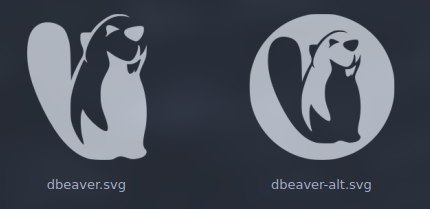
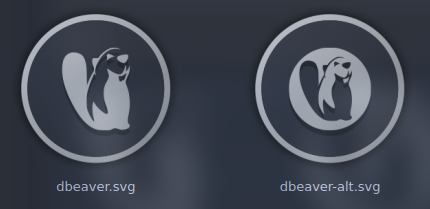
5 Likes
You are the greatest! As always! 
1 Like
Latest update is out!
I also added several distro icons requested by a Pling! user for the Application Launcher button (need to manually rename to start-here or directly configure application launcher icon).

    - added
        - apps/abdownloadmanager
        - apps/ABDownloadManager
        - apps/antigravity
        - apps/aseprite
        - apps/baloo
        - apps/dbeaver
        - apps/dbeaver-alt
        - apps/goverlay
        - apps/httptoolkit
        - apps/huiontablet
        - apps/io.github.benjamimgois.goverlay
        - apps/io.github.kukuruzka165.materialgram
        - apps/lutris_aseprite
        - apps/materialgram
        - apps/whatsapp
        - apps/debian
        - apps/fedora
        - apps/kubuntu
        - apps/linuxmint
        - apps/opensuse
        - apps/pclinuxos
        - apps/pop-os
        - apps/solus
        - apps/ubuntu
        - apps/zorin
        - mimetypes/image-aseprite
    - updated
        - apps/cachyos
        - apps/cachy-update-blue
        - apps/cachy-update_updates-available-blue
        - apps/org.cachyos.hello
5 Likes
Great! But it is impossible to copy all the YAMIS folder into /usr/share/icons
╰─❯ LANG=C sudo cp -r YAMIS /usr/share/icons
cp: cannot stat '/usr/share/icons/YAMIS/apps/scalable/zed.svg': Too many levels of symbolic links
I have removed zed.svg
/Downloads/YAMIS/apps/scalable

rm zed.svg
and then copied everything via
sudo cp -a YAMIS /usr/share/icons
For what is zed.svg?
1 Like
Just a thought but did you have the icon set applied when you tried to copy it over?
2 Likes
Yes, it’s been in the /usr/share/icons directory the whole time.