Yet Another Monochrome Icon Set For KDE Plasma

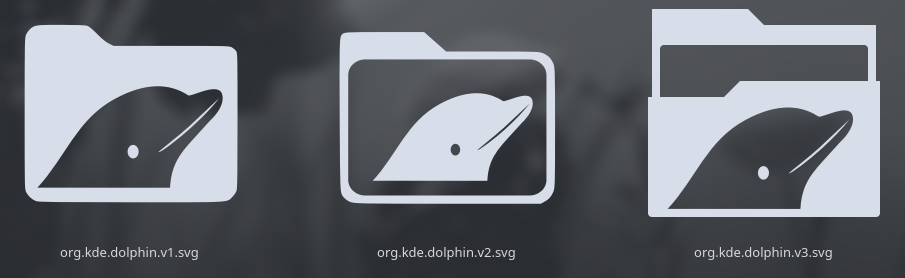
up to you, i just think a dolphin on the folder icon would be cute. be it that you monochrome the original one or edit the one you have now and puit a dolphin ot it is up to you.

Like the eos monochrome logo has these lines (they are transperant i think), you can make the dolphin with those on the folder icon. if you know what i mean, so it will still be flat.
worst case just stamp a small dolphin on it xD

1 Like

I have NO IDEA what I’m doing :joy:, I just did this because I was bored. :winking_face_with_tongue:

Made the “paper” in the folder transparent.

2 Likes

Ok, here are a few samples

5 Likes

For me, the left one would fit perfect

2 Likes

I feel the same way. I’ll go with the one on the left.

Thanks @swh

2 Likes

@UncleSpellbinder looks like you’re starting to dive into Inkscape! :grinning_face_with_smiling_eyes:

1 Like

Just a tiny dipping of the toe into the waters of Inkscape. I’ll dig deeper over the coming weeks. :vulcan_salute:

1 Like

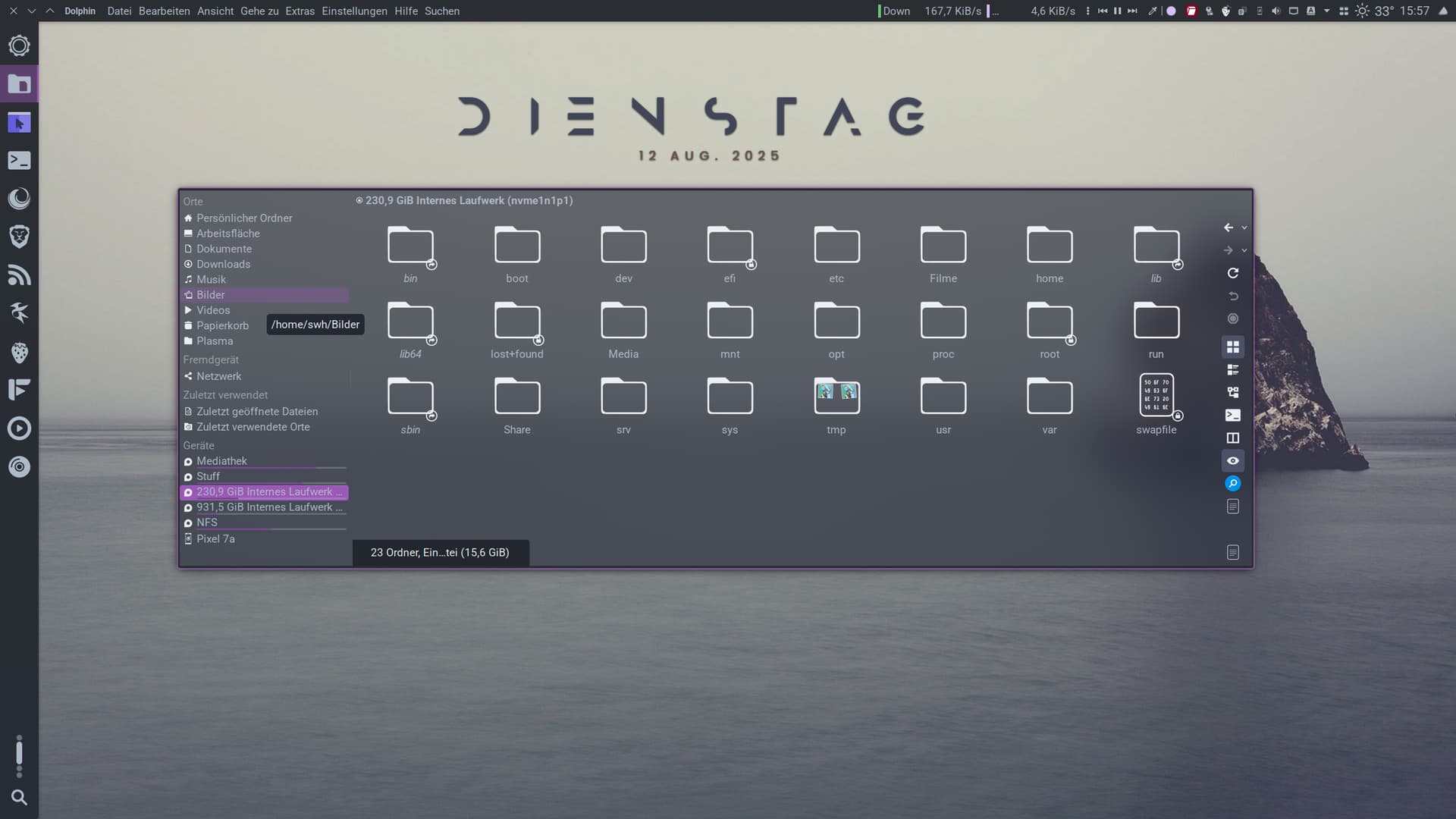
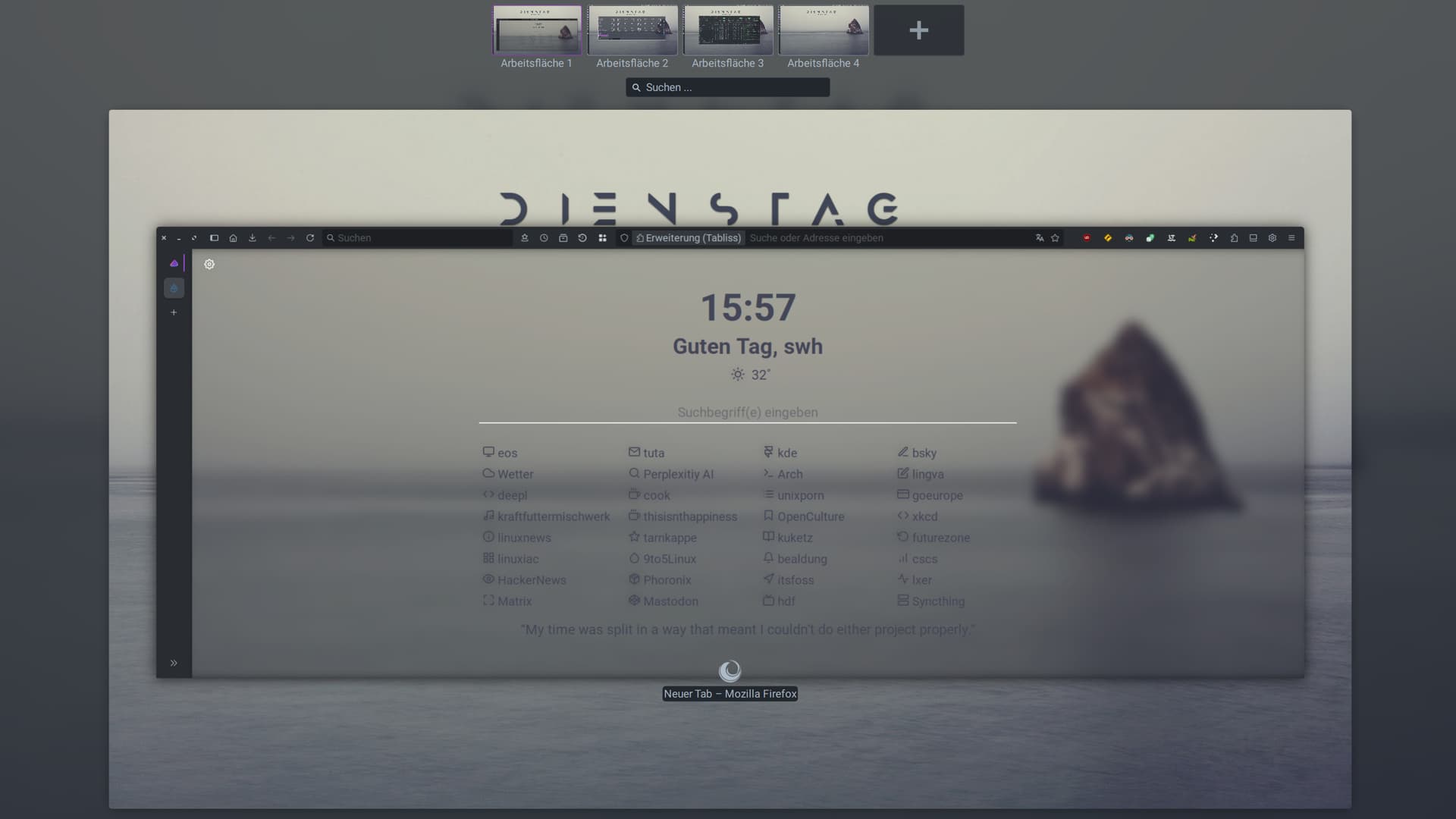
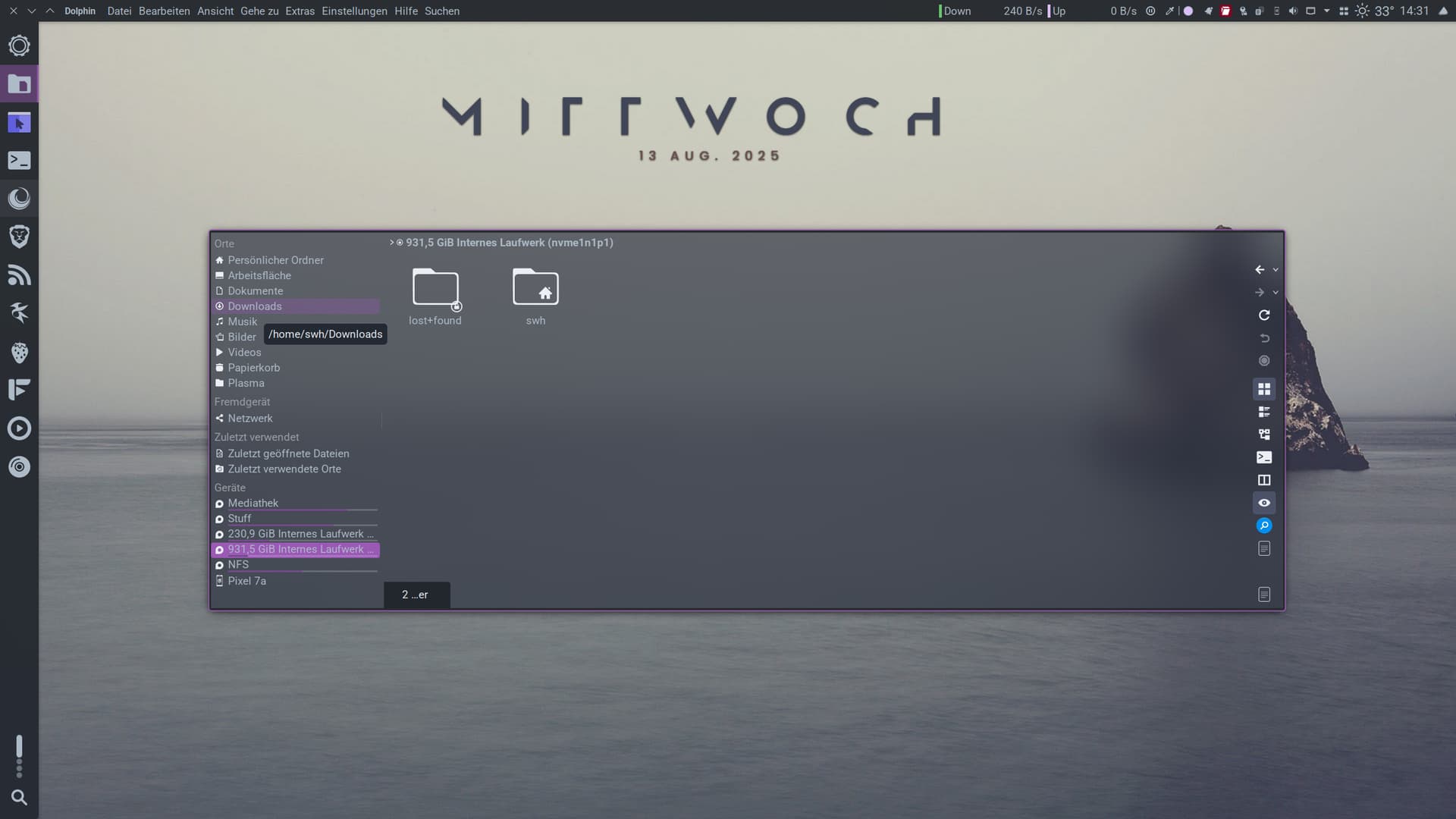
Yesterday, I edited the kvantum theme I use with Inkscape. It was an exciting project. I wanted to use the same accent color and font color as in the edited breeze theme. It looks really good. I used the github console color scheme as a basis.

github konsole colorscheme
[General]
Description=Github Dark Dimmed
Opacity=1
Wallpaper=

[Background]
Color=34,39,46

[BackgroundFaint]
Color=34,39,46

[BackgroundIntense]
Color=34,39,46

[Color0]
Color=84,93,104

[Color0Faint]
Color=99,110,123

[Color0Intense]
Color=99,110,123

[Color1]
Color=244,112,103

[Color1Faint]
Color=244,112,103

[Color1Intense]
Color=255,147,138

[Color2]
Color=87,171,90

[Color2Faint]
Color=87,171,90

[Color2Intense]
Color=107,196,109

[Color3]
Color=198,144,38

[Color3Faint]
Color=198,144,38

[Color3Intense]
Color=218,170,63

[Color4]
Color=83,155,245

[Color4Faint]
Color=83,155,245

[Color4Intense]
Color=108,182,255

[Color5]
Color=176,131,240

[Color5Faint]
Color=176,131,240

[Color5Intense]
Color=220,189,251

[Color6]
Color=57,197,207

[Color6Faint]
Color=57,197,207

[Color6Intense]
Color=86,212,221

[Color7]
Color=144,157,171

[Color7Faint]
Color=144,157,171

[Color7Intense]
Color=205,217,229

[Foreground]
Color=173,186,199

[ForegroundFaint]
Color=99,110,123

[ForegroundIntense]
Color=118,131,144
edited breeze.colors
[ColorEffects:Disabled]
Color=56,56,56
ColorAmount=0
ColorEffect=0
ContrastAmount=0.65
ContrastEffect=1
IntensityAmount=0.1
IntensityEffect=2

[ColorEffects:Inactive]
ChangeSelectionColor=true
Color=112,111,110
ColorAmount=0.025
ColorEffect=2
ContrastAmount=0.1
ContrastEffect=2
Enable=true
IntensityAmount=0
IntensityEffect=0

[Colors:Button]
BackgroundAlternate=30,87,116
BackgroundNormal=34,39,46
DecorationFocus=83,155,245
DecorationHover=83,155,245
ForegroundActive=83,155,245
ForegroundInactive=161,169,177
ForegroundLink=83,155,245
ForegroundNegative=244,112,103
ForegroundNeutral=218,170,63
ForegroundNormal=173,186,199
ForegroundPositive=39,174,96
ForegroundVisited=155,89,182

[Colors:Complementary]
BackgroundAlternate=30,87,116
BackgroundNormal=32,35,38
DecorationFocus=83,155,245
DecorationHover=83,155,245
ForegroundActive=83,155,245
ForegroundInactive=161,169,177
ForegroundLink=83,155,245
ForegroundNegative=244,112,103
ForegroundNeutral=218,170,63
ForegroundNormal=173,186,199
ForegroundPositive=39,174,96
ForegroundVisited=155,89,182

[Colors:Header]
BackgroundAlternate=41,44,48
BackgroundNormal=41,44,48
DecorationFocus=61,174,233
DecorationHover=61,174,233
ForegroundActive=61,174,233
ForegroundInactive=173,186,199
ForegroundLink=29,153,243
ForegroundNegative=244,112,103
ForegroundNeutral=218,170,63
ForegroundNormal=173,186,199
ForegroundPositive=87,171,90
ForegroundVisited=155,89,182

[Colors:Header][Inactive]
BackgroundAlternate=41,44,48
BackgroundNormal=32,35,38
DecorationFocus=61,174,233
DecorationHover=61,174,233
ForegroundActive=61,174,233
ForegroundInactive=161,169,177
ForegroundLink=29,153,243
ForegroundNegative=218,68,83
ForegroundNeutral=246,116,0
ForegroundNormal=252,252,252
ForegroundPositive=39,174,96
ForegroundVisited=155,89,182

[Colors:Selection]
BackgroundAlternate=30,87,116
BackgroundNormal=83,155,245
DecorationFocus=83,155,245
DecorationHover=83,155,245
ForegroundActive=173,186,199
ForegroundInactive=161,169,177
ForegroundLink=218,170,63
ForegroundNegative=244,112,103
ForegroundNeutral=218,170,63
ForegroundNormal=173,186,199
ForegroundPositive=23,104,57
ForegroundVisited=155,89,182

[Colors:Tooltip]
BackgroundAlternate=32,35,38
BackgroundNormal=34,39,46
DecorationFocus=83,155,245
DecorationHover=83,155,245
ForegroundActive=83,155,245
ForegroundInactive=173,186,199
ForegroundLink=29,153,243
ForegroundNegative=244,112,103
ForegroundNeutral=218,170,63
ForegroundNormal=173,186,199
ForegroundPositive=39,174,96
ForegroundVisited=155,89,182

[Colors:View]
BackgroundAlternate=29,31,34
BackgroundNormal=34,39,46
DecorationFocus=83,155,245
DecorationHover=83,155,245
ForegroundActive=83,155,245
ForegroundInactive=173,186,199
ForegroundLink=83,155,245
ForegroundNegative=244,112,103
ForegroundNeutral=218,170,63
ForegroundNormal=173,186,199
ForegroundPositive=39,174,96
ForegroundVisited=155,89,182

[Colors:Window]
BackgroundAlternate=41,44,48
BackgroundNormal=34,39,46
DecorationFocus=83,155,245
DecorationHover=83,155,245
ForegroundActive=83,155,245
ForegroundInactive=173,186,199
ForegroundLink=83,155,245
ForegroundNegative=244,112,103
ForegroundNeutral=218,170,63
ForegroundNormal=173,186,199
ForegroundPositive=39,174,96
ForegroundVisited=155,89,182

[General]
ColorScheme=BreezeDark
Name=Breeze Git
shadeSortColumn=true

[KDE]
contrast=4

[WM]
activeBackground=39,44,49
activeBlend=252,252,252
activeForeground=252,252,252
inactiveBackground=32,36,40
inactiveBlend=161,169,177
inactiveForeground=161,169,177

kvantum.kvconfig
[%General]
author=l4k1 modified by swh
comment=Gently-Color-Kvantum
x11drag=all
alt_mnemonic=true
left_tabs=false
attach_active_tab=false
embedded_tabs=true
mirror_doc_tabs=false
active_tab_overlap=10
group_toolbar_buttons=true
spread_progressbar=true
composite=true
menu_shadow_depth=7
tooltip_shadow_depth=6
scroll_width=6
scroll_arrows=true
scroll_min_extent=50
transient_scrollbar=true
slider_width=2
slider_handle_width=18
slider_handle_length=18
center_toolbar_handle=true
check_size=16
textless_progressbar=false
progressbar_thickness=2
menubar_mouse_tracking=true
toolbutton_style=2
double_click=false
translucent_windows=true
blurring=true
reduce_window_opacity=20
popup_blurring=true
opaque=kaffeine,kmplayer,subtitlecomposer,kdenlive,vlc,smplayer,smplayer2,avidemux,avidemux2_qt4,avidemux3_qt4,avidemux3_qt5,kamoso,QtCreator,VirtualBox,trojita,dragon,systemsettings,digikam
vertical_spin_indicators=false
fill_rubberband=false
merge_menubar_with_toolbar=true
small_icon_size=16
large_icon_size=32
button_icon_size=16
toolbar_icon_size=16
combo_as_lineedit=false
combo_menu=true
hide_combo_checkboxes=true
animate_states=true
button_contents_shift=false
groupbox_top_label=false
inline_spin_indicators=true
joined_inactive_tabs=true
layout_margin=6
layout_spacing=10
no_window_pattern=false
respect_DE=true
scrollable_menu=true
scrollbar_in_view=false
spin_button_width=16
submenu_delay=250
submenu_overlap=0
tooltip_delay=-1
transient_groove=true
tree_branch_line=false
no_inactiveness=false
reduce_menu_opacity=20
menu_blur_radius=6
tooltip_blur_radius=6
hide_combo_checkboxes=false

[Focus]
inherits=PanelButtonCommand
interior=false
frame=false
frame.element=focus
frame.top=1
frame.bottom=1
frame.left=1
frame.right=1
frame.patternsize=20

[GeneralColors]
dark.color=#2e3440
tooltip.text.color=#ADBAC7
alt.base.color=#2e3440
base.color=#2e3440
light.color=#545f75
window.text.color=#ADBAC7

[Hacks]
transparent_ktitle_label=true
transparent_dolphin_view=true
transparent_pcmanfm_sidepane=true
blur_translucent=true
transparent_menutitle=true
respect_darkness=false
kcapacitybar_as_progressbar=true
force_size_grip=true
iconless_pushbutton=true
iconless_menu=false
disabled_icon_opacity=100
lxqtmainmenu_iconsize=0
middle_click_scroll=false
no_selection_tint=true
normal_default_pushbutton=false
single_top_toolbar=true
tint_on_mouseover=0
transparent_pcmanfm_view=false
opaque_colors=false

[PanelButtonCommand]
frame.element=button
frame.top=1
frame.bottom=1
frame.left=1
frame.right=1
interior.element=button
indicator.size=10
text.shadow=0
text.margin=1
text.iconspacing=4
indicator.element=arrow
text.margin.top=4
text.margin.bottom=4
text.margin.left=4
text.margin.right=4
frame.expansion=10

[PanelButtonTool]
inherits=PanelButtonCommand

[Dock]
inherits=PanelButtonCommand
interior.element=dock
frame.element=dock
frame.top=1
frame.bottom=1
frame.left=1
frame.right=1
text.normal.color=#ADBAC7

[DockTitle]
inherits=PanelButtonCommand
frame=false
interior=false
text.normal.color=#ADBAC7
text.focus.color=#ADBAC7
text.bold=true

[IndicatorSpinBox]
inherits=PanelButtonCommand
indicator.element=arrow
frame.top=3
frame.bottom=3
frame.left=3
frame.right=3
indicator.size=7
text.normal.color=#ADBAC7

[RadioButton]
inherits=PanelButtonCommand
frame=false
interior.element=radio
text.focus.color=#ADBAC7

[CheckBox]
inherits=PanelButtonCommand
frame=false
interior.element=checkbox
text.focus.color=#ADBAC7

[GenericFrame]
inherits=PanelButtonCommand
frame=true
interior=false
frame.element=common
interior.element=common
frame.top=1
frame.bottom=1
frame.left=1
frame.right=1

[LineEdit]
inherits=PanelButtonCommand
frame.element=lineedit
interior.element=lineedit
frame.top=1
frame.bottom=1
frame.left=1
frame.right=1
text.margin.top=4
text.margin.bottom=4
text.margin.left=8
text.margin.right=8

[DropDownButton]
inherits=PanelButtonCommand
indicator.element=arrow-down

[IndicatorArrow]
indicator.element=arrow
indicator.size=10

[ToolboxTab]
inherits=PanelButtonCommand
text.normal.color=#ADBAC7
text.press.color=#7dc4e4
text.focus.color=#68a3bd

[Tab]
inherits=PanelButtonCommand
interior.element=tab
frame.top=2
frame.bottom=2
frame.left=2
frame.right=2
text.margin.left=8
text.margin.right=8
text.margin.top=2
text.margin.bottom=2
frame.element=tab
indicator.element=tab
frame.expansion=0
indicator.size=18
text.shadow=false

[TabFrame]
inherits=GenericFrame
frame.element=tabcommon
interior=true
interior.element=tframe
frame.top=1
frame.bottom=1
frame.left=1
frame.right=1
interior.x.patternsize=20
interior.y.patternsize=15

[TreeExpander]
inherits=PanelButtonCommand
frame=false
interior=false
indicator.size=10
indicator.element=tree

[HeaderSection]
inherits=PanelButtonCommand
frame.top=1
frame.bottom=1
frame.left=1
frame.right=1

[SizeGrip]
indicator.element=resize-grip

[Toolbar]
inherits=PanelButtonCommand
indicator.element=toolbar
indicator.size=10
text.margin=0
interior.element=tolba
frame.element=tolba
text.normal.color=#ADBAC7
text.focus.color=#ADBAC7
frame.left=4
frame.right=4
frame.top=4
frame.bottom=4
frame.expansion=0

[Slider]
inherits=PanelButtonCommand
frame.element=slider
interior.element=slider
frame.top=4
frame.bottom=4
frame.left=4
frame.right=4

[SliderCursor]
inherits=PanelButtonCommand
interior.element=slidercursor

[Progressbar]
inherits=PanelButtonCommand
frame.element=progress
interior.element=progress
frame.expansion=10

[ProgressbarContents]
inherits=PanelButtonCommand
frame=true
frame.element=progress-pattern
interior.element=progress-pattern

[ItemView]
inherits=PanelButtonCommand
text.margin=0
frame.element=itemview
interior.element=itemview
frame.top=4
frame.bottom=4
frame.left=4
frame.right=4
text.margin.top=2
text.margin.bottom=2
text.margin.left=4
text.margin.right=4
text.normal.color=#ADBAC7
text.focus.color=#ADBAC7
text.press.color=#ADBAC7
text.toggle.color=#ADBAC7
frame.expansion=6

[Splitter]
indicator.size=32

[Scrollbar]
inherits=PanelButtonCommand
indicator.element=arrow
indicator.size=8

[ScrollbarSlider]
inherits=PanelButtonCommand
frame.element=scrollbarslider
interior=false
frame.left=4
frame.right=4
frame.top=4
frame.bottom=4
indicator.element=grip
indicator.size=13
frame.expansion=0

[ScrollbarGroove]
inherits=PanelButtonCommand
interior=tree
frame=false

[MenuItem]
inherits=PanelButtonCommand
frame=true
frame.element=menuitem
interior.element=menuitem
indicator.element=menuitem
size.minheight=22
text.margin.top=0
text.margin.bottom=0
text.margin.left=4
text.margin.right=4
frame.top=4
frame.bottom=4
frame.left=4
frame.right=4
frame.expansion=0

[MenuBar]
inherits=PanelButtonCommand
frame.element=none
interior.element=none
frame.expansion=0

[MenuBarItem]
inherits=PanelButtonCommand
interior=true
interior.element=menubaritem
frame.element=menubaritem
frame.top=2
frame.bottom=2
frame.left=2
frame.right=2
text.margin.left=4
text.margin.right=4
text.margin.top=0
text.margin.bottom=0
text.normal.color=#ADBAC7
text.focus.color=#ADBAC7
frame.expansion=0

[TitleBar]
inherits=PanelButtonCommand
frame=false
interior.element=titlebar
indicator.size=12
indicator.element=mdi
text.normal.color=#ADBAC7
text.bold=true
text.italic=true
frame.expansion=0

[ComboBox]
inherits=PanelButtonCommand
indicator.element=comboarrow
indicator.size=10

[Menu]
inherits=PanelButtonCommand
frame.top=10
frame.bottom=10
frame.left=10
frame.right=10
frame.element=menu
interior.element=menu

frame.expansion=0

[GroupBox]
inherits=GenericFrame
frame=false
frame.element=common
text.shadow=0
text.margin=0
interior=true
interior.element=common-normal
frame.top=1
frame.bottom=1
frame.left=1
frame.right=1
text.focus.color=#232932
text.bold=true
frame.expansion=0
interior.x.patternsize=20
interior.y.patternsize=15

[TabBarFrame]
inherits=GenericFrame
frame=false
interior=false
text.shadow=0

[ToolTip]
inherits=GenericFrame
frame.top=6
frame.bottom=6
frame.left=6
frame.right=6
interior=true
text.shadow=0
text.margin=0
interior.element=tooltip
frame.element=tooltip
frame.expansion=0

[StatusBar]
inherits=GenericFrame
frame=false
interior=false

[Window]
interior=true
interior.element=window

You can find the edited kvantum svg in this link.
git.svg

Feel free to try it :wink:

EDIT: Kvantum based on Gently-Colors-Kvantum

3 Likes

Cool! Kvantum is something I’ve been wanting to mess around with too. I’m planning to tweak my current setup to use the Nord color palette.

1 Like

I have never worked with kvantum before. Yesterday evening was my first time. Of course, everything could be done more professionally. I had no idea what needed to be done. But I still think it turned out well.

1 Like

Still in the tinkering phase, so “professional” is kind of optional for now :stuck_out_tongue:

1 Like

yeah they are all great but the left one is perfection :sparkles:

2 Likes

@Mellow I’ll push the icon set over the weekend. Planning to do the same for the circle version too.

3 Likes

I agree with @swh :+1:

2 Likes

@DenalB updates for plasma-monochrome-icons

6 Likes

Same here :smiley:

Slightly off-topic.

@swh Today I tried customizing my Kvantum theme. My use case is simpler than yours — I just wanted to change the background color to something bluish.

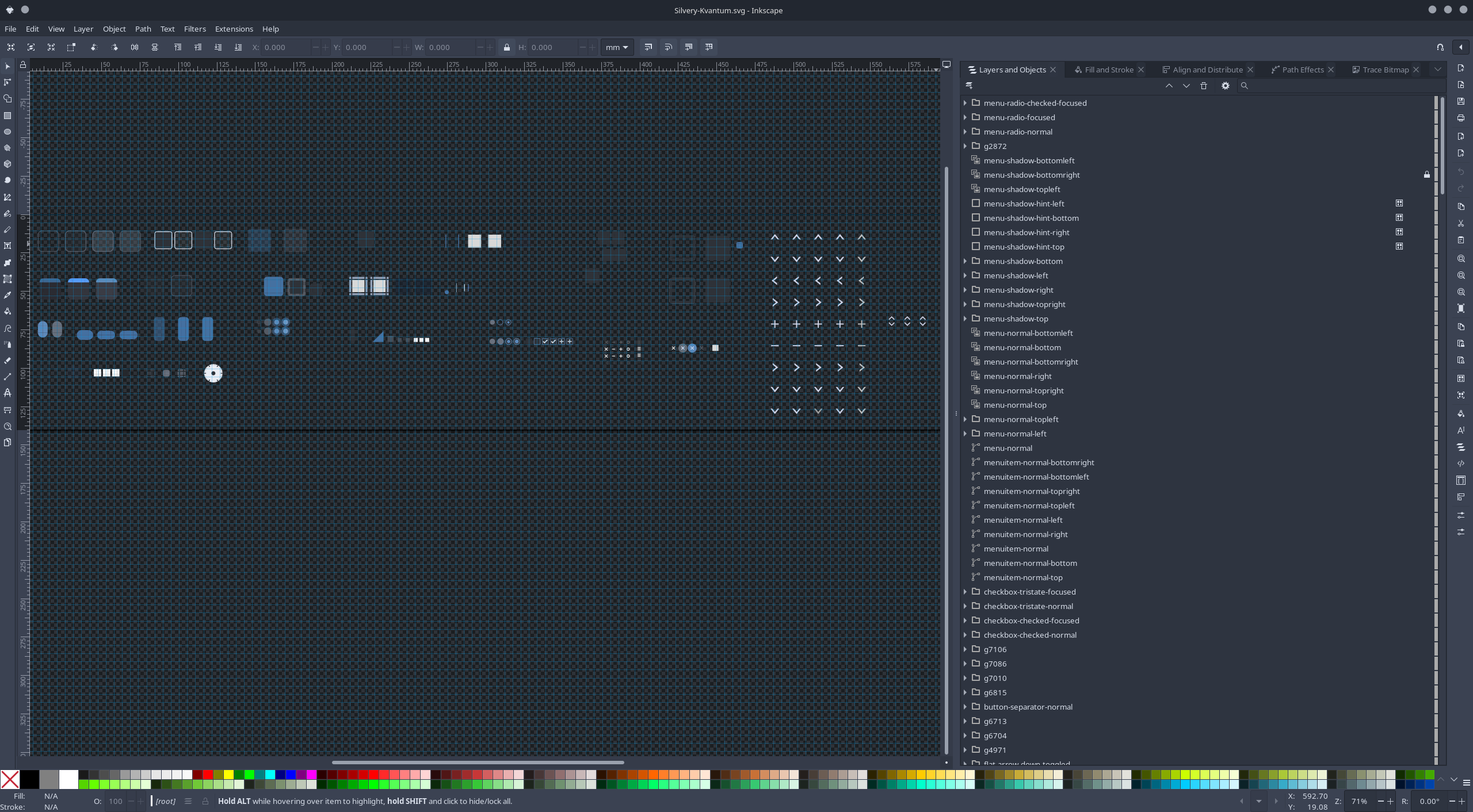
However, I felt overwhelmed when I opened the .svg file in Inkscape:

Since I already knew the original color and the new one I wanted, I ended up opening the .svg file in Kate and just replaced the color values manually.

Here’s the result:
Before:

After:

1 Like

That looks really good.

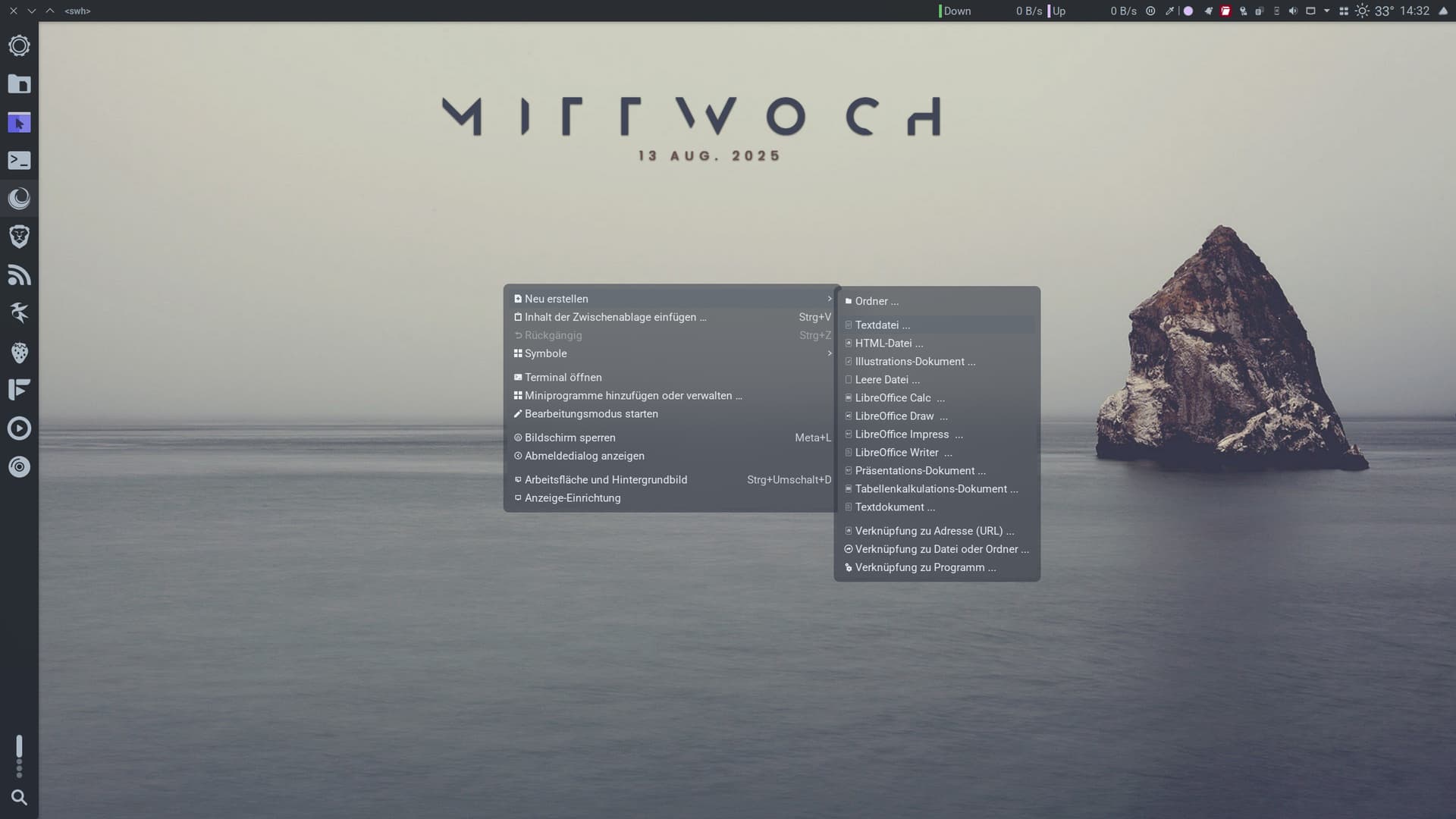
I haven’t figured out yet what I need to edit to get the same color effect in the right-click menu as in Dolphin.

Dolphin purple

Menu right-click got the original colors from Gently-Colors.

I don’t quite understand that yet.

What is the name of your kvantum theme?

Silvery-Kvantum

1 Like

I’ve been using your other icon set for some time now but finally got around to trying these and wow, outstanding. It’s a pretty rare thing to find icon sets with icons for all of the apps I use but man oh man you have nailed it.
I literally have just two icon sets installed from the KDE store and both are yours, they are so good.
:right_facing_fist: :left_facing_fist:
Keep on keepin’ on :victory_hand:
giphy

3 Likes

Thank you so much! :slightly_smiling_face:
I’ll be pushing a new update soon.

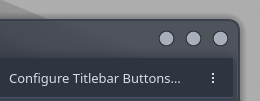
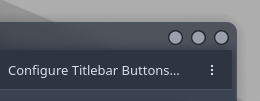
I just finished tweaking my window decorator—it’s now matching nicely with my Kvantum theme. I’m back to using the one I prefer; it’s a bit thinner compared to the current one.

Before

After

Edit:
Just published a new update for the icon set!

1 Like