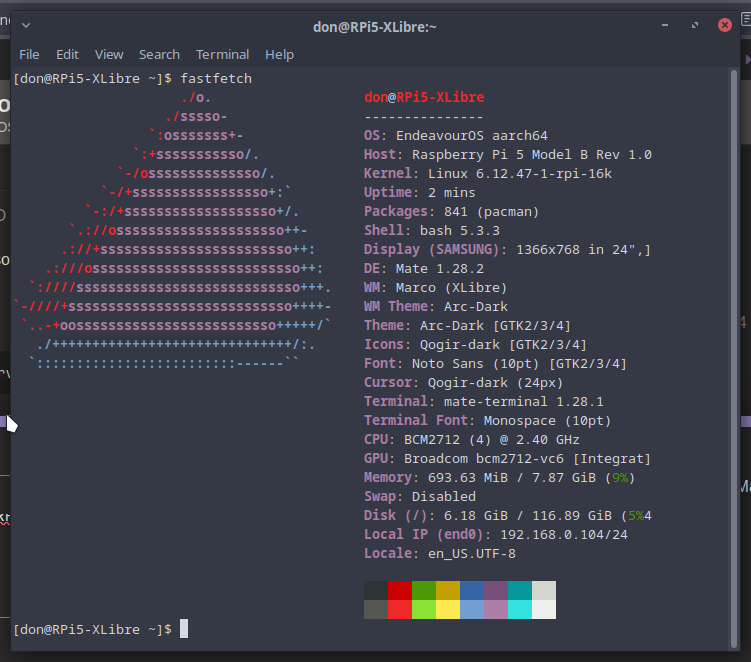
I’ve been testing XLibre for a while now, mostly with Cinnamon, and found that in its current state it’s remarkably stable. I decided today to switch my main system (Xfce) to XLibre so I can really give it a good look.
12 hours in, I am impressed with how seamless the transition from Xorg was. I play (way too many) games via Steam, never experienced any problems, even noticed a fairly significant reduction in RAM usage. All video playback is flawless, windows render as expected.
I really hope that this project continues to grow. I am not a fan of any of the Wayland-based DEs, although KDE and COSMIC are on my radar. I believe that the Linux/UNIX communities are better served if they have options with something as critical as the display back-end.
I’ve tried a bunch of times but switching to it has never worked out for me, it’s probably just askill issue, but i mean it’s supposed to be a drop in replacement so i would have expected just installing it and not installing X would make it work, but it wasn’t that simple the last 2 times I tried.
When building from source, you only need (3) packages. Here is how I build it on my Xfce system:
First, remove xorg.
yay -Rdd xorg-server{,-common}
Next, install xlibre. The bootstrap package is a build dependency.
yay -S xlibre-xserver-bootstrap xlibre-input-libinput
Now, the final install. (NOTE: -devel is not required)
yay -S xlibre-xserver{,-devel}
If using Nvidia, you will need to create a bypass file for differences in the Xorg ABIs (xlibre is at least a couple of versions ahead of xorg). This is critical as the Nvidia drivers will not load without it.
It’s much easier to setup than when it first came out. The biggest hurdle I used to face was having to create new PKGBUILDs for every package that was dependent on xorg, switch it to xlibre, then rebuild the packages. This wasn’t as hard as it first seems; for example, on Cinnamon I only needed to rebuild 4-5 packages. It was just a PITA whenever the packages needed to be updated. Now, xlibre-xserver provides xorg-server, so this is not an issue anymore.
I guess it depends on what you’re looking for. For me, I just want it to work as normal, which (so far) it is. This was one of the steps I’ve taken recently to make Xorg more secure; I also got rid of lightdm so I could manually start an Xfce session without requiring root.
The two times I tried it, I had some artefacts on the screen and the mouse cursor was flattened. I’m just waiting for Xfce Wayland to support multiple workspaces and not just one.
My first couple of attempts also didn’t go well. Could not for the life of me get lightdm-settings to work when built against xlibre. There were a few others minor glitches, but nothing as severe as what you experienced.
Now it’s running so smooth I can’t tell the difference.
You’re most welcome. EOS takes its direction from Arch, who has no plans to dump X11 any time soon. I know that Linux Mint is slowly building Wayland support, but that is also a long way off. As a former IBMer, I was confused by IBM’s announcement on X11, especially since their AIX machines can’t run Wayland. Curious what will happen to all of those systems.
current session, you’ll be asked if you want to replace the xorg package with the xlibre one. If things go wrong, you can still reinstall the xorg packages from the TTY.
Now that I have a baseline install that works, I will try creating an image that never loads any x11 packages and only uses XLibre packages. I have a feeling this will not work as I think XLibre still needs a package or two from x11.