Things got a bit confused. I just installed eos with xfce and i3 both themed. Then I followed @anon63071375 to replace the window manager of xfce using i3. There are overall no conflicts, the only thing I was wondering is how to stop the top bar from i3wm (whatever name it is, polybar or i3blocks) to take over and display Bluetooth and wifi instead of the xfce panel.
If I comment out the bar section in /.config/i3/config the wifi appear on xfce panel
However I like to keep the workspaces indicator on the i3 bar and also a couple of other things from i3blocks, therefore not disable it entirely.
Seems that @anon75994754 was suggesting that can be done in the i3blocks config and that I was not using polybar but i3blocks hopefully that’s correct.
That confuses me a bit because I always thought that the i3 bar on vanilla i3 is polybar. Will have to read on the doc sections when I get back to a computer.
Yes! So how do you call this bar? Sorry for confusion… I always thought it is called polybar and i3blocks was to display some system information on polybar.
And I am trying to get rid of the wifi on the right of this i3 bar so it appears on my xfce panel.
Ok got it. I understand my misunderstanding not polybar then. I normally install vanilla i3wm not even with i3 blocks, normally I use i3 bar and i3 status I think.
Ok will try that! I know my system is a derivative of bender OS (@anon63071375 can explain what that is). It works, will post a couple of screenshots once it’s riced up.
 hopefully that’s correct.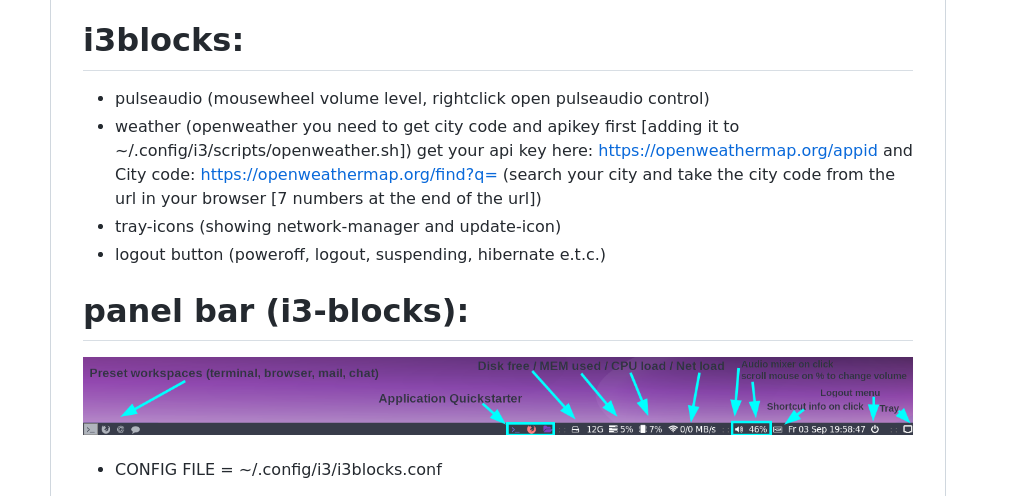
 not polybar then. I normally install vanilla i3wm not even with i3 blocks, normally I use i3 bar and i3 status I think.
 ( there no right /wrong awy
 trying new stuff out.